
DALY R24TM-150A
DALY Smart Active Balance BMS R24TM-150A User Manual
1. Introduzione
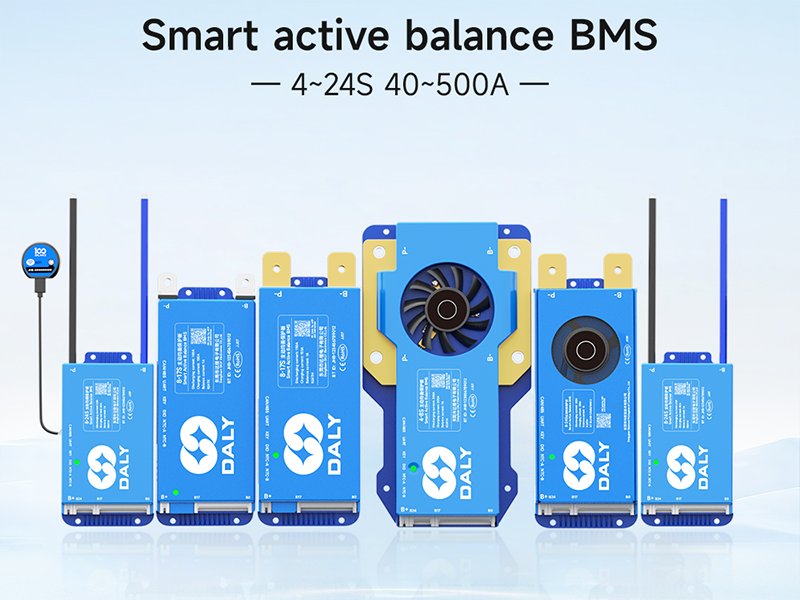
This manual provides essential instructions for the installation, operation, and maintenance of your DALY Smart Active Balance Battery Management System (BMS) model R24TM-150A. This BMS is designed to protect and manage Li-ion, LiFePO4, and LTO battery packs with 4 to 8 series cells (4S-8S) and a continuous current rating of 150A. It features built-in Bluetooth for smart monitoring and communication capabilities including RS485 and CAN.
2. Prodotto finitoview
The DALY Smart Active Balance BMS R24TM-150A is a sophisticated battery protection board that ensures the safety and longevity of your battery pack. It actively balances cell voltages, prevents overcharge, over-discharge, overcurrent, and short circuits, and includes temperature protection. The integrated Bluetooth module allows for real-time monitoring and parameter adjustment via a mobile application.


3. Specifiche
| Caratteristica | Specificazione |
|---|---|
| Numero di modello | R24TM-150A |
| Tipi di batteria supportati | Li-ion, LiFePO4, LTO |
| Series Cells (Strings) | 4S-8S |
| Corrente di scarica continua | 150A |
| Corrente di carica continua | 150A |
| Corrente di equilibrio attivo | 1A |
| Interfacce di comunicazione | Built-in Bluetooth, RS485, CAN, UART |
| Ingresso volumetage | 12V-24V |
| Volume di uscitatage | 12V (CC) |
| Dimensioni del prodotto (L x P x A) | 6.97 x 2.6 x 0.63 pollici (177 x 66 x 16 mm) |
| Peso dell'articolo | 9.7 once (275 grammi) |

4. Contenuto della confezione
Verifica che tutti gli articoli elencati di seguito siano inclusi nel tuo pacchetto:

- Smart Active Balance BMS Unit
- P-&B- Cable
- Screws (2 Pcs)
- Sampling Cable (Balance Leads)
- B+ Cable
- NTC Temperature Sensor (One standard, two optional)
- Manuale d'uso
- Scatola di imballaggio
- RS485/CAN Port Cable
5. Configurazione e installazione
Proper installation is crucial for the safe and effective operation of the BMS. Always ensure power is disconnected from the battery pack before beginning installation.
5.1 Schema elettrico
Refer to the following diagrams for correct wiring connections. Incorrect wiring can damage the BMS and battery pack.

5.2 Procedura di connessione
It is critical to connect all components in the correct sequence to prevent damage to the BMS or battery. Follow these steps carefully:
- Preparare il pacco batteria: Ensure all individual battery cells are at a similar state of charge before connecting the BMS.
- Connect Balance Leads: Collegare la sampling cable (balance leads) to each individual cell of your battery pack, starting from B0 (negative terminal of the first cell) and proceeding sequentially to B+ (positive terminal of the last cell). Ensure the order is correct according to your battery configuration (4S-8S).
- Collegare il terminale B: Collegare il terminale negativo principale del pacco batteria al terminale B- del BMS.
- Collegare il terminale P: Connect the load/charger negative terminal to the P- terminal on the BMS.
- Connect B+ Terminal: Collegare il terminale positivo principale del pacco batteria al terminale B+ del BMS.
- Collegare i cavi di comunicazione: If using, connect the RS485/CAN port cable and NTC temperature sensor.
- Verifica connessioni: Double-check all connections for correctness and secure fit before applying power.
Warning: Incorrect connection order can lead to immediate damage to the BMS and potentially the battery pack. Always follow the specified sequence.
6. Istruzioni per l'uso
6.1 Connessione dell'app Bluetooth
The DALY Smart BMS features integrated Bluetooth for convenient monitoring and configuration via a mobile application.
- Scarica l'app: Cercare "BalanceBMS" on your iOS or Android device's app store and install it.
- Abilita Bluetooth: Assicurati che il Bluetooth sia abilitato sul tuo dispositivo mobile.
- Connettiti al BMS: Open the "BalanceBMS" app and follow the on-screen instructions to connect to your DALY Smart BMS. The app will typically detect nearby BMS devices.
6.2 Monitoraggio e configurazione
Once connected, the app provides access to various parameters and settings:
- Dati in tempo reale: Monitorare il volume delle singole celluletages, volume totale della batteriatage, charge/discharge current, temperature, and State of Charge (SOC).
- Active Balance Status: View the status of the active balancing process, which helps equalize cell voltages for optimal performance and extended battery life.
- Protection Status: Check for any active protection warnings or faults (e.g., overcharge, over-discharge, overcurrent, high temperature).
- Regolazione dei parametri: Adjust various protection parameters and operational settings as needed (advanced users only).
- Registrazione dei dati: The BMS may offer data logging capabilities for historical performance analysis.
6.3 Communication Interfaces (RS485/CAN/UART)
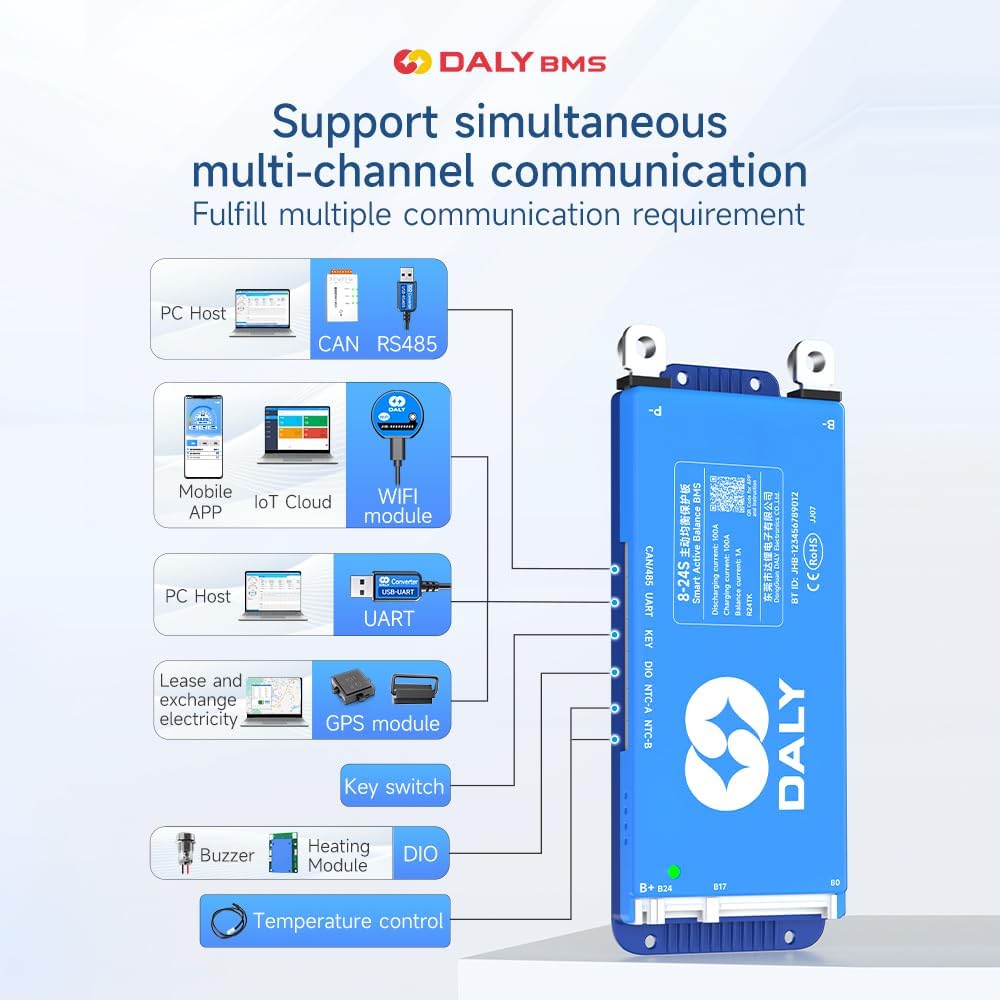
For advanced integration and monitoring, the BMS supports RS485, CAN, and UART communication protocols. These interfaces allow connection to external devices such as PC hosts, IoT cloud modules (with optional WiFi module), GPS modules, and other control systems.
7. Manutenzione
The DALY Smart Active Balance BMS is designed for minimal maintenance. However, regular checks can help ensure optimal performance and longevity of your battery system:
- Ispezione visiva: Ispezionare periodicamente il BMS e tutti i cablaggi per verificare la presenza di eventuali segni di danni, corrosione o collegamenti allentati.
- Monitoraggio delle app: Regularly check the BMS status via the "BalanceBMS" app to monitor cell voltages, temperatures, and overall battery health. Address any warnings or alerts promptly.
- Aggiornamenti del firmware: Check for available firmware updates for the BMS through the app or manufacturer's websito per assicurarti di disporre delle funzionalità e delle correzioni di bug più recenti.
- Pulizia: Keep the BMS free from dust and debris. Ensure adequate ventilation if installed in an enclosure.
8. Risoluzione Dei Problemi
If you encounter issues with your DALY Smart Active Balance BMS, consider the following troubleshooting steps:
8.1 Controllo di compatibilità
Ensure your BMS is compatible with your battery type and configuration. For example, a BMS designed for LiFePO4 batteries may not function correctly with Li-ion batteries, even if the cell count is similar.

8.2 Problemi comuni e soluzioni
- BMS Not Powering On/No Data:
- Verify all wiring connections, especially the main power and balance leads, are secure and in the correct sequence.
- Controllare il pacco batteria voltage per garantire che rientri nel raggio operativo del BMS.
- Cells Not Balancing:
- Confirm that the balance leads are correctly connected to each cell.
- Check the active balance current setting in the app.
- Ensure the battery pack is not severely out of balance, which may require external balancing before BMS can effectively manage.
- Over-Discharge/Over-Charge Protection Triggered:
- Controllare il volume della batteriatage. If over-discharged, charge the battery. If over-charged, stop charging.
- Review the protection parameters in the app to ensure they are set appropriately for your battery type.
- BMS Not Communicating via Bluetooth:
- Ensure Bluetooth is enabled on your mobile device and the BMS is powered on.
- Prova a riavviare l'app e il tuo dispositivo mobile.
- Assicurarsi che nessun altro dispositivo interferisca con il segnale Bluetooth.
- Unexpected Behavior/Malfunction:
- Review the installation steps carefully, especially the connection order. Incorrect installation is a common cause of issues.
- Se il problema persiste, contattare l'assistenza clienti per ulteriore assistenza.
9. Garanzia e supporto
The DALY Smart Active Balance BMS R24TM-150A comes with an 18-month warranty from the date of purchase, covering manufacturing defects. For warranty claims or technical assistance, please contact DALY customer service. When contacting support, please provide your product model number (R24TM-150A) and a detailed description of the issue.
While DALY strives to provide friendly customer service, it is recommended to thoroughly review this manual and ensure correct installation as per instructions, as improper setup is a frequent cause of operational issues.
Ask a question about this manual
Ask about setup, troubleshooting, compatibility, parts, safety, or missing instructions. Manuals+ will review the question and use this page’s manual context to help answer it.