
ETOE A1222
ETOE Starfish 720P Projector User Manual (Model A1222)
La tua guida all'installazione, al funzionamento e alla manutenzione
1. Introduzione
Welcome to the ETOE Starfish 720P Projector user manual. This guide provides essential information for setting up, operating, and maintaining your projector. The ETOE Starfish projector offers a native 720P resolution with 300 ANSI lumens, a built-in Google Android system for streaming, and features like 140-degree rotation, auto keystone correction, and dual-band Wi-Fi connectivity. Please read this manual thoroughly before using your device to ensure optimal performance and longevity.
2. Cosa c'è nella scatola
Carefully unpack your ETOE Starfish projector and ensure all items are present:
- Proiettore
- Adattatore
- Manuale d'uso
- Telecomando
- Cavo di alimentazione
3. Prodotto finitoview
Familiarize yourself with the main components and features of your ETOE Starfish projector.

Immagine: Frontale view of the ETOE Starfish Projector, showcasinil suo design compatto e moderno.
3.1. Porte e connessioni
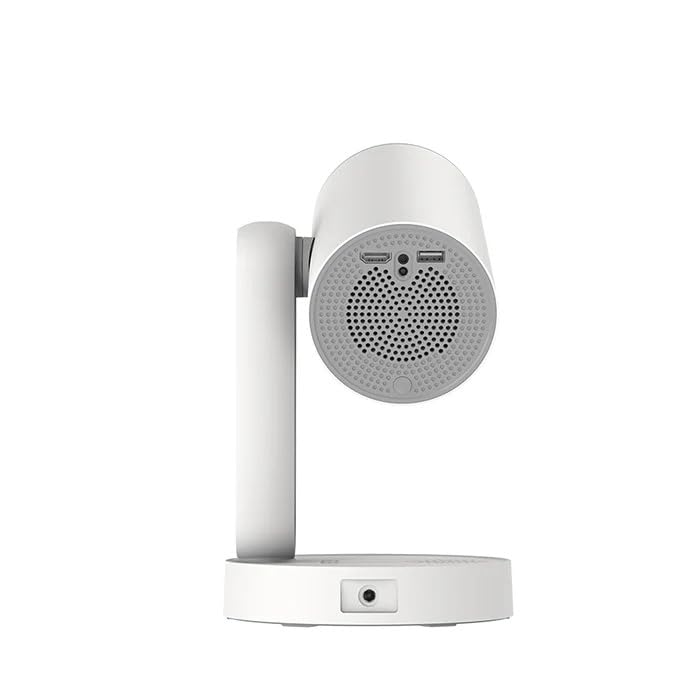
Immagine: Lato view of the ETOE Starfish Projector, highlighting its connectivity ports including USB and HDMI.
The projector includes various ports for connectivity:
- Porta HDMI: Per collegare dispositivi esterni come console di gioco, lettori Blu-ray o laptop.
- Porta USB: Per collegare dispositivi di archiviazione USB per riprodurre contenuti multimediali files.
- Potenza in ingresso: Per collegare l'adattatore di alimentazione.
3.2. Caratteristiche principali
- Rotazione 140°: The projector head can be rotated up to 140 degrees for flexible projection angles, including ceiling projection.
- Touch-controlled Ambient Light: A customizable seven-color night light feature with adjustable brightness and color temperature.
- Built-in Google Android System: Accedi direttamente ai servizi di streaming più popolari come Netflix, YouTube e Prime Video.
- Correzione trapezoidale automatica: Regola automaticamente l'immagine per una visualizzazione perfettamente rettangolare.
- Wi-Fi dual-band: Supports 2.4G and 5G Wi-Fi for stable wireless connectivity.
- Funzionamento a basso rumore: Designed for quiet performance, operating at approximately 24.5 dB.
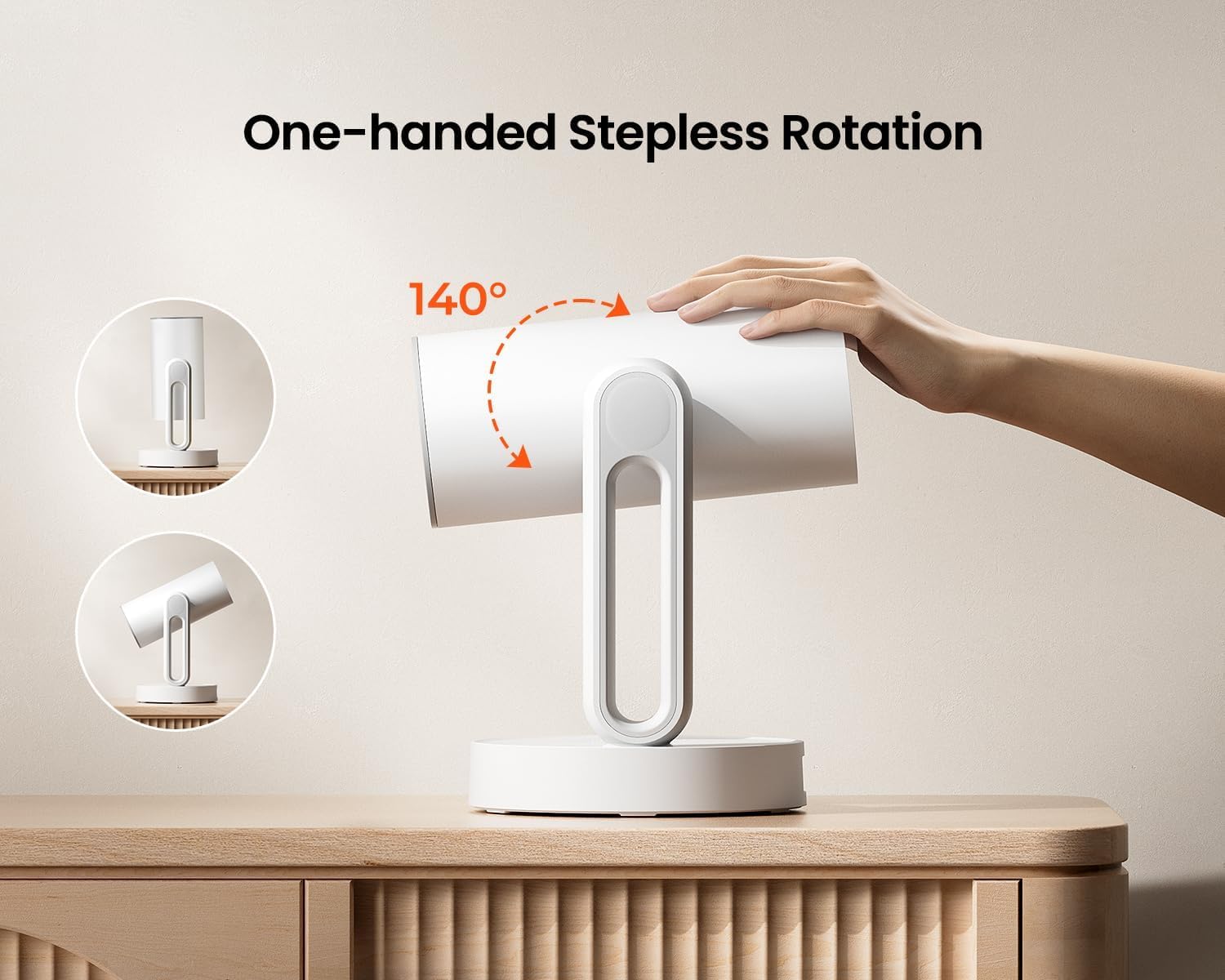
Image: The ETOE Starfish Projector shown rotating 140 degrees, illustrating its flexible projection capabilities.

Image: The ETOE Starfish Projector displaying its touch-controlled ambient light feature with various color options.
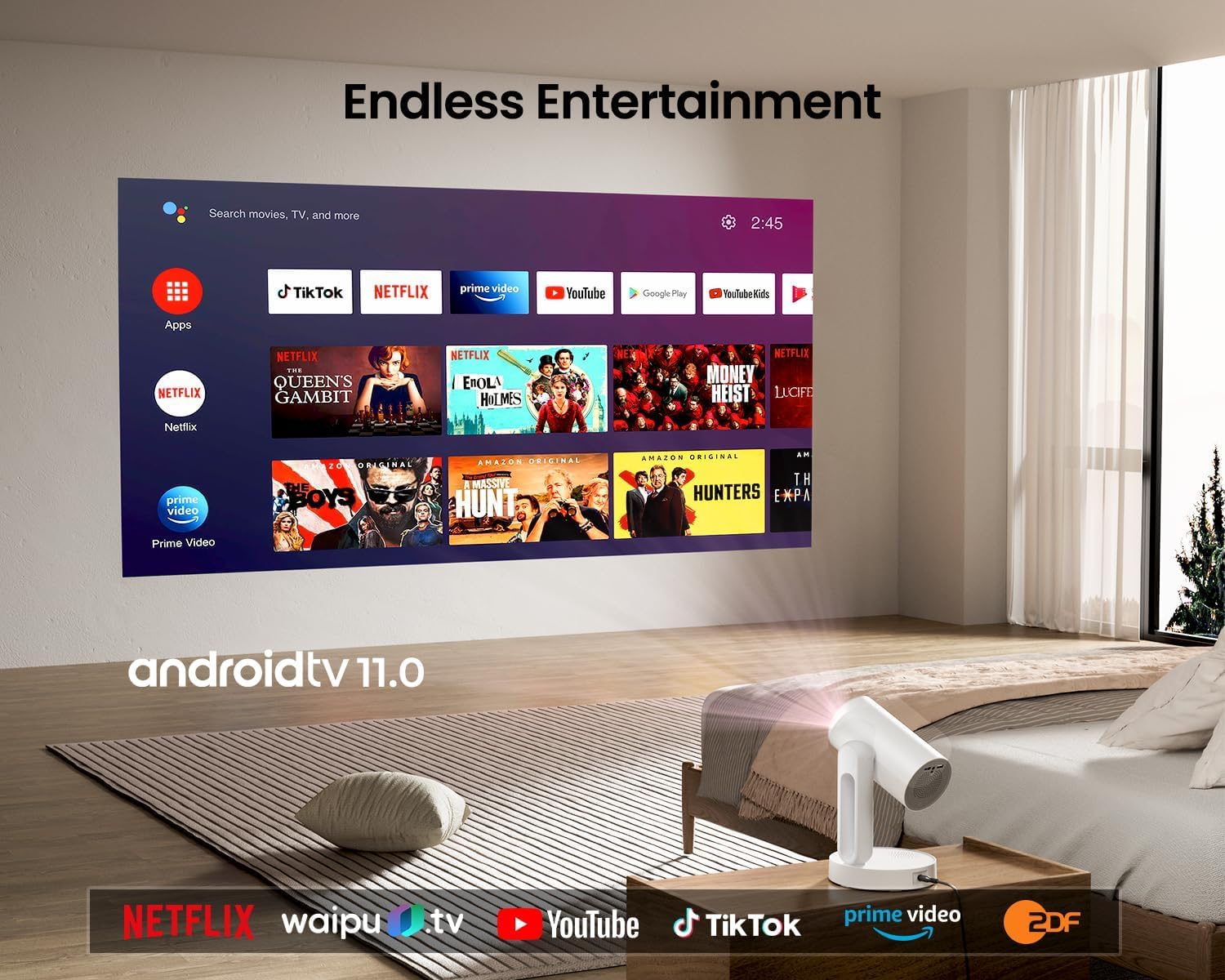
Image: The ETOE Starfish Projector displaying the Android TV interface, showing various streaming applications like Netflix, YouTube, and Prime Video.

Image: The ETOE Starfish Projector automatically correcting a distorted image to a perfect rectangle.

Image: Illustration comparing the low noise level of the ETOE Starfish Projector (24.5 dB) to common sounds.
4. Impostazione
4.1. Collegamento elettrico
- Connect the power cord to the adaptor.
- Plug the adaptor into the projector's power input port.
- Collegare l'altra estremità del cavo di alimentazione a una presa a muro.
4.2. Posizionamento iniziale
Posizionare il proiettore su una superficie stabile e piana. Per una visione ottimale viewing, ensure the projection surface (wall or screen) is clean and smooth. The 140° rotation feature allows for flexible positioning, including ceiling projection.
4.3. Impostazione del telecomando
Inserire due batterie AAA (non incluse) nel telecomando, rispettando la polarità corretta.
4.4. First Boot and Network Connection
- Premere il pulsante di accensione sul proiettore o sul telecomando per accenderlo.
- Follow the on-screen instructions for the initial Google Android system setup. This will include language selection and connecting to a Wi-Fi network.
- Select your preferred 2.4G or 5G Wi-Fi network and enter the password.
5. Istruzioni per l'uso
5.1. Funzionamento di base
- Accensione/spegnimento: Premere il pulsante di accensione sul telecomando o sul proiettore.
- Navigazione: Use the directional buttons on the remote to navigate the Android interface.
- Controllo del volume: Utilizzare i pulsanti del volume sul telecomando.
5.2. Regolazione dell'immagine
- Messa a fuoco digitale: Adjust the image clarity using the focus controls on the remote or through the settings menu.
- Correzione trapezoidale automatica: The projector automatically corrects trapezoidal distortion. If manual adjustment is needed, access it via the settings.
- Zoom digitale: Adjust the image size from 50% to 100% without moving the projector, accessible in the settings menu.
- Rotazione 140°: Physically rotate the projector head to project onto different surfaces, including ceilings. The auto keystone will adjust the image accordingly.

Image: The ETOE Starfish Projector projecting content onto a ceiling, demonstrating its versatility for different viewing angles, with a smartphone mirroring content.
5.3. Smart System Features
- Applicazioni di streaming: Access pre-installed apps like Netflix, YouTube, and Prime Video. Ensure you are logged into your respective accounts.
- Assistente Google: Use voice commands via the remote control for navigation, content search, and system control.
- Chromecast integrato: Cast content directly from compatible Android, iOS, and PC devices to the projector. Ensure both devices are on the same Wi-Fi network.
5.4. Ambient Light Function
The projector features a touch-controlled ambient light. Touch the designated area on the projector to cycle through seven colors, adjust brightness, and change color temperature to create your desired atmosphere.
6. Manutenzione
Una corretta manutenzione garantisce la longevità e le prestazioni ottimali del proiettore.
- Pulizia delle lenti: Utilizzare un panno morbido e privo di lanugine, specificamente progettato per lenti ottiche, per pulire delicatamente la lente del proiettore. Evitare materiali abrasivi o sostanze chimiche aggressive.
- Protezione dalla polvere: The ETOE Starfish features a fully sealed optical engine designed to protect against dust ingress, minimizing the need for internal cleaning.
- Pulizia generale: Pulire l'esterno del proiettore con un panno morbido e asciutto. Non utilizzare detergenti liquidi direttamente sul dispositivo.
- Magazzinaggio: Quando non viene utilizzato per lunghi periodi, conservare il proiettore in un luogo fresco e asciutto, lontano dalla luce solare diretta e da temperature estreme.
7. Risoluzione Dei Problemi
Se riscontri problemi con il proiettore, fai riferimento ai seguenti problemi comuni e alle relative soluzioni:
| Problema | Possibile causa | Soluzione |
|---|---|---|
| Il proiettore non si accende. | Power cord not connected properly; power outlet issue. | Ensure power cord is securely connected to both projector and outlet. Test outlet with another device. |
| Nessuna immagine visualizzata. | Input source incorrect; external device not connected; projector in standby. | Check input source settings. Ensure HDMI/USB devices are connected and powered on. Wake projector from standby. |
| L'immagine è sfocata. | Messa a fuoco non regolata; proiettore troppo vicino/lontano dallo schermo. | Adjust digital focus using the remote. Ensure optimal projection distance. |
| Image is distorted (not rectangular). | È necessaria la correzione trapezoidale. | The projector has auto keystone. If manual adjustment is required, access it in the settings menu. |
| Nessun suono. | Volume too low; external audio device issue; mute enabled. | Increase volume. Check external audio connections. Disable mute. |
| Problemi di connessione Wi-Fi. | Password errata; router troppo lontano; interferenza di rete. | Re-enter Wi-Fi password. Move projector closer to router. Restart router. |
| Telecomando non funzionante. | Batteries low/dead; line of sight blocked. | Replace batteries. Ensure no obstructions between remote and projector. |
8. Specifiche
Detailed technical specifications for the ETOE Starfish 720P Projector (Model A1222).
| Marca | ETOE |
| Modello | A1222 |
| Produttore | JVDN International |
| Dimensioni del prodotto | Dimensioni: 61 x 48 x 43 cm |
| Peso dell'articolo | 3 kg |
| Tipo di visualizzazione | LCD |
| Luminosità dell'immagine | 300 ANSI Lumen |
| Rapporto di contrasto dell'immagine | 3000:1 |
| Proporzioni | 16:9 |
| Risoluzione nativa | 1280x720 |
| Voltage | 240 Volt |
| Cosatage | 5 Watt |
| Frequenza di aggiornamento | Frequenza 60 Hz |
| Tecnologia di connettività | Wi-Fi (2.4G e 5G) |
| Interfaccia Hardware | HDMI, USB |
| Dispositivi compatibili | Smartphones (Android & iOS), Gaming Consoles, Blu-ray Players, Media Players |
| Caratteristiche speciali | Digital Focus, Portable, Wireless, Auto Keystone, 140° Rotation, Built-in Android System, Ambient Light |
| Tipo di montaggio | Supporto da tavolo |
9. Garanzia e supporto
9.1. Informazioni sulla garanzia
The ETOE Starfish Projector is manufactured by JVDN International. For specific warranty terms and conditions, please refer to the warranty card included with your product or contact the manufacturer directly. Keep your purchase receipt as proof of purchase for warranty claims.
9.2. Assistenza clienti
For technical assistance, troubleshooting not covered in this manual, or warranty inquiries, please contact JVDN International customer support:
- Referente: JAYESH KUMAR JAGETIYA
- Telefono: +91 91361 87951
- E-mail: jayesh@jvdninternational.com
- Indirizzo: B-1122 Sun Westbank, Ashram Road, Ahmedabad, Gujarat, India, 380009
Ask a question about this manual
Ask about setup, troubleshooting, compatibility, parts, safety, or missing instructions. Manuals+ will review the question and use this page’s manual context to help answer it.