
1. Introduzione
The OBEST Motorcycle TPMS (Tire Pressure Monitoring System) is designed to provide real-time monitoring of your motorcycle's tire pressure and temperature. This system helps enhance riding safety by alerting you to abnormal tire conditions, improving fuel efficiency, and extending tire life. It features a high-brightness LCD display, external sensors, and an IP67 waterproof rating for reliable performance in various weather conditions.

Figure 1: OBEST Motorcycle TPMS Display Unit and External Sensors
2. Caratteristiche del prodotto
- Chip ad alte prestazioni: Equipped with an advanced chip for faster response, stable signal transmission, reduced error range, and lower power consumption.
- Display LCD ad alta luminosità: Ensures clear visibility of air pressure and temperature data in various lighting conditions (daytime, daylight, rainy day, night).
- Monitoraggio in tempo reale: Continuously monitors tire pressure and temperature for both tires simultaneously, detecting changes within seconds.
- Multi-functional Sensor: In addition to tire pressure monitoring, the unit includes a clock, vehicle inclinometer, and QC3.0 fast charging port.
- Grado di impermeabilità IP67: Designed to resist sand, dust, and water ingress, making it suitable for diverse weather conditions. It is also heat and cold resistant.
- QC3.0 Fast Charging: Integrated QC3.0 port allows for quick charging of mobile phones, tablets, and other compatible devices.

Figure 2: Key Functions of the TPMS
3. Contenuto della confezione
Si prega di verificare che tutti gli articoli elencati di seguito siano inclusi nel pacchetto:
- 1 x Motorcycle Tire Pressure Monitoring System (Host/Display Unit)
- 1 x Support (Mounting Bracket)
- 2 x External Sensors (Front Wheel 'FW' and Rear Wheel 'RW')
- 2 x Support Covers
- 2 x dadi
- 1 x Chiave inglese
- 1 x Cacciavite

Figure 3: Package Inventory
4. Configurazione e installazione
4.1 Montaggio dell'unità display
- Attach the mounting bracket to your motorcycle's handlebars. Ensure it is securely fastened and positioned for optimal viewsenza ostacolare il tuo viaggio.
- Slide the display unit onto the mounting bracket. Secure it using the provided screws and nuts.
- Connect the power cable to the display unit and route it appropriately to a power source on your motorcycle.

Figure 4: Handlebar Installation of the Display Unit
4.2 Installazione di sensori esterni
The system includes two external sensors, labeled 'FW' for the front wheel and 'RW' for the rear wheel. Install them as follows:
- Ensure your tires are at the recommended pressure before installation for accurate baseline readings.
- Unscrew the original valve caps from your motorcycle's tire valves.
- Screw the 'FW' sensor onto the front tire's valve stem and the 'RW' sensor onto the rear tire's valve stem. Tighten them using the provided wrench to prevent theft and ensure a secure seal.
- The sensors will automatically begin transmitting data to the display unit once installed and the motorcycle is in motion or the system is powered on.
Note: The sensors are designed to be anti-theft and waterproof. Ensure they are properly tightened.
5. Istruzioni per l'uso
5.1 Fine displayview
Il display LCD fornisce informazioni complete a colpo d'occhio:
- Front Tire Pressure (FW): Displays the current pressure of the front tire.
- Rear Tire Pressure (RW): Displays the current pressure of the rear tire.
- Front Tire Temperature (FW): Displays the current temperature of the front tire.
- Rear Tire Temperature (RW): Displays the current temperature of the rear tire.
- Slope Display: Indicates the vehicle's inclination.
- Visualizzazione dell'ora: Mostra l'ora corrente.
- Indicatori della batteria: Shows battery levels for the display unit and sensors.

Figure 5: Detailed Display Information
5.2 Funzioni dei pulsanti
The display unit features several buttons for navigation and settings:
- Pulsante 'M': Typically used to enter menu settings or confirm selections.
- Pulsante freccia su: Utilizzato per aumentare i valori o per spostarsi verso l'alto nei menu.
- Pulsante freccia giù: Utilizzato per diminuire i valori o per navigare verso il basso nei menu.
- Pulsante di accensione: Used to power the unit on/off.
Refer to the on-screen prompts for specific button functions during setup or alarm conditions.
5.3 Real-Time Monitoring and Alarms
The system continuously monitors tire data. In case of abnormal pressure or temperature, the display will provide real-time warning feedback, often accompanied by an audible alarm and flashing screen prompts. This includes warnings for:
- Bassa pressione dei pneumatici
- Pressione pneumatici elevata
- High tire temperature
- Rapid air leakage

Figure 6: Real-Time Tire Data Monitoring
5.4 QC3.0 Fast Charging
The display unit is equipped with a QC3.0 fast charging port. To use this feature:
- Locate the USB charging port on the side of the display unit.
- Connect your compatible mobile phone, tablet, or other device using a USB cable.
- Ensure the motorcycle's ignition is on for power delivery.
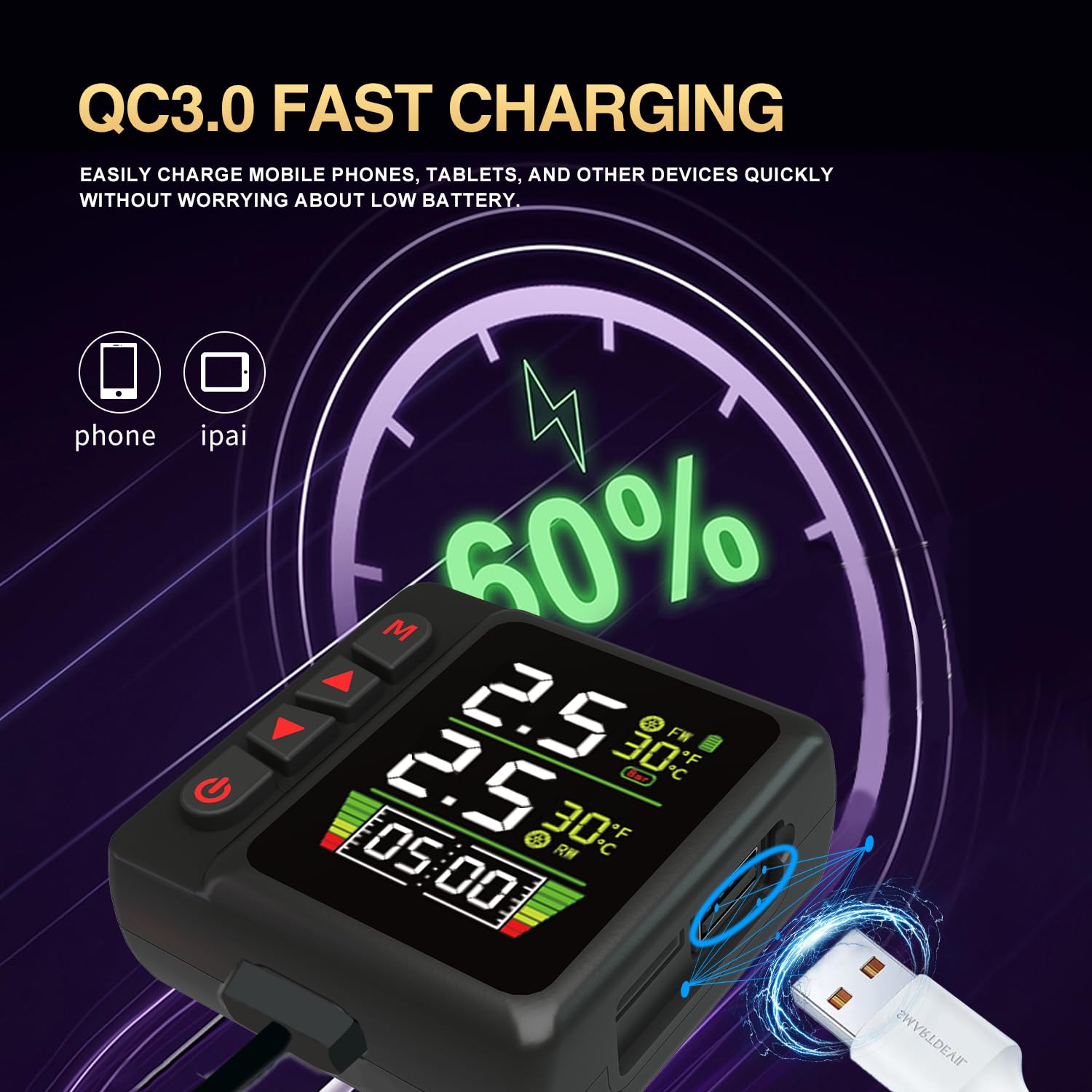
Figure 7: QC3.0 Fast Charging Feature
6. Manutenzione
- Copertura impermeabile: Always ensure the charging port's waterproof cover is securely closed, especially before washing the motorcycle or riding in rain, to maintain the IP67 rating.
- Pulizia: Pulire l'unità display e i sensori con un panno morbido eamp stoffa. Evitare l'uso di detergenti o solventi abrasivi.
- Batteria del sensore: The external sensors are designed for long battery life. If a sensor stops transmitting, check its battery. Replacement instructions for external sensor batteries are typically found in the detailed product manual or by contacting support.
- Magazzinaggio: If storing the motorcycle for an extended period, ensure the display unit is fully charged and stored in a dry, cool place.

Figura 8: Protezione impermeabile IP67
7. Risoluzione Dei Problemi
| Problema | Possibile causa | Soluzione |
|---|---|---|
| No display/Unit won't power on | Low battery; Power cable disconnected; Unit faulty. | Charge the unit; Check power cable connection; Contact support if issue persists. |
| Sensors not displaying data | Sensors not installed correctly; Sensor battery low/dead; Interference; Sensors not paired. | Ensure sensors are tightly screwed on; Replace sensor battery (if applicable); Move away from strong electromagnetic fields; Refer to pairing instructions (if available in full manual). |
| Letture imprecise di pressione/temperatura | Sensors not calibrated; External factors (extreme heat/cold); Sensor malfunction. | Verify tire pressure with a known accurate gauge before installing sensors; Allow sensors to equilibrate; Contact support if readings remain consistently inaccurate. |
| L'unità non si spegne automaticamente | Specific design behavior; Power setting. | Manually power off the unit using the power button if automatic shutdown is not observed. |
| "Slope" reading unclear | This feature indicates the vehicle's inclination. | The slope display provides information on the motorcycle's lean angle or incline. No action is typically required unless it indicates an extreme or unexpected value. |
| Missing mounting hardware (screws) | Errore di imballaggio. | Contact OBEST customer support immediately for replacement parts. |
8. Specifiche
- Numero modello: MT001
- Marca: OBEST
- Materiale: Polipropilene
- Tipo di montaggio: Tire Mount (for sensors)
- Tipo di uscita: Analog (referring to sensor signal)
- Grado di impermeabilità: Grado di protezione IP67
- Display: LCD
- Ricarica: Ricarica rapida QC3.0
- Dimensioni della confezione: 7.17 x 5.59 x 2.17 pollici
- Peso dell'articolo: 0.03 ounces (likely referring to a component, not entire package)
9. Garanzia e supporto
This product comes with a one-year warranty from the date of purchase. In the unlikely event of an initial defect or any issues with the product, please contact the seller directly. OBEST values customer trust and aims to respond to inquiries within 24 hours.
For further assistance, please refer to the contact information provided with your purchase or visit the official OBEST support channels.