
1. Introduzione
This manual provides detailed instructions for the installation, operation, and maintenance of your Jufodrca Android 13 Car Stereo Radio. Please read this manual thoroughly before using the product to ensure proper function and safety.
Caratteristiche principali:
- Sistema operativo: Android 13 with 1.6GHz Octa-Core CPU, 4GB RAM + 32GB storage.
- Display: 10.1-inch 1280×800 HD Touchscreen.
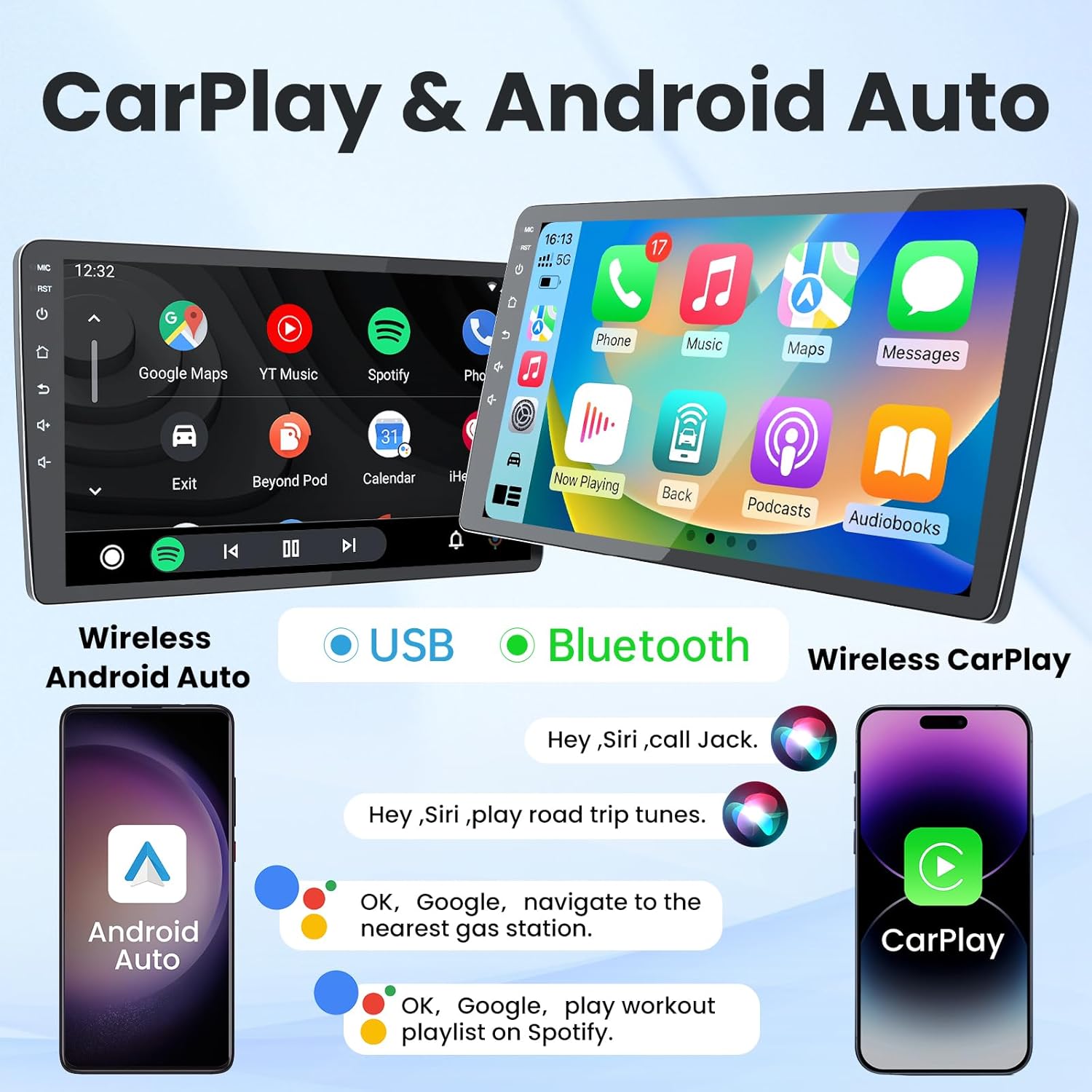
- Connettività: Wireless CarPlay & Android Auto, Bluetooth 5.0, Dual-band 2.4G/5G WiFi, USB.
- Navigazione: Built-in GPS supporting offline and online maps.
- Audio: AM/FM/RDS Radio, 36-band EQ, DSP Sound.
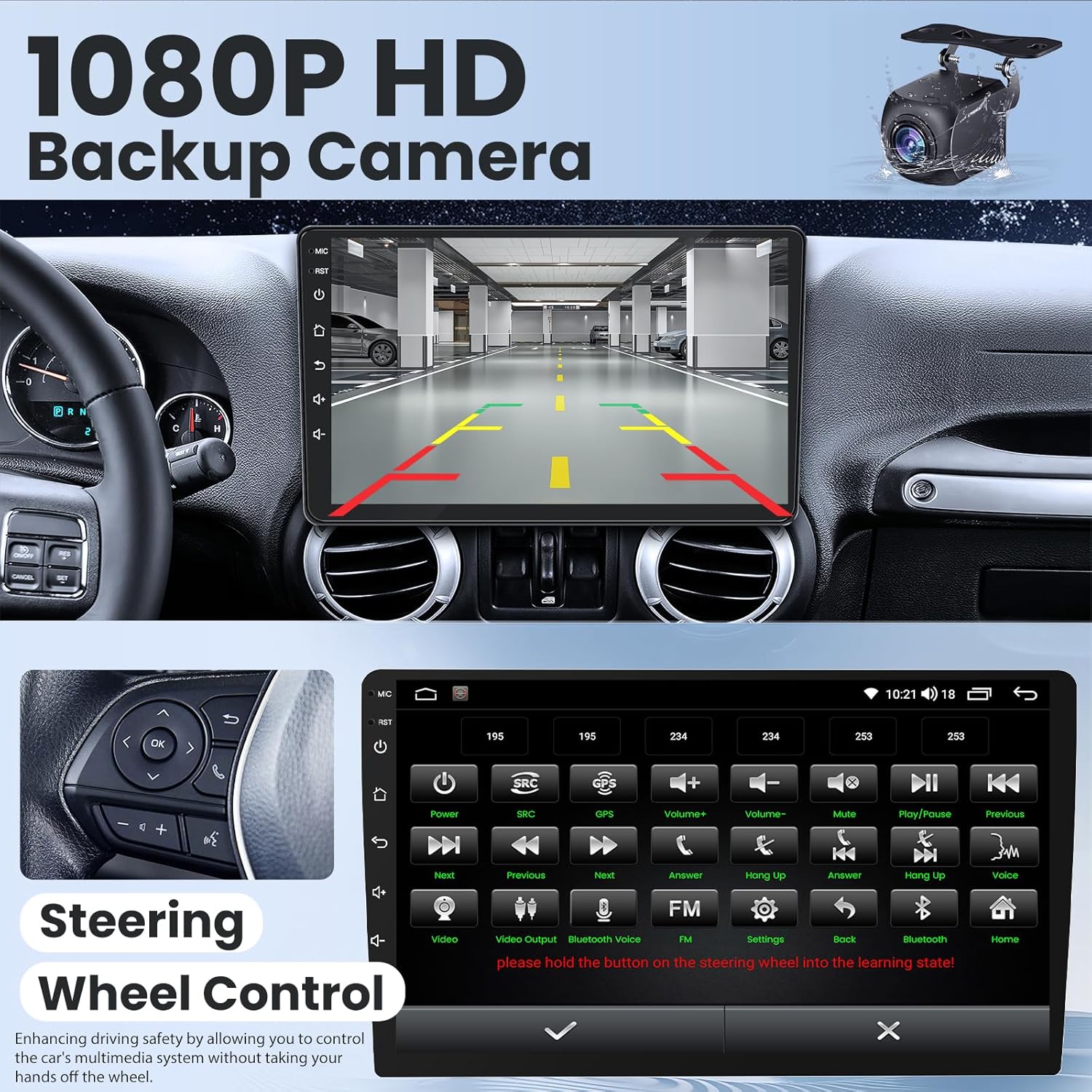
- Supporto per fotocamera: AHD 720P/1080P backup camera input.
- Controllare: Supporto per il controllo del volante (SWC).
2. Cosa c'è nella scatola
Verificare che tutti i componenti siano presenti prima di iniziare l'installazione:
- 1 x Head Unit
- 1 telecamera di retromarcia
- 1 x cavo di retromarcia
- 1 x CanBus Box
- 1 x Crowbar (for trim removal)
- 1 x cavo di alimentazione
- 1 set di cavi RCA
- 2 x Cavi USB
- 1 antenna GPS
- 1 microfono da 3.5 mm

3. Guida all'installazione
Si raccomanda l'installazione da parte di un professionista. Assicurarsi che la batteria del veicolo sia scollegata prima di iniziare l'installazione.
3.1 Collegamenti di cablaggio
Follow these steps to connect the wiring harness to the head unit:
- Connect the main power cable to the corresponding port on the head unit.
- Connect the Canbus box to the 8-pin connector on the wiring harness, then plug the 8-pin connector into the head unit.
- Connect the 20-pin RCA cable set to the head unit. This includes audio output, video input/output, and auxiliary inputs.
- Connect the 3.5mm microphone to the designated input on the RCA cable set.
- Connect the 4-pin and 6-pin USB cables to the head unit.
- Connect the GPS antenna to the dedicated GPS port on the head unit.
- Connect the 10-pin rear camera signal wire to the head unit.
3.2 Installazione fisica
After connecting all necessary wires, carefully mount the head unit into your vehicle's dashboard. Ensure all connections are secure and no wires are pinched. Test the unit before fully reassembling the dashboard trim.

4. Istruzioni per l'uso
4.1 CarPlay wireless e Android Auto
Connect your iPhone or Android device wirelessly to access navigation, music, calls, and messages directly on the stereo's display. Use voice commands for hands-free operation.
4.2 Navigazione GPS
The unit features built-in GPS with support for both offline and online maps. Download map data for North America for navigation without an internet connection. Connect to WiFi for real-time traffic updates and online map services.

4.3Bluetooth 5.0
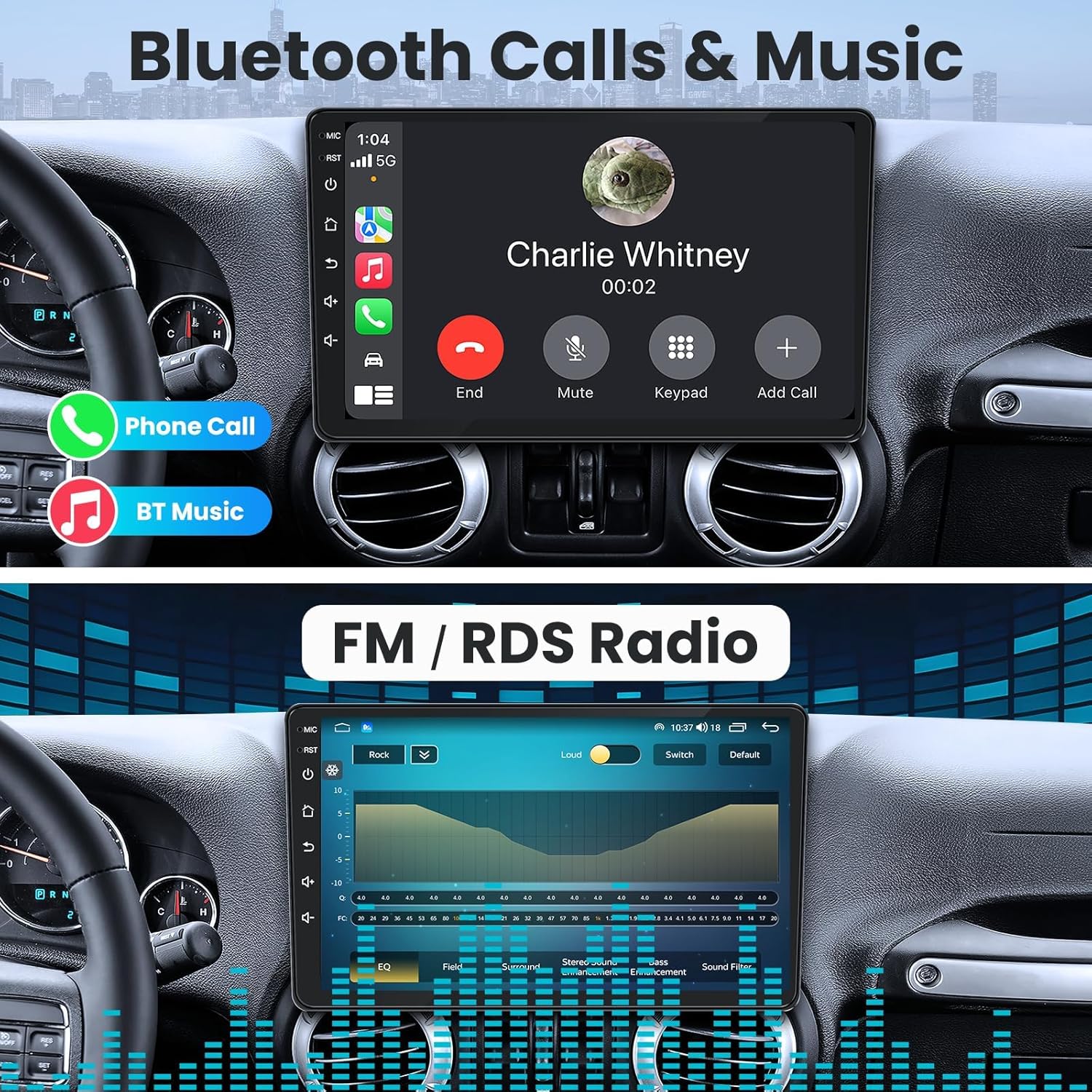
Pair your smartphone via Bluetooth 5.0 for hands-free calling and audio streaming. Access your phonebook and call history directly from the stereo.

Radio AM/FM/RDS 4.4
Tune into your favorite AM/FM radio stations. RDS (Radio Data System) provides additional information like station name and song titles where available.
4.5 Telecamera di retromarcia
The system supports AHD 720P/1080P backup cameras, providing a clear view of the area behind your vehicle when reversing. The image automatically displays when the vehicle is shifted into reverse gear.

4.6 Controllo del volante (SWC)
Integrate with your vehicle's existing steering wheel controls for safe and convenient operation of the stereo's functions, such as volume, track changes, and call management.
4.7 DSP Sound Effects & EQ
Utilize the built-in Digital Sound Processor (DSP) and 36-band equalizer to fine-tune your audio experience. Adjust sound fields, surround effects, bass enhancement, and apply sound filters to match your preferences.

4.8 Funzionalità schermo diviso
The split-screen feature allows you to run two applications simultaneously, such as navigation and music, or radio and web browsing, enhancing multitasking capabilities.

4.9 UI Replacement
Customize the user interface (UI) of your car stereo with various available themes and layouts to personalize your experience.

5. Specifiche
| Caratteristica | Dettaglio |
|---|---|
| Dimensioni del prodotto | 5.5 x 12.2 x 8.3 pollici |
| Peso dell'articolo | 3.56 libbre |
| Dimensioni dello schermo | 10.1 pollici |
| Sistema operativo | Androide 13 |
| Memoria/Archiviazione | 4 GB di RAM + 32 GB di ROM |
| Tecnologia di connettività | Bluetooth 5.0, USB, Wi-Fi (2.4G/5G) |
| Caratteristiche speciali | 1080P posteriore View Camera Support, FM RDS Radio & DSP, GPS, SWC, Mirror Link, Wireless Carplay & Android Auto |
| Tipo di mappa | America del Nord |
| Modalità di uscita audio | Stereo |
| Tipo di montaggio | Supporto per cruscotto |
6. Risoluzione Dei Problemi
If you encounter issues with your Jufodrca car stereo, refer to the following common troubleshooting steps:
- Nessun potere: Controllare tutti i collegamenti elettrici e assicurarsi che la batteria del veicolo sia correttamente collegata e carica. Verificare i fusibili.
- Nessun suono: Controllare i collegamenti degli altoparlanti, i livelli del volume e le impostazioni audio (EQ, DSP). Assicurarsi che sia selezionata la sorgente audio corretta.
- Problemi di connessione Bluetooth: Assicurati che il Bluetooth sia abilitato sia sullo stereo che sul tuo dispositivo. Elimina le associazioni precedenti e prova a riconnetterti.
- Perdita del segnale GPS: Assicurarsi che l'antenna GPS sia installata correttamente e abbia una visuale libera view of the sky. Check map data for corruption or outdated versions.
- CarPlay/Android Auto non si connette: Verify your phone's operating system is up to date. Ensure the feature is enabled on the stereo and your phone. Try restarting both devices.
- La telecamera di backup non viene visualizzata: Controllare i collegamenti di alimentazione e del segnale video della telecamera. Assicurarsi che il cavo del segnale della retromarcia sia correttamente collegato allo stereo.
- Comandi al volante non funzionanti: Ensure the SWC wires are correctly connected and the controls are programmed in the stereo's settings.
For persistent issues, contact Jufodrca customer support.
7. Manutenzione
Per garantire la longevità e le prestazioni ottimali dell'autoradio, seguire queste linee guida per la manutenzione:
- Pulizia: Utilizzare un panno morbido e asciutto per pulire lo schermo e l'esterno. Evitare detergenti abrasivi o solventi.
- Aggiornamenti software: Controllare periodicamente la presenza di aggiornamenti software e installarli per migliorare le prestazioni e aggiungere nuove funzionalità.
- Temperatura: Evitare di esporre l'unità a temperature estreme, che potrebbero danneggiarne i componenti elettronici.
- Cablaggio: Regularly inspect wiring for any signs of wear or damage.
8. Garanzia e supporto
Your Jufodrca car stereo is covered by a manufacturer's warranty. Please refer to the warranty card included in your package for specific terms and conditions. For technical support, troubleshooting assistance, or warranty claims, please contact Jufodrca customer service through their official websito o rivenditore presso cui è stato acquistato il prodotto.
Conservare la ricevuta d'acquisto come prova d'acquisto ai fini della garanzia.