
PULOMI B0DM1Z425R
PULOMI Long Distance Touch Bracelets User Manual
Model: B0DM1Z425R
1. Introduzione
The PULOMI Long Distance Touch Bracelets are designed to help individuals in long-distance relationships stay connected through unique vibration and light-up signals. These smart bracelets allow you to send a "touch" to your partner, letting them know you are thinking of them, regardless of geographical distance. The system also includes a safety SOS feature for emergency situations.

Image: A pair of PULOMI Long Distance Touch Bracelets, showcasing their sleek design and illuminated displays.
2. Caratteristiche del prodotto
- Connessione a lunga distanza: Send vibrations and light-up signals to your partner's bracelet, no matter the distance.
- Smart Matching: Simply tap your bracelet to activate your partner's bracelet, creating a real-time connection.
- Multifunctional Safety Feature: Hold the bracelet for 3 seconds to send an SOS message with your location to pre-bound contacts (US-based phone numbers only).
- Multiplayer Interactive: Connect your bracelet to multiple close relationships (e.g., boyfriend, girlfriend, mother, best friend) via the mobile app. Each connection can be assigned a different light color for identification.
- Design durevole: Crafted with stainless steel and crystal accents for daily wear.
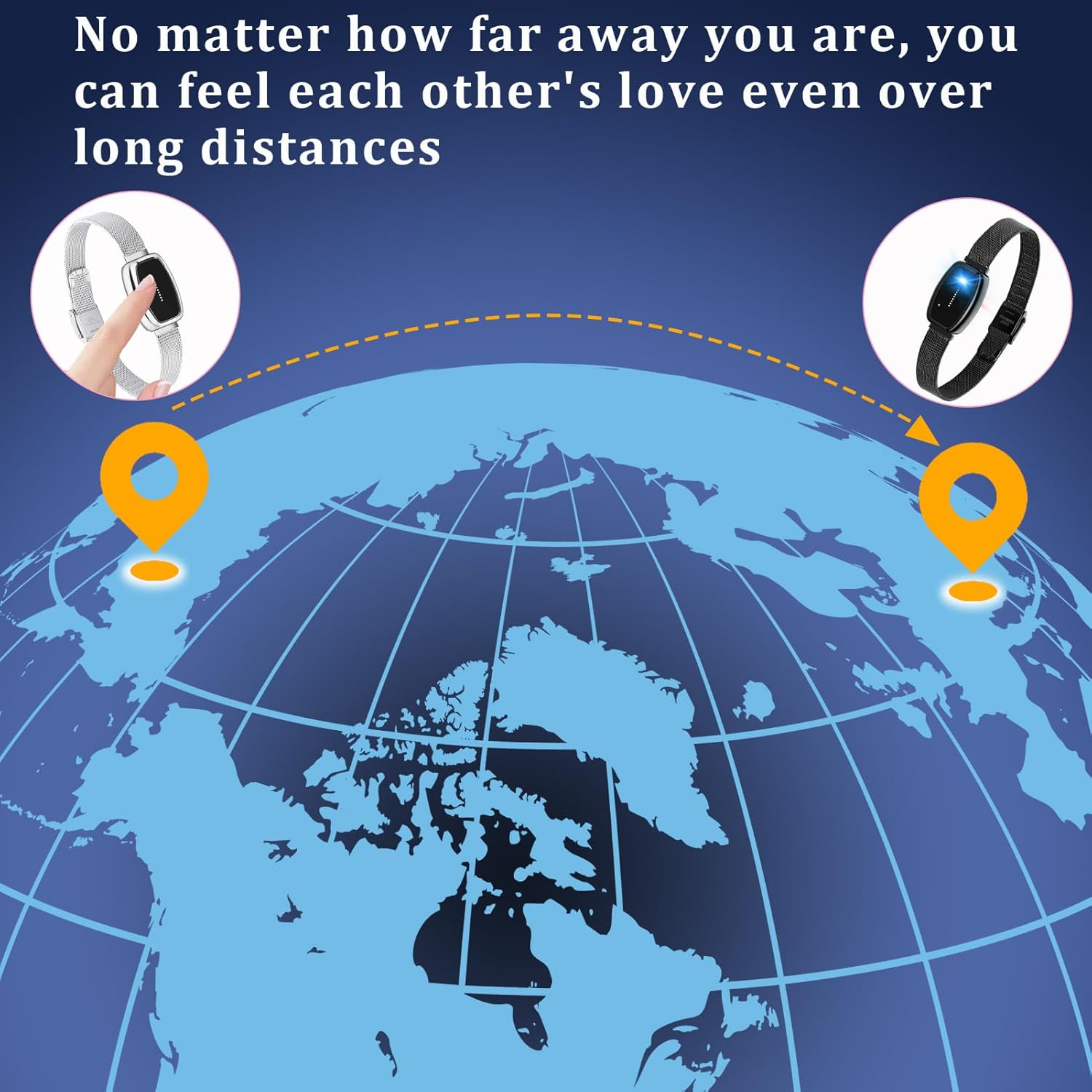
Image: A visual representation of the long-distance connection feature, showing two points on a globe linked together.
3. Contenuto della confezione
Upon opening your PULOMI Long Distance Touch Bracelets package, you should find the following items:
- 2 x Long Distance Touch Bracelets (one black, one silver)
- 2 x USB Charging Cables with Magnetic Docks
- 2 x Gift Boxes
- 2 manuali di istruzioni

Image: The complete set of items included in the PULOMI Long Distance Touch Bracelets package.
4. Guida all'installazione
4.1. Charging the Bracelets
Before first use, ensure both bracelets are fully charged. Connect the provided USB charging cables to a standard USB power adapter (not included) and attach the magnetic charging docks to the charging points on the back of each bracelet. The bracelet will indicate charging status (e.g., a steady light that turns off when fully charged).

Image: A battery icon, symbolizing the charging process and battery status.
4.2. Download e installazione dell'app
Cercare the official PULOMI companion app on your smartphone's app store (iOS App Store or Google Play Store). Download and install the app. Ensure your phone's Bluetooth is enabled.
4.3. Pairing the Bracelets
- Open the PULOMI app and create an account or log in.
- Follow the in-app instructions to add your bracelet. This typically involves holding the bracelet near your phone and confirming the connection.
- Once your bracelet is paired, invite your partner to download the app and pair their bracelet.
- Within the app, link your bracelets to each other to enable the long-distance touch functionality. You may need to share a unique code or accept an invitation from your partner.
5. Istruzioni per l'uso
5.1. Sending a Touch
To send a touch to your partner, simply tap your bracelet. Your partner's bracelet will then vibrate and light up, indicating that you are thinking of them. Ensure both bracelets are connected to the app and have an active internet connection for this feature to work.

Image: A close-up of two hands clasped together, each adorned with a PULOMI bracelet, illustrating the bond created by the product.
5.2. Funzione di emergenza SOS
In an emergency situation, you can activate the SOS feature. Hold down your bracelet for 3 seconds. An SOS message containing your current location will be sent to the US-based phone numbers you have pre-bound within the app. The recipient does not need to have the bracelet or app installed to receive the message.

Image: The word "SOS" formed by small stones, representing the emergency alert function.
5.3. Multiplayer Interaction
The PULOMI app allows you to connect your bracelet to multiple individuals beyond just one partner. You can bind your bracelet to family members or best friends. When you send a touch, all connected bracelets will receive the signal, provided they are logged into their app and have an active network connection. You can customize the light color for each relationship within the app to identify who is sending the touch.
6. Manutenzione
6.1. Pulizia
To clean your bracelets, gently wipe them with a soft, damp cloth. Avoid using harsh chemicals or abrasive materials, as these can damage the finish or electronic components.
6.2. Resistenza all'acqua
The bracelets are designed with a degree of water resistance suitable for daily wear, such as splashes or brief exposure to rain. However, they are not intended for swimming, showering, or prolonged submersion in water. Avoid exposing the charging ports to moisture.

Image: A graphic icon depicting a water drop within a shield, indicating the product's water resistance.
6.3. Cura della batteria
To prolong battery life, avoid fully discharging the bracelets frequently. Charge them regularly, especially if they will be stored for an extended period. Use only the provided charging cables.
7. Risoluzione Dei Problemi
- Bracelet Not Connecting to App:
- Assicurati che il Bluetooth sia abilitato sul tuo telefono.
- Make sure the bracelet is charged.
- Riavvia l'app e/o il telefono.
- Try unpairing and re-pairing the bracelet in your phone's Bluetooth settings and the app.
- Touch Signal Not Received:
- Verify both bracelets are charged and connected to their respective apps.
- Ensure both phones have an active internet connection (Wi-Fi or mobile data).
- Check app permissions to ensure it can run in the background and use network data.
- Confirm that the bracelets are correctly linked to each other within the app.
- Funzione SOS non funzionante:
- Ensure you are holding the bracelet for the full 3 seconds.
- Verify that emergency contacts are correctly set up with US-based phone numbers in the app.
- Check that the app has location permissions enabled.
- Durata breve della batteria:
- Ensure the bracelet is fully charged before use.
- Frequent vibrations or continuous app usage can drain the battery faster.
- Se la durata della batteria diminuisce notevolmente, contattare l'assistenza clienti.
8. Specifiche
| Attributo | Dettaglio |
|---|---|
| Dimensioni del prodotto | 8 x 0.39 x 0.39 pollici |
| Peso | 5.92 once |
| Batterie | È necessaria 1 batteria al litio metallica (inclusa) |
| Materiale | Acciaio inossidabile, cristallo |
| Tipo di metallo | Acciaio inossidabile |
| Tipo di catena | Mesh Chain |
| Produttore | PULOMI |
| ASIN | B0DM1Z425R |
9. Garanzia e supporto
Specific warranty information for the PULOMI Long Distance Touch Bracelets is not provided in this manual. For details regarding warranty coverage, technical support, or any product-related inquiries, please contact the manufacturer directly through their official websito o le informazioni di contatto fornite con la documentazione di acquisto.
Ask a question about this manual
Ask about setup, troubleshooting, compatibility, parts, safety, or missing instructions. Manuals+ will review the question and use this page’s manual context to help answer it.