
1. Introduzione e descrizione del prodottoview
This manual provides detailed instructions for the setup, operation, and maintenance of your ZEBRONICS Juke BAR 4100 Soundbar. Please read this manual thoroughly before using the product to ensure proper functionality and to maximize your audio experience.

Image 1.1: The ZEBRONICS Juke BAR 4100 Soundbar and its accompanying subwoofer, shown with the remote control. The soundbar is a long, slender unit, and the subwoofer is a compact, cube-shaped speaker.
Caratteristiche principali:
- Uscita dinamica: 200W RMS total power (90W subwoofer, 110W soundbar).
- Multi-connettività: Bluetooth v5.0, HDMI (ARC), Optical, USB, and AUX inputs.
- Driver potenti: Soundbar features 4 x 5.71 cm drivers; subwoofer features a single 16.51 cm driver for enhanced bass.
- Suono surround virtuale 5.1: Creates an immersive, multi-channel audio environment.
- Montabile a parete: Designed for flexible placement and space efficiency.
- Display a LED: Provides clear status, volume, and connectivity mode information.
2. Cosa c'è nella scatola
Disimballare con cura tutti gli articoli e assicurarsi di aver ricevuto i seguenti componenti:
- Sound Bar - 1 unit
- Subwoofer - 1 unit
- Remote Control - 1 unit
- Input Cable - 1 unit
- Guida al codice QR - 1 unità
3. Istruzioni per l'installazione
3.1 Posizionamento
For optimal audio performance, place the soundbar centrally below your television. The subwoofer can be placed on the floor near the soundbar, ideally in a corner for enhanced bass response.

Image 3.1: The soundbar positioned below a television, with the subwoofer on the floor to the left, illustrating a typical home theater setup.
3.2 Montaggio a parete
The soundbar is designed to be wall-mountable. Use appropriate wall mounting hardware (not included) and follow the instructions provided in the QR Code Guide for secure installation. Ensure the wall can support the weight of the soundbar.
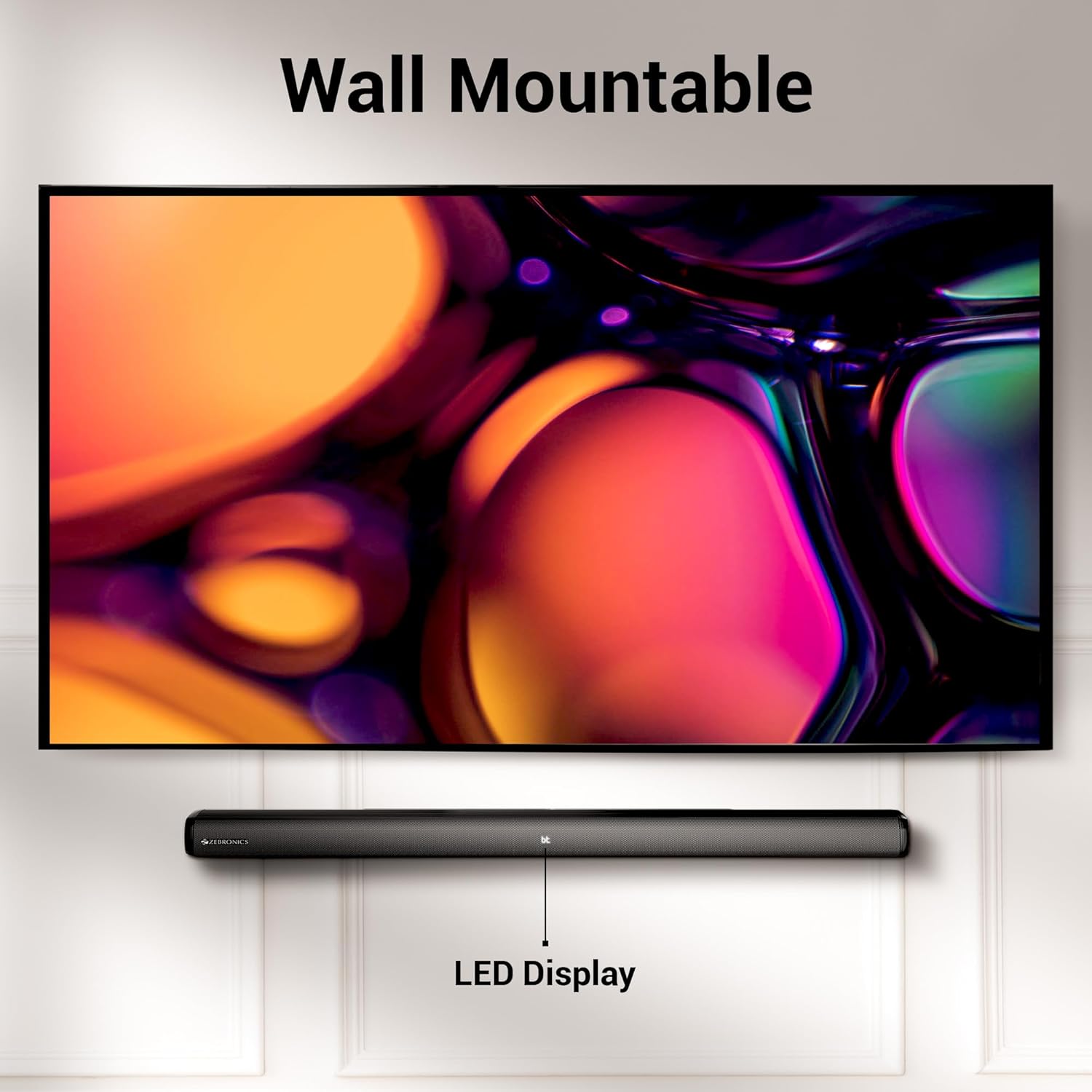
Image 3.2: The soundbar mounted on a wall beneath a television, demonstrating its wall-mountable design and integrated LED display.
3.3 Collegamento del subwoofer
Connect the subwoofer to the soundbar using the provided input cable. Ensure the connection is secure.
3.4 Collegamento di alimentazione
Connect the power cables for both the soundbar and the subwoofer to a suitable power outlet. The LED display on the soundbar will illuminate.
4. Istruzioni per l'uso
4.1 Accensione/spegnimento
Premere il tasto Energia pulsante sulla soundbar o sul telecomando per accendere o spegnere l'unità.
4.2 Selezione della modalità
Premere il tasto Modalità button on the soundbar or the remote control to cycle through available input modes: Bluetooth (BT), HDMI (ARC), Optical (OPT), USB, and AUX. The selected mode will be indicated on the LED display.
4.3 Controllo del volume
Utilizzare il Volume + E Volume - pulsanti sulla soundbar o sul telecomando per regolare il livello del volume.
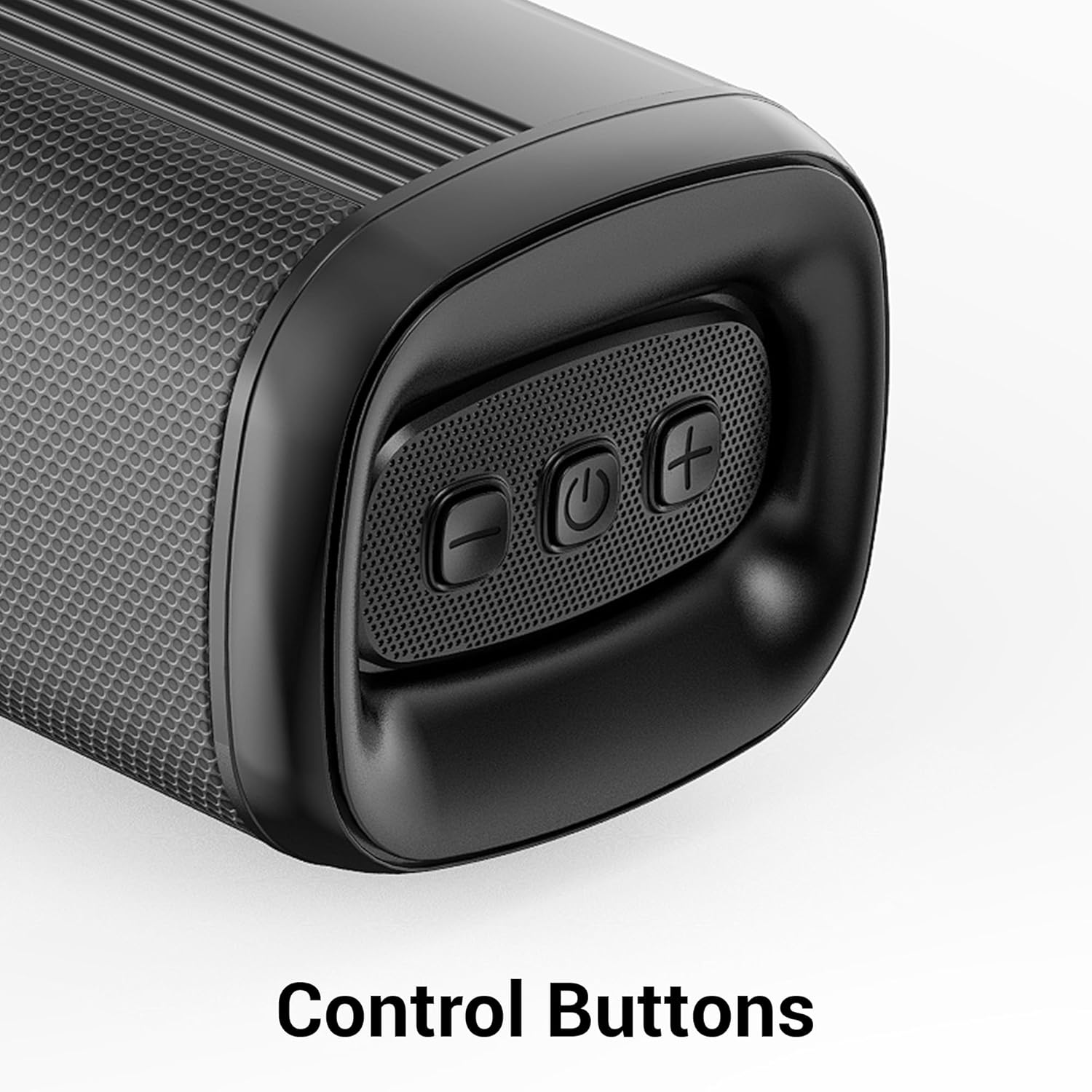
Immagine 4.1: Primo piano view of the control buttons on the soundbar, including volume down, power, and volume up.
5. Connettività
The ZEB-Juke Bar 4100 offers multiple connectivity options for various devices.

Image 5.1: The soundbar with an overlay indicating its multi-connectivity features: Bluetooth v5.0, TV (ARC), Optical IN, USB, and AUX.
5.1 Connessione Bluetooth (BT)
- Turn on the soundbar and select BT mode. The LED display will show "BT" and flash, indicating pairing mode.
- Enable Bluetooth on your mobile device or computer and search for "ZEB-JUKE BAR 4100".
- Select the soundbar from the list of available devices to pair. Once connected, the "BT" indicator will stop flashing.
5.2 Connessione HDMI (ARC)
- Collegare un cavo HDMI dal HDMI ARC porta sulla soundbar al HDMI ARC porta sul tuo televisore.
- Selezionare HDMI ARC modalità sulla soundbar.
- Assicurati che l'uscita audio del tuo televisore sia impostata su HDMI ARC o su altoparlanti esterni.
5.3 Optical (OPT) Connection
- Collegare un cavo ottico dal Ottico IN port on the soundbar to the optical output port on your television or audio source.
- Selezionare OPT modalità sulla soundbar.
- Assicurati che l'uscita audio del tuo televisore sia impostata su Ottica o su altoparlanti esterni.
5.4 Riproduzione USB
- Inserisci un'unità flash USB contenente audio files nel USB porta sulla soundbar.
- Selezionare USB mode. The soundbar will automatically begin playing audio files.
- Use the remote control to navigate tracks (Play/Pause, Next/Previous).
5.5 Collegamento AUX
- Collegare un cavo audio da 3.5 mm dal AUX IN port on the soundbar to the audio output of your device (e.g., smartphone, MP3 player).
- Selezionare AUSILIARIO modalità sulla soundbar.
6. Manutenzione
Per garantire la longevità e le prestazioni ottimali della tua soundbar, segui queste linee guida per la manutenzione:
- Pulizia: Utilizzare un panno morbido e asciutto per pulire le superfici della soundbar e del subwoofer. Non utilizzare detergenti liquidi o materiali abrasivi.
- Ventilazione: Assicurare una ventilazione adeguata attorno alle unità. Non ostruire le aperture di ventilazione.
- Ambiente: Avoid exposing the soundbar to extreme temperatures, humidity, or direct sunlight. Keep it away from water and other liquids.
- Energia: Scollegare il cavo di alimentazione dalla presa a muro se l'unità non verrà utilizzata per un periodo prolungato.
7. Risoluzione Dei Problemi
If you encounter any issues with your ZEBRONICS Juke BAR 4100 Soundbar, refer to the following common problems and solutions:
| Problema | Possibile causa | Soluzione |
|---|---|---|
| Nessun potere | Cavo di alimentazione non collegato; presa di corrente non attiva. | Assicurarsi che i cavi di alimentazione siano collegati saldamente e che la presa di corrente funzioni. |
| Nessun suono | Incorrect input mode selected; volume too low; audio cable not connected properly. | Select the correct input mode (BT, HDMI, OPT, USB, AUX). Increase volume. Check all audio cable connections. Ensure TV audio output is set correctly. |
| Associazione Bluetooth non riuscita | Soundbar non in modalità di associazione; dispositivo troppo lontano; interferenza. | Ensure soundbar is in BT mode and "BT" is flashing. Move device closer to the soundbar. Turn off other Bluetooth devices to reduce interference. |
| Il telecomando non funziona | Batterie scariche; ostruzione tra il telecomando e la soundbar. | Replace remote control batteries. Ensure no objects are blocking the remote's signal path to the soundbar's sensor. |
8. Specifiche
Technical specifications for the ZEBRONICS Juke BAR 4100 Soundbar:
- Nome modello: ZEB JUKE BAR 4100
- Potenza totale in uscita: 200 Watts RMS (Soundbar: 110W, Subwoofer: 90W)
- Tipo di altoparlante: Soundbar con subwoofer esterno
- Configurazione del canale audio surround: Virtuale 5.1
- Driver della soundbar: Dimensioni: 4 x 5.71 cm
- Driver del subwoofer: Dimensioni: 1 x 16.51 cm
- Tecnologia di connettività: Bluetooth v5.0, HDMI (ARC), Optical, USB, Auxiliary
- Gamma Bluetooth: Fino a 10 metri
- Risposta in frequenza: 45 Hz (minimum, as per data)
- Tipo di montaggio: Montabile a parete
- Metodo di controllo: Telecomando, pulsanti sull'unità
- Product Dimensions (Combined unit): 30.6D x 19W x 36.7H centimetri
- Peso dell'articolo: 6 kg
- Fonte di energia: Elettrico con cavo
- Componenti inclusi: Sound Bar, Subwoofer, Remote, Input cable, QR code guide
9. Garanzia e supporto
The ZEBRONICS Juke BAR 4100 Soundbar comes with a limited warranty. Please refer to the warranty card included in your package for specific terms and conditions.
For technical assistance, troubleshooting, or warranty claims, please contact ZEBRONICS customer support. Contact details can typically be found on the official ZEBRONICS websito o nella documentazione allegata.
Puoi anche visitare il sito ufficiale ZEBRONICS Store on Amazon per maggiori informazioni sul prodotto e risorse di supporto.