
PER SEMPRE KW-520
Manuale utente dello smartwatch FOREVER Kids Look Me! 3 KW-520
Your comprehensive guide to setting up, operating, and maintaining your FOREVER Kids Look Me! 3 KW-520 Smartwatch.
Prodotto finitoview
The FOREVER Kids Look Me! 3 KW-520 is a feature-rich smartwatch designed for children, offering a blend of fun and safety. It comes equipped with advanced GPS/LBS/Wi-Fi location tracking in 4G, allowing parents to monitor their child's whereabouts and set safe zones. This smartwatch serves as a practical alternative to a smartphone, enabling calls, video calls, and voice messages with parental control over contacts. A dedicated SOS emergency button provides quick access to help in critical situations. Its robust IP65 waterproof design ensures durability against daily splashes and activities, making it suitable for active children. Additionally, it includes a pedometer, learning apps, and various playful functions.
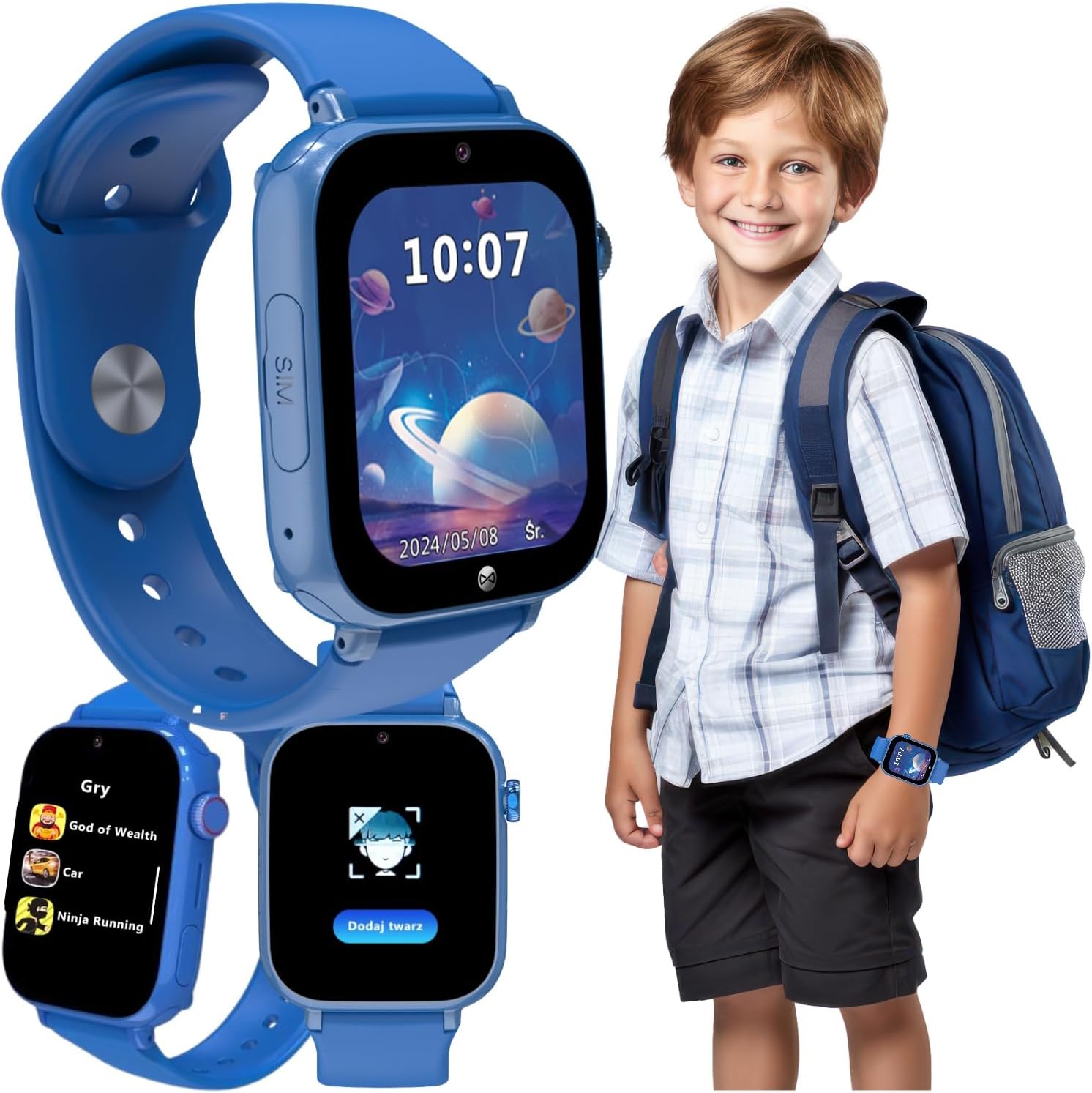
Image: The FOREVER Kids Look Me! 3 KW-520 Smartwatch in blue, shown on a child's wrist and as a standalone device displaying its main interface and game selection. This image highlights the watch's design and some of its key functionalities.
Cosa c'è nella scatola
Upon unboxing your FOREVER Kids Look Me! 3 KW-520 Smartwatch, you should find the following items:
- Manuale d'uso
- Cavo di ricarica
- Strumento per schede SIM
Guida all'installazione
1. Inserimento della scheda SIM
The smartwatch requires a Nano-SIM card for full functionality, including calls, messages, and location tracking. Ensure the SIM card is active and has a data plan.
- Individuare lo slot per la scheda SIM sul lato dello smartwatch.
- Use the provided SIM card tool to gently open the SIM tray.
- Carefully place the Nano-SIM card into the tray, ensuring correct orientation as indicated by the diagram on the tray.
- Spingere delicatamente il vassoio della SIM nello slot finché non scatta in posizione.

Immagine: Un dettaglio view of the smartwatch highlighting the SIM card slot, indicating where the Nano-SIM card should be inserted.
2. Ricarica iniziale
Prima del primo utilizzo, caricare completamente lo smartwatch. Una ricarica completa richiede in genere circa 2-3 ore.
- Connect the charging cable to the charging port on the smartwatch.
- Collegare l'altra estremità del cavo a un adattatore di alimentazione USB compatibile (non incluso) o alla porta USB di un computer.
- Il display dell'orologio mostrerà un indicatore di carica.
3. Installazione e associazione dell'app
To manage the smartwatch's features and communicate with your child, install the dedicated FOREVER app on your smartphone.
- Scan the QR code provided in the watch's packaging or search for the "FOREVER Kids" app in your smartphone's app store (Google Play Store or Apple App Store).
- Scarica e installa l'app.
- Open the app and follow the on-screen instructions to create an account and pair your smartwatch. This usually involves scanning a QR code displayed on the watch's screen.
- Once paired, you can configure contacts, set safe zones, and access other parental control features.

Image: A smartphone displaying the companion application for the smartwatch, showing features like location tracking, activity monitoring, and settings, which are managed by parents.
Utilizzo dello smartwatch
1. Navigazione di base
The smartwatch features a 1.85-inch touchscreen display for easy interaction. Swipe left/right or up/down to navigate through menus and applications. The side button typically serves as a power button and a back button.
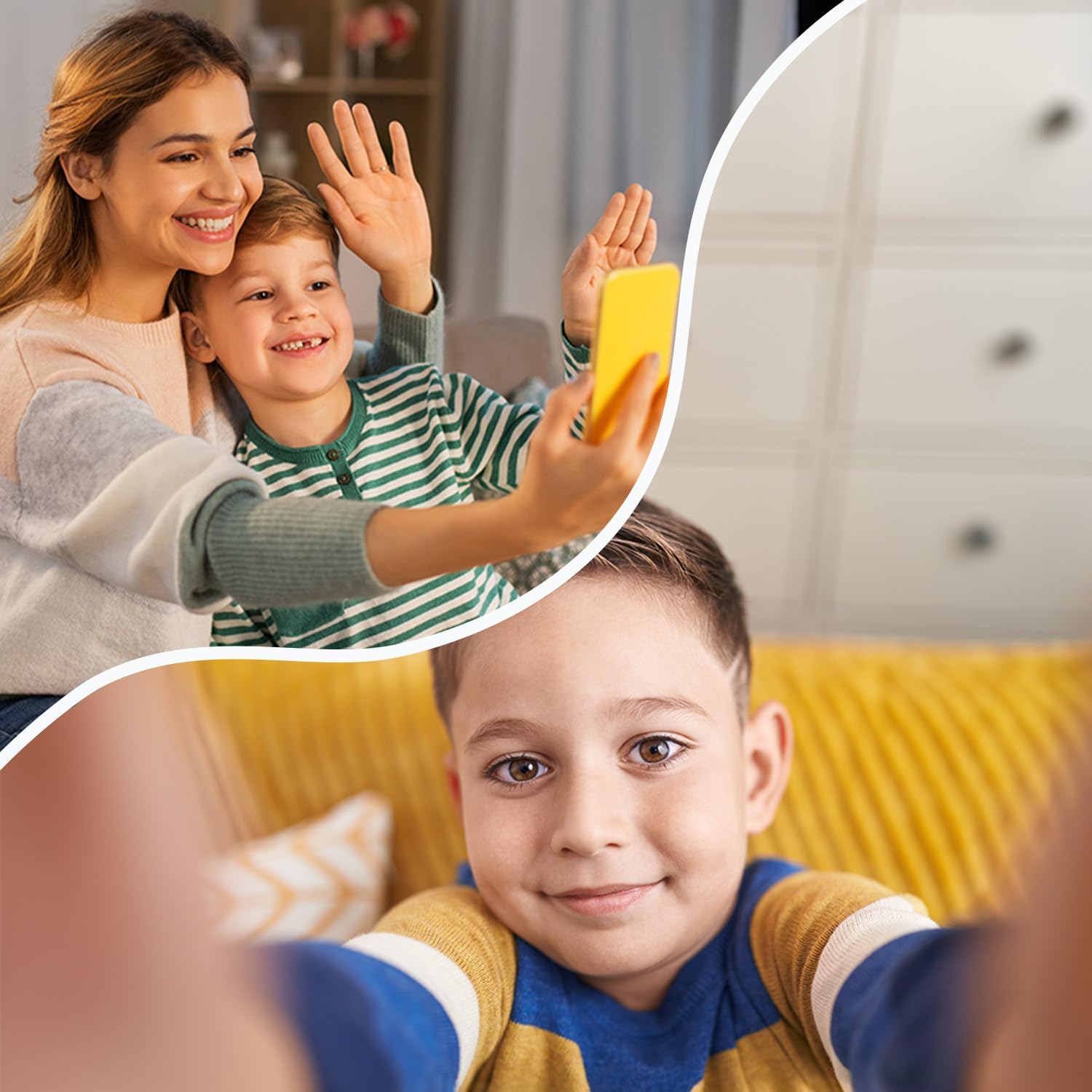
Image: The smartwatch display showing the current time and date, demonstrating the clear and intuitive interface for daily use.
2. Making Calls and Video Calls
Once a SIM card is inserted and contacts are configured via the app, your child can make and receive calls.
- Chiamate vocali: Navigate to the "Phone" or "Contacts" application on the watch. Select a contact from the approved list to initiate a call.
- Videochiamate: Access the "Video Call" application. Select an approved contact to start a video conversation.
- Only contacts added by the parent through the app can be called or can call the watch.

Image: A child using the smartwatch for a video call with an adult, illustrating the device's communication capabilities.
3. Using GPS Tracking and Geofence
The smartwatch utilizes GPS, LBS (Location Based Service), and Wi-Fi for accurate location tracking, which can be viewed through the companion app.
- Monitoraggio in tempo reale: Open the app on your smartphone to see your child's current location on a map.
- Geofence (Safe Zones): In the app, you can define safe areas (e.g., home, school). You will receive notifications if your child enters or exits these predefined zones.
4. Funzione SOS
In case of an emergency, the smartwatch features a dedicated SOS button.
- Attivazione SOS: Press and hold the SOS button (usually a side button marked with SOS or a distinct color) for a few seconds.
- Contatti di emergenza: The watch will automatically dial pre-set emergency contacts in a loop until one answers. It will also send an alert message with the child's location to these contacts.

Image: A child on a bicycle, with an inset showing the smartwatch and its prominent SOS button, emphasizing the emergency call feature for safety.
5. Games and Learning Apps
The smartwatch includes pre-installed arcade and math games designed to entertain and educate children in an age-appropriate manner.

Image: A group of children smiling, with the smartwatch in the foreground displaying a menu of pre-installed games, highlighting its entertainment and educational features.
Manutenzione e cura
- Pulizia: Pulisci regolarmente lo smartwatch con un panno morbido e asciutto. Per lo sporco ostinato, usa un panno leggermente dampLavare il panno con acqua. Evitare l'uso di prodotti chimici aggressivi o materiali abrasivi.
- Resistenza all'acqua: The KW-520 has an IP65 rating, meaning it is splash-proof and resistant to dust. It is suitable for everyday use and light rain, but it should not be submerged in water, used for swimming, or exposed to high-pressure water jets.
- Cura della batteria: To prolong battery life, avoid extreme temperatures. Charge the watch regularly and avoid letting the battery drain completely for extended periods.
Risoluzione dei problemi
| Problema | Possibile causa/soluzione |
|---|---|
| Lo smartwatch non si accende. | Battery might be completely drained. Connect to charger and wait a few minutes before attempting to power on. |
| Scheda SIM non riconosciuta. |
|
| Impossibile effettuare o ricevere chiamate. |
|
| Rilevamento della posizione impreciso. |
|
| La batteria si scarica rapidamente. |
|
Specifiche tecniche
| Caratteristica | Dettaglio |
|---|---|
| Numero di modello | KW-520 |
| Dimensioni dello schermo | 1.85 pollici (4.7 cm) |
| Connettività | 4G, GPS, LBS, Wi-Fi, Bluetooth |
| Resistenza all'acqua | IP65 (a prova di spruzzi d'acqua) |
| Tipo di batteria | Ioni di litio |
| Dimensioni del prodotto | Dimensioni: 25 x 4 x 5 cm |
| Peso del prodotto | 53 grammi |
| Memoria interna | 16 MB |
| Produttore | TelForceOne |
| Paese di origine | Cina |
Garanzia e supporto
For information regarding the product warranty, please refer to the warranty card included in your product packaging or contact the retailer where the product was purchased. For technical support, frequently asked questions, or further assistance, please visit the official FOREVER brand store or contact their customer service directly.
Negozio ufficiale del marchio: FOREVER Store on Amazon.de
Ask a question about this manual
Ask about setup, troubleshooting, compatibility, parts, safety, or missing instructions. Manuals+ will review the question and use this page’s manual context to help answer it.