1. Introduzione
Thank you for choosing the YOOREAL Digital Kitchen Timer RL-HM206. This multi-function timer is designed to assist you with precise time management for various activities, including cooking, studying, fitness, and more. It features four independent countdown timers, a clock display, adjustable alarm volume, and convenient placement options. Please read this manual thoroughly to ensure proper use and optimal performance of your device.

2. Prodotto finitoview
Caratteristiche principali:
- Four Independent Countdown Timers: Set up to four separate timers (T1, T2, T3, T4) simultaneously, each programmable for up to 99 hours and 59 minutes.
- Volume di allarme regolabile: Choose between high, low, or silent alarm modes to suit your environment.
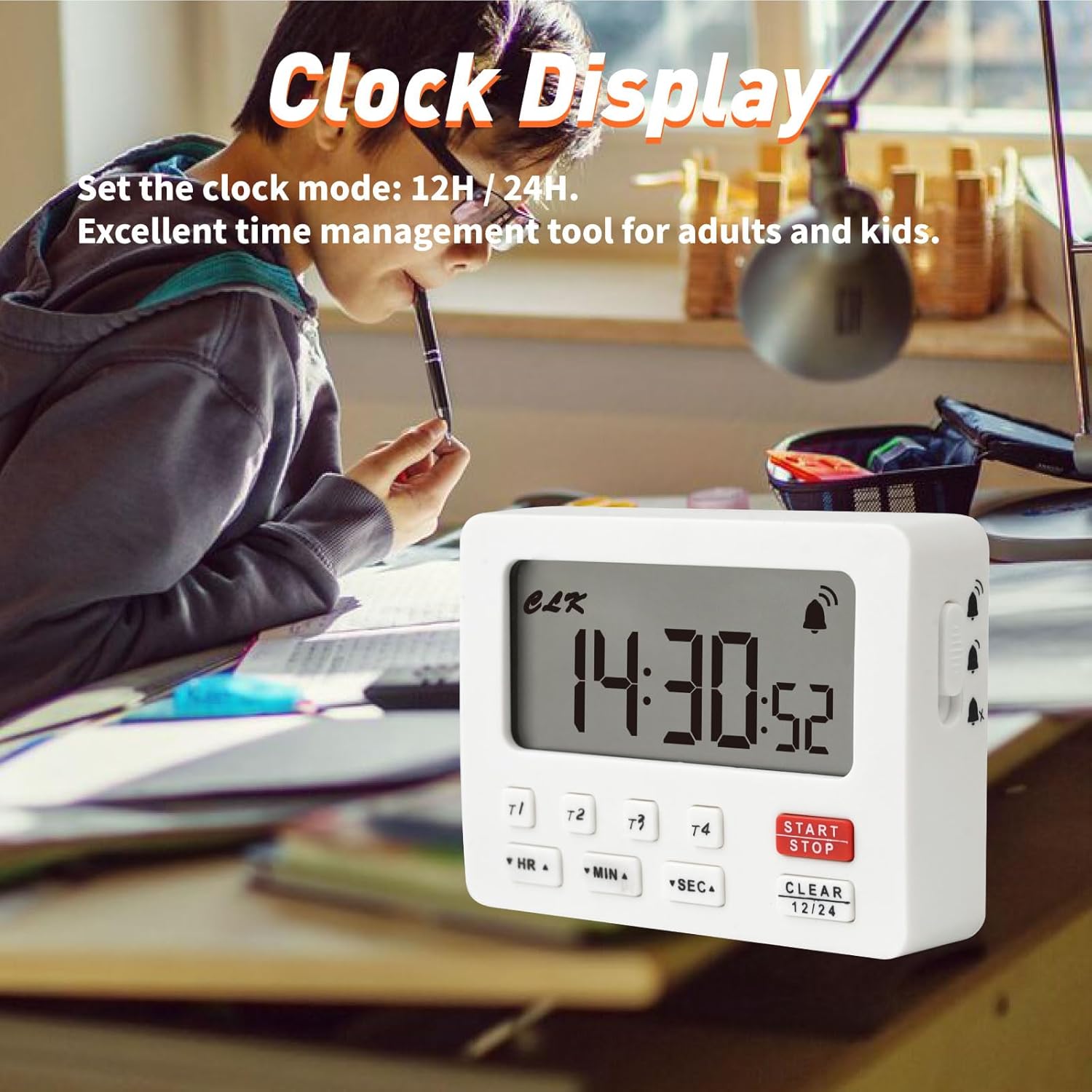
- Modalità orologio: Functions as a standard clock with 12-hour or 24-hour display options when not in timer mode.
- Funzione di memoria: Each timer retains its last setting for convenient repeated use.
- Molteplici opzioni di posizionamento: Features a magnetic back for attachment to metal surfaces and a built-in stand for tabletop use.
- Ampio display: Display digitale chiaro e di facile lettura.
Contenuto della confezione:
- YOOREAL Digital Kitchen Timer RL-HM206
- Manuale dell'utente (questo documento)
Nota: 2 x AAA batteries are required and not included in the package.


3. Impostazione
3.1 Installazione della batteria
- Individuare il coperchio del vano batterie sul retro del timer.
- Per aprire il coperchio, farlo scorrere verso il basso.
- Inserire due (2) batterie AAA, assicurandosi della corretta polarità (+/-) come indicato all'interno del vano.
- Richiudere il coperchio del vano batterie facendolo scorrere verso l'alto finché non scatta in posizione.
The timer will power on automatically once batteries are installed. If the display does not light up, check battery polarity or replace with new batteries.

4. Istruzioni per l'uso
4.1 Impostazione dell'orologio
- In clock mode (when no timer is active), press and hold the CLEAR (12/24) per 3 secondi per accedere alla modalità di impostazione dell'ora. Le cifre delle ore lampeggeranno.
- Premere HR per regolare l'ora.
- Premere MINIMO per regolare i minuti.
- Premere SEC to adjust the second.
- Premere CLEAR (12/24) again to switch between 12-hour and 24-hour format.
- Premere AVVIO/ARRESTO to confirm the time and exit setting mode.
4.2 Using Countdown Timers (T1, T2, T3, T4)
The timer features four independent countdown channels. Each channel can be set and operated separately.
- Seleziona un canale timer: Premere il pulsante del timer desiderato (T1, T2, T3, O T4) to select it. The display will show the selected timer channel.
- Imposta l'ora:
- Premere HR to set the hours (up to 99 hours).
- Premere MINIMO to set the minutes (up to 59 minutes).
- Premere SEC to set the seconds (up to 59 seconds).
- Hold down the buttons for faster adjustment.
- Inizia il conto alla rovescia: Premere AVVIO/ARRESTO to begin the countdown. The timer icon will appear.
- Pausa/Riprendi: Premere AVVIO/ARRESTO again to pause the countdown. Press it once more to resume.
- Clear the Timer: To clear the current timer setting, press CHIARO while the timer is paused or stopped.
- Allarme: When the countdown reaches zero, the alarm will sound according to the selected volume setting. Press any button to stop the alarm.
- Funzione di memoria: Each timer channel remembers its last set time. To recall the last setting, select the timer channel and press CHIARO una volta.
4.3 Using Count-up Timer (Stopwatch)
The timer can also function as a stopwatch.
- Ensure all four countdown timers (T1-T4) are cleared (displaying 00:00:00).
- Premere AVVIO/ARRESTO to begin counting up from 00:00:00.
- Premere AVVIO/ARRESTO again to pause the count-up.
- Premere CHIARO to reset the count-up timer to 00:00:00.
4.4 Adjusting Alarm Volume & Silent Mode
The timer offers three alarm settings: High, Low, and Off (Silent Mode).
- Locate the volume switch on the side of the timer.
- Slide the switch to select your desired alarm volume:
- Alto: Loud alarm for noisy environments.
- Basso: Softer alarm for general use.
- Off (Silent Mode): No audible alarm. The display will flash when a timer reaches zero.

4.5 Opzioni di posizionamento
The timer can be placed in several ways:
- Attacco magnetico: The back of the timer has two strong magnets, allowing it to be securely attached to metallic surfaces like refrigerators or oven doors.
- Supporto integrato: A foldable stand on the back allows the timer to be placed upright on a countertop or desk for easy viewing.
- Foro per appendere: A small hole is provided for hanging the timer on a hook.

5. Manutenzione
5.1 Pulizia
- Pulire il timer con un panno morbido, damp stoffa.
- Non utilizzare detergenti abrasivi né immergere il timer in acqua.
5.2 Sostituzione della batteria
- When the display becomes dim or the timer functions erratically, it's time to replace the batteries.
- Seguire i passaggi per l'installazione della batteria nella Sezione 3.1.
- Smaltire le vecchie batterie in modo responsabile secondo le normative locali.
6. Risoluzione Dei Problemi
| Problema | Possibile causa | Soluzione |
|---|---|---|
| Il display è vuoto o poco luminoso. | Batterie scariche o esaurite; polarità della batteria errata. | Sostituire le batterie con nuove batterie AAA. Assicurarsi della corretta polarità. |
| L'allarme non suona. | Alarm volume set to "Off" (Silent Mode). | Check the volume switch on the side of the timer and set it to "Low" or "High". |
| Il timer non si avvia/si arresta. | Incorrect button press; timer already running/paused. | Assicurati di premere il tasto AVVIO/ARRESTO button. If paused, press again to resume. If stopped, press to start. |
| Timer settings are not saving. | This model has a memory function for the last set time on each channel. If cleared, it resets. | After setting a timer, it will remember that setting until cleared or new time is set. |
7. Specifiche
| Caratteristica | Dettaglio |
|---|---|
| Numero di modello | RL-HM206 |
| Marca | YOOREAL |
| Materiale | Acrilonitrile Butadiene Stirene (ABS) |
| Dimensioni (L x P x A) | 88mm x 23.9mm x 64mm (3.46 "x 0.94" x 2.52 ") |
| Peso | 79 grammi |
| Fonte di alimentazione | 2 x batterie AAA (non incluse) |
| Tempo massimo di conto alla rovescia | 99 ore, 59 minuti, 59 secondi |
| Timer Channels | 4 Independent Channels (T1, T2, T3, T4) |
| Impostazioni di allarme | High, Low, Off (Silent Mode) |
| Visualizzazione dell'orologio | Selezionabile 12H / 24H |

8. Garanzia e supporto
8.1 Informazioni sulla garanzia
YOOREAL provides a Servizio post-vendita di 2 anni for this product. During this period, if any quality problems arise with the product, YOOREAL offers a free replacement service.
8.2 Assistenza clienti
For any questions, concerns, or support needs, please contact our customer service team via the Amazon Platform. Our professional online services are available 7 days a week, 24 hours a day. The YOOREAL Care Team is always ready to assist you.
Even if the standard Amazon return window has closed, we are committed to resolving any issues you may encounter with your product.