
1. Prodotto finitoview
The DURFICST SL720C Decibel Meter is a portable device designed for accurate sound level measurement in various environments. It features a color LCD screen, multiple measurement modes, and user-friendly functions.

Figure 1: DURFICST SL720C Decibel Meter with its main components and features.
2. Impostazione
2.1 Contenuto della confezione
Verificare che tutti gli articoli siano presenti nel pacco:
- DURFICST SL720C Decibel Meter (1 unit)
- Cloth bag (1 unit)
- Batterie AAA (3 unità)
- Cacciavite (1 unità)
- Windproof ball (1 unit)

Figure 2: Contents included with your DURFICST SL720C Decibel Meter.
2.2 Installazione della batteria
Il dispositivo richiede 3 batterie AAA per funzionare. Per installarle, seguire questi passaggi:
- Individuare il vano batteria sul retro del dispositivo.
- Utilizzare il cacciavite in dotazione per aprire il coperchio del vano batteria.
- Inserire 3 batterie AAA, assicurandosi della corretta polarità (+/-).
- Richiudere il coperchio del vano batteria e fissarlo con il cacciavite.
Video 1: This video demonstrates the process of opening the battery compartment with a screwdriver and inserting the batteries into a similar decibel meter.
3. Istruzioni per l'uso
3.1 Accensione/spegnimento
Per accendere il dispositivo, tenere premuto il pulsante di accensione (U) until the display illuminates. To power off, press and hold the power button again.
3.2 Modalità di misurazione di base
The DURFICST SL720C offers various modes for precise sound measurement:
- dB/SONE Unit Switching: Press the 'dB SONE' button to switch between decibel (dB) and SONE units. SONE mode is ideal for musical instrument and performance volume detection, offering a perception closer to the human ear. dB mode is standard for environmental noise detection in factories and homes.
- A/C-Weighted Measurement: Press the 'A/C' button to toggle between A-weighting and C-weighting. A-weighting simulates the frequency characteristics of low-intensity human ear noise, suitable for environmental noise. C-weighting simulates high-intensity human ear noise, applicable for analyzing machine motors and sound pressure.
- Fast/Slow Response Rate: Use the 'FAST SLOW' button to switch between fast (0.125s) and slow (1s) response rates. Fast response is suitable for general environmental measurements and non-steady-state noise with large fluctuations (e.g., traffic noise). Slow response is for environments with relatively stable noise levels.

Figure 3: A/C Weighting modes for different sound measurement applications.
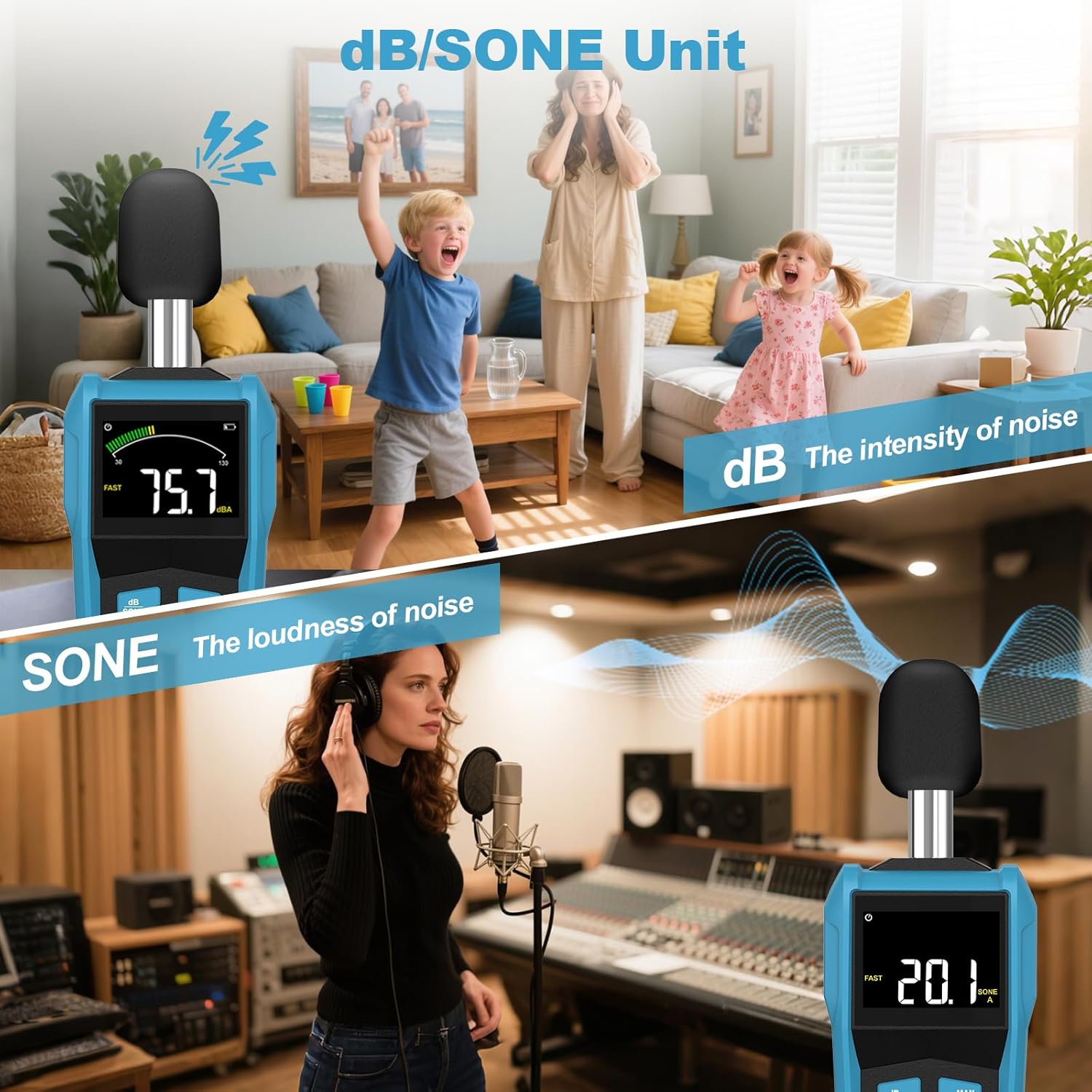
Figure 4: dB/SONE Unit modes for measuring sound intensity and loudness.
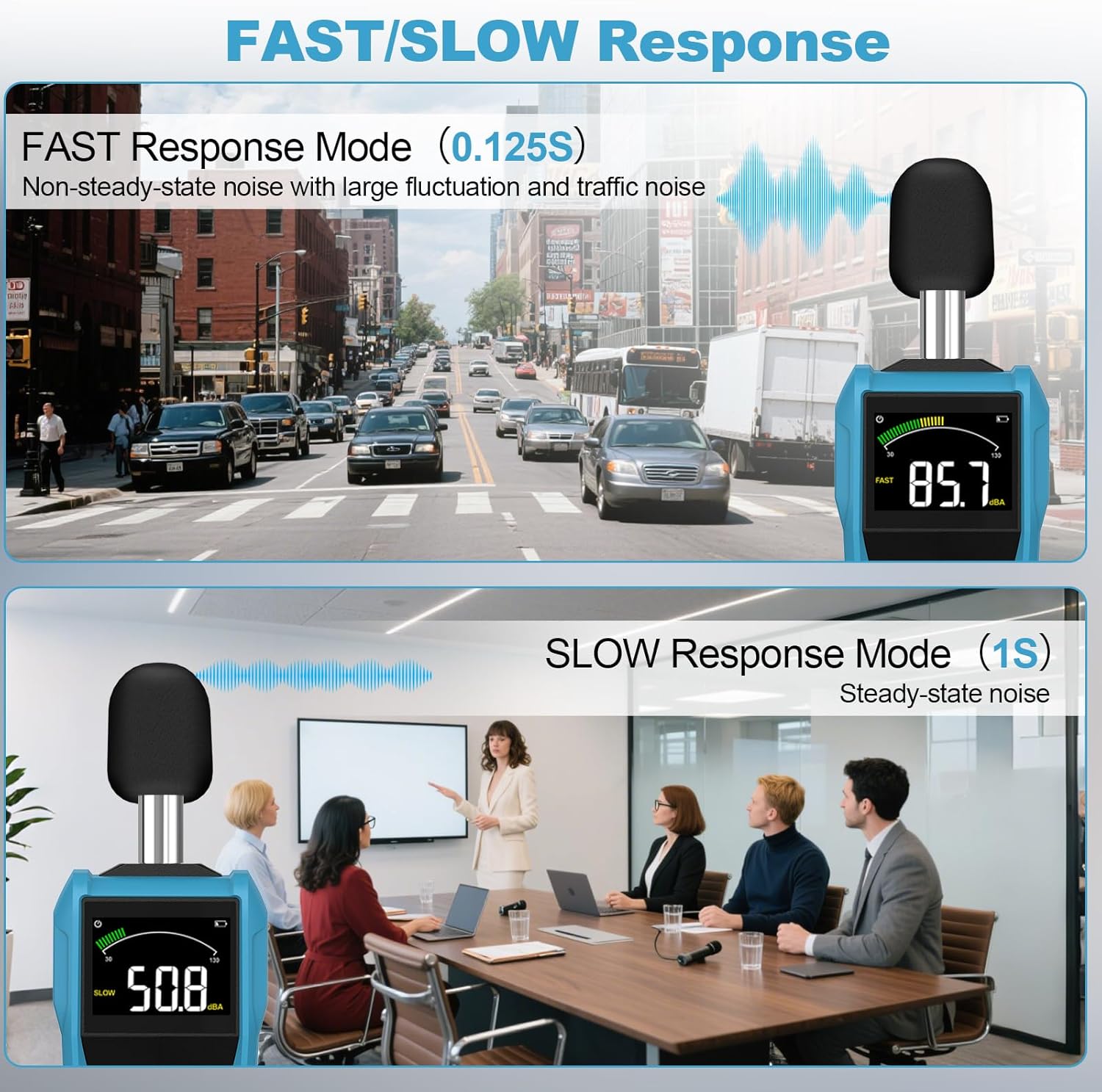
Figure 5: Fast/Slow Response modes for capturing different types of noise.
Video 2: This video demonstrates the A/C-Weighted and Fast/Slow response switching on a similar decibel meter.
3.3 Misurazione del valore MAX/MIN
Press the 'MAX HOLD' button to display the maximum or minimum sound level recorded during a measurement session. This is useful for identifying peak noise events or the lowest ambient sound.
3.4 Funzione di conservazione dei dati
To freeze the current reading on the display, press the 'HOLD' button. Press it again to resume real-time measurement.
Video 3: This video illustrates the MAX/MIN and Data Hold functions on a similar decibel meter.
3.5 Controllo della retroilluminazione
The device features a color LCD screen with backlight. Press the backlight button (light bulb icon) to turn the backlight on or off for improved visibility in different lighting conditions.
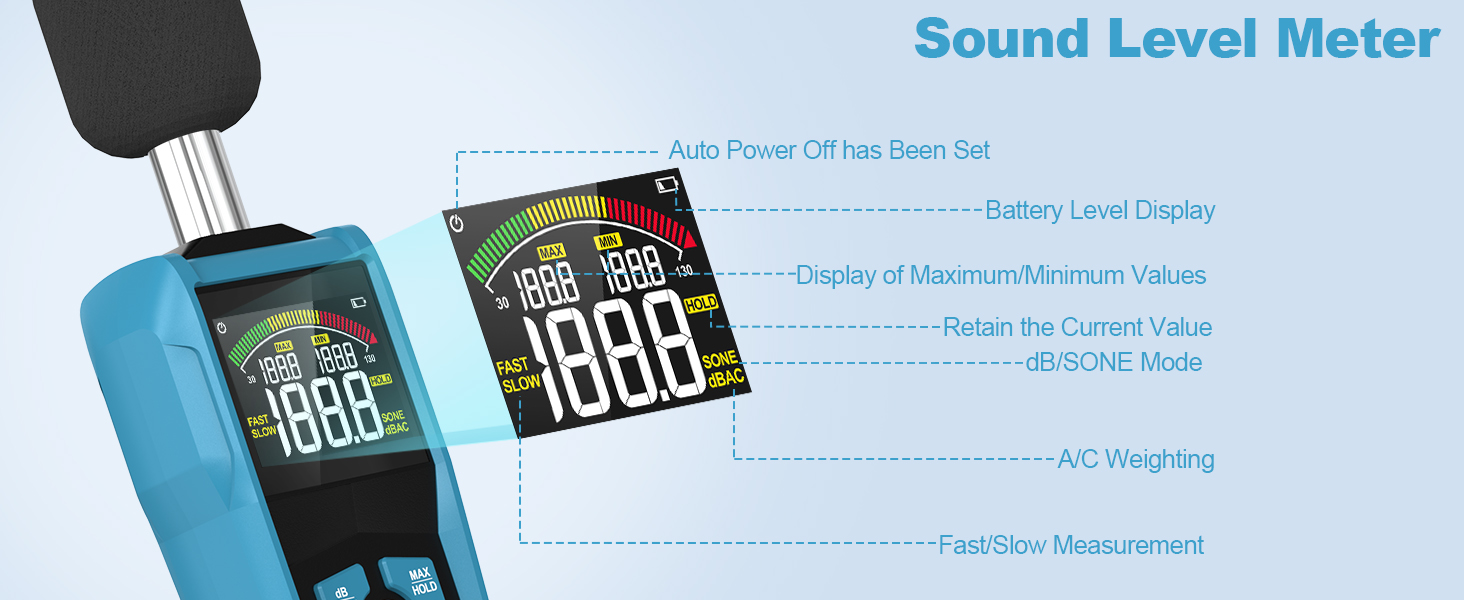
Figure 6: The backlight feature enhances readability in various lighting conditions.
4. Applicazioni
The DURFICST SL720C Sound Level Meter is suitable for a wide range of applications, including:
- Factories and industrial settings
- Traffic noise monitoring
- Automobile noise testing
- Baby's rooms and nurseries
- Sound system offices
- Homes and residential areas
- Scuole e istituzioni educative
- Cantieri edili

Figura 7: Esamples of common applications for the decibel meter.
5. Manutenzione
To ensure the longevity and accuracy of your DURFICST SL720C Decibel Meter, follow these maintenance guidelines:
- Pulizia: Wipe the device with a soft, dry cloth. Do not use abrasive cleaners or solvents. Ensure the microphone is free from dust and debris.
- Magazzinaggio: Store the device in the provided cloth bag in a cool, dry place away from direct sunlight and extreme temperatures. Remove batteries if the device will not be used for an extended period.
- Protezione del microfono: Always keep the windproof ball on the microphone when not in use to protect it from physical damage and environmental elements.
6. Risoluzione Dei Problemi
If you encounter issues with your decibel meter, refer to the following common problems and solutions:
- Il dispositivo non si accende: Controllare che le batterie siano installate correttamente e abbiano una carica sufficiente. Sostituirle se necessario.
- Letture imprecise: Ensure the microphone is clean and unobstructed. Verify that the correct weighting (A/C) and response rate (Fast/Slow) modes are selected for your measurement environment. Avoid measuring in strong electromagnetic fields.
- Problemi di visualizzazione: If the display is dim or flickering, the batteries may be low. Replace them. If the display shows an error message, refer to the full user manual for specific error codes.
7. Specifiche
| Caratteristica | Dettaglio |
|---|---|
| Produttore | DURFICST |
| Numero di parte | SL720C |
| Dimensioni del prodotto | Dimensioni: 19 x 7 x 3.5 cm |
| Peso dell'articolo | 240 grammi |
| Fonte di alimentazione | Alimentato a batteria |
| Batterie richieste | 3 batterie AAA (incluse) |
| Tipo di cella della batteria | Ioni di litio |
| Quantità del pacchetto dell'articolo | 1 |
8. Garanzia e supporto
For warranty information, technical support, or service inquiries, please refer to the contact details provided on the product packaging or the official DURFICST websito. Conservare la ricevuta d'acquisto come prova d'acquisto per eventuali reclami in garanzia.
