
Introduzione
The iCarsoft LR V1.0 is a professional diagnostic scan tool specifically designed for Land Rover and Jaguar vehicles. It provides comprehensive system diagnostics, including reading and clearing Diagnostic Trouble Codes (DTCs), displaying live data, and performing special functions like Oil Reset and Steering Angle Sensor (SAS) Calibration. This manual will guide you through the setup, operation, and maintenance of your device.

Image: The iCarsoft LR V1.0 diagnostic scanner, a red handheld device with a screen and navigation buttons.
Impostare
- Disimballaggio: Carefully remove the iCarsoft LR V1.0 scanner from its packaging. Ensure all components listed in the "What's in the Box" section are present.
- Collegamento elettrico: The device is powered via the vehicle's OBD2 port. Locate the OBD2 port in your vehicle (typically under the dashboard on the driver's side). Connect the scanner's OBD2 cable to the vehicle's port. The scanner will power on automatically.
- Impostazione lingua iniziale: Upon first use, you may be prompted to select your preferred language. Use the navigation buttons to select and confirm. The device supports English, German, French, Dutch, Spanish, and Italian.
- Aggiornamento software (consigliato): Before first use, it is recommended to update the scanner's software to ensure compatibility with the latest vehicle models and functions. Connect the scanner to a PC using the provided USB cable and visit the official iCarsoft website for update instructions. No Wi-Fi is needed for updates.
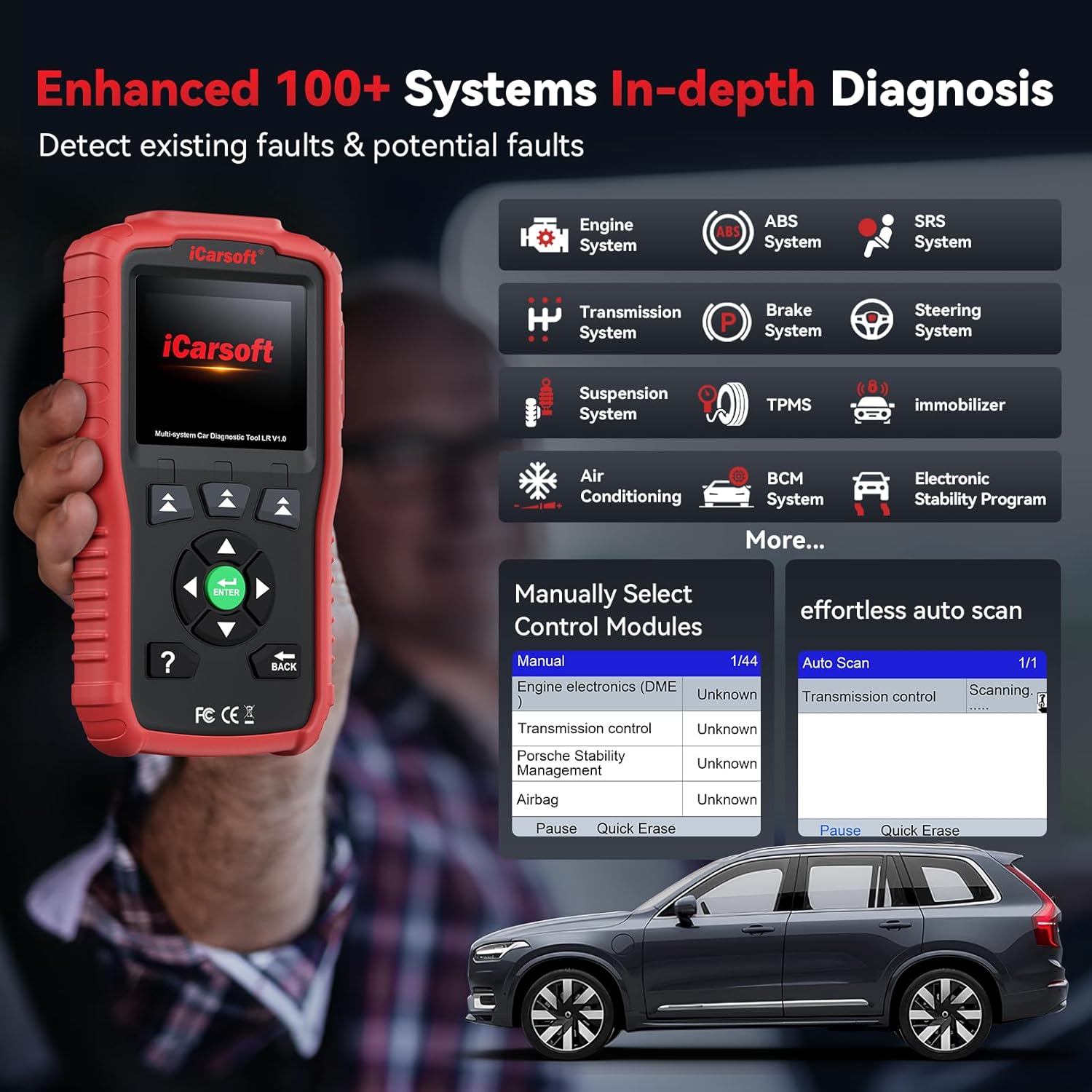
Image: The iCarsoft LR V1.0 scanner screen showing options for manual control module selection and auto scan, indicating its diagnostic capabilities.
Istruzioni per l'uso
Navigazione generale
The iCarsoft LR V1.0 features a 2.8-inch screen and intuitive button navigation. Use the directional arrows to move through menus and options, and the "ENTER" button to confirm selections. The "BACK" button returns to the previous screen.
All System Diagnostic
This function allows in-depth diagnosis of all available electronic control systems in your Land Rover or Jaguar vehicle. This includes, but is not limited to, Engine, Transmission, ABS, SRS (Airbag), Air Suspension, BCM (Body Control Module), HVAC (Air Conditioning), Steering, TPMS, and more.
- Dal menu principale, seleziona "Diagnostica".
- Choose your vehicle's make (Land Rover or Jaguar).
- The scanner will automatically identify the vehicle or prompt you for manual selection.
- Selezionare "Auto Scan" to scan all systems, or "Manual Select" to choose specific control modules.
- Once the scan is complete, you can view Diagnostic Trouble Codes (DTCs), read live data streams, and clear fault codes.

Image: The iCarsoft LR V1.0 screen showing various OBD2 functions like Read Codes, Clear Codes, Live Data, and I/M Readiness, alongside illustrations of a check engine light, an open injector circuit, and an overheating engine.
OBD2/EOBD & CAN Full Functions
This section provides standard OBD2 diagnostic functions compatible with all OBD2 compliant vehicles (not limited to Land Rover/Jaguar). These functions include:
- Leggi i codici: Displays current, pending, and permanent Diagnostic Trouble Codes.
- Codici chiari: Cancella i DTC dal computer del veicolo e spegne l'indicatore di malfunzionamento Lamp (MIL).
- Dati in tempo reale: Shows real-time data from various sensors in text and graphical formats.
- Prontezza I/M: Verifica la prontezza dei monitor relativi alle emissioni.
- Test sensore O2: Recupera i risultati del test del monitor del sensore O2.
- Monitoraggio di bordo: Recupera i risultati dei test di monitoraggio diagnostico relativi alle emissioni di componenti/sistemi specifici.
- Leggi Freeze Frame: Displays vehicle operating conditions at the time a fault code was set.
- VIN & CVN: Retrieves Vehicle Identification Number and Calibration Verification Number.
Special Reset Functions
The LR V1.0 supports specific reset functions for Land Rover and Jaguar vehicles.
- Ripristino spia olio/manutenzione: Resets the oil service light after an oil change, allowing you to follow the vehicle's maintenance schedule.
- Calibrazione del sensore dell'angolo di sterzata (SAS): Calibrates the Steering Angle Sensor, which is crucial for vehicle stability control and safety systems. This ensures accurate steering angle readings.

Image: The iCarsoft LR V1.0 highlighting the Oil Light/Service Reset function with an image of oil being poured into an engine, and the Steering Angle Sensor Calibration function with an image of a steering wheel.
Funzione di test della batteria
The built-in Battery Test function helps monitor your car's battery system. It assesses the battery's condition, indicating if it is working correctly, requires replacement, or is operating at a low voltage. This assists in timely fault detection for driving safety.

Image: A graphic illustrating the iCarsoft LR V1.0's battery test function, displaying battery voltage readings, judgment standards (e.g., Too Low, Normal, Too High), and their potential effects on vehicle operation.
Live Data Monitor
The LR V1.0 enhances data stream capabilities, providing detailed live data from various ECUs. This allows for in-depth insights into advanced systems and sub-systems like ABS, SRS, transmission, and engine. Data can be viewed in both text and graphical formats for easier analysis.

Image: The iCarsoft LR V1.0 screen showing a graphical representation of live data (e.g., Engine Coolant Temperature, Fuel System Status) alongside menu options like Diagnostics, Service, Voltage, and DTC Lookup.
Ricerca DTC
The device includes a built-in DTC Lookup function, allowing you to understand the definition of diagnostic trouble codes without needing external resources.

Image: The iCarsoft LR V1.0 screen displaying a DTC definition and freeze frame data, illustrating how the device helps understand fault codes and vehicle status at the time of malfunction.
Manutenzione
- Pulizia: Pulire il dispositivo con un panno morbido e asciutto. Evitare l'uso di detergenti abrasivi o solventi.
- Magazzinaggio: Conservare lo scanner in un luogo fresco e asciutto, lontano dalla luce solare diretta e da temperature estreme.
- Aggiornamenti software: Controllare regolarmente il sito ufficiale di iCarsoft website for software updates. Keeping your device updated ensures compatibility with new vehicle models and improved functionality. Updates are free for life and can be performed via PC.
Risoluzione dei problemi
- Il dispositivo non si accende:
Ensure the OBD2 cable is securely connected to both the scanner and the vehicle's OBD2 port. Verify the vehicle's ignition is on (or engine running, depending on the test). Check the vehicle's fuse for the OBD2 port if the issue persists.
- Unable to Read Faults or Clear Codes:
Ensure the vehicle's ignition is in the "ON" position (engine off or running, as required by the specific test). Confirm the vehicle is OBD2 compliant. If the issue persists, perform a software update for the scanner, as car brands may update their systems irregularly, requiring a scanner system renewal to match. Contact iCarsoft support if the problem continues after updating.
- Errore di comunicazione:
Check all cable connections. Ensure the vehicle's battery has sufficient charge. Try connecting to a different OBD2 compliant vehicle to rule out a scanner issue. If the problem persists, contact technical support.
- Lo schermo si blocca o il dispositivo non risponde:
Disconnect the scanner from the vehicle and reconnect it. If the issue persists, perform a hard reset (refer to the device's specific reset procedure if available, or contact support).
Specifiche
| Marca | iCarsoft |
| Numero di modello | LR V 1.0 |
| Fonte di alimentazione | Corded Electric (via OBD2 port) |
| Sistema operativo | WIN PE (sistema operativo professionale per l'ispezione automobilistica) |
| Dimensioni dello schermo | 2.8 pollici |
| Tipo di adattamento automobilistico | Universal Fit (for OBD2), Specific for Land Rover/Jaguar systems |
| Componenti inclusi | 1* OBD2 Scanner |
| Protocolli supportati | CAN, ISO9141, KWP2000, J1850 VPW, J1850 PWM, CAN-FD |
Garanzia
The iCarsoft LR V1.0 OBD2 Scanner comes with a Garanzia del produttore di 1 anni. This warranty covers defects in materials and workmanship under normal use. Please retain your proof of purchase for warranty claims. For detailed warranty terms and conditions, please refer to the official iCarsoft websito o contattare l'assistenza clienti.
Supporto
For technical assistance, product inquiries, or support regarding software updates, please contact iCarsoft customer support. iCarsoft offers 24/7 professional technical support to help resolve any issues you may encounter.
- Supporto via e-mail: sales@icarsoft.us
- Ufficiale Websito: Visita il sito ufficiale di iCarsoft websito per FAQ, download di software e risorse di supporto aggiuntive.
- Aggiornamenti gratuiti a vita: Benefit from lifetime free software upgrades to access new features and maintain compatibility with evolving vehicle systems.

Image: A detailed guide showing two methods to check vehicle compatibility on the iCarsoft official website, including steps to select car brand, model, and year.