
1. Prodotto finitoview
The imuto 8-slot AA Battery Charger is designed for efficient and safe charging of both AA Lithium-ion and NiMH rechargeable batteries. Its compact, storage box-style design makes it convenient for home use and travel. The charger features independent charging slots and multiple safety protections to ensure optimal battery performance and longevity.
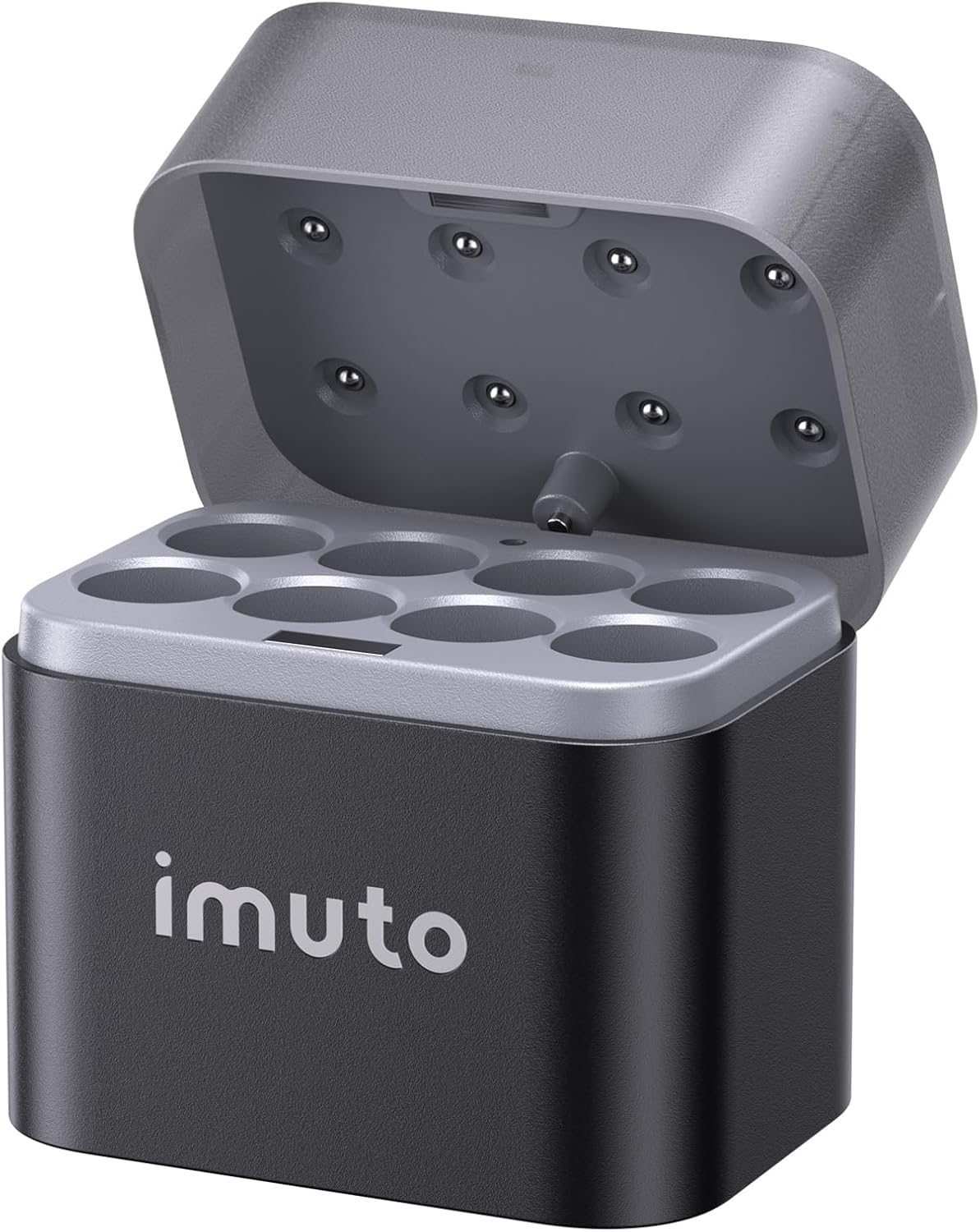
Figure 1: imuto 8-Slot AA Battery Charger (Lid Open)
2. Caratteristiche principali
- Compatibilità con doppia batteria: Charges both AA Lithium-ion and NiMH batteries. Supports simultaneous charging of different battery types.
- Ricarica ad alta efficienza: 8 independently powered charging slots. Provides 350mA/h for Lithium batteries and 300mA/h for NiMH batteries (with 5V/3A adapter).
- Magnetic Flip-Top Design: Securely stores batteries, protecting them from moisture, scratches, and self-discharge.
- Tecnologia di ricarica intelligente: USB-C input compatible with various 5V/3A power sources (power banks, PC, phone chargers, car chargers, USB wall adapters). Microcomputer control prevents overcharging, overcurrent, overvoltage, surriscaldamento e cortocircuiti.
- Compatto e portatile: Lightweight (0.24 lbs) and small (2.8" L x 2.1" W x 2.8" H), ideal for travel.
- Indicatori di stato a LED: Clear visual cues for charging status and battery type.

Figure 2: Charger showing compatibility with Lithium-ion and NiMH AA batteries.
3. Impostazione
- Disimballare: Carefully remove the imuto battery charger from its packaging.
- Collegamento elettrico: Connect the charger to a 5V/3A USB-C power source using a compatible USB-C cable (adapter not included). This can be a power bank, PC, phone charger, car charger, or USB wall adapter.
- Controllo iniziale: Once connected, the charger's LED indicators may briefly light up to confirm power.

Figure 3: Multiple power input options for the charger.
4. Istruzioni per l'uso
4.1 Inserimento delle batterie
Open the magnetic flip-top lid. Insert AA Lithium-ion or NiMH rechargeable batteries into any of the 8 independent charging slots. Ensure correct polarity (+ and -) as indicated on the charger and batteries.

Figure 4: Flexible charging options for single, multiple, or mixed battery types.
4.2 Charging Process and Speed
The charger automatically detects the battery type and begins charging. For rechargeable Lithium-ion batteries, each slot provides a charging speed of 350mA/h. For rechargeable NiMH batteries, the charging speed is 300mA/h. A full charge typically takes approximately 2.5 hours, depending on battery capacity and initial charge level.

Figure 5: Charging speeds for different battery types.
4.3 indicatori di stato a LED
The charger features clear LED indicators for each slot to show the charging status:
- • Blu lampeggiante: NiMH battery charging
- • Solido blu: NiMH battery fully charged
- • Verde lampeggiante: Ricarica della batteria al litio
- • Verde fisso: Lithium battery fully charged
- • Rosso lampeggiante: Incompatible battery detected
- • Solido rosso: Charging error detected
- • Nessuna luce: No power or no battery inserted

Figure 6: Understanding the LED status indicators.
4.4 Video dimostrativo del prodotto
Video 1: Dimostrazione ufficiale del prodottoasing the imuto rechargeable AA battery charger's features and ease of use, including battery insertion, charging, and application in various devices.
5. Manutenzione
- Pulizia: Use a soft, dry cloth to clean the charger's exterior. Do not use liquid cleaners or abrasive materials.
- Magazzinaggio: When not in use, store the charger in a cool, dry place away from direct sunlight and extreme temperatures. The magnetic flip-top design helps protect batteries stored within the charger.
- Gestione: Evitare di far cadere il caricabatterie o di sottoporlo a forti urti.

Figure 7: Magnetic flip-top design for charging and storage protection.
6. Risoluzione Dei Problemi
| Problema | Indicatore LED | Possibile causa | Soluzione |
|---|---|---|---|
| Batteria non in carica | Nessuna luce | No power to charger or battery not inserted correctly. | Ensure USB-C cable is securely connected to a 5V/3A power source. Re-insert battery, ensuring correct polarity. |
| Batteria non in carica | Rosso lampeggiante | Incompatible battery type (e.g., non-rechargeable, incorrect size) or faulty battery. | Ensure only AA Lithium-ion or NiMH rechargeable batteries are used. Try a different battery. If the issue persists, the battery may be faulty. |
| Batteria non in carica | Rosso solido | Charging error detected (e.g., short circuit, overvoltagE). | Remove the battery and re-insert it. If the error persists, the battery may be damaged or the charger may have an internal issue. Discontinue use if the problem continues. |
| Ricarica lenta | Blu/verde lampeggiante | Power source is not 5V/3A or cable is not suitable. | Ensure you are using a 5V/3A power adapter and a high-quality USB-C cable. Lower power sources will result in slower charging. |
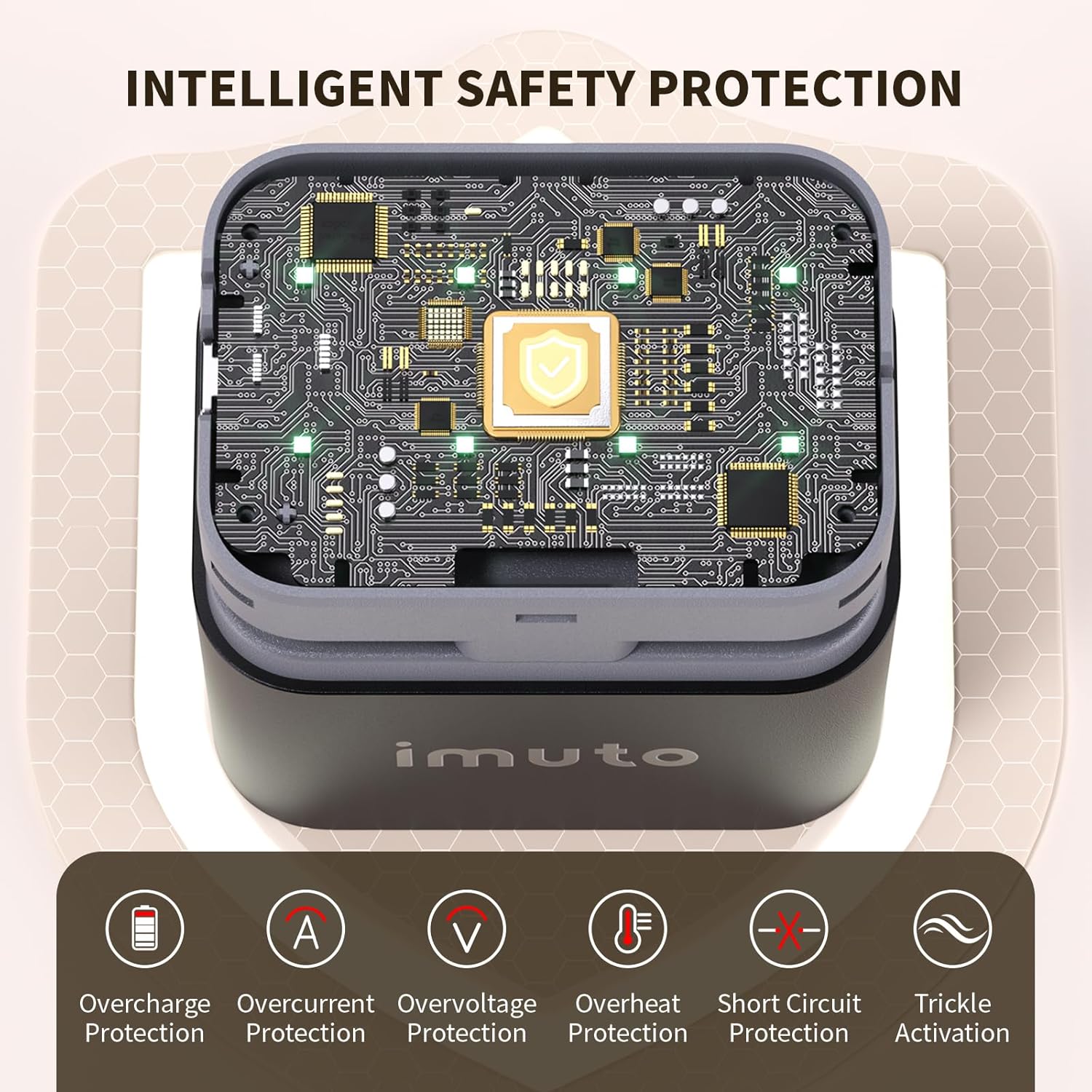
Figure 8: Intelligent safety protection features of the charger.
7. Specifiche
| Attributo | Valore |
|---|---|
| Dimensioni del prodotto | 2.8" L x 2.1" W x 2.8" H (7.1cm x 5.3cm x 7.1cm) |
| Peso dell'articolo | 0.24 libbre (4 once / 113 g) |
| Numero di modello | 012CE |
| Porta di ingresso | USB-C |
| Ingresso consigliato | 5V/3A (adattatore non incluso) |
| Volume di uscitatage | 4.2 Volt (CC) |
| Lithium Battery Charging Speed | 350mA/h per slot |
| NiMH Battery Charging Speed | 300mA/h per slot |
| Colore | Nero/Grigio |
8. Garanzia e supporto
For warranty information and customer support, please refer to the documentation included with your product or visit the official imuto website. You can also contact imuto customer service through the platform where you purchased the product for assistance with any issues or inquiries.
Per ulteriore supporto, visitare il imuto Store on Amazon.


