
1. Introduzione
Grazie per l'acquistoasing the AGPTEK A16 MP3 Player. This device is designed to provide a high-quality audio experience with its Bluetooth 5.3 connectivity and HIFI sound capabilities. It features a compact design, a built-in speaker, FM radio, voice recording, and expandable storage. This manual will guide you through the setup, operation, and maintenance of your new MP3 player.

Figure 1.1: AGPTEK A16 MP3 Player
2. Prodotto finitoview
2.1 Contenuto della confezione
- AGPTEK A16 MP3 Player
- Cavo di ricarica USB-C
- Auricolari
- Fascia da braccio
- Manuale d'uso
2.2 Disposizione del dispositivo
Familiarize yourself with the buttons and ports on your AGPTEK A16 MP3 Player.

Figura 2.1: Fronte view of the player showing the screen and touch controls.

Figura 2.2: lato view of the player, indicating physical buttons and ports.
- Pulsante di accensione: Tieni premuto per accendere/spegnere. Premi brevemente per bloccare/sbloccare lo schermo.
- Pulsanti del volume (+/-): Regola il volume.
- Controlli touch: Navigate menus, play/pause, skip tracks. These buttons illuminate for easy use.
- Porta USB-C: Per la ricarica e il trasferimento dei dati.
- Jack audio da 3.5 mm: For wired earphones or external speakers.
- Slot per scheda MicroSD: Per spazio di archiviazione espandibile.
- Altoparlante incorporato: For audio playback without external devices.
3. Impostazione
3.1 Ricarica del dispositivo
Before first use, fully charge the MP3 player. Connect the provided USB-C cable to the player's USB-C port and the other end to a USB power adapter (not included) or a computer's USB port. The battery indicator on the screen will show charging status. A full charge typically takes approximately 2 hours.
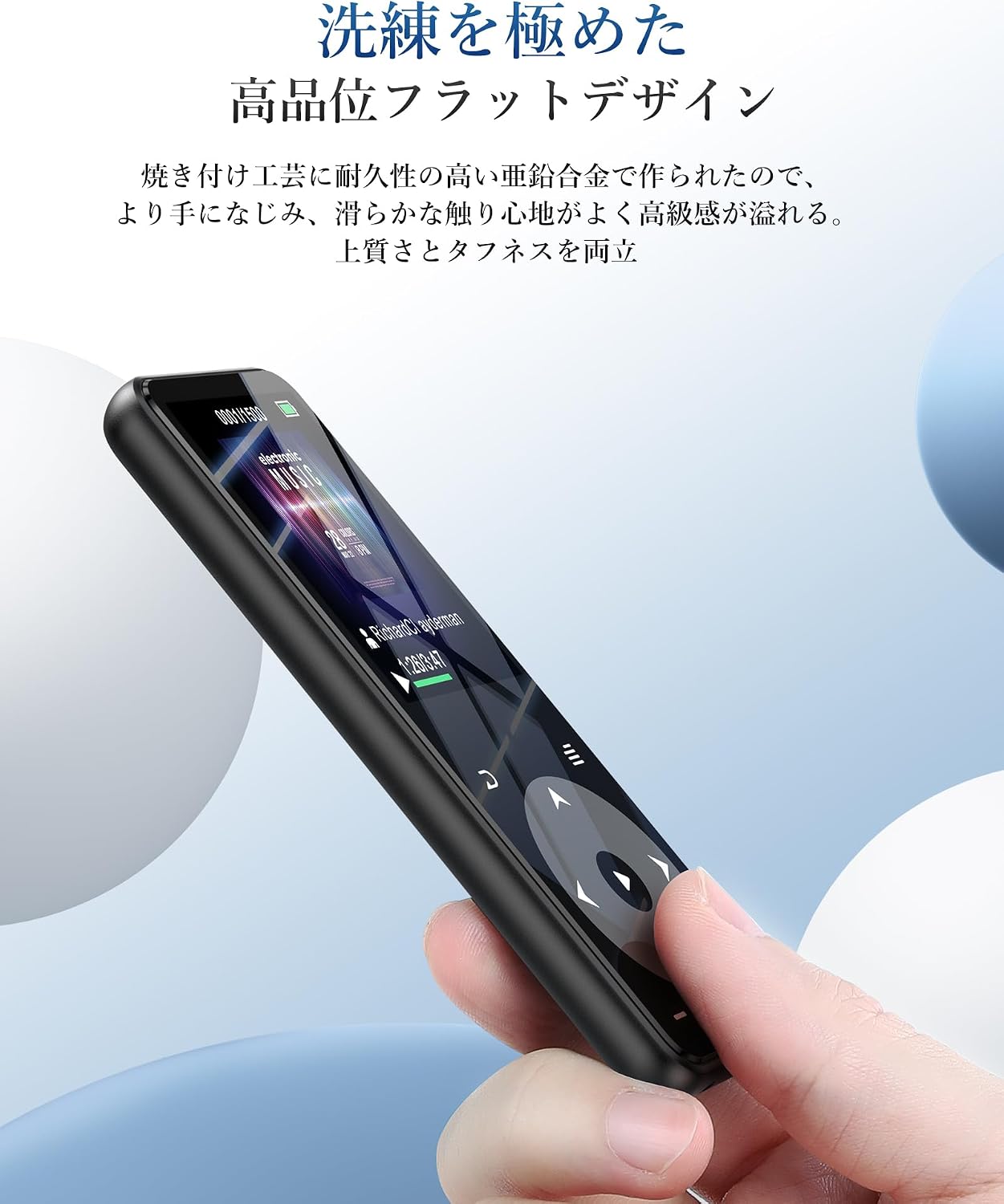
Figura 3.1: Prestazioni della batteria suview. Up to 10 hours via Bluetooth, up to 40 hours with wired earphones, and approximately 2 hours for a full charge.
3.2 Trasferimento di musica e Files
Per trasferire files, connect the MP3 player to your computer using the USB-C cable. The player will appear as a removable disk. You can then drag and drop music files (MP3, WMA, APE, FLAC, WAV, DRM, ACELP, OGG, AAC-LC), videos (AMV), images (JPG, JPEG, BMP), and text files (TXT) into the appropriate folders on the device.
3.3 Inserimento di una scheda MicroSD
The device has 16GB of internal storage and supports MicroSD cards up to 128GB. To expand storage, gently insert a MicroSD card into the card slot until it clicks into place. Ensure the card is inserted in the correct orientation.
3.4 Collegamento di dispositivi Bluetooth
The A16 MP3 player features Bluetooth 5.3 for stable and fast wireless connections. To pair with Bluetooth headphones or speakers:
- Turn on the MP3 player and navigate to the Bluetooth menu.
- Abilitare il Bluetooth sul lettore.
- Metti le cuffie o l'altoparlante Bluetooth in modalità di associazione.
- Sul lettore MP3, seleziona 'Cercare devices' and choose your device from the list.
- Una volta associato, il dispositivo si connetterà automaticamente in futuro.

Figure 3.2: The player supports Bluetooth 5.3 for connecting to wireless earphones, headphones, and speakers.
4. Istruzioni per l'uso
4.1 Riproduzione di musica
From the main menu, select 'Music'. You can browse your music by artist, album, genre, or all songs. Use the touch controls to play, pause, skip tracks, and adjust volume. The player supports HIFI lossless sound quality for an immersive audio experience.

Figure 4.1: The player features HIFI ultra-high sound quality with a DSP chip for effective noise reduction.
4.2 Radio FM
To use the FM radio function, connect wired earphones to the 3.5mm audio jack; they act as the antenna. Navigate to the 'FM Radio' option from the main menu. You can perform an automatic search for stations or manually tune to frequencies between 76.0-108MHz.

Figure 4.2: The player's FM radio function, requiring wired earphones as an antenna.
4.3 Registrazione vocale
The A16 MP3 player includes a voice recording function. Select 'Recorder' from the main menu to start, pause, and save recordings. You can also connect external audio sources like a smartphone or CD player via a line-in cable (sold separately) for direct recording.

Figure 4.3: The player's voice recording feature, including direct recording from external devices.
4.4 Pulsante di blocco
To prevent accidental operations during use, especially when carrying the player, short press the power button to lock the screen and controls. Repeat the action to unlock.
4.5 Altre funzioni
The AGPTEK A16 also offers additional features:
- Pedometro: Track your steps during exercise.
- E-libro: Leggi il testo files sul dispositivo.
- Riproduzione video: View AMV format videos.
- Altoparlante incorporato: Ascolta la musica senza auricolari.

Figure 4.4: The player's built-in speaker allows for cable-free audio playback.
5. Manutenzione
5.1 Pulizia
Pulisci il dispositivo con un panno morbido e asciutto. Non utilizzare detergenti liquidi o materiali abrasivi, poiché potrebbero danneggiare lo schermo o il display.asing.
5.2 Cura della batteria
Per prolungare la durata della batteria, evitare di scaricarla completamente frequentemente. Caricare il dispositivo regolarmente, anche se non utilizzato per periodi prolungati. Conservare il dispositivo in un luogo fresco e asciutto.
6. Risoluzione Dei Problemi
- Il dispositivo non si accende: Assicurati che la batteria sia carica. Collegalo a una fonte di alimentazione e riprova. Se non risponde, prova a tenere premuto il pulsante di accensione per 10-15 secondi per un hard reset.
- Impossibile connettersi tramite Bluetooth: Ensure both the MP3 player and the Bluetooth device are in pairing mode and within range. Check if other Bluetooth devices are interfering. Try unpairing and re-pairing the devices.
- Nessun suono: Check the volume level. Ensure earphones are properly connected or Bluetooth device is paired and connected. If using FM radio, ensure wired earphones are plugged in as an antenna.
- Filenon appare: Garantire files are in supported formats (MP3, WMA, etc.) and transferred to the correct folders. Disconnect and reconnect the player to your computer.
- Lo schermo non risponde: If the screen is locked, short press the power button to unlock. If still unresponsive, perform a hard reset by holding the power button.
7. Specifiche
| Caratteristica | Specificazione |
|---|---|
| Marca | AGPTEK |
| Numero di modello | A16 |
| Capacità di archiviazione della memoria | 16 GB (expandable up to 128 GB via microSD card) |
| Tecnologia di connettività | Bluetooth 5.3 |
| Dimensioni dello schermo | 1.8 Inches (TFT Display) |
| Tipi di media supportati | scheda microSD |
| Formati audio supportati | MP3, WMA, APE, FLAC, WAV, DRM, ACELP, OGG, AAC-LC |
| Formati video supportati | AMV |
| Formati di immagine supportati | JPG, JPEG, BMP |
| Formati di testo supportati | TXT |
| Durata della batteria (riproduzione musicale) | Up to 40 hours (wired earphones), Up to 10 hours (Bluetooth) |
| Tempo di ricarica | Circa 2 ore |
| Colore | Nero |
| Caratteristiche speciali | Bluetooth, HIFI Sound, Voice Recorder, FM Radio, Built-in Speaker, Pedometer, E-book, Lock Button |
8. Garanzia e supporto
8.1 Informazioni sulla garanzia
This AGPTEK A16 MP3 Player comes with a 180-day warranty from the date of purchase. This warranty covers manufacturing defects. Please retain your proof of purchase for warranty claims. The warranty does not cover damage caused by misuse, accidents, unauthorized repairs, or normal wear and tear.
8.2 Assistenza clienti
For technical assistance, troubleshooting, or warranty inquiries, please contact AGPTEK customer support through the retailer where you purchased the product or visit the official AGPTEK websito per le informazioni di contatto.