
TSPROF TS-MS2401580
Manuale utente del cubo angolare portatile TSPROF Axicube T2
Model: TS-MS2401580
1. Introduzione
The TSPROF Axicube T2 is a compact and precise digital angle finder designed to assist with sharpening and other angle measurement tasks. Its small size, long battery life, and strong magnetic base make it an indispensable tool for achieving accurate angles.
This manual provides detailed instructions on how to set up, operate, maintain, and troubleshoot your Axicube T2. Please read it thoroughly before first use to ensure optimal performance and longevity of the device.
2. Cosa c'è nella scatola
- Axicube T2 Angle Finder
- Cavo di ricarica USB di tipo C.
- Manuale dell'utente (questo documento)
3. Prodotto finitoview

Figura 3.1: Fronte view of the Axicube T2 with its digital display and control buttons.

Figura 3.2: Angolato view of the Axicube T2, highlighting its compact design.

Figura 3.3: In basso view of the Axicube T2, illustrating the integrated N38 magnets for secure attachment.

Figura 3.4: in alto view of the Axicube T2, showing the magnetic base plate.
4. Configurazione e ricarica
4.1 Carica iniziale
Before first use, fully charge your Axicube T2. Connect the supplied USB Type-C charging cable to the device's charging port and to a standard USB power source (e.g., computer USB port, wall adapter). Charging typically takes 15-20 minutes for a full charge, providing up to 24 hours of operation.
The display will indicate charging status. When the battery is low, the display will show "Lo".
4.2 Accensione/Spegnimento
Press and hold the power button (usually marked with a circle and a line) to turn the device on or off.
5. Istruzioni per l'uso
The Axicube T2 features 4 operating modes suitable for sharpening and general angle measurement. The device is designed to work seamlessly with TSPROF sharpening systems such as K03, Kadet, Pioneer, and Blitz.
5.1 Misurazione dell'angolo
To measure an angle, place the Axicube T2 firmly on the surface or sharpening system where you need to determine the angle. The strong N38 magnets ensure a stable attachment.

Figure 5.1: Axicube T2 in use, measuring the angle on a sharpening system.
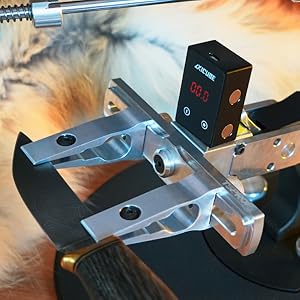
Figura 5.2: Un altro view of the Axicube T2 measuring an angle on a sharpening setup.
5.2 Azzeramento del dispositivo
To ensure accurate measurements, it is crucial to zero the device on a known flat surface before taking a reading. Press the calibration button (usually marked with a circle) to set the current position as 0.0 degrees.
Modalità operative 5.3
The Axicube T2 supports 4 operating modes. Refer to the on-screen indicators or the device's specific button combinations to cycle through these modes. Common modes include absolute angle measurement and relative angle measurement.
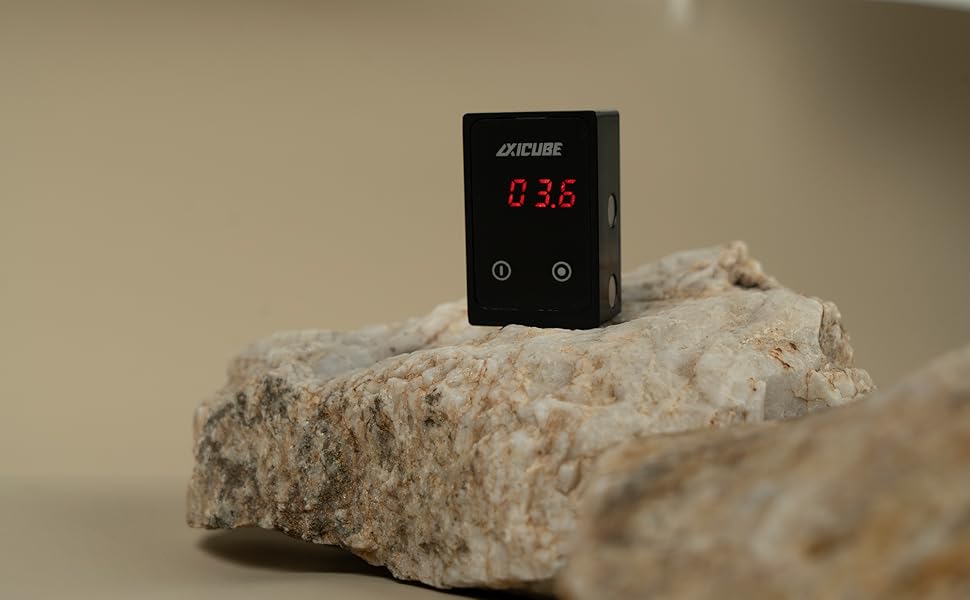
Figure 5.3: Axicube T2 displaying an angle, demonstrating its versatility.
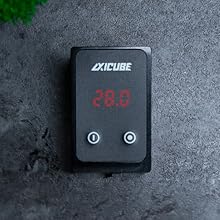
Figura 5.4: Dall'alto verso il basso view of the Axicube T2, showing a different angle reading.
6. Maintenance and Battery Replacement
6.1 Pulizia
Pulire il dispositivo con un panno morbido e asciutto. Non utilizzare detergenti abrasivi o solventi. Assicurarsi che nessun liquido penetri nel dispositivo.
6.2 Sostituzione della batteria
The Axicube T2 features a removable Lithium Polymer battery. If the battery needs replacement, carefully open the battery compartment. Refer to the image below for guidance.

Figure 6.1: Axicube T2 with the battery compartment open, revealing the battery and magnetic cover.
- Locate the screws on the back plate of the Axicube T2.
- Carefully unscrew them and remove the magnetic cover plate.
- Gently disconnect the old battery and replace it with a new, compatible Lithium Polymer battery.
- Ensure correct polarity when connecting the new battery.
- Replace the cover plate and secure it with the screws.
Note: Only use genuine replacement batteries or those specified by TSPROF LLC to avoid damage to the device.
7. Risoluzione Dei Problemi
| Problema | Possibile causa | Soluzione |
|---|---|---|
| Il dispositivo non si accende. | Batteria scarica. | Caricare il dispositivo utilizzando il cavo USB Type-C in dotazione. |
| Il display mostra "Lo". | Batteria scarica. | Caricare immediatamente il dispositivo. |
| Inaccurate angle readings. | Device not zeroed correctly. | Zero the device on a perfectly flat, level surface before use. |
| Display freezes or malfunctions. | Temporary software glitch or battery connection issue. | Try turning the device off and on again. If the issue persists, open the battery compartment, disconnect and reconnect the battery, then reassemble. |
8. Specifiche
| Caratteristica | Dettaglio |
|---|---|
| Numero di modello | TS-MS2401580 |
| Dimensioni (L x P x A) | 59.5 x 22 x 32 mm (2.35 x 0.87 x 1.26 pollici) |
| Peso | 75 grammi (2.66 once) |
| Tipo di batteria | 1 batteria ai polimeri di litio (inclusa) |
| Tempo di funzionamento | Fino a 24 ore con una carica |
| Tempo di ricarica | 15-20 minutes via Type-C |
| Magneti | Strong N38 magnets |
| Modalità operative | 4 modes for sharpening and building purposes |
| Compatibilità | TSPROF K03, Kadet, Pioneer, Blitz sharpening systems |
9. Garanzia e supporto
9.1 Informazioni sulla garanzia
TSPROF LLC warrants this product against defects in materials and workmanship for a period specified at the time of purchase. Please retain your proof of purchase for warranty claims. The warranty does not cover damage caused by misuse, unauthorized modification, accident, or normal wear and tear.
For specific warranty terms and conditions, please refer to the documentation provided with your purchase or contact TSPROF customer support.
9.2 Assistenza clienti
If you encounter any issues or have questions regarding your TSPROF Axicube T2, please contact TSPROF LLC customer support. You can find contact information on the official TSPROF websito o tramite il tuo punto vendita.
When contacting support, please have your product model number (TS-MS2401580) and a detailed description of the issue ready.
Ask a question about this manual
Ask about setup, troubleshooting, compatibility, parts, safety, or missing instructions. Manuals+ will review the question and use this page’s manual context to help answer it.