
Introduzione
Thank you for choosing the iKF Metal Wireless Bluetooth Over-Ear Headphones. These headphones are designed to provide a high-quality audio experience with advanced features such as Active Noise Cancellation (ANC), Hi-Res 40mm drivers, 5-Mic Environmental Noise Cancellation (ENC) for clear calls, and extended playback time. This manual will guide you through the setup, operation, and maintenance of your new headphones.
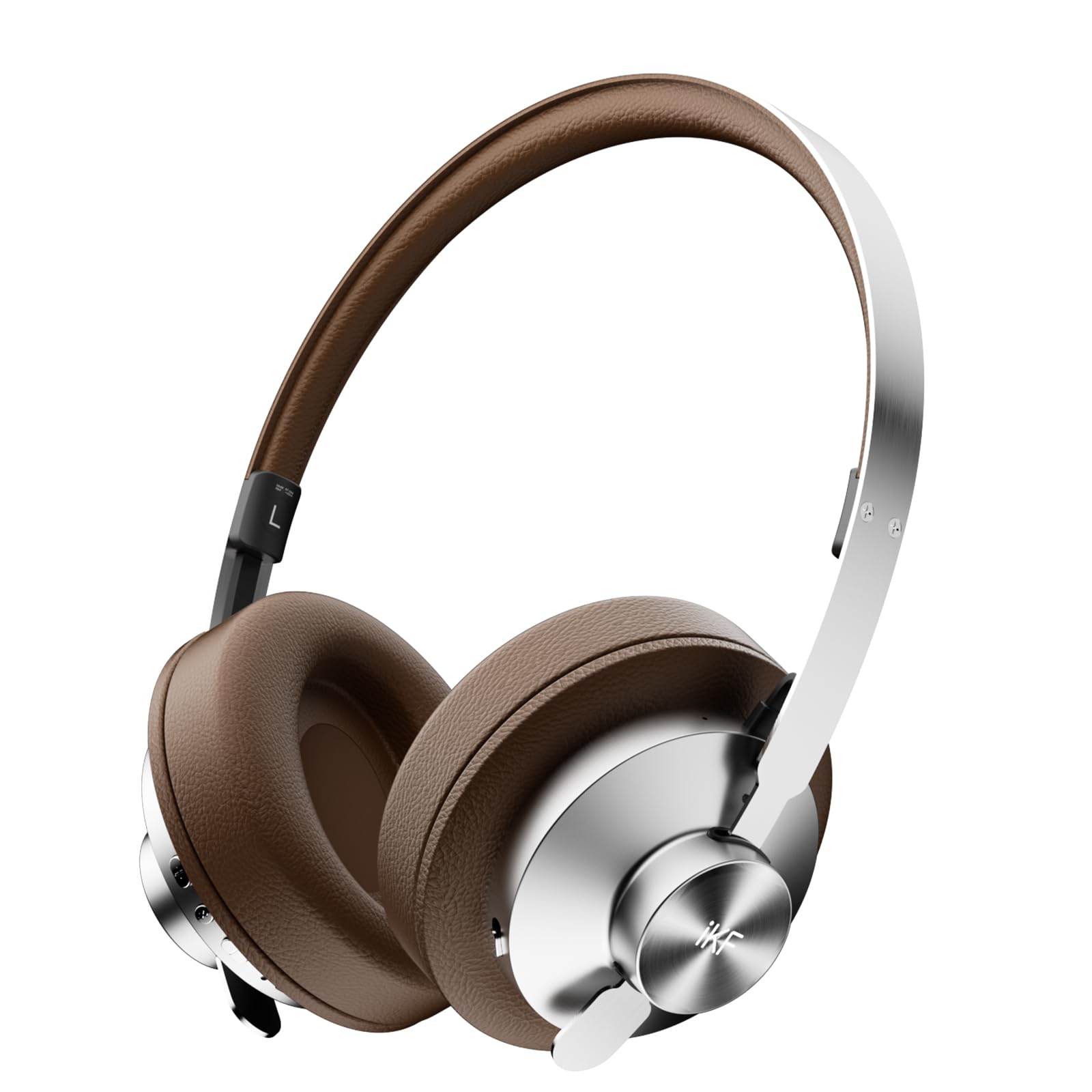
Image: iKF Metal Wireless Bluetooth Over-Ear Headphones, showcasing il loro design.
Cosa c'è nella scatola
- iKF Metal Wireless Bluetooth Over-Ear Headphones
- Cavo di ricarica
- Manuale d'uso
Prodotto finitoview
Familiarize yourself with the various components and controls of your iKF Metal headphones.
Video: How to use iKF Metal Headphones. This video demonstrates the key display and functions of the headphones.
Controlli e porte:
- Pulsante di accensione: Used to turn the headphones on/off.
- Porta Aux-in: For wired audio connection using a 3.5mm cable.
- Porta di ricarica: Porta USB-C per caricare le cuffie.
- MFB (pulsante multifunzione): Controls playback, calls, and mode switching.
- Pulsante '+': Volume up, Next track.
- Pulsante '-': Volume down, Previous track.

Image: Close-up of the headphone earcup, highlighting the replaceable earcups and metal construction.
Impostare
First-Time Bluetooth Pairing
- Assicurati che le cuffie siano cariche.
- Slide the Power Button to the 'ON' position. You will hear an audible prompt indicating the headphones are powered on and ready for pairing.
- On your mobile device, navigate to the Bluetooth settings and enable Bluetooth.
- Cercare available devices and select "iKF Metal" from the list.
- Una volta effettuata la connessione, sentirai un messaggio di conferma.
For a visual guide on first-time pairing, refer to the video below (segment 0:08 - 0:22).
Video: Demonstrates the initial Bluetooth pairing process for the iKF Metal headphones.
Istruzioni per l'uso
Accensione/spegnimento
- Accensione: Slide the Power Button to 'ON'.
- Spegni: Slide the Power Button to 'OFF'.
See the video for a demonstration (segment 0:23 - 0:34).
Funzioni multimediali
- Aumenta volume: Single tap the '+' button.
- Volume basso: Single tap the '-' button.
- Traccia successiva: Premere a lungo il pulsante '+' per 2 secondi.
- Traccia precedente: Premere a lungo il pulsante '-' per 2 secondi.
- Riproduci/Pausa: Toccare una volta l'MFB.
Refer to the video for a visual guide on media controls (segment 0:35 - 0:51).
Funzioni di chiamata
- Rispondi alla chiamata in arrivo: Toccare una volta l'MFB.
- Termina chiamata: Toccare una volta l'MFB.
- Rifiuta chiamata: Premere a lungo l'MFB per 2 secondi.
The video demonstrates call functions (segment 0:52 - 1:05).
Mode Switching (Noise Reduction & Audio Modes)
- Noise Reduction Mode Cycle: Long press the MFB to cycle through ANC Mode, Transparent Mode, and Anti-wind Noise Mode.
- Adaptive Noise Reduction On/Off: Tocca due volte il tasto MFB.
- Audio Mode Switching: Triple tap the MFB to loop switch between Movie Mode (2 prompt tones), Game Mode (3 prompt tones), and Music Mode (1 prompt tone).
Watch the video for a demonstration of mode switching (segment 1:06 - 1:31).
Video: Demonstrates various operating functions including power, media, calls, and mode switching.

Image: iKF Metal headphones with a smartphone displaying the companion app for personalized sound control.
Manutenzione
- Pulizia: Per pulire le cuffie, utilizzare un panno morbido e asciutto. Non utilizzare detergenti abrasivi o solventi.
- Magazzinaggio: Conservare le cuffie in un luogo fresco e asciutto, lontano dalla luce solare diretta e da temperature estreme.
- Cura della batteria: Per prolungare la durata della batteria, evitare di scaricare completamente le cuffie frequentemente. Ricaricarle regolarmente.
- Resistenza all'acqua: Queste cuffie non sono resistenti all'acqua. Evitare l'esposizione ai liquidi.
Risoluzione dei problemi
Problemi comuni e soluzioni:
- Le cuffie non si accendono: Assicurati che le cuffie siano cariche. Collegale a una fonte di alimentazione tramite il cavo di ricarica.
- Impossibile effettuare l'associazione tramite Bluetooth:
- Assicurati che il Bluetooth sia abilitato sul tuo dispositivo e che le cuffie siano in modalità di associazione.
- Avvicina le cuffie al dispositivo.
- Cancella le precedenti connessioni Bluetooth sul tuo dispositivo e riprova.
- Perform a reset operation (see below).
- Nessun suono o volume basso:
- Controlla i livelli del volume sia delle cuffie che del dispositivo collegato.
- Assicurarsi che le cuffie siano collegate correttamente tramite Bluetooth o cavo AUX.
- Prova a riprodurre l'audio da una sorgente o applicazione diversa.
- Scarsa qualità della chiamata:
- Assicurarsi che il microfono non sia ostruito.
- Spostatevi in un ambiente con meno rumore di fondo.
- Controlla le impostazioni di chiamata del tuo dispositivo.
Operazione di ripristino
If you experience persistent issues, you can reset the headphones to clear Bluetooth pairing information:
- In the power-on state, long press the '+' button and '-' button simultaneously for 5 seconds.
- The headphones will clear all previous Bluetooth pairing information and enter re-pairing state.
A visual demonstration of the reset operation is available in the video (segment 1:32 - 1:42).
Specifiche
| Caratteristica | Dettaglio |
|---|---|
| Nome del modello | iKF Metal |
| Controllo del rumore | Cancellazione attiva del rumore, isolamento acustico |
| Tecnologia di connettività | Bluetooth, cablato (jack da 3.5 mm) |
| Tecnologia di comunicazione wireless | Bluetooth 5.4 |
| Dimensioni del driver audio | 40 millimetri |
| Durata della batteria | 75 ore |
| Tempo di ricarica | 2 ore |
| Tipo di controllo | Button Control/App Control |
| Microfono | 5-Mic Array with ENC |
| Materiale | Pelle, Metallo, Plastica |
| Peso dell'articolo | 1.6 libbre |
| Livello di resistenza all'acqua | Non resistente all'acqua |
| Caratteristiche speciali | Adjustable Headband, Detachable Cable, Microphone Included, Multipoint Pairing, Noise Cancellation |

Image: Illustrates the impressive battery life of the iKF Metal headphones, with 75 hours of playback (ANC off) and 40 hours (ANC on).
Garanzia e supporto
For warranty information and customer support, please refer to the documentation included with your product packaging or visit the official iKF website. The included user manual typically contains specific warranty terms and contact details for support.
Puoi anche visitare il Negozio ufficiale iKF su Amazon per ulteriori informazioni sul prodotto e risorse di supporto.