
1. Introduzione
The TRIGKEY Key-N150 Mini PC is a compact and efficient computer designed for various tasks, from office work to media entertainment. It features an Intel Twin Lake N150 processor, 16GB DDR4 RAM, and a 500GB M.2 PCIeX4 SSD, offering reliable performance in a small form factor. This manual provides essential information for setting up, operating, and maintaining your Mini PC.

Immagine 1.1: anteriore view of the TRIGKEY Key-N150 Mini PC.
2. Contenuto della confezione
Si prega di controllare la confezione per verificare la presenza dei seguenti elementi:
- TRIGKEY Key-N150 Mini PC
- Manuale d'uso
- Cavo HDMI (1 m)
- AC Power Cable (Optional: US/EU/UK/JP/AU)
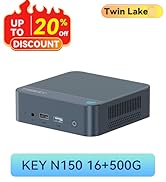
Image 2.1: TRIGKEY Key-N150 Mini PC and included accessories.
3. Prodotto finitoview
The Key-N150 Mini PC is equipped with a variety of ports and internal components to support its functionality.
3.1 Interfacce del pannello anteriore e posteriore

Image 3.1: Front panel of the Mini PC, showing USB ports and audio jack.

Image 3.2: Rear panel of the Mini PC, showing AC power, USB, LAN, and HDMI ports.
The Mini PC features:
- Davanti: 3.5mm Audio Jack, USB 2.0, USB 3.2 (10Gbps), Power Button, Power Indicator Light.
- Posteriore: AC Power Input, USB 3.2 (10Gbps) x2, LAN (1000M) x2, HDMI x2.
3.2 Componenti interni
Immagine 3.3: Esploso view showing the internal components of the Mini PC, including the CPU, fan, RAM, and SSD slots.
Le principali caratteristiche interne includono:
- Processore: Intel Twin Lake N150 (4 Cores/4 Threads, up to 3.60GHz).
- Grafica: Intel UHD Graphics (24EUs, 1000MHz).
- Memoria: 16GB DDR4 3200MHz SO-DIMM (single channel, expandable).
- Magazzinaggio: 500GB M.2 PCIeX4 SSD (supports dual M.2 2280 SSDs, up to 2TB expansion).
- Connettività wireless: Wi-Fi 5 e Bluetooth 5.0.
- Alimentazione elettrica: Built-in 45W PSU.

Image 3.4: Details of the Intel Twin Lake N150 processor, highlighting its 3.6 GHz max turbo frequency, 4 cores, and 4 threads.

Image 3.5: Illustration of the 16GB DDR4 SO-DIMM RAM and the dual M.2 2280 SSD slots for storage expansion.
4. Istruzioni per l'installazione
Follow these steps to set up your TRIGKEY Key-N150 Mini PC:
- Collegamento a un display: Use an HDMI cable to connect the Mini PC to your monitor or TV. The device supports dual HDMI output for multiple displays.
- Connetti le periferiche: Collega la tastiera e il mouse USB alle porte USB disponibili.
- Connetti alla rete: For a wired connection, connect an Ethernet cable to one of the two LAN ports. For wireless, ensure your WiFi network is available during initial setup.
- Accensione: Connect the AC power cable to the Mini PC and then to a power outlet. Press the power button on the front panel.
- Avvio iniziale: The Mini PC will boot up. Follow the on-screen instructions to complete the operating system setup (if not pre-configured).
Video 4.1: Un overview of the TRIGKEY Key-N150 Mini PC, demonstrating its features and connectivity options. This video provides a visual guide to the product's design and capabilities.
5. Istruzioni per l'uso
5.1 Funzionamento di base
Once set up, your Mini PC functions like a standard desktop computer. You can perform tasks such as web browsing, media playback, and office applications.

Image 5.1: The Mini PC supports various applications including web browsing, media entertainment, office work, and 4K video playback.
5.2 Configurazione del doppio display
The Mini PC supports connecting two monitors via its dual HDMI ports. To configure dual displays:
- Collegare entrambi i monitor alle porte HDMI sul retro del Mini PC.
- Accendere il Mini PC ed entrambi i monitor.
- The operating system should automatically detect both displays. You can adjust display settings (extend, duplicate, primary display) through your OS display settings.
5.3 Intel Unison App
The Intel Unison App allows seamless connection between your Mini PC and mobile devices. This enables features such as:
- Viewing photo galleries from your PC.
- Extending your PC screen with a tablet.
- Making and receiving phone calls from your PC.
- Trasferimento files between phone/tablet and PC.
- Sending and receiving text messages from your PC.
- Managing device notifications from a single source.

Image 5.2: The Intel Unison App facilitates seamless connectivity and data transfer between your Mini PC and mobile devices.
6. Manutenzione
Per garantire la longevità e le prestazioni ottimali del tuo Mini PC, tieni presente i seguenti suggerimenti per la manutenzione:
- Mantienilo pulito: Regularly clean the exterior of the Mini PC with a soft, dry cloth. Ensure ventilation holes are free from dust and obstructions to maintain efficient cooling.
- Aggiornamenti software: Mantieni aggiornati il sistema operativo e i driver alle versioni più recenti per migliorare la sicurezza e le prestazioni.
- Spegnimento corretto: Per evitare il danneggiamento dei dati, spegnere sempre correttamente il Mini PC tramite il sistema operativo.
- Condizioni ambientali: Utilizzare il Mini PC in un'area ben ventilata, lontano dalla luce solare diretta, da calore eccessivo e dall'umidità.

Image 6.1: The Mini PC features an efficient cooling system to ensure stable operation and heat dissipation.
7. Risoluzione Dei Problemi
Se riscontri problemi con il tuo Mini PC, fai riferimento alle seguenti soluzioni comuni:
- Nessun potere: Ensure the AC power cable is securely connected to both the Mini PC and the power outlet. Try a different power outlet.
- Nessuna visualizzazione: Check that the HDMI cable is firmly connected to both the Mini PC and the monitor. Verify the monitor is powered on and set to the correct input source. Try a different HDMI cable or monitor if possible.
- Nessuna connessione internet: For wired connections, check the Ethernet cable and router status. For wireless, ensure Wi-Fi is enabled in the operating system and you are connected to the correct network with the correct password.
- Periferiche non funzionanti: Ensure USB devices are properly plugged into the USB ports. Try different USB ports or restart the Mini PC.
- Rallentamento del sistema: Chiudere le applicazioni non necessarie. Verificare la presenza di processi in background che consumano elevate risorse. Assicurarsi di avere sufficiente spazio di archiviazione libero.
- Arresti imprevisti: Ensure the Mini PC is in a well-ventilated area and not overheating. Check for any recent software or driver installations that might be causing instability.
If problems persist, consult the TRIGKEY support resources mentioned in the Warranty and Support section.
8. Specifiche
| Caratteristica | Dettaglio |
|---|---|
| Marca | CHIAVE DI SGANCIO |
| Numero di modello | KEY N150 |
| Modello CPU | Intel Twin Lake N150 (Celeron) |
| Velocità della CPU | Fino a 3.6 GHz |
| Numero di processori | 4 |
| Coprocessore grafico | Grafica Intel UHD |
| Memoria RAM installata | 16 GB di memoria DDR4 SDRAM |
| Velocità di memoria | 3200 MHz |
| Slot di memoria disponibili | 1 |
| Capacità di archiviazione della memoria | 500 GB |
| Descrizione del disco rigido | 500GB M.2 PCIeX4 SSD |
| Sistema operativo | Sistema operativo (preinstallato) |
| Tecnologia di connettività | Bluetooth, Ethernet, HDMI, Wi-Fi |
| Compatibilità wireless | 802.11ac (Wi-Fi 5), Bluetooth 5.0 |
| Porte USB totali | 3 (USB 3.2 x2, USB 2.0 x1) |
| Numero totale di porte HDMI | 2 |
| Risoluzione massima dello schermo | 3840x2160 (4K) |
| Metodo di raffreddamento | Passive (with fan for efficient heat dissipation) |
| Potenza Tipo spina | Tipo A - 2 pin (Nord America) |
| Colore | Grigio |
9. Garanzia e supporto
TRIGKEY is committed to providing excellent customer service and support for your Mini PC.
- Risposta rapida: Support inquiries receive a reply within 24 hours.
- Politica di ritorno: Politica di reso di 30 giorni.
- Sostituzione: Sostituzione disponibile entro 12 mesi dall'acquisto.
- Supporto a vita: Assistenza post-vendita e supporto tecnico a vita.

Image 9.1: TRIGKEY's commitment to customer service, including response times, return policy, replacement period, and lifetime technical support.
Contattaci
For further assistance, technical support, or warranty claims, please use the following channels:
- E-mail: Refer to your product packaging or the official TRIGKEY websito per informazioni di contatto via e-mail.
- Websito: Visit the official TRIGKEY websito per FAQ, driver e risorse di supporto.
- Consulenza online: Check the TRIGKEY store page for online chat or consultation options.

Image 9.2: Various contact methods for TRIGKEY customer service and technical support.