
1. Introduzione
The TELE System TS4020 PRO is an advanced and versatile digital decoder designed for receiving both terrestrial and satellite television broadcasts. It features dual DVB-T/T2 and DVB-S/S2 tuners, supporting HEVC HD, HDR10, and HLG for high-quality video. This device allows access to a wide range of free-to-air TV and radio channels without a subscription. Additionally, its USB port enables media playback of music, photos, and videos, transforming the decoder into a home entertainment hub.
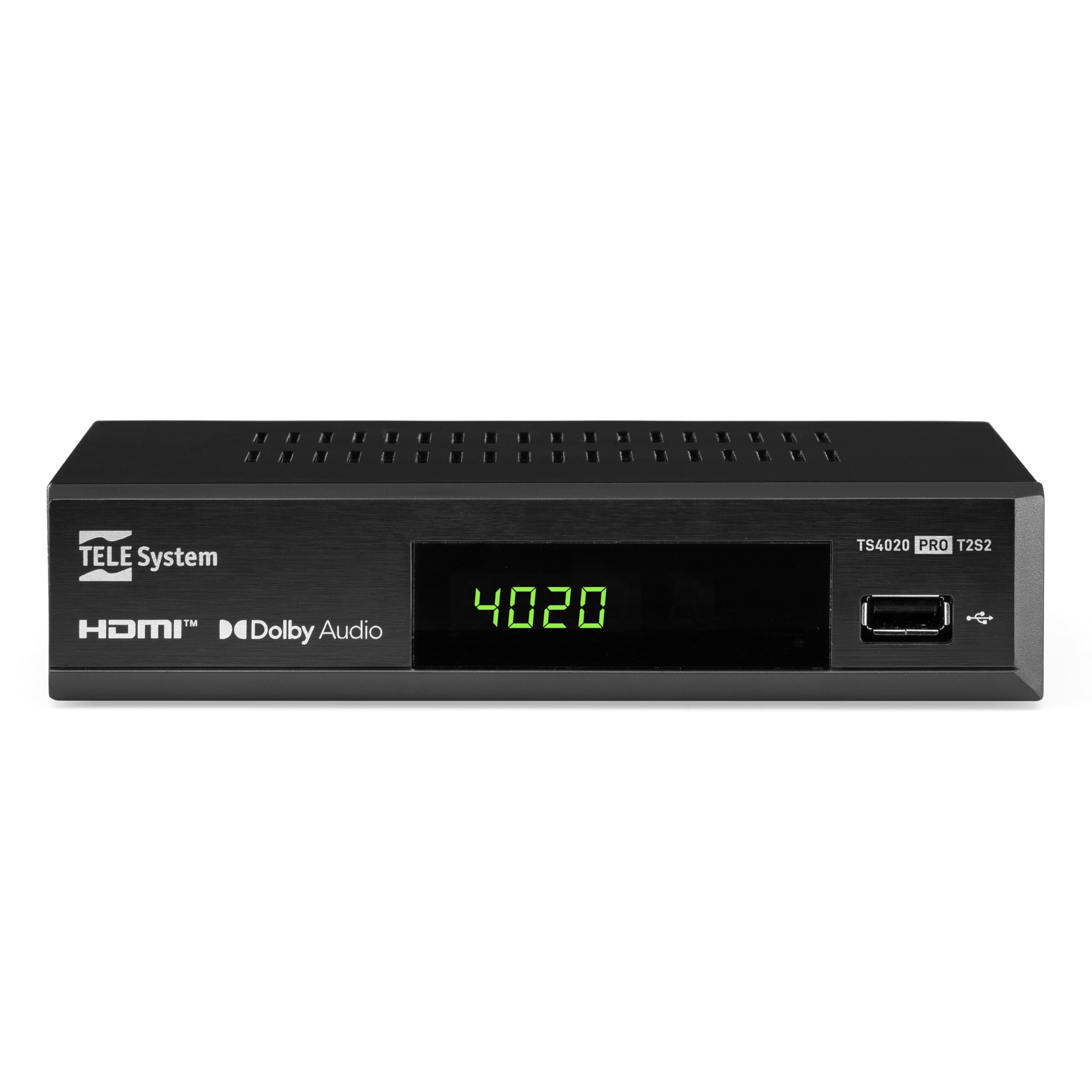
Figure 1: Tele System TS4020 PRO Decoder and included remote control.
2. Impostazione
2.1 Disimballaggio e componenti
Disimballare con cura tutti gli articoli dalla scatola. Assicurarsi che siano presenti i seguenti componenti:
- Tele System TS4020 PRO Decoder
- Telecomando
- Adattatore di alimentazione esterno
- Manuale dell'utente (questo documento)
2.2 Collegamento del decoder
Follow these steps to connect your decoder to your television and antenna/satellite dish.
- Collegamento elettrico: Connect the external power adapter to the DC 12V input on the back of the decoder, then plug it into a power outlet.
- Connessione HDMI: Use an HDMI cable to connect the HDMI OUT port on the decoder to an available HDMI input on your television.
- Antenna Connection (for DVB-T/T2): Collegare il cavo dell'antenna terrestre al Ingresso RF port on the back of the decoder.
- Satellite Connection (for DVB-S/S2): Collega il cavo della parabola satellitare al SABATO port on the back of the decoder.
- Connessioni opzionali:
- SCART: For older televisions, connect a SCART cable from the TV SCART port on the decoder to your TV. Note that 4K resolution is not supported via SCART.
- Audio coassiale: For digital audio output, connect a coaxial audio cable from the COAXIAL port to your audio receiver.
- USB: For media playback, insert a USB drive into the USB port on the front or back of the decoder.

Figure 2: Rear panel connections of the TS4020 PRO decoder, including SAT IN, RF IN, Coaxial, HDMI, and TV SCART ports.
2.3 Configurazione iniziale e scansione dei canali
After connecting the decoder, turn on your television and select the correct HDMI input. The decoder should power on automatically or can be turned on using the remote control.
- Seguire le istruzioni sullo schermo per la configurazione iniziale.
- Seleziona la lingua e la regione che preferisci.
- The decoder features an SCANSIONE AUTOMATICA function for quick and easy automatic channel searching and sorting for both terrestrial and satellite channels. Initiate the scan when prompted.
- Once the scan is complete, your decoder is ready for use.
3. Istruzioni per l'uso
3.1 Funzioni del telecomando
The TELE System TS4020 PRO comes with a unique remote control designed to manage both the decoder and your television. It features programmable keys for added convenience.

Figure 3: Layout of the TS4020 PRO remote control.
- Pulsante di accensione: Accende/spegne il decoder.
- AV/TV: Cambia la sorgente di ingresso della TV.
- VOL+/VOL-: Regola il volume.
- PROG+/PROG-: Cambia canale.
- DTT/SAT: Switches between terrestrial and satellite modes.
- MENU: Accede al menu principale.
- OK: Conferma le selezioni.
- Tasti freccia: Navigates menus and EPG.
- INFORMAZIONI: Visualizza le informazioni sul programma.
- EPG: Guida elettronica ai programmi.
- Controlli del lettore multimediale: Riproduci, Pausa, Stop, Avanti veloce, Riavvolgi.
- Programmable TV Control Keys: These keys (usually at the top) can be programmed to control basic TV functions like power, volume, and input. Refer to the remote control section in the full manual for programming instructions.
3.2 canali Viewing and Selection
Utilizzare il PROG+ E PROG- buttons to navigate through channels. Press OK A view the channel list and select a channel directly. Use the DTT/SAT button to switch between terrestrial (DVB-T/T2) and satellite (DVB-S/S2) channel lists.
3.3 Riproduzione multimediale tramite USB
The decoder supports media playback from a USB storage device.
- Inserire una chiavetta USB o un disco rigido esterno nella porta USB.
- Access the Media Player function from the main menu.
- Naviga attraverso il tuo files to play music, view photos, or watch videos.
3.4 HDR Quality
The TS4020 PRO is compatible with HDR10 and HLG standards, providing enhanced image quality with improved color rendering and visual depth, especially for content with high dynamic range. Ensure your television also supports HDR10 or HLG for the best viewesperienza di acquisizione.
4. Manutenzione
- Pulizia: Use a soft, dry cloth to clean the decoder's exterior. Do not use liquid cleaners or abrasive materials.
- Ventilazione: Assicurarsi che il decoder abbia una ventilazione adeguata. Non ostruire le aperture di ventilazione.
- Aggiornamenti software: Periodically check for available software updates through the decoder's menu (if supported). Software updates can improve performance and add new features. Information regarding guaranteed software updates is not available.
- Magazzinaggio: Se si conserva il dispositivo per un periodo prolungato, scollegarlo dall'alimentazione e conservarlo in un luogo fresco e asciutto.
5. Risoluzione Dei Problemi
If you encounter issues with your Tele System TS4020 PRO, refer to the following common problems and solutions:
| Problema | Possibile causa | Soluzione |
|---|---|---|
| Nessun potere | Adattatore di alimentazione non collegato o presa difettosa. | Ensure the power adapter is securely connected to the decoder and a working power outlet. |
| Nessuna immagine/audio sulla TV | Incorrect TV input selected, loose HDMI/SCART cable. | Select the correct HDMI/AV input on your TV. Check that the HDMI or SCART cable is securely connected at both ends. |
| No channels found or poor signal | Antenna/satellite dish not connected, misaligned, or damaged. | Check antenna/satellite cable connections. Ensure your antenna/dish is properly aligned. Perform an AUTOSCAN again. |
| Il telecomando non funziona | Batterie scariche, ostruzioni o telecomando fuori portata. | Replace batteries. Ensure no obstructions between the remote and the decoder. Point the remote directly at the decoder. |
| HDMI output not compatible with TV | Specific TV model incompatibility. | If available, try using the SCART connection for video output. Note that 4K resolution is not supported via SCART. |
| Date resets to 1970 after reset | Internal clock issue or software bug. | Check for available software updates. If the issue persists, contact customer support. |
6. Specifiche
| Numero di modello | 21005355 |
| Marca | Sistema TELE |
| Tecnologia di connettività | USB, Power, HDMI, SCART, RF IN, SAT IN, Coaxial |
| Modalità di uscita audio | Circondare |
| Porte HDMI totali | 1 |
| Dispositivi compatibili | Televisione |
| Formati audio supportati | Dolby Digital, DTS, AAC, MP3, PCM |
| Voltage | 12 Volt (CC) |
| Risoluzione dell'uscita video | Formato: 1080p |
| Standard supportati | DVB-T2, DVB-S2, H.265, HDR10, HLG, MP3, AAC |
| Proporzioni | 16:9 |
| Colore | Nero |
| Paese di origine | Cina |
7. Informazioni sulla garanzia
The Tele System TS4020 PRO decoder comes with a Garanzia del produttore di 2 anni. Please retain your proof of purchase for warranty claims. For specific terms and conditions, refer to the warranty card included with your product or contact Tele System customer support.
8. Assistenza clienti
For further assistance, technical support, or inquiries regarding your Tele System TS4020 PRO decoder, please visit the official Tele System websito o contattare il loro servizio clienti.
Nota: al momento non sono disponibili informazioni sulla disponibilità dei pezzi di ricambio per questo prodotto.