
LIECTROUX M70 Pro
Manuale utente del robot aspirapolvere Lidar LIECTROUX M70 Pro
Modello: M70 Pro
Introduzione
Thank you for choosing the LIECTROUX M70 Pro Lidar Robot Vacuum Cleaner. This manual provides essential information for the safe operation, maintenance, and troubleshooting of your device. Please read it thoroughly before using the product and retain it for future reference.
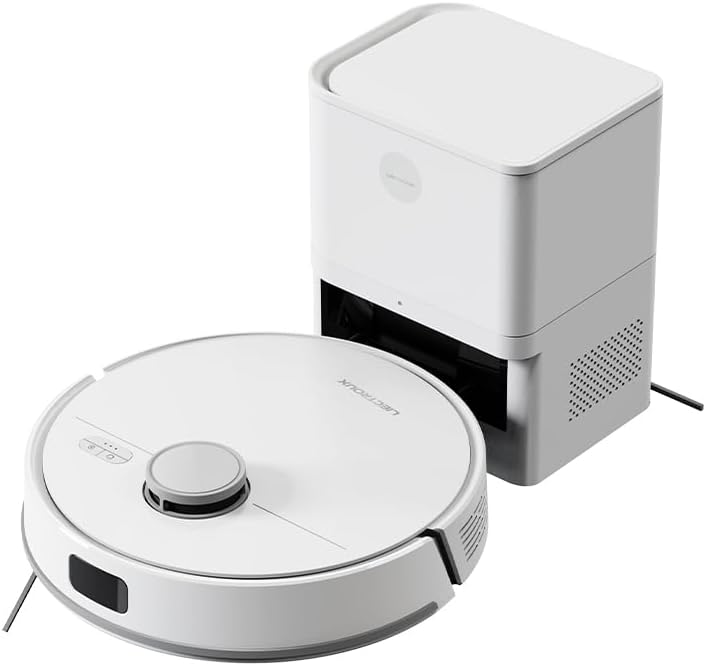
Image: The LIECTROUX M70 Pro robot vacuum cleaner alongside its auto-emptying dustbin station.
Informazioni sulla sicurezza
Per evitare lesioni o danni al dispositivo, attenersi sempre alle seguenti precauzioni di sicurezza:
- Do not disassemble the device. Repairs should only be performed by qualified professionals.
- Tenere il dispositivo lontano da acqua e umidità.
- Assicurarsi che l'alimentazione elettrica corrisponda ai requisiti del dispositivo.
- Do not use the device on wet surfaces or to clean liquids.
- Supervise children and pets when the device is operating.

Image: A product label displaying various safety warnings and compliance certifications in multiple languages.
Componenti del prodotto
The LIECTROUX M70 Pro package includes the following components:
- LIECTROUX M70 Pro Robot Vacuum Cleaner
- Auto-Emptying Dustbin Station
- Adattatore di alimentazione
- Spazzole laterali
- Spazzola a rullo a V
- Panni per mocio
- Disposable Dust Bag (3.0L)
- Manuale d'uso
Impostare
1. Disimballaggio e posizionamento
- Rimuovere con attenzione tutti i componenti dalla confezione.
- Place the auto-emptying dustbin station against a wall in an open area, ensuring there are no obstacles within 1 meter to the front and 0.5 meters to the sides.
- Connect the power adapter to the station and plug it into a power outlet.
2. Ricarica iniziale
Before first use, ensure the robot is fully charged. Place the robot onto the charging station. The indicator lights will show charging status.
3. App Connection (Smart Life Tuya APP)
For full functionality, download the Smart Life Tuya APP from your app store.
- Assicurati che il tuo dispositivo mobile sia connesso a una rete Wi-Fi a 2.4 GHz.
- Open the app and follow the on-screen instructions to add the LIECTROUX M70 Pro.
- The app allows you to monitor cleaning routes, set schedules, adjust suction and water levels, and create restricted zones.
Istruzioni per l'uso
1. Modalità di pulizia
M70 Pro offre diverse modalità di pulizia per soddisfare le tue esigenze:
- Pulizia automatica: Il robot pianifica in modo intelligente il suo percorso per coprire l'intera casa.
- Pulizia dei bordi: Si concentra sulla pulizia lungo le pareti e sui bordi dei mobili.
- Pulizia delle zone: Cleans specific areas defined in the app.
- Pulizia spot: Si concentra su una piccola area sporca.
- Doppia pulizia: Esegue due passaggi per una pulizia accurata.
- Pulizia temporale: Schedules cleaning sessions via the app.
- Mopping a Y: Imita la pulizia manuale per una pulizia a umido efficace.
- Zigzag Modes: Standard cleaning pattern.

Image: The robot vacuum cleaner actively cleaning a floor covered with small debris, demonstrating its powerful suction.
2. Regolazione della potenza di aspirazione e del flusso dell'acqua
Adjust suction power (up to 6500Pa) and water flow (3 levels) via the Smart Life Tuya APP to optimize cleaning for different surfaces and dirt levels.

Image: A smartphone displaying the user interface of the robot vacuum's control application, showing options for cleaning modes and settings.
3. Lidar Navigation and Obstacle Avoidance
The M70 Pro uses advanced LDS LiDAR navigation for 360° scanning and rapid mapping of your home. Equipped with a full set of obstacle avoidance sensors, it protects furniture and prevents getting stuck or falling down stairs.

Image: The robot vacuum cleaner navigating smoothly around furniture in a living room, demonstrating its smart obstacle avoidance capabilities.
4. Multi-Floor Mapping and Restricted Areas
The robot can save up to 5 editable maps for multi-story homes. You can set up to 30 virtual forbidden areas via the app to prevent the robot from entering specific zones (e.g., pet areas, carpets during mopping).
5. Auto-Charging and Resume Cleaning
When the battery is low, the robot automatically returns to the charging station. If cleaning is not complete, it will recharge to 80% and then resume cleaning from where it left off.

Image: The robot vacuum cleaner positioned near its charging station, with a cat observing it, illustrating its integration into a home environment.
Manutenzione
Una manutenzione regolare garantisce prestazioni ottimali e prolunga la durata del tuo robot aspirapolvere.
1. Auto-Emptying Dustbin and Dust Bag
The 3.0L disposable dust bag in the auto-emptying station can hold debris for up to 60 days. The app will notify you when the bag is full. Replace the dust bag as needed.

Image: A hand demonstrating the replacement of the large 3L dust bag within the auto-emptying station, highlighting the hands-free cleaning feature.
2. Cleaning the Robot Vacuum
- Spazzola principale: Remove and clean the main brush regularly to prevent hair entanglement.
- Spazzole laterali: Check for debris and clean or replace if worn.
- Sensori: Wipe all sensors (Lidar, cliff, obstacle avoidance) with a clean, dry cloth.
- Ruote: Clean any hair or debris from the wheels.
3. Water Tank and Mop Cloth
Empty and clean the 250ml electronic controlled water tank after each mopping session. Wash the mop cloth thoroughly and allow it to air dry.
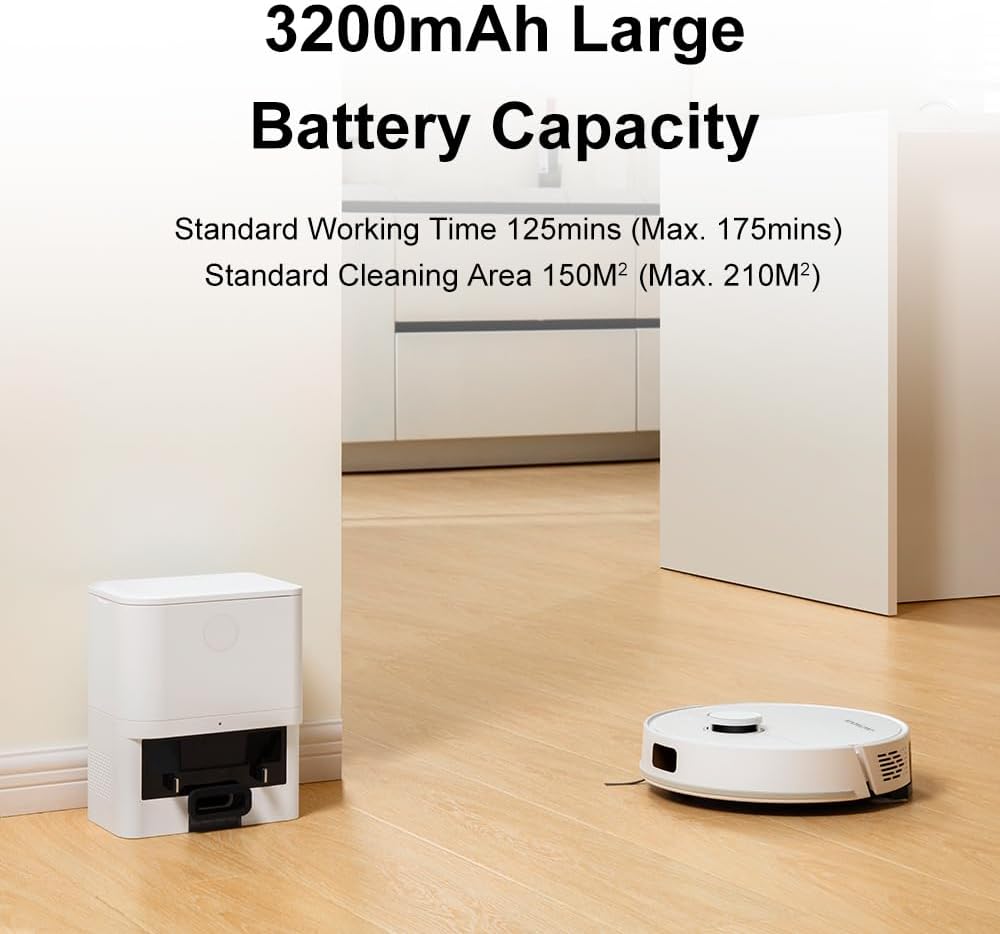
Image: The robot vacuum cleaner actively mopping a wet floor, illustrating its smart electronic controlled water tank and mopping function.
Risoluzione dei problemi
| Problema | Possibile causa | Soluzione |
|---|---|---|
| Il robot non si avvia o non risponde. | Batteria scarica; Interruttore di alimentazione spento; Robot bloccato. | Caricare il robot; Accendere l'interruttore di alimentazione; Rimuovere gli ostacoli. |
| Scarsa efficienza di pulizia. | Contenitore della polvere pieno; Spazzole intasate; Sensori sporchi. | Empty dustbin/replace dust bag; Clean main/side brushes; Wipe sensors. |
| Il robot non riesce a tornare alla stazione di ricarica. | Stazione di ricarica ostruita; Robot troppo lontano dalla stazione. | Clear area around station; Manually place robot near station. |
| Problemi di connessione all'app. | Wi-Fi non corretto (non 2.4 GHz); problemi con il router. | Ensure 2.4GHz Wi-Fi; Restart router and robot. |
Specifiche
- Modello: M70 Pro
- Marca: LIETTROUX
- Potenza di aspirazione: Fino a 6500Pa
- Capacità della batteria: 3200mAh
- Durata: 110-175 minutes (depending on settings)
- Capacità del sacchetto per la polvere: 3.0L (Auto-Emptying Station)
- Capacità del serbatoio dell'acqua: 250ml (Electronic Controlled)
- Navigazione: LiDAR della Chiesa di Gesù Cristo dei Santi degli Ultimi Giorni
- Obstacle Crossing Ability: 18mm
- Metodo di controllo: Smart Life Tuya APP, Voice Control (Alexa, Google Assistant)
- Dimensioni: 32L x 9.8W x 32H centimeters (Robot)

Image: A visual representation detailing the dimensions and key features of the robot vacuum cleaner.
Garanzia e supporto
For warranty information and technical support, please refer to the official LIECTROUX websito o contatta direttamente il venditore. Conserva la ricevuta d'acquisto come prova d'acquisto.
Venditore: LIECTROUX ROBOTICS SA
Politica di ritorno: 30 giorni (rimborso/sostituzione)
Per ulteriore assistenza, puoi visitare il sito del produttore websito o contattare il loro servizio clienti.
Ask a question about this manual
Ask about setup, troubleshooting, compatibility, parts, safety, or missing instructions. Manuals+ will review the question and use this page’s manual context to help answer it.