
1. Introduzione
The Philips Lumea Series 8000 IPL Hair Removal Device, featuring SenseIQ technology, offers a personalized and comprehensive solution for hair removal. This device includes three intelligent attachments designed for the body, face, and precision areas. Clinical tests demonstrate that Lumea IPL can effectively reduce hair growth, providing smooth skin for up to 18 months with up to 92% hair reduction after just 3 sessions. This corded device utilizes Philips' unique patented Lumea Smart Pulse™ technology, which combines balanced power, colored light, and optimal pulse duration for safe and effective hair removal. Developed over 20 years of specialized research, Philips Lumea serves as an effective alternative to laser hair removal.
The integrated skin contact sensors ensure eye safety by only emitting a flash when in full contact with the skin, eliminating the need for protective eyewear during sessions. For an optimized experience, the FREE Lumea app provides personalized guidance and treatment plans.
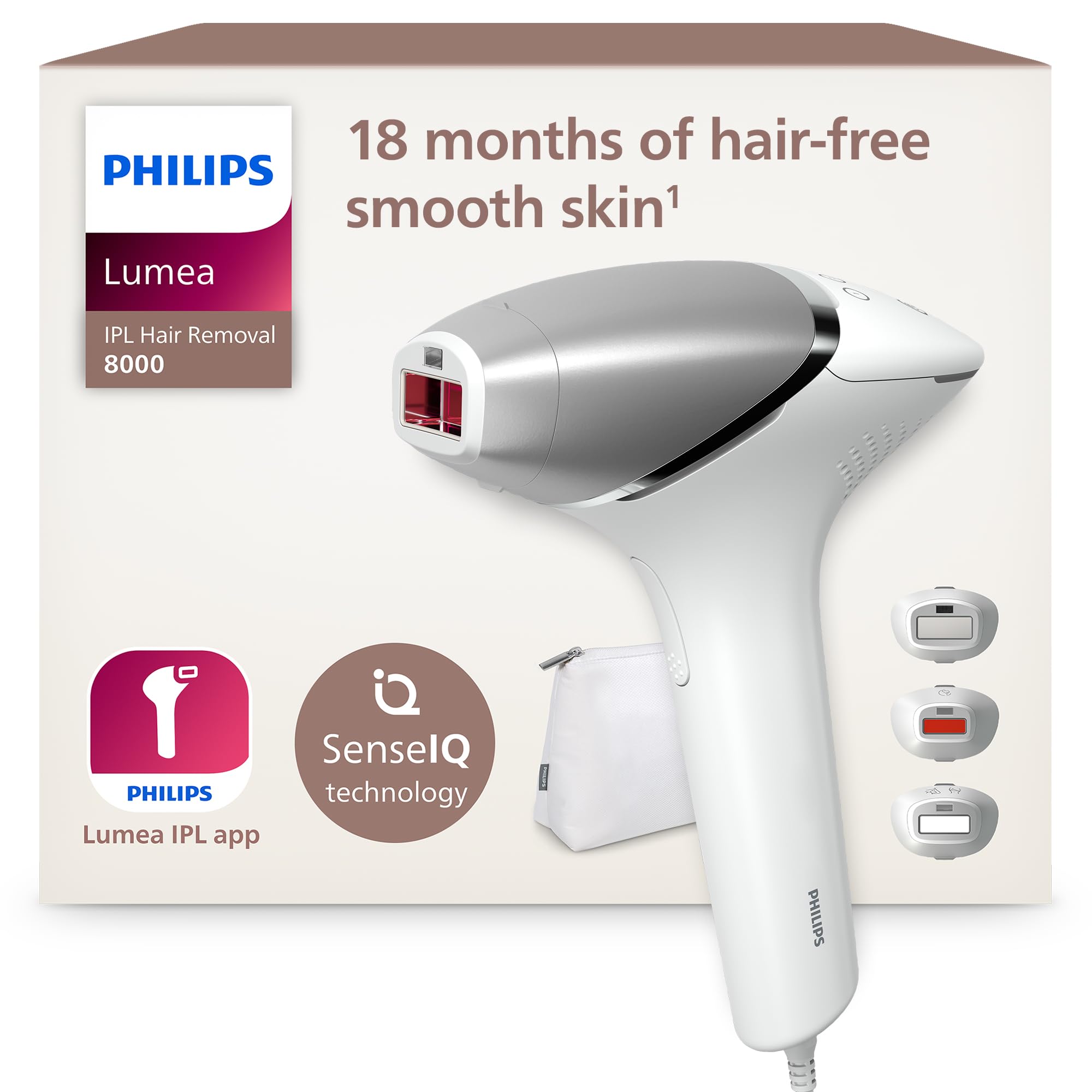
Image: The Philips Lumea Series 8000 IPL device in use, demonstrating its ergonomic design and ease of handling for body treatment.
2. Informazioni sulla sicurezza
Before using your Philips Lumea device, please read all safety instructions carefully. Improper use can lead to skin irritation or injury.
- Skin Contact Sensors: The device is equipped with skin contact sensors that prevent flashing unless the treatment window is in full contact with the skin. This feature protects your eyes and eliminates the need for protective glasses.
- Preparazione della pelle: Always ensure your skin is clean, dry, and free from any lotions, creams, or deodorants before treatment.
- Evitare la pelle irritata: Do not use the device on irritated, sunburned, or broken skin, or over tattoos, dark spots, or moles.
- Compatibilità del tono della pelle: The SmartSkin sensor detects your skin tone and recommends the most comfortable intensity setting. The device will not flash if your skin tone is not compatible with IPL treatment.
- Compatibilità del colore dei capelli: IPL technology is most effective on natural dark blonde, brown, and black hair. It is not effective on red, light blonde, white, or grey hair.
- Gravidanza e condizioni mediche: Consult your doctor before use if you are pregnant, breastfeeding, or have any underlying medical conditions.
3. Contenuto della confezione
Your Philips Lumea Series 8000 package includes:
- Philips Lumea Series 8000 IPL Hair Removal Device
- Attaccamento al corpo
- Attacco viso
- Attacco di precisione
- Borsa portaoggetti
- Adattatore di alimentazione
- Panno per la pulizia

Image: The Philips Lumea device shown with its three distinct attachments for different body areas.
4. Dispositivo suview
The Philips Lumea Series 8000 is designed for comfortable and effective home use. It features a main unit with controls and a light window, and interchangeable attachments tailored for specific body zones.
4.1. SenseIQ Technology
SenseIQ technology provides a personalized treatment experience. The SmartSkin sensor automatically detects your skin tone and recommends the optimal light intensity setting for the treated area, ensuring both safety and efficacy.

Image: Detail of the device's control panel, highlighting the SmartSkin sensor and adjustable intensity settings.
4.2. Specialized Attachments
The device comes with three uniquely curved attachments to perfectly follow your body's contours and deliver targeted treatment:
- Attacco al corpo: Designed for larger areas such as legs, arms, and stomach.
- Face Attachment: Smaller window with an integrated UV filter, suitable for sensitive facial areas like the upper lip, chin, and cheeks.
- Precision Attachment: Ideal for smaller, curved, or hard-to-reach areas like the bikini line and underarms.

Image: The Philips Lumea device displayed alongside its three specialized, curved attachments.
5. Impostazione
- Connetti alimentazione: Plug the power adapter into the device and then into a wall outlet. The power indicator light will illuminate.
- Seleziona allegato: Choose the appropriate attachment (body, face, or precision) for the area you intend to treat. Gently click it onto the device head.
- Accensione: Premere il pulsante di accensione per accendere il dispositivo.
6. Istruzioni per l'uso
Follow these steps for an effective IPL treatment:
- Prepara la tua pelle: Ensure your skin is clean, dry, and shaved. Avoid using the device on irritated or injured skin.
- Determine Treatment Area: Use the Lumea app for a personalized treatment experience. The SmartSkin sensor will detect your skin tone and recommend the suitable brightness setting for each area.
- Choose the Correct Attachment: Select one of the three provided attachments based on the area to be treated. The body attachment is for large areas like legs, the face attachment for smaller, sensitive areas, and the precision attachment for hard-to-reach zones.
- Regola impostazioni: Set the light intensity according to the treatment area and your skin tone. The Lumea app can guide you in selecting the optimal settings.
- Eseguire il trattamento: Hold the skin taut with one hand and place the device at a 90-degree angle against the skin with the other. Glide the device over the area in the direction of hair growth. Ensure full skin contact for the flash to activate.
- Ripetere il trattamento: Follow the recommended schedule in the Lumea app for best results. Generally, it is recommended to use the device every 2 weeks for the first 6 weeks, then once a month for maintenance.
6.1. Lumea App Integration
The FREE Lumea app acts as your personal coach, helping you optimize your IPL routine. It provides personalized programs, reminders, and guidance to ensure you achieve lasting results.

Image: The Philips Lumea app interface on a smartphone, showing a user's treatment schedule and progress.
6.2. How IPL Works
IPL (Intense Pulsed Light) technology targets hair at the root. Gentle pulses of light are applied to the hair follicle, causing it to enter a resting phase and shed naturally. Repeated sessions target hairs in their growth phase, preventing regrowth over time.

Image: A visual representation of the IPL hair removal process, showing light pulses reaching the hair root.
7. Assistenza post-trattamento
After each IPL session:
- Apply a moisturizing cream to the treated area to soothe the skin and prevent irritation.
- Avoid intense physical activities and hot baths for 24 hours following treatment.
- Protect treated skin from direct sun exposure. Use sunscreen with a high SPF if sun exposure is unavoidable.
8. Manutenzione e conservazione
Una cura adeguata garantisce la longevità e l'efficacia del tuo dispositivo:
- Pulizia: After each use, clean the device and its attachments with the provided cleaning cloth. Ensure no hair or debris is left on the light window. Do not use abrasive cleaners or solvents.
- Magazzinaggio: Store the device in the provided storage pouch in a cool, dry place, away from direct sunlight and out of reach of children.
9. Risoluzione Dei Problemi
If you encounter issues with your Philips Lumea device, refer to the following common solutions:
| Problema | Possibile causa | Soluzione |
|---|---|---|
| Il dispositivo non si accende | Non collegato correttamente all'alimentazione; problema con la presa di corrente. | Assicurarsi che l'adattatore di alimentazione sia collegato saldamente sia al dispositivo sia a una presa a muro funzionante. |
| Device does not flash | Light window not in full skin contact; skin tone not compatible; intensity setting too low. | Ensure the light window is in full contact with the skin. Check your skin tone compatibility with the SmartSkin sensor. Adjust intensity if needed. |
| Skin irritation after treatment | Intensity setting too high; skin not properly prepared; sensitive skin reaction. | Reduce the intensity setting. Ensure skin is clean and dry before treatment. Apply a soothing moisturizer. If irritation persists, discontinue use and consult a doctor. |
| Nessuna riduzione visibile dei peli | Inconsistent treatment schedule; hair color not compatible; device not used correctly. | Follow the recommended treatment schedule consistently. Verify your hair color is compatible with IPL. Ensure proper technique as described in operating instructions. |
10. Specifiche
| Caratteristica | Dettaglio |
|---|---|
| Numero di modello | BRI946/00 |
| Marca | PHILIPS |
| Colore | Bianco |
| Fonte di alimentazione | Elettrico con cavo |
| Peso dell'articolo | 1.09 chilogrammi |
| Dimensioni del pacco | 26.5 x 25.3 x 11.6 centimetri |
| Produttore | Philips Consumer Lifestyle BV |
| Paese di origine | Slovenia |
11. Garanzia e supporto
Philips Lumea Series 8000 comes with a warranty. For specific warranty details, including duration (up to 5 years) and terms, please refer to the official Philips website. Registration on www.philips.com/support may be required to activate your warranty and access full support services.
For further assistance, troubleshooting, or to contact customer support, please visit the Philips support websito o fare riferimento alle informazioni di contatto fornite sulla confezione del prodotto.

Image: A visual reminder of the product's warranty, showing a woman comfortably using the device.