
1. Introduzione
Grazie per l'acquistoasing the AODK Gaming Desk. This desk is designed to provide a functional and immersive environment for gaming and work, featuring a durable carbon-tone desktop, integrated storage, power outlets, and customizable RGB LED lighting. Please read this manual carefully before assembly and use to ensure proper setup and operation.
Dimensioni del prodotto: Width 120cm x Depth 50cm x Height 75.7cm (desk surface from floor). Monitor stand height is adjustable.
2. Istruzioni per l'installazione
2.1. Contenuto della confezione
Verify that all components listed in the assembly guide are present. All necessary tools, including a wrench, are provided for assembly. No additional tools are required.
2.2. Fasi di assemblaggio
Follow the included Japanese assembly instructions for detailed, step-by-step guidance. Ensure all screws are tightened securely to prevent wobbling. It is recommended to fix the desk to a wall for enhanced stability, especially if heavy equipment is placed on it.

Immagine: Oltreview of the AODK Gaming Desk with key dimensions and the reversible rack feature highlighted.
2.3. Installazione del rack
The storage rack can be installed on either the left or right side of the desk to suit your preference and room layout. The two shelves within the rack are adjustable in height, allowing you to customize the storage space for items such as PC cases, game consoles, or other accessories.

Immagine: Primo piano view of the two-tier adjustable storage rack, demonstrating its capacity for a PC case and other items.
3. Istruzioni per l'uso
3.1. Monitor Stand Adjustment
The integrated monitor stand offers three height adjustment levels: 10cm, 13cm, and 16cm. Select the height that best suits your posture and viewing comfort to reduce strain on your neck and shoulders. Adjusting the monitor stand also creates additional usable space on the main desktop surface.

Image: Illustration of the monitor stand's three height settings and how they contribute to improved ergonomics.
3.2. RGB LED Bar Light Operation
The desk features an RGB LED bar light with 10 color options and 9 brightness levels. Use the control panel to customize the lighting to match your mood or gaming setup.
- Pulsante Colore Statico (C): Premere una volta per passare alla modalità colore statico. Ogni pressione cambia il colore.
- Pulsante Modalità Dinamica (M): Press once to switch to dynamic mode. Each press changes the dynamic effect. Press and hold for 2 seconds to enter demo mode, which cycles through various dynamic effects automatically.
- Power/Speed/Brightness Adjustment Button (O):
- When the light is off, press to turn it on. When on, press and hold to turn it off.
- In static color mode, press to adjust the brightness (9 levels).
- In dynamic mode, press to adjust the speed of the effect.
The LED bar light has a power-off memory function, retaining the last color and brightness setting when turned back on.

Image: The RGB LED bar light integrated into the desk, showcasing its color capabilities.
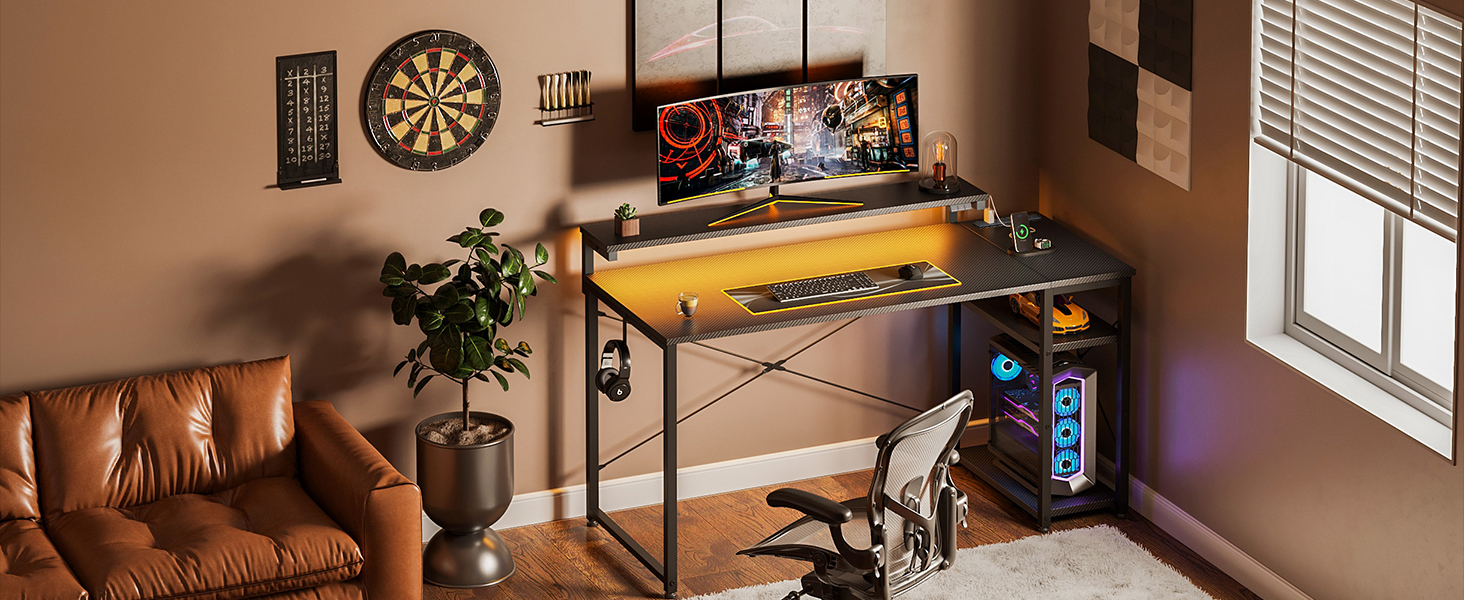
Immagine: dettagliata view of the control panel for the RGB LED bar light, illustrating the function of each button.
3.3. Presa di corrente e porte USB
The desk includes an integrated power strip with 2 standard AC outlets (125V/15A) and 2 USB ports (5V/2A). This allows you to power and charge up to 4 devices simultaneously, with a total power capacity of 1500W. The power cord length is 1.8m. This feature provides convenient access to power for your gaming equipment, controllers, and other electronic devices, ensuring uninterrupted use.
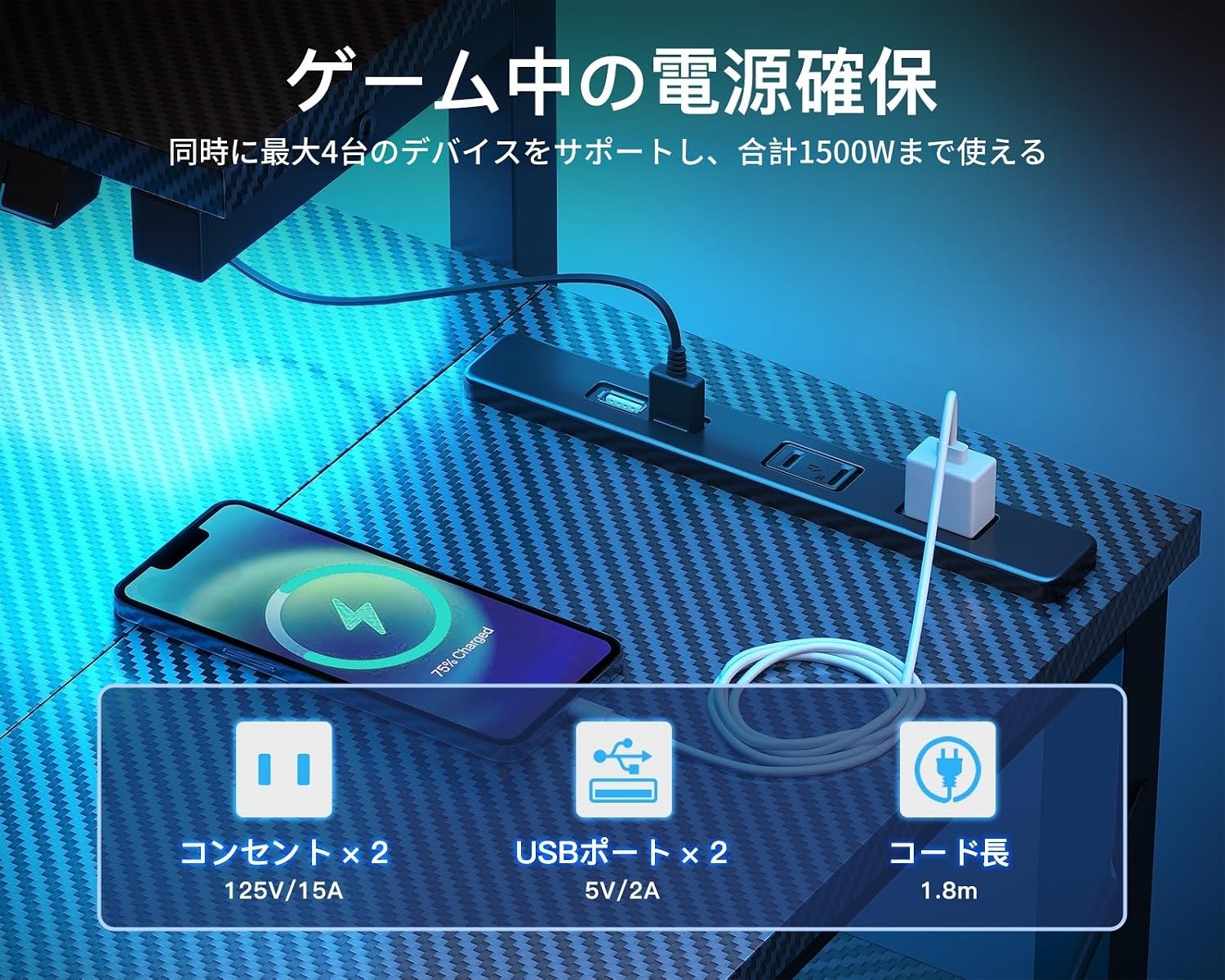
Image: The integrated power strip with AC outlets and USB ports, shown with devices connected for charging.
4. Manutenzione
4.1. Pulizia
The carbon fiber desktop is designed to be resistant to scratches, heat, and water. For routine cleaning, simply wipe the surface with a damp cloth. For spills or dirt, a quick wipe is sufficient to maintain its appearance.
4.2. Stability Check
Periodically check all screws and connections to ensure they remain tight. If any wobbling is detected, re-tighten the assembly screws. The desk is built with a high-strength steel frame and anti-sway crossbars for stability, but regular checks are recommended.
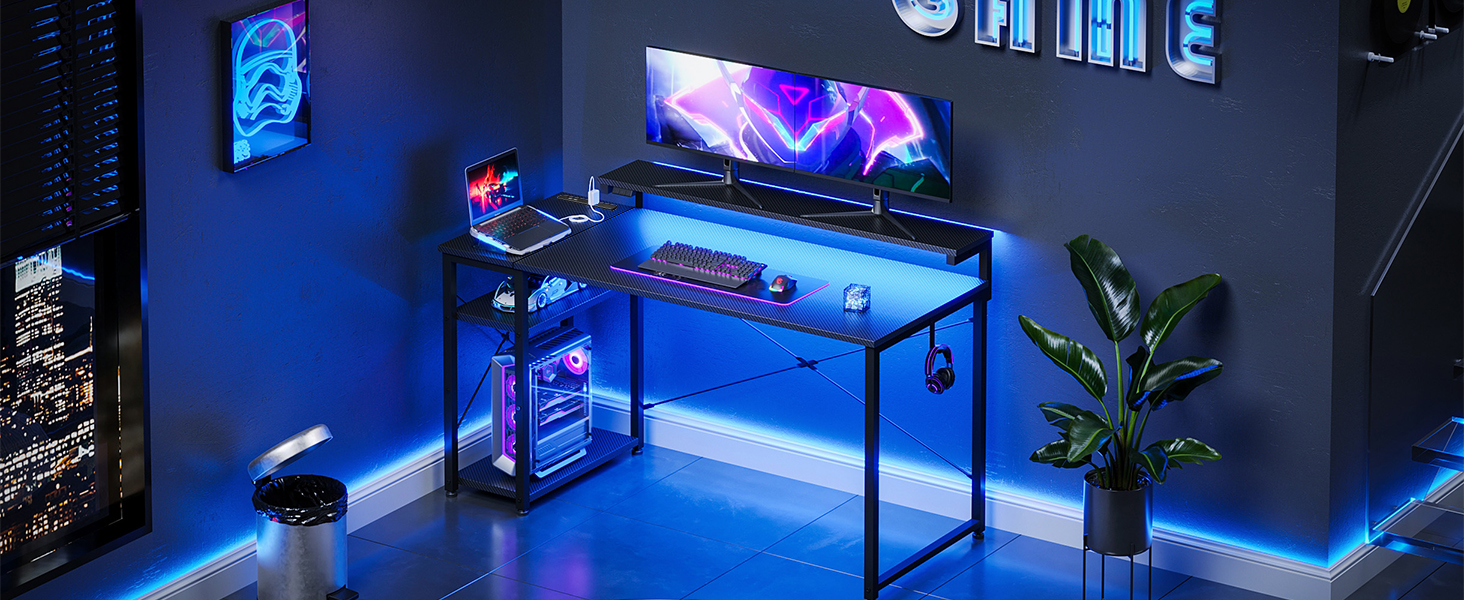
Image: Details of the desk's structural features, including hooks for accessories, anti-sway crossbars for stability, and adjustable feet for leveling.
5. Risoluzione Dei Problemi
5.1. Desk Wobbles After Assembly
- Assicurarsi che tutte le viti siano completamente serrate.
- Check that the adjustable feet (adjusters) on the bottom of the desk legs are properly leveled on an even surface.
- Consider fixing the desk to a wall for additional stability, as recommended in the safety notice.
5.2. RGB LED Light Not Functioning
- Verify that the power cable for the LED light is securely connected.
- Ensure the power button on the control panel is pressed to turn on the light.
5.3. Power Outlets/USB Ports Not Working
- Check that the main power cord for the desk's integrated power strip is securely plugged into a wall outlet.
- Assicurarsi che il consumo energetico totale dei dispositivi collegati non superi i 1500 W.
6. Specifiche
| Caratteristica | Dettaglio |
|---|---|
| Marca | AODK |
| Numero di modello | 120*50*75.7cm |
| Dimensioni del prodotto | 120 cm (larghezza) x 50 cm (profondità) x 75.7 cm (altezza) |
| Dimensioni del pacco | Dimensioni: 107 x 57.5 x 6.6 cm |
| Colore | Carbon Tone Black |
| Materiale | Steel (Base), Carbon Fiber (Finish) |
| Peso del prodotto | 13.1 kg |
| Peso del pacco | 14.6 kg |
| Supporto per monitor | Integrated, 3-level height adjustable (10cm, 13cm, 16cm) |
| Scaffale portaoggetti | 2-tier, reversible (left/right installation), adjustable shelf height |
| Prese di corrente | 2 x AC outlets (125V/15A) |
| Porte USB | 2 porte USB (5 V/2 A) |
| Capacità di potenza totale | Fino a 1500W |
| Lunghezza del cavo di alimentazione | 1.8 metri |
| Illuminazione a LED | RGB LED bar light, 10 color options, 9 brightness levels, dynamic modes, memory function |
| Caratteristiche speciali | Height adjustment function, built-in monitor stand, rack included, built-in USB outlet, RGB bar light included |
7. Garanzia e supporto
7.1. Initial Defects
In the unlikely event that you receive a product with initial defects, please do not hesitate to contact our customer support. We are committed to resolving any issues promptly.
7.2. Assistenza clienti
For any questions, concerns, or assistance with your AODK Gaming Desk, please contact our customer support team. Contact information can typically be found on your purchase receipt or the seller's page on the platform where you purchased the product.

