
MZYMI E18 Pro
MZYMI E18 Pro ANC Wireless Earbuds User Manual
Model: E18 Pro | Brand: MZYMI
Introduzione
This manual provides comprehensive instructions for the operation, maintenance, and troubleshooting of your MZYMI E18 Pro ANC Wireless Earbuds. Please read this manual carefully before using the product to ensure proper function and longevity.
Informazioni sulla sicurezza
- Non esporre gli auricolari o la custodia di ricarica a temperature estreme, umidità o liquidi.
- Evitare di far cadere o sottoporre il dispositivo a forti impatti.
- Non tentare di smontare o modificare il prodotto. Ciò potrebbe invalidare la garanzia e causare danni.
- Tenere fuori dalla portata dei bambini e degli animali domestici.
- Utilizzare solo il cavo di ricarica fornito o un equivalente certificato.
- L'ascolto prolungato ad alto volume può causare danni all'udito. Regolare il volume a un livello sicuro.
Prodotto finitoview
The MZYMI E18 Pro earbuds feature advanced Active Noise Cancellation (ANC), Environmental Noise Cancellation (ENC), Bluetooth 5.4 connectivity, and a smart touch screen charging case for intuitive control.

Image: The MZYMI E18 Pro wireless earbuds and their compact charging case, featuring a prominent touch screen display.
Componenti:
- Earbuds: Auricolari sinistro e destro con superfici di controllo touch.
- Custodia di ricarica: Portable charging case with an integrated touch screen display.
- Cavo di ricarica: Cavo di ricarica USB.
- Manuale d'uso: Questo documento.

Immagine: Un dettaglio view of the MZYMI E18 Pro charging case's touch screen, displaying various customizable functions such as music control, language settings, equalizer, wallpaper, charge display, time display, flashlight, and find headphones feature.
Impostare
1. Ricarica del dispositivo:
Before first use, fully charge the earbuds and the charging case. Connect the charging cable to the case and a power source. The screen will indicate charging status.

Image: The charging case screen displaying the battery charge level, indicating the current power status of the earbuds and case.
A quick 10-minute charge can provide significant usage time, ideal for emergency situations.

Image: An illustration highlighting the MZYMI E18 Pro's battery endurance: 8 hours of single earbud use, 68 hours of comprehensive endurance with the charging case, and 180 days of standby time.
2. Associazione Bluetooth:
- Assicurati che gli auricolari siano nella custodia di ricarica e che la custodia sia carica.
- Aprire la custodia di ricarica. Gli auricolari entreranno automaticamente in modalità di associazione.
- Sul tuo dispositivo (smartphone, tablet, ecc.), attiva il Bluetooth.
- Cercare "MZYMI E18 Pro" in the list of available Bluetooth devices.
- Select "MZYMI E18 Pro" to connect. A voice prompt will confirm successful pairing.
Istruzioni per l'uso
Comandi touch degli auricolari:
The earbuds feature smart touch controls for various functions. Refer to the diagram below for common gestures:

Image: A visual guide to the MZYMI E18 Pro's smart touch controls, illustrating gestures for activating Siri, rejecting calls, answering calls, hanging up, adjusting volume (Volume+ / Volume-), playing/pausing music, and skipping to the next track.
- Riproduci/Pausa: Un solo tocco su uno degli auricolari.
- Traccia successiva: Tocca due volte l'auricolare destro.
- Traccia precedente: Tocca due volte l'auricolare sinistro.
- Aumenta volume: Tocca tre volte l'auricolare destro.
- Volume basso: Tocca tre volte l'auricolare sinistro.
- Rispondi/Termina chiamata: Un solo tocco su uno degli auricolari.
- Rifiuta chiamata: Premere a lungo uno dei due auricolari.
- Attiva l'Assistente vocale (Siri/Assistente Google): Premere a lungo per 2 secondi su uno degli auricolari.
Active Noise Cancellation (ANC) / Environmental Noise Cancellation (ENC):
The E18 Pro features advanced noise reduction technology. You can switch between ANC, ENC, and Transparency modes via the touch screen on the charging case or specific earbud gestures (refer to the touch control section for details if applicable).

Image: A visual representation of the MZYMI E18 Pro's Active Noise Cancellation (ANC) feature, showing how it effectively reduces ambient noise for a clearer audio experience.
Charging Case Touch Screen Functions:
The charging case's touch screen provides access to various settings and features. Swipe left/right or tap icons to navigate.
- Controllo della musica: Riproduci, metti in pausa, salta i brani direttamente dalla custodia.
- Impostazioni lingua: Change the system language (e.g., Chinese, English).
- Equalizzatore: Select different audio presets (e.g., Pop, Rock, Classical, Jazz, Voice, DJ, Disco).
- Carta da parati: Personalizza lo sfondo dello schermo.
- Luminosità: Regola la luminosità dello schermo.
- Visualizzazione della carica: View livelli della batteria degli auricolari e della custodia.
- Visualizzazione dell'ora: Imposta e view l'ora corrente.
- Torcia elettrica: Activate a small LED light on the case.
- Trova le cuffie: Initiate a sound from the earbuds to help locate them if misplaced nearby.
- Promemoria chiamata in arrivo: Display notifications for incoming calls.
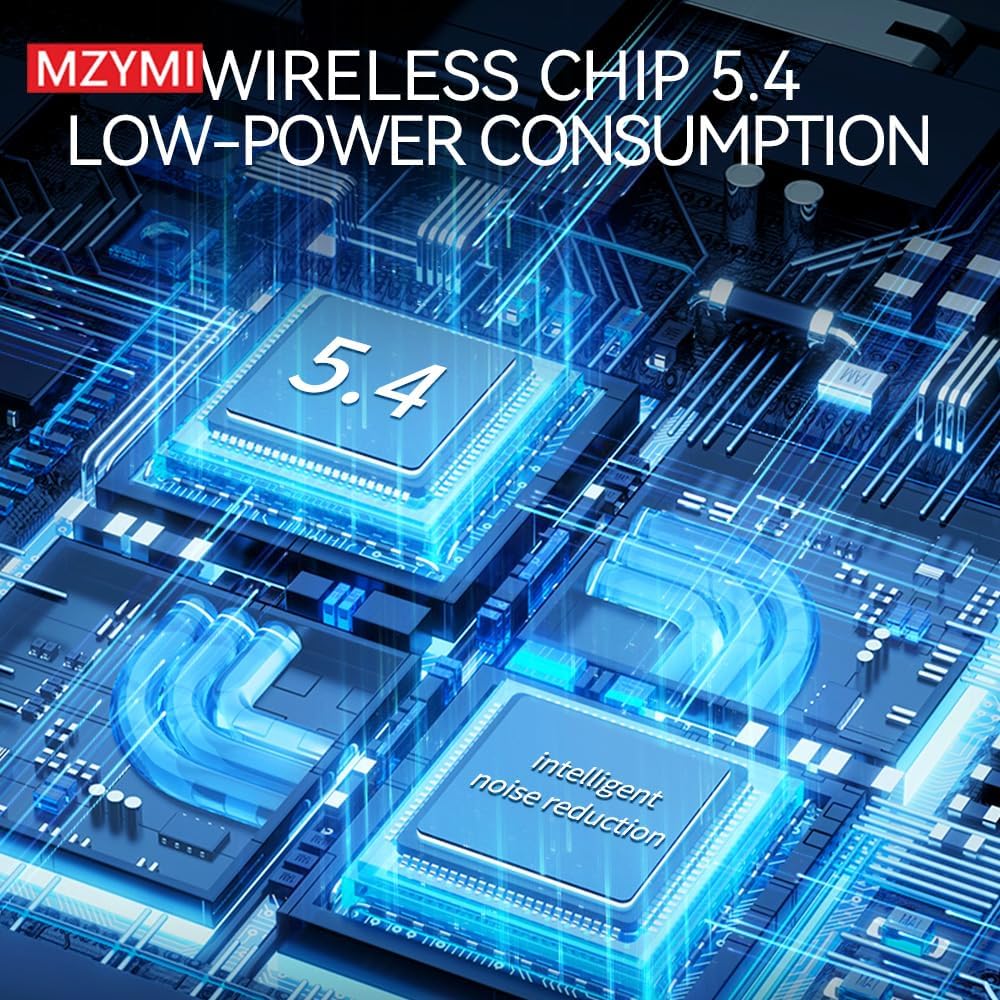
Image: The MZYMI E18 Pro charging case screen showing the personalized screensaver feature, allowing users to select from multiple high-quality backgrounds.
Manutenzione
- Pulizia: Utilizzare un panno morbido, asciutto e privo di lanugine per pulire gli auricolari e la custodia di ricarica. Non utilizzare prodotti chimici aggressivi o materiali abrasivi.
- Magazzinaggio: Quando non li usi, riponi gli auricolari nella loro custodia di ricarica per proteggerli e mantenerli carichi. Conservali in un luogo fresco e asciutto, lontano dalla luce solare diretta.
- Cura della batteria: Per prolungare la durata della batteria, evitare di scaricarla completamente frequentemente. Caricarla regolarmente, anche se non utilizzata per periodi prolungati.
Risoluzione dei problemi
| Problema | Possibile soluzione |
|---|---|
| Gli auricolari non si accoppiano. | Ensure earbuds are charged. Turn off and on Bluetooth on your device. Forget "MZYMI E18 Pro" from your device's Bluetooth list and re-pair. |
| Nessun suono da un auricolare. | Place both earbuds back in the case, close the lid, wait a few seconds, then take them out again. Check device's audio balance settings. |
| La custodia di ricarica non si carica. | Controlla il cavo di ricarica e l'adattatore di alimentazione. Assicurati che il cavo sia collegato saldamente sia alla custodia che alla fonte di alimentazione. |
| I comandi touch non rispondono. | Assicurati che gli auricolari siano puliti e asciutti. Riavvia gli auricolari riponendoli nella custodia e rimuovendoli. |
| Qualità del suono scadente. | Ensure earbuds are properly seated in your ears. Check for obstructions in the earbud nozzles. Try different equalizer settings on the case. |
Specifiche
- Modello: Mi18 Pro
- Versione Bluetooth: 5.4
- Cancellazione del rumore: Cancellazione attiva del rumore (ANC), cancellazione del rumore ambientale (ENC)
- Single Earbud Endurance: Circa 8 ore
- Comprehensive Endurance (with charging case): Circa 68 ore
- Tempo di standby: Circa 180 giorni
- Qualità del suono: High Fidelity (HIFI)
- Chip: Low-power consumption Wireless Chip 5.4

Image: A diagram illustrating the MZYMI E18 Pro's internal components, highlighting the advanced Wireless Chip 5.4 designed for low-power consumption and intelligent noise reduction capabilities.

Immagine: Un esploso view diagramma mostracasing the MZYMI E18 Pro's acoustic structure, emphasizing its holographic native design for high fidelity sound quality.
Garanzia e supporto
MZYMI products are designed for reliability and performance. For warranty information and technical support, please refer to the contact details provided on the product packaging or the official MZYMI websito. Conservare la ricevuta d'acquisto come prova d'acquisto per eventuali reclami in garanzia.
For further assistance, please contact MZYMI customer service.