
Introduzione
This manual provides essential information for the safe and efficient use of your new CANDY FIDC X502IT electric built-in oven. This appliance features a 65-liter capacity, convection cooking, and grill functions, designed for modern kitchen integration. Please read these instructions carefully before installation and use, and keep them for future reference.

Immagine: Frontale view of the CANDY FIDC X502IT electric built-in oven, showcasinil suo design nero e in acciaio inossidabile.
Informazioni importanti sulla sicurezza
Always adhere to basic safety precautions when using electrical appliances to reduce the risk of fire, electric shock, burns, or injury.
- Sicurezza elettrica: Assicurarsi che il forno sia correttamente collegato a terra. Non utilizzare adattatori o prolunghe. Scollegare l'alimentazione prima di qualsiasi intervento di manutenzione.
- Sicurezza dei bambini: Keep children away from the oven during operation and cooling. The oven surfaces become hot.
- Pericolo di ustione: Use oven mitts when handling hot dishes and oven accessories. Do not touch hot surfaces directly.
- Rischio di incendio: Never leave the oven unattended while cooking. Do not store flammable materials in or near the oven. Clean grease and food debris regularly to prevent fires.
- Uso corretto: Use the oven only for its intended purpose of cooking food. Do not use it for heating the room.
- Ventilazione: Assicurare un'adeguata ventilazione attorno all'apparecchio, come indicato nelle istruzioni di installazione.
Installazione e configurazione
The CANDY FIDC X502IT is a built-in electric oven. Installation should be performed by a qualified technician in accordance with local safety regulations and the provided installation template.
Disimballaggio
- Estrarre con cautela il forno dall'imballaggio.
- Inspect the oven for any damage during transit. Report any damage to your retailer immediately.
- Remove all packaging materials, including protective films and accessories, from inside the oven cavity.
Connessione elettrica
- Garantire la rete voltage corrisponde alla targhetta identificativa dell'apparecchio.
- Il forno deve essere collegato a una presa elettrica dotata di messa a terra.
- The electrical circuit must be protected by a suitable circuit breaker.
Montaggio del forno
- Install the oven into a suitable cabinet opening, ensuring proper clearances for ventilation.
- Fissare il forno al mobile utilizzando le viti in dotazione.
- Ensure the oven is level before final tightening.

Immagine: Lato view of the CANDY FIDC X502IT oven, showing its built-in design and ventilation slots.
Istruzioni per l'uso
Your CANDY FIDC X502IT oven features intuitive knob controls for function selection, temperature, and a mechanical timer.
Pannello di controllo Fineview

Image: Close-up of the oven's control panel with three rotary knobs for function, temperature, and timer settings.
- Manopola sinistra: Function Selector (e.g., Convection, Grill, Conventional).
- Manopola centrale: Temperature Control (adjustable from 50°C to 250°C).
- Manopola destra: Mechanical Timer (up to 60 minutes).
Primo utilizzo
Before cooking food, heat the empty oven for approximately 30 minutes at maximum temperature (250°C) using the conventional cooking mode. This helps to burn off any manufacturing residues and odors. Ensure the kitchen is well-ventilated during this process.
Modalità di cottura
- Cottura convenzionale: Heat from top and bottom elements. Ideal for baking cakes, bread, and roasting meats.
- Convection Cooking (Fan-Assisted): Heat distributed evenly by a fan. Suitable for cooking multiple dishes simultaneously, or for faster, more even cooking.
- Griglia: Intense heat from the top element. Perfect for grilling meats, toasting, and browning dishes.
- Defrosting (Hot Air): Uses the fan to circulate ambient air for gentle defrosting.

Image: The CANDY FIDC X502IT oven installed in a kitchen, actively cooking a pizza on a rack inside.

Image: The CANDY FIDC X502IT oven installed in a kitchen, actively cooking a pie on a rack inside.
Impostazione del timer
The mechanical timer can be set for up to 60 minutes. Turn the right knob clockwise to the desired cooking time. The oven will automatically switch off when the timer reaches zero, and an audible signal will sound.
Cura e manutenzione
Una pulizia e una manutenzione regolari garantiranno la longevità e le prestazioni ottimali del tuo forno.
Pulizia dell'interno del forno
- Prima di procedere alla pulizia, assicurarsi sempre che il forno sia freddo e scollegato dalla rete elettrica.
- Pulisci l'interno con l'annuncioamp cloth and mild detergent after each use to prevent food residue from baking on.
- For stubborn stains, use a specialized oven cleaner, following the product instructions carefully. Avoid abrasive cleaners or scourers.
- The oven features a polished stainless steel finish. Clean with a soft cloth and non-abrasive cleaner.
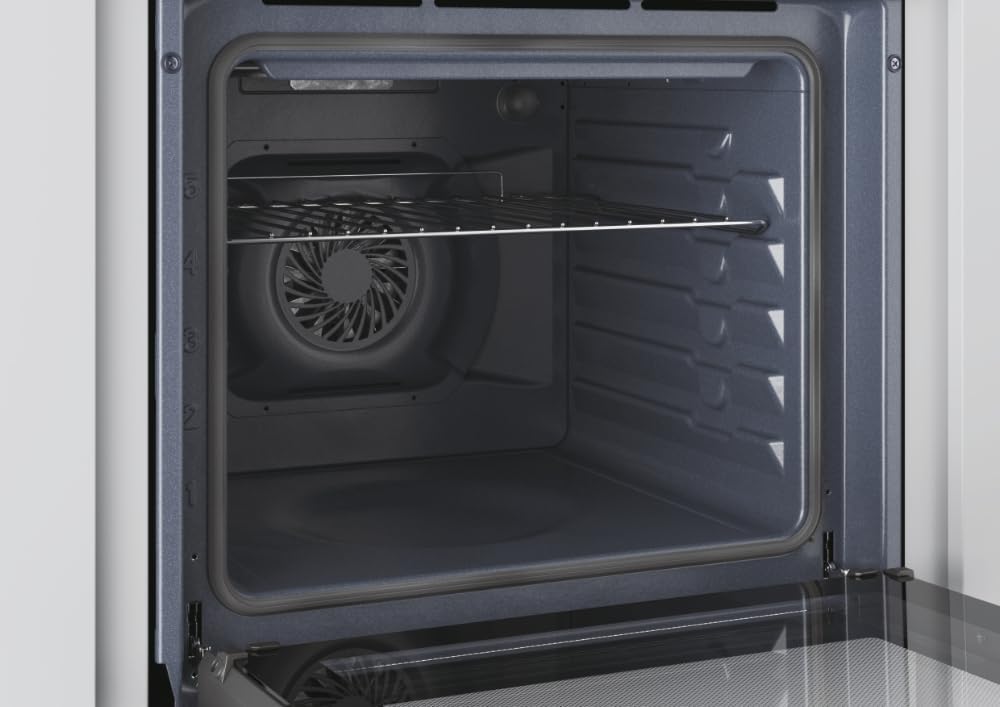
Immagine: Interno view of the CANDY FIDC X502IT oven, showing the removable wire rack and the fan at the back.
Accessori per la pulizia
- Remove oven racks and the grill tray. Wash them in warm soapy water or in a dishwasher.
- The included grill rack is designed for easy cleaning.

Image: A standard black enamel baking tray, typically included with the oven.
Sostituzione della luce del forno
Ensure the oven is cool and disconnected from the power supply. Unscrew the protective glass cover, replace the bulb with a new oven-specific bulb (check wattage and type in specifications), and reattach the cover.
Guida alla risoluzione dei problemi
Prima di contattare il servizio clienti, consultare la seguente tabella per i problemi più comuni e le relative soluzioni.
| Problema | Possibile causa | Soluzione |
|---|---|---|
| Il forno non si riscalda. | Nessuna alimentazione; forno non acceso; timer non impostato. | Check power connection and circuit breaker. Ensure function and temperature knobs are set. Set the mechanical timer. |
| Il cibo non cuoce in modo uniforme. | Incorrect temperature or cooking mode; improper rack position; overloaded oven. | Adjust temperature/mode. Use recommended rack position. Avoid overcrowding the oven. |
| La luce del forno non funziona. | La lampadina è difettosa o allentata. | Replace or tighten the oven light bulb (see Maintenance section). |
| Fumo eccessivo durante la cottura. | Versamenti di cibo o accumulo di grasso. | Clean the oven interior thoroughly. Avoid excessive grease. |
Specifiche tecniche
| Caratteristica | Dettaglio |
|---|---|
| Nome del modello | Modello FIDC X502IT |
| Marca | CARAMELLA |
| Tipo di forno | Electric, Built-in |
| Capacità | 65 litri |
| Classe di efficienza energetica | A |
| Tipo di controllo | Manopola |
| Metodi di riscaldamento | Convection, Grill, Conventional |
| Caratteristiche speciali | Convection cooking, grill, LED indicator, adjustable temperature, mechanical timer, hot air defrosting |
| Colore | Nero, acciaio inossidabile |
| Materiale | Acciaio inossidabile |
| Peso dell'articolo | 24.4 chilogrammi |
| Componenti inclusi | Griglia |
| Direzione di apertura della porta | Giusto |
Garanzia e supporto
Garanzia del prodotto
This CANDY FIDC X502IT oven comes with a Garanzia del produttore di 2 anni from the date of purchase. This warranty covers manufacturing defects and material faults under normal domestic use. Please retain your proof of purchase for warranty claims. The warranty does not cover damage caused by improper installation, misuse, neglect, or unauthorized repairs.
Assistenza clienti
For technical assistance, spare parts, or warranty claims, please contact CANDY customer service. You can find contact details on the official CANDY website or through your local retailer. When contacting support, please have your oven's model number (FIDC X502IT) and serial number ready.