OnePlus CPH2655

Manuale utente OnePlus 13

Comprehensive guide for your OnePlus 13 smartphone, featuring Snapdragon 8 Elite, Hasselblad Camera, and advanced charging capabilities.

1. Introduzione

The OnePlus 13 is a cutting-edge unlocked Android smartphone designed for exceptional performance and user experience. Powered by the latest Qualcomm Snapdragon 8 Elite chipset and equipped with up to 16GB of RAM and 512GB of storage, it delivers lightning-fast speeds and seamless multitasking. Its 120Hz Super Fluid AMOLED display with Dynamic Refresh Rate offers vibrant colors and ultra-smooth visuals. The device features an advanced 5th Generation Hasselblad Camera System for stunning photography and supports 80W SUPERVOOC fast charging and 50W AIRVOOC wireless charging for rapid power-ups. Running on OxygenOS 15, the OnePlus 13 provides a smarter, more intuitive smartphone experience.

OnePlus 13 Midnight Ocean smartphone, front and back view

The OnePlus 13 in Midnight Ocean color, showcasing its sleek design and prominent camera module.

An official video highlighting the overall features and design of the One Plus 13.

2. Cosa c'è nella scatola

Upon unboxing your OnePlus 13, please ensure all components are present:

  • Cornetta
  • Charger (80W SUPERVOOC power adapter)
  • Cavo dati USB (tipo C)
  • Strumento di espulsione SIM
  • Guida veloce
  • Guida alla sicurezza
  • Tessera associativa
  • Adesivo del marchio
  • Lettera di benvenuto
Contents of the OnePlus 13 retail box including phone, charger, cable, and documentation

All items included in the OnePlus 13 retail packaging.

3. Impostazione

  1. Accensione: Tieni premuto il pulsante di accensione (situato sul lato destro) finché non appare il logo OnePlus.
  2. Configurazione iniziale: Segui le istruzioni sullo schermo per selezionare la lingua, connetterti al Wi-Fi e configurare il tuo account Google.
  3. Inserire la carta SIM: Use the provided SIM ejector tool to open the SIM tray. Insert your Nano-SIM card(s) into the tray and reinsert it into the phone. The OnePlus 13 supports Dual SIM functionality.
  4. Impostazione dell'impronta digitale: Configure the built-in ultrasonic fingerprint sensor for secure and effortless unlocking. Navigate to Settings > Security & lock screen > Fingerprint to add your fingerprints.
  5. Mettere in carica la batteria: For optimal performance, fully charge your device using the included 80W SUPERVOOC charger and USB data cable.
Lato view of OnePlus 13 showing power and volume buttons

Lato view of the OnePlus 13, highlighting the power and volume buttons.

OnePlus 13 being used with wet hands, demonstrating Aqua Touch feature

The OnePlus 13 features Aqua Touch technology, allowing for seamless interaction even with wet hands.

4. Utilizzo del dispositivo

Visualizzazione e navigazione

The OnePlus 13 features a stunning 120Hz ProXDR display, offering a smooth and responsive touch experience. Navigate through OxygenOS 15 using intuitive gestures or traditional navigation buttons. The display's Dynamic Refresh Rate optimizes power consumption while providing fluid visuals.

Close-up of OnePlus 13's ProXDR display

The vibrant 120Hz ProXDR display of the OnePlus 13.

Sistema di telecamere

Capture professional-grade photos and videos with the 5th Generation Hasselblad Camera System. The advanced triple-camera setup, including a 50MP main lens, ensures breathtaking detail in any lighting condition. Explore various shooting modes like Portrait, Night, and Pro mode for enhanced creativity.
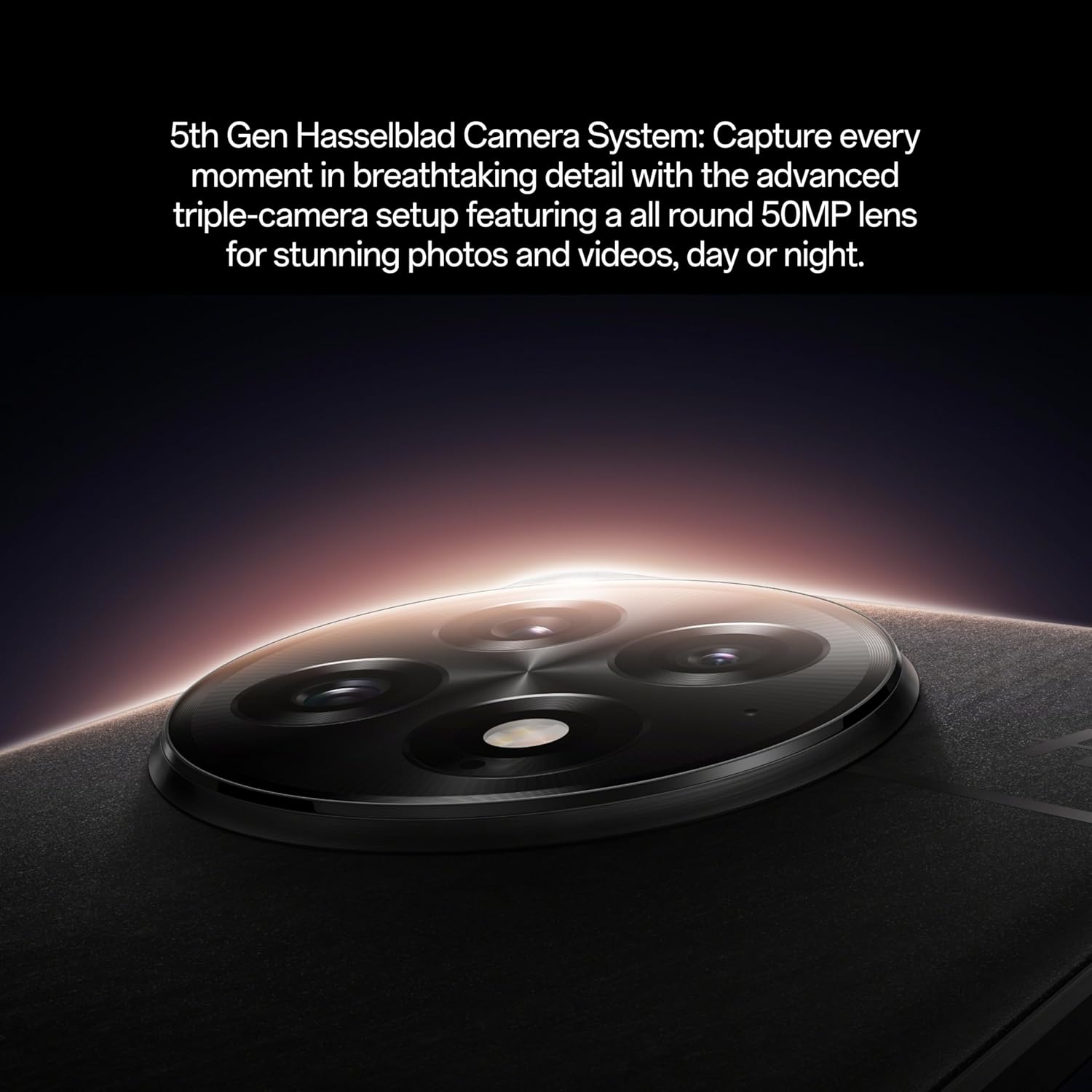
Close-up of the OnePlus 13's Hasselblad camera module

The sophisticated 5th Generation Hasselblad Camera System on the OnePlus 13.

Woman taking a photo with OnePlus 13

Utilizing the OnePlus 13's camera for capturing moments.

Mostra video ufficialeasing the camera capabilities of the OnePlus 13.

Learn how to shoot like a pro with the OnePlus 13's intuitive camera features.

Demonstration of the OnePlus 13's camera performance in various scenarios.

Prestazione

The Snapdragon 8 Elite processor ensures exceptional speed and efficiency for all your tasks, from gaming to productivity. With 16GB RAM, the OnePlus 13 handles demanding applications and multitasking with ease.

Interno view of OnePlus 13 highlighting Snapdragon 8 Elite processor and RAM

The powerful Snapdragon 8 Elite processor and 16GB RAM inside the OnePlus 13.

Ricarica

The massive 6000mAh battery provides all-day power. Utilize 80W SUPERVOOC fast charging for incredibly quick wired charging, or enjoy the convenience of 50W AIRVOOC wireless charging.

5. Manutenzione

To ensure the longevity and optimal performance of your OnePlus 13, follow these maintenance guidelines:

  • Pulizia: Utilizzare un panno morbido e privo di lanugine per pulire lo schermo e il corpo. Evitare materiali abrasivi o prodotti chimici aggressivi.
  • Aggiornamenti software: Controlla e installa regolarmente gli aggiornamenti di sistema per assicurarti che il tuo dispositivo disponga delle funzionalità più recenti, delle patch di sicurezza e dei miglioramenti delle prestazioni.
  • Cura della batteria: Avoid extreme temperatures. While the device supports fast charging, occasional slower charging can help prolong battery life.
  • Resistenza all'acqua e alla polvere: The OnePlus 13 boasts an IP69 rating, providing superior protection against dust, dirt, and water. While highly resistant, avoid intentional submersion or exposure to high-pressure water jets.
OnePlus 13 phones in water, demonstrating IP69 water resistance

The OnePlus 13 is built with IP69 water and dust resistance for enhanced durability.

Man in pool with OnePlus 13, showcasing water resistance

The OnePlus 13 is designed to withstand splashes and dust, making it suitable for various environments.

6. Risoluzione Dei Problemi

Se riscontri problemi con il tuo OnePlus 13, prova i seguenti passaggi comuni per la risoluzione dei problemi:

  • Riavvia dispositivo: Spesso un semplice riavvio può risolvere piccoli problemi software.
  • Controllare le connessioni: Ensure Wi-Fi, Bluetooth, and mobile data connections are active and stable if experiencing connectivity issues.
  • Cancella cache: Per problemi specifici dell'app, prova a svuotare la cache dell'app (Impostazioni > App > [Nome app] > Archiviazione > Svuota cache).
  • Aggiornamento software: Verify that your device is running the latest software version.
  • Ripristino di fabbrica: As a last resort, you may perform a factory reset (Settings > System > Reset options > Erase all data). Attenzione: questa operazione cancellerà tutti i dati presenti sul dispositivo. Esegui il backup dei dati importanti prima di procedere.

7. Specifiche

CaratteristicaDettaglio
Nome del modelloOnePlus 13 (CPH2655)
Sistema operativoAndroid 15 (OxygenOS 15)
ProcessoreSnapdragon 8 Elite (4.32 GHz CPU Speed)
Memoria RAM16 GB
Magazzinaggio512 GB
Dimensioni dello schermo6.82 pollici
Risoluzione dello schermo2K DCI 1080p
Frequenza di aggiornamentoFrequenza 120 Hz
Sistema di telecamere5th Gen Hasselblad Camera (Rear, Front)
Capacità della batteria6000 mAh
Ricarica80W SUPERVOOC Fast Charging, 50W AIRVOOC Wireless Charging
Dimensioni6.41 x 3.01 x 0.35 pollici
Peso7.4 once (210 grammi)
ConnettivitàBluetooth, Dual band GPS, WLAN positioning, cellular network positioning
Caratteristiche specialiDual SIM, Wireless Charging, Built-In Ultrasonic Fingerprint Sensor
Resistenza all'acquaGrado di protezione IP69

8. Garanzia e supporto

Your OnePlus 13 comes with a standard manufacturer's warranty. For detailed warranty information, technical support, or service inquiries, please visit the official OnePlus support websito o contattare il servizio clienti. Conservare la prova d'acquisto per eventuali reclami in garanzia.

Per ulteriori informazioni e supporto, visitare il Official OnePlus Store.