
Introduzione
This manual provides essential information for setting up, operating, maintaining, and troubleshooting your Xiaomi Redmi Note 14 Pro 5G smartphone. Please read this guide carefully to ensure proper use and to maximize the device's performance and longevity.
Impostare
1. Cosa c'è nella scatola
Your Xiaomi Redmi Note 14 Pro 5G package includes:
- Xiaomi Redmi Note 14 Pro 5G Smartphone
- Adattatore di alimentazione
- Cavo USB
- Strumento di espulsione SIM
2. Dispositivo suview
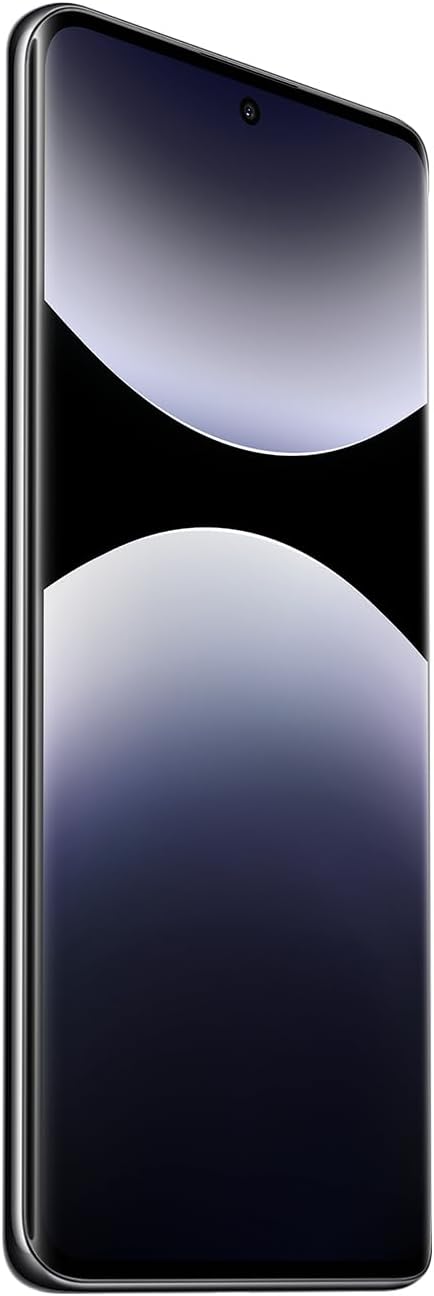
Figura 1: Fronte view of the Xiaomi Redmi Note 14 Pro 5G, showing the display and front camera.
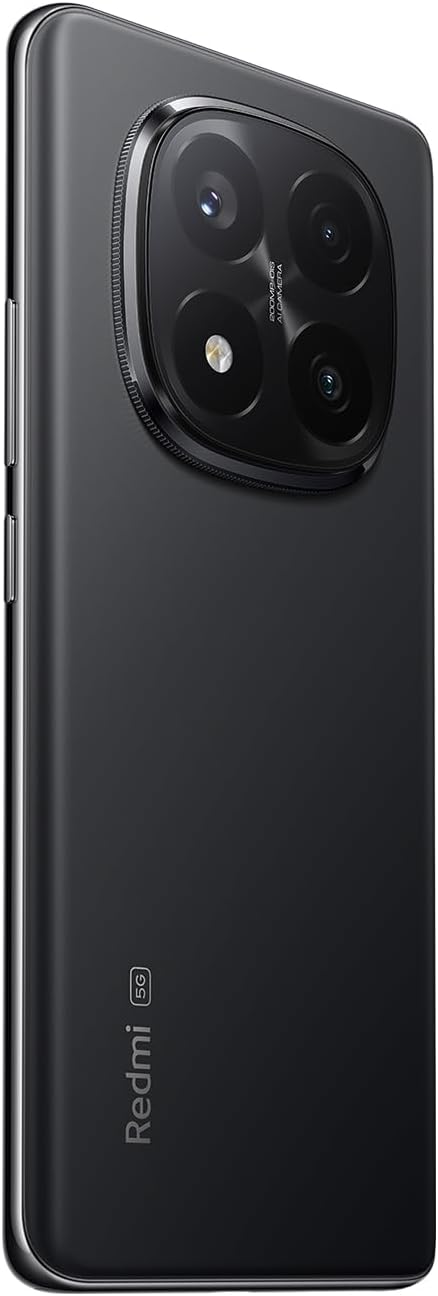
Figura 2: Indietro view of the Xiaomi Redmi Note 14 Pro 5G, highlighting the quad-camera module.
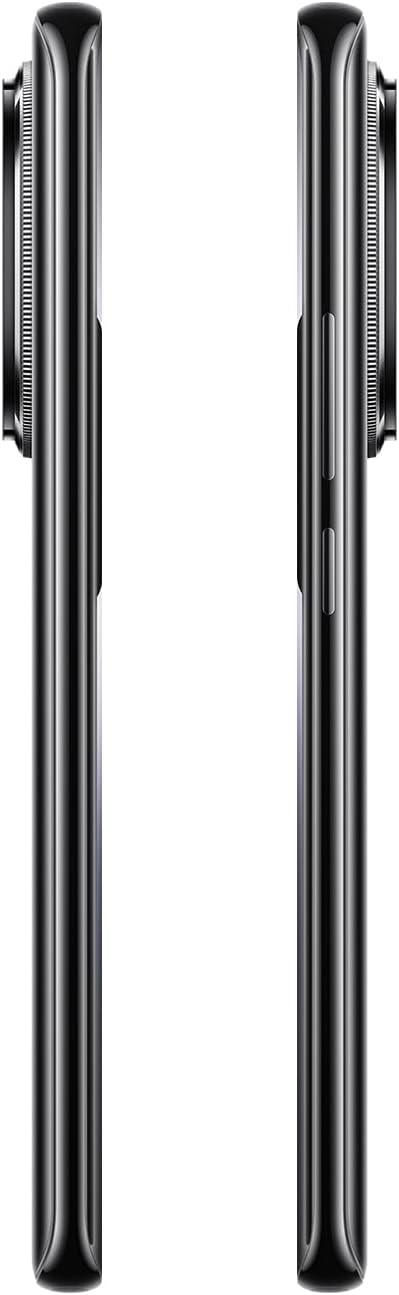
Figura 3: lato view of the Xiaomi Redmi Note 14 Pro 5G, illustrating the power and volume buttons.
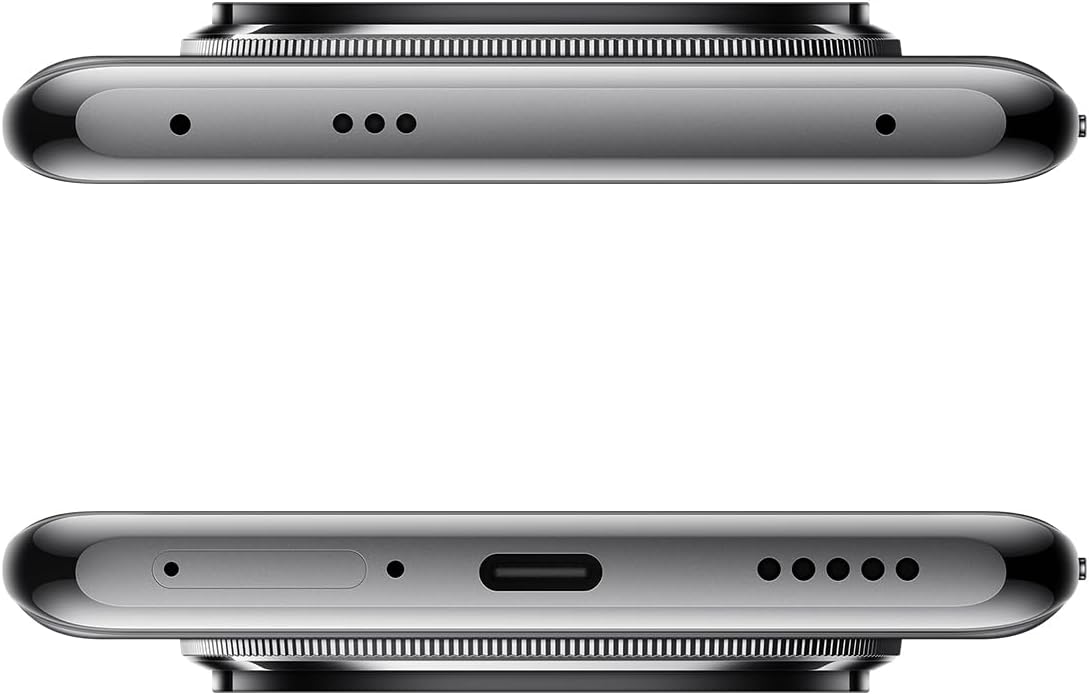
Figura 4: superiore e inferiore views of the Xiaomi Redmi Note 14 Pro 5G, detailing the USB-C port, speakers, and SIM card tray.
3. Inserimento della scheda SIM
- Individuare il vassoio della scheda SIM sul lato del dispositivo (vedere Figura 4).
- Per aprire il vassoio, inserire lo strumento di espulsione della SIM nel piccolo foro accanto.
- Place your Nano-SIM card(s) into the tray with the gold contacts facing down. This device supports Dual SIM.
- Spingere con cautela il vassoio nella fessura finché non scatta in posizione.
4. Accensione iniziale e configurazione
- Press and hold the Power button (refer to Figure 3) until the Xiaomi logo appears.
- Segui le istruzioni sullo schermo per selezionare la lingua, connetterti a una rete Wi-Fi e configurare il tuo account Google.
- Configure security settings, including fingerprint recognition, for enhanced device protection.
Utilizzo del dispositivo
1. Display e navigazione
The Redmi Note 14 Pro 5G features a 6.67-inch OLED touchscreen with a 2340 x 1080 resolution and a 120Hz refresh rate for smooth visuals. Navigate the Android operating system using touch gestures.
2. Funzioni della fotocamera
Il tuo dispositivo è dotato di un potente sistema di telecamere:
- Telecamera posteriore: 200 MP main sensor with a quad-camera setup. Integrated flash.
- Fotocamera frontale: Sensore da 32 MP.
- Modalità di scatto: Automatic, Portrait, Landscape, Sport, Night Mode, Macro.
To open the camera, tap the camera icon on your home screen or lock screen. Select your desired mode and tap the shutter button to capture photos or videos.
3. Connettività
The device supports 5G cellular technology, Wi-Fi, Bluetooth, and NFC for various connectivity needs. Access these settings via the Quick Settings panel or the main Settings application.
4. Batteria e ricarica
The Redmi Note 14 Pro 5G is powered by a 5500 mAh Lithium-ion battery. It supports 45W fast charging. Use the provided adapter and USB cable for optimal charging performance. Avoid using damaged cables or non-certified chargers.
Manutenzione
1. Pulizia del dispositivo
- Utilizzare un panno morbido e privo di lanugine per pulire lo schermo e il pannello posteriore.
- Evitare l'uso di prodotti chimici aggressivi, materiali abrasivi o spray aerosol.
- Do not expose the device to excessive moisture. Note that the device is not water-resistant.
2. Aggiornamenti software
Regularly check for and install software updates to ensure your device has the latest features, security patches, and performance improvements. You can usually find this option in the device's Settings menu under "About phone" or "System updates."
3. Gestione dell'archiviazione
Your device comes with 256 GB of internal storage. To maintain optimal performance, regularly manage your storage by deleting unnecessary files, uninstalling unused apps, and backing up important data to cloud services or an external drive.
Risoluzione dei problemi
Se riscontri problemi con il tuo dispositivo, prova i seguenti passaggi comuni per la risoluzione dei problemi:
- Il dispositivo non risponde: Per forzare il riavvio, tenere premuto il pulsante di accensione per circa 10-15 secondi.
- Arresto anomalo dell'app: Chiudi l'app e riaprila. Se il problema persiste, cancella la cache e i dati dell'app nelle Impostazioni, oppure disinstalla e reinstalla l'app.
- Problemi di connettività (Wi-Fi/Bluetooth/Cellulare):
- Attiva e disattiva Wi-Fi/Bluetooth/dati cellulare.
- Riavvia il dispositivo.
- Per il Wi-Fi, dimentica la rete e riconnettiti.
- For cellular, ensure your SIM card is properly inserted and your plan is active.
- La batteria si scarica rapidamente: Check battery usage in Settings to identify power-hungry apps. Reduce screen brightness, disable unnecessary features (GPS, Bluetooth, Wi-Fi) when not in use, and close background apps.
- Prestazioni lente: Clear cache, free up storage space, and restart your device.
Per problemi più complessi, fare riferimento al supporto ufficiale Xiaomi websito o contattare il servizio clienti.
Specifiche
| Caratteristica | Dettaglio |
|---|---|
| Marca | XiaomiMi |
| Nome del modello | Nota 14 Pro 5G |
| Sistema operativo | Android |
| Dimensioni RAM | 8 GB |
| Capacità di archiviazione | 256 GB |
| Dimensioni dello schermo | 6.67 pollici |
| Risoluzione | 2340x1080 |
| Frequenza di aggiornamento | Frequenza 120 Hz |
| Tipo di visualizzazione | OLED |
| Risoluzione della telecamera posteriore | 200 MP (Quad Camera) |
| Risoluzione della fotocamera frontale | 32 MP |
| Capacità della batteria | 5500 mAh (ioni di litio) |
| Ricarica | Ricarica rapida da 45 W |
| Tecnologia cellulare | 5G |
| Connettività | Bluetooth, NFC, Wi-Fi |
| Tipo di scheda SIM | Nano-SIM (Dual SIM) |
| Biometric Features | Riconoscimento delle impronte digitali |
| Livello di resistenza all'acqua | Non resistente all'acqua |
| Peso | 356 grammi |
| Colore | Nero |
Informazioni sulla garanzia
Your Xiaomi Redmi Note 14 Pro 5G comes with a Garanzia del produttore di 2 anni. This warranty covers defects in materials and workmanship under normal use. For detailed terms and conditions, please refer to the warranty card included in your product packaging or visit the official Xiaomi websito.
Conservare la prova d'acquisto per eventuali richieste di garanzia.
Supporto e contatti
For further assistance, technical support, or to find service centers, please visit the official Xiaomi support websito:
You may also find helpful information and FAQs on the Xiaomi community forums.


