
SNOPPA SN-SPN202
Manuale utente del gimbal per smartphone a 3 assi SNOPPA ATOM2
Model: SN-SPN202 | Brand: SNOPPA
1. Introduzione
The SNOPPA ATOM2 is a revolutionary 3-axis smartphone gimbal designed for stable and professional-grade video recording and photography. It features a world-first automatic opening and closing mechanism, a compact foldable design, and an integrated tripod and selfie stick, making it highly portable and versatile. This manual provides detailed instructions for setting up, operating, and maintaining your ATOM2 gimbal.
2. Prodotto finitoview
2.1 Contenuto della confezione
- SNOPPA ATOM2 Main Unit
- Cavo di ricarica USB-C
- Guida rapida
- Scheda di garanzia
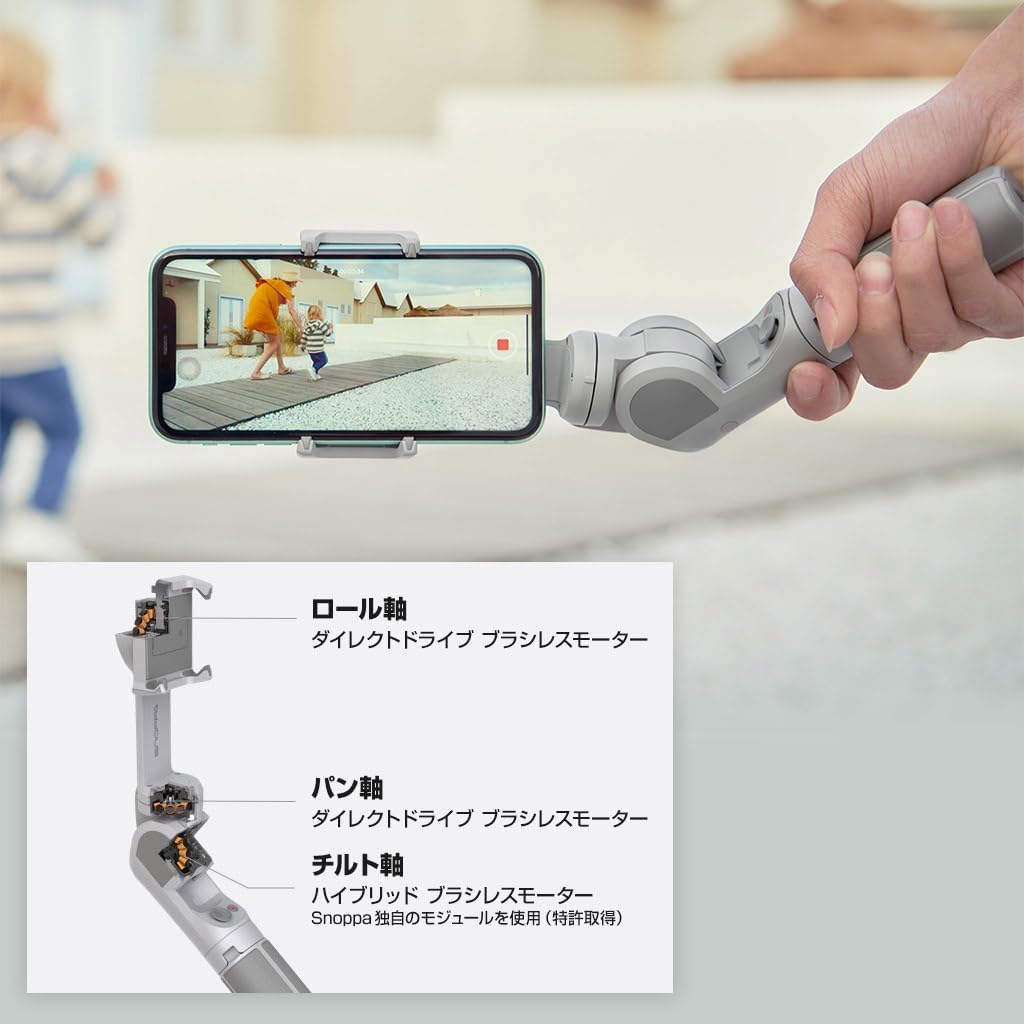
2.2 Componenti del giunto cardanico
Familiarize yourself with the various parts of your SNOPPA ATOM2 gimbal.



3. Impostazione
3.1 Ricarica del Gimbal
Before first use, fully charge the ATOM2. The gimbal supports rapid charging.
- Connect the included USB-C cable to the gimbal's charging port and a USB power adapter (not included).
- A full charge takes approximately 1 hour (80% in 40 minutes) with a 12W input.
- La spia luminosa indicherà lo stato di carica.
3.2 Montaggio dello smartphone
The ATOM2 features an automatic opening/closing mechanism for quick setup.
- Gently pull the smartphone clamp open. The gimbal will automatically unfold and prepare for use.
- Inserisci il tuo smartphone nel clamp, assicurandosi che sia centrato e tenuto saldamente.
- The gimbal supports smartphones with a width of 50-90mm, thickness of 6.5-10mm, and a maximum weight of 230g.
- The built-in smartphone mounting sensor prevents accidental operation when no phone is detected.
3.3 Installazione dell'app
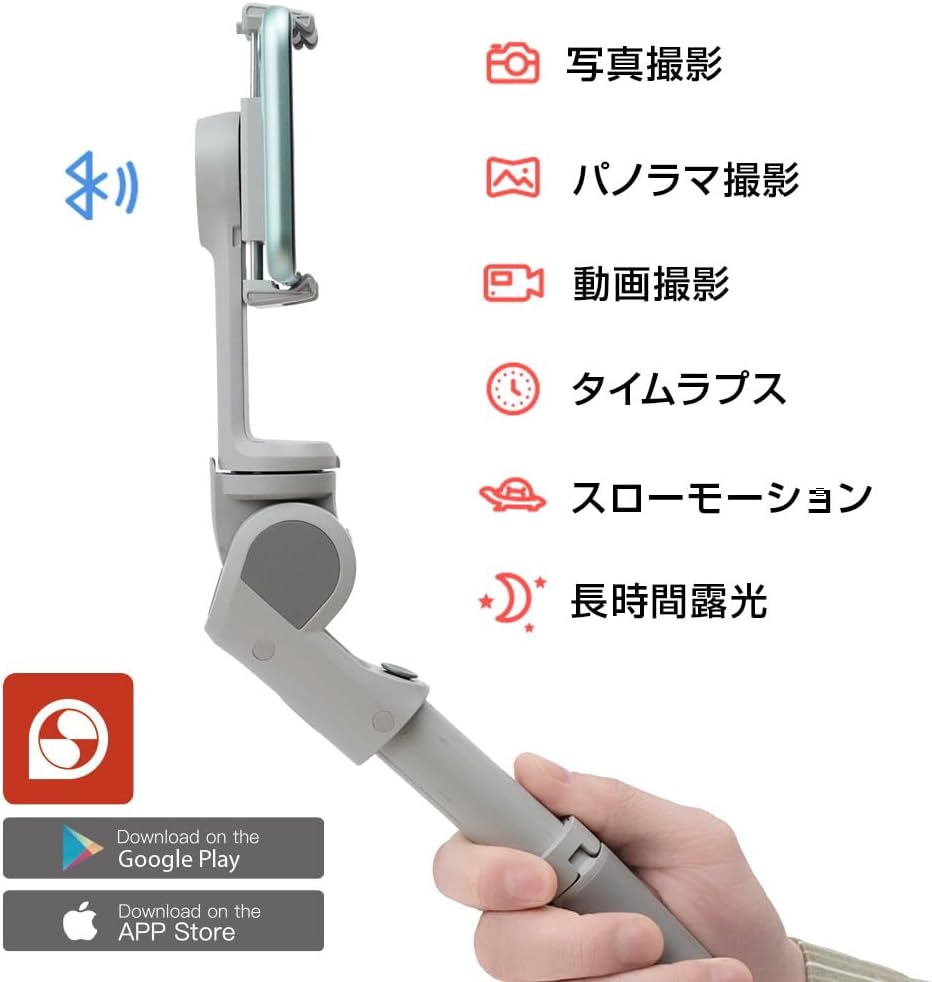
For full functionality and advanced features, download the dedicated SNOPPA app.
- Cercare "SNOPPA" in the Google Play Store (for Android) or Apple App Store (for iOS).
- Install the app and follow the on-screen instructions to connect your gimbal via Bluetooth.
4. Istruzioni per l'uso
4.1 Accensione/spegnimento
- Per accendere: tenere premuto il pulsante di accensione finché le spie luminose non si accendono.
- Per spegnere: tenere premuto il pulsante di accensione finché le spie non si spengono.
4.2 Gimbal Modes and Control
The ATOM2 offers intuitive control via its joystick and function buttons.
- joystick: Control camera direction (pan and tilt), zoom in/out, and navigate app menus.
- Shutter/Function Button: Press to take photos or start/stop video recording. Long press for other functions as defined in the app.
- Commutazione della modalità: Use the app or specific button combinations (refer to Quick Start Guide) to switch between various shooting modes like photo, video, panorama, time-lapse, slow motion, and long exposure.
- Vertical/Horizontal Switching: Easily switch between portrait and landscape orientations for your smartphone.

5. Manutenzione
Proper maintenance ensures the longevity and performance of your SNOPPA ATOM2 gimbal.
- Pulizia: Per pulire il gimbal, utilizzare un panno morbido e asciutto. Non utilizzare detergenti liquidi o solventi.
- Magazzinaggio: Store the gimbal in a cool, dry place, away from direct sunlight and extreme temperatures. Ensure it is folded into its compact state for protection.
- Cura della batteria: For long-term storage, charge the battery to about 50-60% every three months to prevent deep discharge.
- Evitare l'impatto: Protect the gimbal from drops and impacts, which can damage the precision motors and internal components.
6. Risoluzione Dei Problemi
If you encounter issues with your SNOPPA ATOM2, refer to the following common problems and solutions.
- Il gimbal non si accende: Assicurati che la batteria sia carica. Collegala a un caricabatterie e riprova.
- Il gimbal non si stabilizza: Ensure the smartphone is properly mounted and balanced. Recalibrate the gimbal via the app if necessary.
- Problemi di connessione Bluetooth: Ensure Bluetooth is enabled on your smartphone. Restart both the gimbal and your phone. Try re-pairing the devices in the app.
- L'app non risponde: Close and restart the app. Ensure your app version is up to date.
- Rumore insolito del motore: Check for any obstructions around the gimbal motors. Ensure the smartphone is within the supported weight and size limits.
For persistent issues, please contact SNOPPA customer support.
7. Specifiche
| Caratteristica | Specificazione |
|---|---|
| Numero di modello | SN-SPN202 |
| Dimensioni (spiegate) | 5.9 x 4.5 x 28.8 cm (59 depth x 45 width x 288 height mm) |
| Dimensioni (piegato) | Dimensioni: 4.5 x 16.4 x 5.9 cm |
| Peso | 310 grammi |
| Larghezza dello smartphone compatibile | 50 - 90 millimetro |
| Spessore dello smartphone compatibile | 6.5 - 10 millimetro |
| Max. Supported Smartphone Weight | Circa 230 g |
| Porta di ricarica | USB-C |
| Potenza massima in ingresso | 12W |
| Colore | Grigio |
| Caratteristiche di sicurezza | Mounting sensor, Temperature sensor, Overvoltage protection, Short circuit prevention |
8. Garanzia e supporto
The SNOPPA ATOM2 comes with a warranty as detailed in the included Warranty Card. Please retain your proof of purchase for warranty claims.
For technical support, troubleshooting assistance, or warranty inquiries, please visit the official SNOPPA websito o contattare il servizio clienti. Puoi anche trovare maggiori informazioni sul SNOPPA Japan Store on Amazon.
Ask a question about this manual
Ask about setup, troubleshooting, compatibility, parts, safety, or missing instructions. Manuals+ will review the question and use this page’s manual context to help answer it.