
Amazfit TREX3GY-C0205005018
Manuale utente dello smartwatch da esterno Amazfit T-Rex 3
Model: TREX3GY-C0205005018
Marca: Amazfit
Introduzione
This manual provides essential information for the setup, operation, maintenance, and troubleshooting of your Amazfit T-Rex 3 Outdoor Smartwatch. Please read this manual thoroughly before using the device to ensure proper function and longevity.
The Amazfit T-Rex 3 is a robust outdoor smartwatch designed for adventure, featuring a 48mm AMOLED display, offline maps and navigation, dual-band 6-satellite GPS, up to 27 days of battery life, NFC payment capabilities, and support for 170 sports modes.
Cosa c'è nella scatola
- Orologio intelligente Amazfit T-Rex 3
- Cavo di ricarica
- Manuale dell'utente (questo documento)

Image: The Amazfit T-Rex 3 Smartwatch in grey, shown with its charging cable and a user manual.
Impostare
1. Carica del dispositivo
Before initial use, fully charge your Amazfit T-Rex 3. Connect the charging cable to the charging port on the back of the smartwatch and plug the USB end into a power adapter (not included) or a computer's USB port.

Image: The charging cable for the Amazfit T-Rex 3 smartwatch, showing the magnetic connector.
- Ensure the charging contacts on the watch and cable are clean and dry.
- Il display dell'orologio mostrerà lo stato di carica.
2. Associazione con lo smartphone
- Scarica l'app Zepp: Cercare "Zepp App" on your smartphone's app store (iOS or Android) and install it.
- Creare un account: Apri l'app Zepp e segui le istruzioni sullo schermo per creare un nuovo account o per effettuare l'accesso se ne hai già uno.
- Accoppia il dispositivo:
- Turn on your Amazfit T-Rex 3 by pressing and holding the 'UP' button.
- Nell'app Zepp, vai su "Pro"file' > 'I miei dispositivi' > 'Aggiungi dispositivo' > 'Guarda' > 'Guarda con un codice QR'.
- Scansiona il codice QR visualizzato sullo schermo del tuo smartwatch utilizzando l'app Zepp.
- Segui le istruzioni visualizzate sia sull'orologio che sul telefono per completare il processo di associazione.
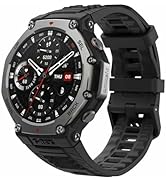
Image: Screenshot of the Zepp App interface on a smartphone, showing fitness tracking data.
Durante il processo di associazione, assicurati che il Bluetooth sia abilitato sullo smartphone.
Istruzioni per l'uso
Navigazione di base
- Schermo tattile: Scorri verso l'alto, verso il basso, verso sinistra o verso destra per navigare tra i menu e le notifiche. Tocca per selezionare gli elementi.
- Pulsante SU: Press to access the app list or return to the previous screen. Long press for power options.
- Pulsante GI: Press to access quick settings or return to the watch face.
- Pulsante SEL: Selects items or confirms actions.
- Tasto indietro: Ritorna alla schermata precedente o annulla un'azione.

Immagine: un primo piano view of the Amazfit T-Rex 3 smartwatch, highlighting the physical buttons on its side.
Caratteristiche principali
Display and Durability
The 1.5-inch AMOLED display offers a maximum brightness of 2000 nits for clear visibility in various lighting conditions. The watch features a 316L stainless steel bezel and buttons, with a military-grade casing designed to withstand temperatures from -30°C to 70°C. It is water-resistant up to 100 meters, suitable for surfing and freediving up to 45 meters.
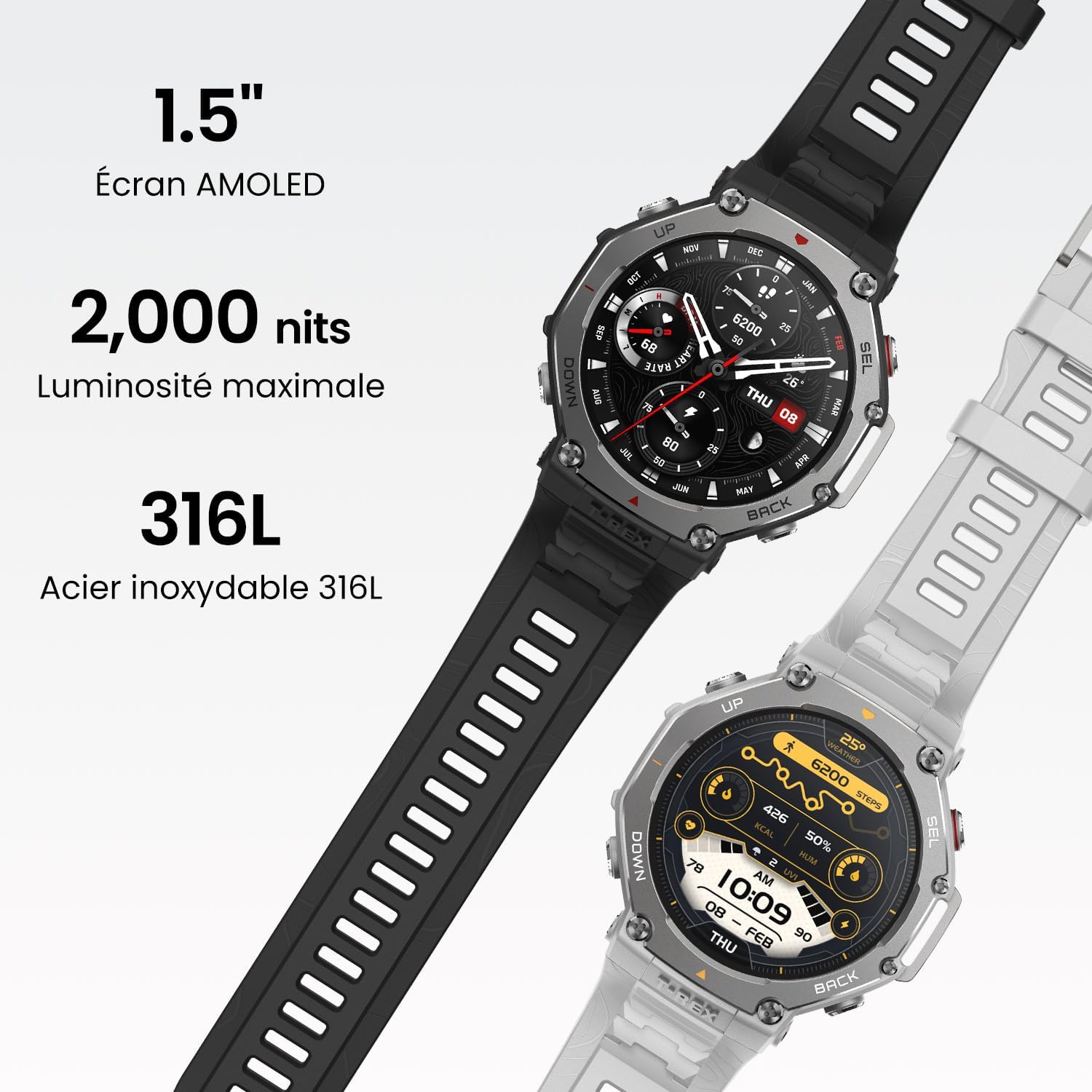
Image: The Amazfit T-Rex 3 smartwatch showcasing its 1.5-inch AMOLED screen, 2000 nits brightness, and 316L stainless steel construction.
GPS e navigazione
The T-Rex 3 supports dual-band positioning with 6 satellite systems for accurate tracking. Users can download global, contour, and snow maps for offline navigation. Route files can be imported for guided adventures.

Image: Two Amazfit T-Rex 3 smartwatches displaying advanced offline maps and navigation features, one showing a green topographical map and the other a detailed route.
Durata della batteria
The watch offers up to 27 days of battery life in normal usage, 42 hours with precise GPS, and up to 114 hours in long-duration GPS mode. With certain settings disabled, GPS usage can extend to 180 hours.

Image: The Amazfit T-Rex 3 smartwatch displaying its battery life, indicating 27 days for normal use, 13 days for intensive use, and 180 hours for maximum GPS autonomy.
NFC Payment (Zepp Pay)
Utilize Zepp Pay for contactless payments. Up to eight bank cards can be linked to your watch, secured by a password.
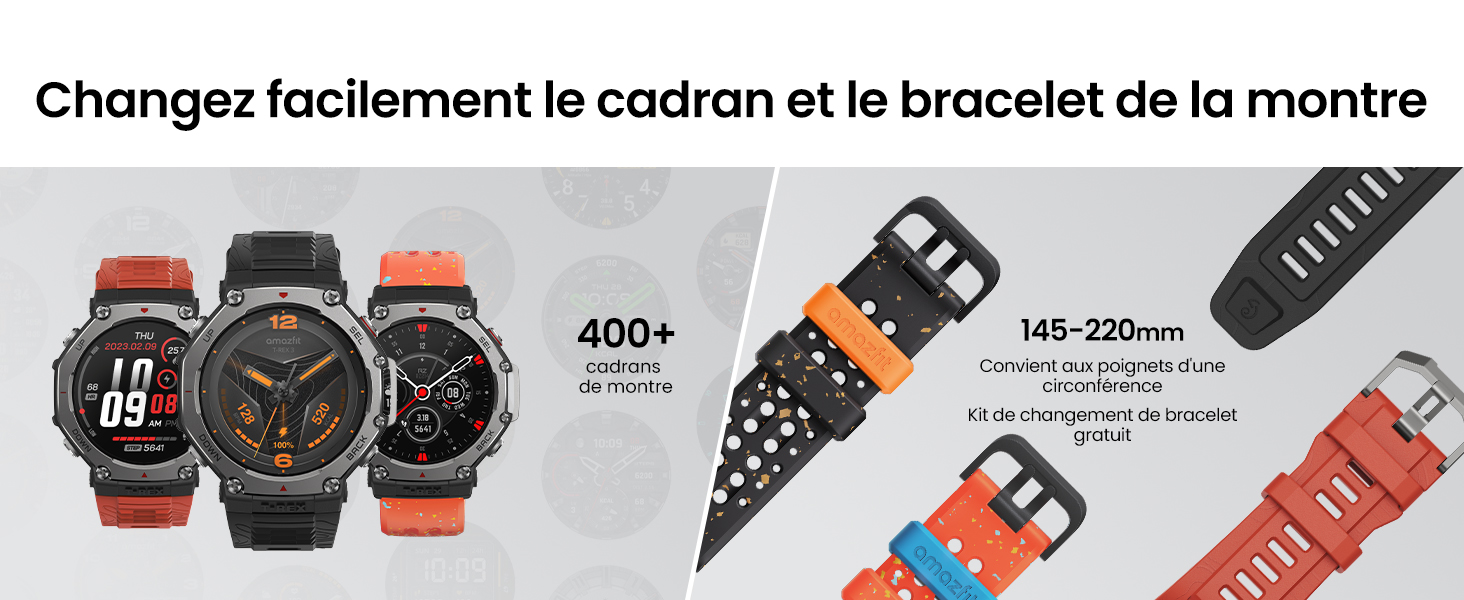
Image: A person using the Amazfit T-Rex 3 smartwatch to make a contactless payment at a terminal.
Sports Modes and Health Monitoring
The watch supports 170+ sports modes and offers comprehensive health monitoring, including heart rate, sleep duration, and blood oxygen levels.

Image: A close-up of the Amazfit T-Rex 3 smartwatch displaying heart rate data during an activity.

Image: A person interacting with the Amazfit T-Rex 3 smartwatch, which displays a workout plan for the day.
Assistente vocale
The watch supports an AI-assisted voice command feature for speech-to-text responses, alarms, reminders, weather checks, and health data inquiries.

Image: The Amazfit T-Rex 3 smartwatch displaying a message from a voice assistant, showing a text reply option.
Supporto per dispositivi Bluetooth
The Amazfit T-Rex 3 supports connection to various Bluetooth devices, including heart rate monitors, action cameras (GoPro), air quality monitors, cycling computers, power meters, and Sonos speakers. For a complete list of compatible devices, refer to the official Amazfit websito.
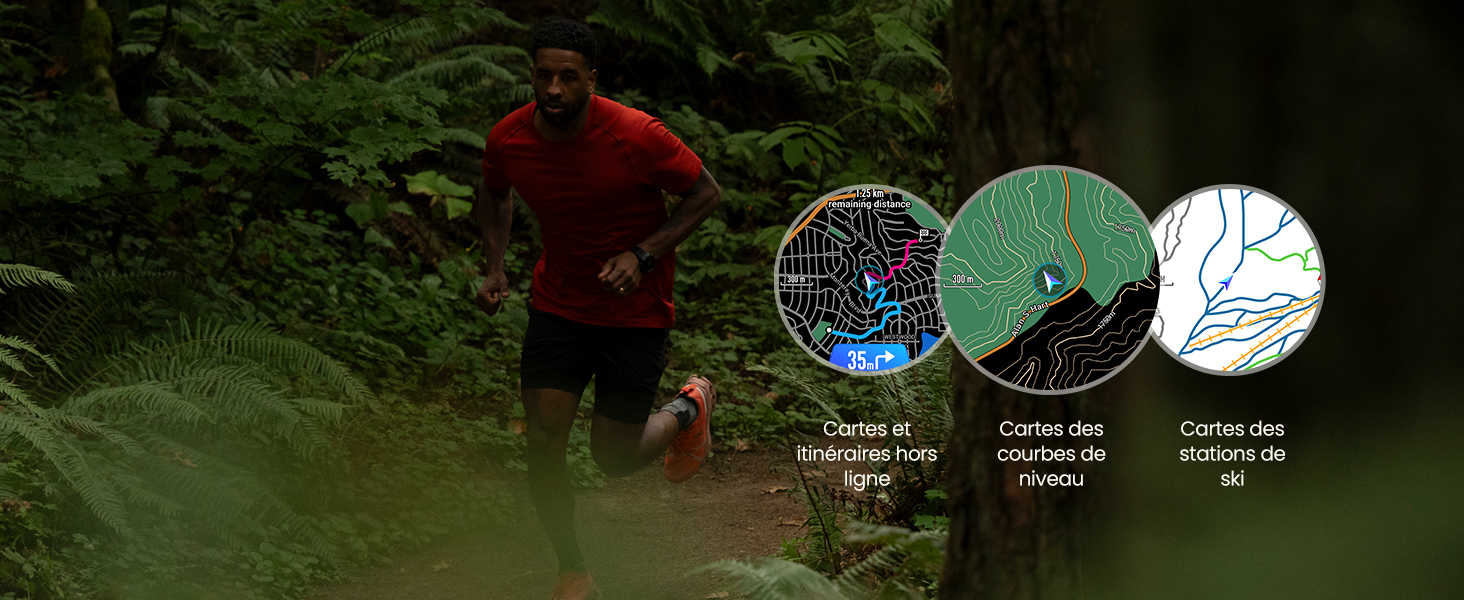
Image: An illustration showing various Bluetooth devices compatible with the Amazfit T-Rex 3, including a heart rate monitor, GoPro, air quality monitor, cycling computer, power meter, and Sonos speaker.
Manutenzione
Pulizia dello smartwatch
- Pulisci regolarmente lo schermo e il cinturino dell'orologio con un panno morbido e asciutto.amp stoffa.
- In caso di sporco ostinato, utilizzare una soluzione di sapone delicato e risciacquare abbondantemente con acqua pulita.
- Assicurarsi che l'orologio sia completamente asciutto prima di caricarlo o di utilizzarlo per un periodo prolungato.
- Per garantire una ricarica efficiente, pulire periodicamente i contatti di ricarica.
Sostituzione del cinturino
The watch strap can be changed to customize its appearance. Refer to the official Amazfit website or authorized service centers for compatible replacement straps and instructions.

Image: A display of multiple Amazfit T-Rex 3 smartwatches with different watch faces and interchangeable straps, highlighting customization options.
Aggiornamenti software
Keep your watch's software updated through the Zepp App to ensure optimal performance and access to new features. Connect your watch to your phone and open the Zepp App to check for available updates.
Risoluzione dei problemi
| Problema | Possibile causa | Soluzione |
|---|---|---|
| L'orologio non si accende. | Batteria scarica. | Caricare l'orologio per almeno 30 minuti. |
| Impossibile effettuare l'associazione con lo smartphone. | Bluetooth disattivato, problema con l'app, orologio non rilevabile. |
|
| Inaccurate GPS data. | Segnale satellitare scarso, interferenze ambientali. |
|
| NFC payment not working. | Card not linked, incorrect password, terminal issue. |
|
| Lo schermo non risponde. | Software glitch, extreme temperatures. |
|
Specifiche
| Caratteristica | Dettaglio |
|---|---|
| Numero di modello | TREX3GY-C0205005018 |
| Display | 1.5-inch AMOLED, 2000 nits peak brightness |
| Materiale della cassa | 316L Stainless Steel bezel and buttons, Military-grade casing |
| Resistenza all'acqua | 10 ATM (100 meters), suitable for freediving up to 45 meters |
| Temperatura di esercizio | -30°C a 70°C |
| GPS | Dual-band, 6 Satellite Systems (GPS integrated) |
| Durata della batteria (uso normale) | Fino a 27 giorni |
| Battery Life (Precise GPS) | Fino a 42 ore |
| Battery Life (Long-duration GPS) | Up to 114 hours (180 hours with certain settings disabled) |
| Connettività | Bluetooth |
| Sistema operativo | Sistema operativo Zepp |
| Capacità di archiviazione della memoria | 32 GB |
| Monitoraggio della salute | Heart rate, Sleep duration, Blood Oxygen (SpO2) |
| Non-FC | Zepp Pay for contactless payments |
| Componenti inclusi | Smartwatch, charging cable, manual |
Informazioni sulla garanzia
The Amazfit T-Rex 3 Outdoor Smartwatch comes with a standard manufacturer's warranty. For detailed information regarding warranty terms, coverage, and duration, please refer to the warranty card included with your product or visit the official Amazfit support websito.
Politica di ritorno: The product has a 30-day return policy from Amazon. Please refer to Amazon's return policy for specific conditions.
Supporto
Per ulteriore assistenza, supporto tecnico o per view frequently asked questions, please visit the official Amazfit support website or contact their customer service. You can also find additional resources and community forums through the Zepp App.
Risorse online: Supporto ufficiale Amazfit
Applicazione Zepp: Disponibile sugli app store iOS e Android.
Ask a question about this manual
Ask about setup, troubleshooting, compatibility, parts, safety, or missing instructions. Manuals+ will review the question and use this page’s manual context to help answer it.