
1. Guida all'installazione
1.1 Contenuto della confezione
Prima di iniziare, assicurati che tutti gli articoli siano presenti nel pacco:
- Unità di base
- 3 ricevitori cordless
- 3 adattatori CA
- Cavo della linea telefonica
- 3 batterie NiMH
- Staffa per montaggio a parete
- Abridged User’s Manual
- Guida rapida

Image: The VTech CS5329-3 cordless phone system, showing the main base unit and three cordless handsets with their charging cradles.
1.2 Installazione della batteria
Each cordless handset requires a NiMH battery for operation. To install:
- Aprire il coperchio del vano batterie sul retro del portatile.
- Collegare saldamente la spina del pacco batteria alla presa all'interno del vano.
- Inserire la batteria nel vano.
- Chiudere il coperchio del vano batterie.
1.3 Collegamento dell'unità base
Connect the base unit to your telephone line and a power outlet:
- Collegare un'estremità del cavo della linea telefonica alla presa TEL LINE sul retro dell'unità base.
- Collegare l'altra estremità del cavo telefonico a una presa telefonica a muro.
- Plug the small end of the AC adapter into the POWER jack on the back of the base unit.
- Plug the large end of the AC adapter into a wall outlet not controlled by a wall switch.
1.4 Ricarica del portatile
Place each handset in its respective charging cradle or the main base unit. The handsets will begin charging automatically. Allow at least 10-12 hours for the initial charge before first use to ensure optimal battery performance.
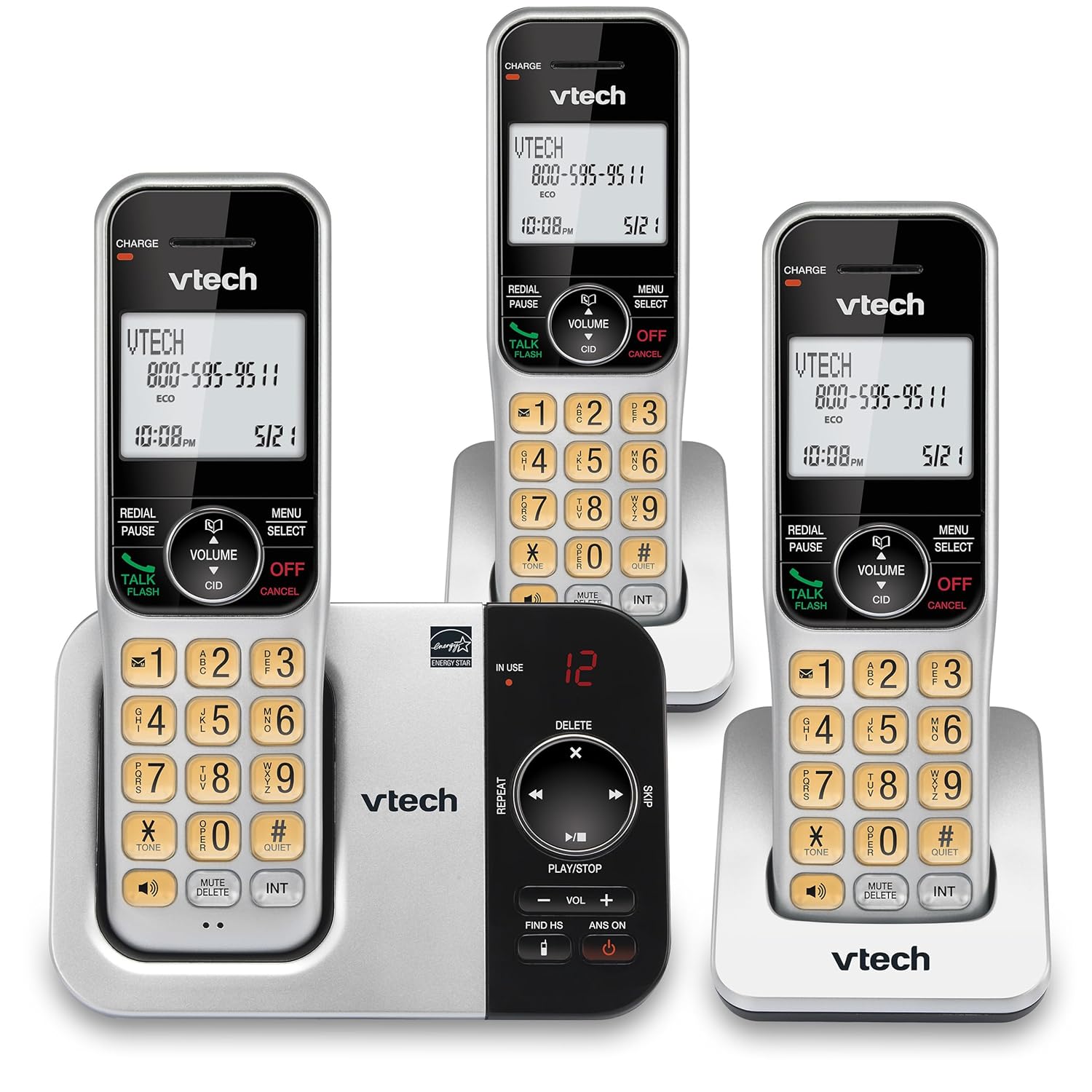
Immagine: Un'alternativa view of the VTech CS5329-3 phone system, highlighting the compact design of the handsets and charging cradles.
2. Istruzioni per l'uso
2.1 Effettuare e ricevere chiamate
Per effettuare una chiamata, premere il PARLA/FLASH button, then dial the number. To receive a call, simply lift the handset from the cradle or press any key (except OFF/ANNULLA).
2.2 Sistema di risposta digitale
The integrated digital answering system offers up to 23 minutes of recording time for incoming messages, announcements, and memos. You can play back messages directly from the base unit or any handset. The lighted display on the handset indicates the number of new messages waiting.
2.3 Full Duplex Speakerphone
Enjoy clear, natural conversations with the full-duplex handset speakerphone. This feature allows both parties to speak and be heard simultaneously, enhancing call quality and participation.
2.4 ID chiamante
Caller ID entries are displayed on the large, backlit LCD screen of the handset, making it easy to identify callers even in low-light conditions. The screen provides high-contrast text for readability.
2.5 Blocco chiamate
Effectively manage unwanted calls by utilizing the Call Block feature. You can input and/or save up to 150 names and numbers in the call block directory to prevent them from ringing through.
2.6 Espandibilità
The VTech CS5329-3 system is expandable up to 5 handsets using only one phone jack. Additional CS5309 accessory handsets (sold separately) can be placed anywhere in your home or office near an outlet, providing flexible and convenient communication throughout your space.

Image: Another perspective of the VTech CS5329-3 phone system, showcasing the sleek design and keypad layout of the handsets.
3. Manutenzione
3.1 Pulizia del telefono
Pulisci il telefono e l'unità base con un panno morbido e leggermente abrasivo.amp panno. Non utilizzare spray detergenti o prodotti chimici aggressivi, poiché potrebbero danneggiare la finitura o i componenti elettrici.
3.2 Cura della batteria
To maintain optimal battery life, ensure handsets are placed on their charging cradles when not in use. Avoid exposing batteries to extreme temperatures.
4. Risoluzione Dei Problemi
If you experience issues with your VTech CS5329-3 phone system, try the following common troubleshooting steps:
- Nessun segnale di linea: Ensure the telephone line cord is securely connected to both the base unit and the wall jack. Check if other phones in your home have a dial tone.
- Nessun potere: Verify that the AC adapter is properly plugged into the base unit and a working electrical outlet.
- Scarsa qualità del suono: Avvicinatevi all'unità base. Assicuratevi che non vi siano oggetti metallici di grandi dimensioni o altri dispositivi elettronici che interferiscano con il segnale.
- Il portatile non si carica: Make sure the handset is properly seated in the charging cradle and the charging contacts are clean.
- Il sistema di risposta non registra: Check the recording time available. Ensure the answering system is turned ON.
For more detailed troubleshooting, refer to the Abridged User’s Manual included in your package.
5. Specifiche
| Caratteristica | Dettaglio |
|---|---|
| Dimensioni del prodotto | 5.54 x 7.31 x 2.99 pollici; 2.36 libbre |
| Numero modello articolo | CS5329-3 |
| Batterie | Sono necessarie 3 batterie AAA (incluse). |
| Produttore | VTech |
| Colore | Argento / Nero |
| Tipo di telefono | Senza fili |
| Materiale | Plastica |
| Fonte di alimentazione | Elettrico con cavo |
| Tipo di sistema di risposta | Digitale |
| Peso dell'articolo | 1.07 chilogrammi |
| Dispositivi compatibili | PSTN Landline Connections |
6. Garanzia e supporto
Your VTech CS5329-3 Cordless Phone System is covered by a manufacturer's warranty. Please refer to the warranty information provided in your Abridged User’s Manual for specific terms and conditions.
For technical support, product registration, or to purchase additional accessories, please visit the official VTech website or contact their customer service. Contact details can typically be found in your product documentation or on the VTech brand store page.
Per maggiori informazioni, potete visitare il sito Negozio VTech su Amazon.