
1. Introduzione
This manual provides essential instructions for the setup, operation, and maintenance of your SSK SD450 2TB Portable Solid State Drive. Please read this guide thoroughly before using the device to ensure optimal performance and longevity.
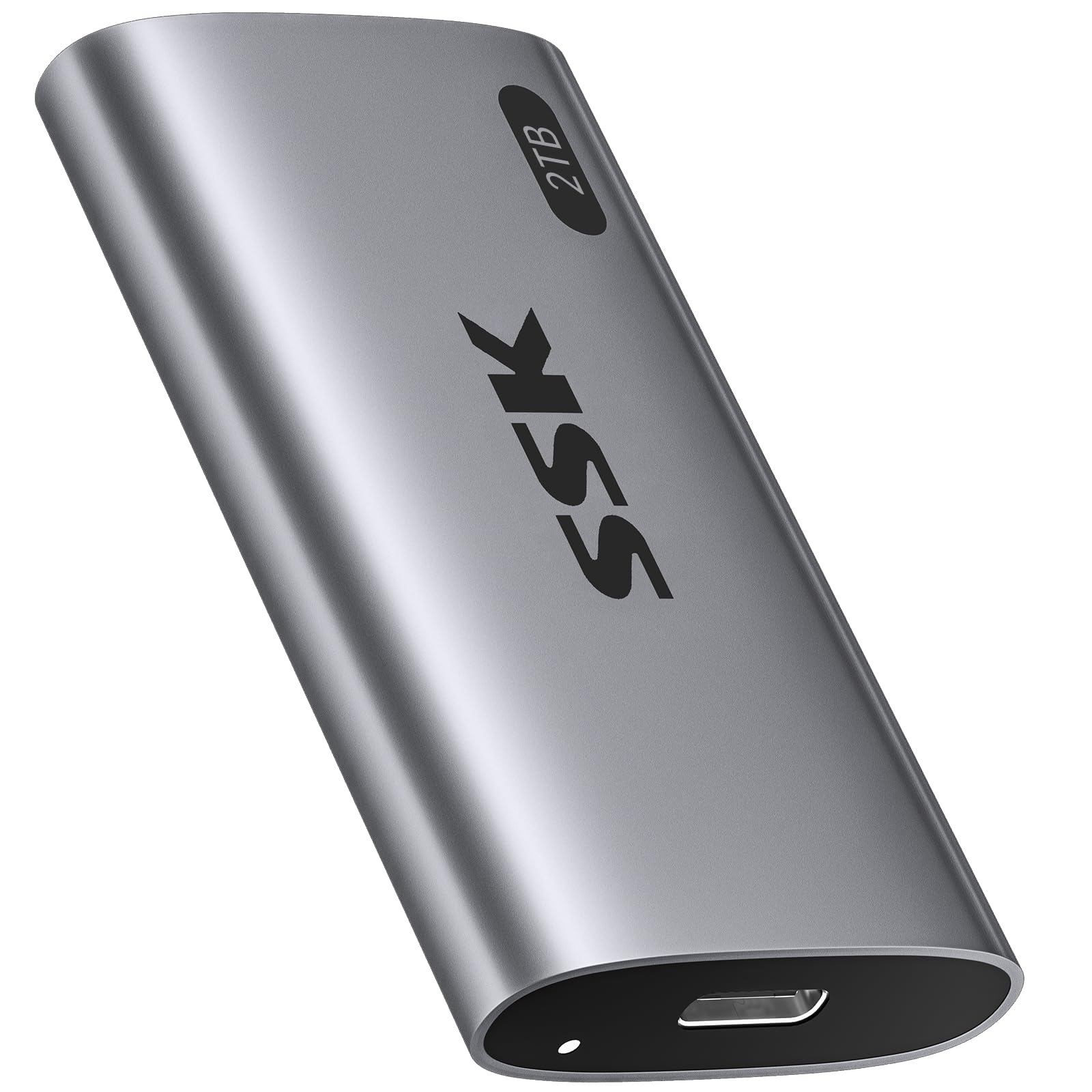
Image: The SSK SD450 2TB Portable SSD, a compact and lightweight external storage device.
2. Contenuto della confezione
Verificare che tutti gli articoli siano presenti nel pacco:
- 1 x SSK SD450 2TB External SSD
- 1 x USB 3.2 Gen2 Type-C to Type-C Cable
- 1 x USB-A Adapter
3. Prodotto finitoview
The SSK SD450 is a high-speed portable SSD designed for efficient data transfer and reliable storage across multiple platforms. It features a durable aluminum alloy case for effective heat dissipation and includes advanced data management technologies.
Caratteristiche principali:
- Prestazioni ad alta velocità: Up to 550MB/s read and write speeds via USB 3.2 Gen2 interface.
- Costruzione durevole: Thick aluminum alloy casing for superior heat dissipation and protection.
- Advanced Data Management: Supports S.M.A.R.T. monitoring for drive health and TRIM technology for consistent write speeds and extended longevity.
- Ampia compatibilità: Works with Windows, Mac, Android, Linux, iOS, and devices like iPhone 15/Pro, laptops, desktops, and tablets.
- Funzionalità OTG: Supports On-The-Go (OTG) for direct connection to compatible mobile devices with low power consumption (less than 5 Watts).
- Design portatile: Weighs only 43g with compact dimensions (2.5 x 1.3 x 0.4 inches).
- Indicatore LED: Provides visual feedback on device activity.

Image: The SSK SD450 Portable SSD connected to a laptop, illustrating its high-speed data transfer capabilities with read speeds up to 550MB/s and write speeds up to 500MB/s.

Image: The compact and lightweight design of the SSK SD450 Portable SSD, highlighting its dimensions and weight for easy portability.
4. Impostazione
The SSK SD450 Portable SSD is designed for plug-and-play operation. No drivers are typically required for most operating systems.
Connessione a un dispositivo:
- Identify the appropriate cable for your device. Use the included USB-C to USB-C cable for USB-C ports or attach the USB-A adapter to the USB-C cable for USB-A ports.
- Connect one end of the cable to the USB-C port on the SSK SD450 SSD.
- Connect the other end of the cable (or adapter) to an available USB port on your computer, smartphone, or tablet.
- L'indicatore LED sull'SSD si illuminerà per indicare che è acceso e attivo.
For a visual guide on connecting and using the SSD, please refer to the video below:
Video: Demonstrates connecting the SSK Portable SSD to a smartphone and transferring files, highlighting its plug-and-play functionality and fast transfer speeds.
5. Istruzioni per l'uso
File Trasferimento:
Once connected, the SSK SD450 SSD will appear as an external drive on your device. You can drag and drop files, copia e incolla, oppure usa il tuo sistema operativo file strumenti di gestione per trasferire dati da e verso l'SSD.
- Windows/Mac: The drive will appear in 'This PC' (Windows) or 'Finder' (Mac).
- Android/iOS (iPhone 15/Pro with USB-C): The drive will be accessible through your device's file applicazione di gestione.
Funzionalità OTG:
The SSD supports OTG (On-The-Go) function, allowing direct connection to compatible mobile devices (e.g., iPhone 15/Pro, Android smartphones/tablets with USB-C). This enables direct file access and transfer without needing a computer. Ensure your mobile device supports OTG and has a USB-C port for direct connection.

Image: The SSK SD450 Portable SSD connected to a smartphone, demonstrating its OTG support for low power consumption and direct file accesso.
6. Gestione dei dati
The SSK SD450 incorporates technologies to maintain data integrity and drive performance:
- S.M.A.R.T. (Self-Monitoring, Analysis and Reporting Technology): This feature allows you to monitor the health of your external solid state drive. Compatible software can provide alerts regarding potential drive issues, helping to prevent data loss.
- Tecnologia TRIM: Ensures consistent write speeds and extends the longevity of the portable SSD by actively managing data blocks that are no longer in use.

Image: Icons representing UASP, S.M.A.R.T., TRIM, and Auto Sleep features, emphasizing the SSD's safe storage capabilities.
7. Compatibilità
The SSK SD450 Portable SSD offers broad compatibility with various devices and operating systems:
- Sistemi operativi: Windows, macOS, iOS, Linux, Android.
- Dispositivi: Desktops, Laptops (MacBook Air/Pro, DELL XPS), Smartphones (iPhone 15/Pro, Samsung, Huawei Mate), Tablets (iPad Pro), Cameras, TV Boxes.
- Interfaccia: USB 3.2 Gen2 (backward compatible with USB 3.1, 3.0, 2.0).
Note: Only newer iPhones with USB-C are supported. Older Lightning models do not qualify for direct connection.

Image: The SSK SD450 Portable SSD connected to a smartphone, demonstrating its use as mobile personal storage with 5W ultra-low power consumption for phone OTG and iPad.
8. Dissipazione del calore
The SSK SD450 features a thick aluminum alloy case that provides superior heat dissipation. This design ensures reliable performance and prevents overheating, even during prolonged large file transfers, maintaining stable operation.

Image: A diagram illustrating the internal components and the aluminum alloy shell of the SSK SD450, alongside a graph showing its lower operating temperature compared to other SSDs.
9. Risoluzione Dei Problemi
Unità non rilevata:
- Assicurati che il cavo USB sia collegato saldamente sia all'SSD che al dispositivo.
- Prova a collegare l'SSD a una porta USB diversa del tuo dispositivo.
- Se disponibile, provare con un cavo USB diverso.
- Riavvia il computer o il dispositivo mobile.
- Check your device's Disk Management (Windows) or Disk Utility (Mac) to see if the drive is recognized but unformatted. If so, format the drive (this will erase all data).
Velocità di trasferimento lente:
- Ensure you are using a USB 3.2 Gen2 compatible port and cable for optimal performance. Older USB ports (e.g., USB 2.0) will result in significantly slower speeds.
- Chiudere tutte le applicazioni non necessarie in esecuzione in background che potrebbero consumare risorse di sistema.
- Verifica che i driver del tuo dispositivo siano aggiornati.
Surriscaldamento:
- While the SSK SD450 is designed for efficient heat dissipation, prolonged heavy use in a poorly ventilated area can still cause warmth. Ensure adequate airflow around the device.
- Se il dispositivo diventa eccessivamente caldo, scollegarlo e lasciarlo raffreddare prima di riprenderne l'uso.
10. Specifiche
| Caratteristica | Dettaglio |
|---|---|
| Numero di modello | SD450 |
| Capacità di archiviazione digitale | 2 TB |
| Interfaccia del disco rigido | Seriale ATA-600 |
| Tecnologia di connettività | USB 3.2 Gen2 (6 Gbps) |
| Velocità di lettura (massima) | Fino a 550 MB/s |
| Caratteristiche speciali | OTG Function, Portable, S.M.A.R.T., TRIM Support |
| Fattore di forma del disco rigido | 2.5 pollici |
| Dispositivi compatibili | Camera, Desktop, Laptop, Smartphone, Tablet |
| Tipo di installazione | Disco rigido esterno |
| Colore | Grigio siderale |
| Peso dell'articolo | 1.52 once (43 g) |
| Dimensioni del prodotto | 2.5 x 1.3 x 0.4 pollici |
11. Manutenzione
- Rimozione sicura: Per evitare il danneggiamento dei dati, espellere o smontare sempre in modo sicuro l'SSD dal sistema operativo prima di scollegarlo fisicamente.
- Aggiornamenti del firmware: Periodically check the SSK official websito per eventuali aggiornamenti firmware disponibili per il tuo modello di SSD. Gli aggiornamenti firmware possono migliorare prestazioni, stabilità e compatibilità.
- Cura fisica: Keep the SSD clean and free from dust. Avoid exposing it to extreme temperatures, moisture, or strong magnetic fields. Do not drop or subject the device to strong impacts.
- Backup dei dati: While SSDs are reliable, it is always recommended to regularly back up important data to multiple storage locations to prevent unforeseen data loss.
12. Garanzia e supporto
For warranty information, technical support, and service inquiries, please refer to the documentation included with your product or visit the official SSK website. Warranty terms and conditions may vary by region and product. Keep your purchase receipt as proof of purchase for warranty claims.
SSK may offer additional data recovery plans. Please check the manufacturer's websito per i dettagli sui piani di protezione disponibili.