
PEKOKO LBX1000
PEKOKO LBX1000 Online Inkjet Printer Instruction Manual
Model: LBX1000 | Brand: PEKOKO
1. Introduzione
The PEKOKO LBX1000 is an online continuous inkjet printer designed for high-resolution marking on a wide range of materials. It supports printing alphanumeric text, barcodes, QR codes, logos, serial numbers, date/time codes, and batch codes. This manual provides essential information for the safe and efficient operation, setup, and maintenance of your LBX1000 printer.
2. Informazioni sulla sicurezza
- Always ensure the printer is properly grounded before operation.
- Do not expose the printer to excessive moisture or extreme temperatures.
- Use only genuine PEKOKO ink cartridges and replacement parts.
- Avoid direct contact with ink. In case of contact, wash thoroughly with soap and water.
- Keep the printer away from children and unauthorized personnel.
- Scollegare l'alimentazione prima di effettuare qualsiasi operazione di manutenzione o pulizia.
3. Contenuto della confezione
Verifica che tutti gli articoli elencati di seguito siano inclusi nel tuo pacchetto:

Image: The PEKOKO LBX1000 package contents, including the controller, printhead, mounting bracket, and cables.
- PEKOKO LBX1000 Controller
- Testina di stampa
- Adattatore di alimentazione
- Online Mounting Bracket
- Sensore fotoelettrico
- Printhead Connection Cables
- Inkjet Cartridge (may be included separately)
- Metal/Carton Box (for storage/transport)
4. Specifiche
| Caratteristica | Dettaglio |
|---|---|
| Modello | LBX1000 |
| Dimensioni del prodotto | 12.7D x 20.3W x 12.7H centimetri |
| Peso dell'articolo | 4.6 chilogrammi |
| Tipo di visualizzazione | Schermo LCD touch da 7 pollici |
| Capacità di archiviazione della memoria | 8 GB di RAM |
| Tecnologia di stampa | Getto d'inchiostro |
| Massima risoluzione di stampa | 600 x 300 DPI (adjustable 150-600DPI) |
| Velocità massima di stampa | 70 meters per minute (230 fpm) |
| Ink Colors Supported | Nero, Bianco, Rosso, Giallo, Blu, Verde, Invisibile |
| Interfaccia Hardware | Ethernet, USB |
| Dispositivi compatibili | Carton Boxes, Glass Bottles, Plastic Bags, Metal Parts, etc. |
| Caratteristiche speciali | Automatic, Long-Lasting, Quick Dry, Touch Screen, High Speed |
| Amministrazione utenti | 3 livelli disponibili |
5. Impostazione
5.1 Disimballaggio e ispezione iniziale
Carefully remove all components from the packaging. Inspect for any signs of damage during transit. Report any damage to your supplier immediately.
5.2 Collegamento dei componenti
- Connect the Printhead: Attach the printhead to the controller using the provided printhead connection cables. Ensure connections are secure.
- Connect the Photoelectric Sensor: If using for automated production lines, connect the photoelectric sensor to the designated port on the controller.
- Collegamento elettrico: Connect the power adapter to the controller and then plug it into a suitable power outlet.
- USB/Ethernet (Optional): For data transfer or network integration, connect USB devices or an Ethernet cable as needed.
5.3 Montaggio della stampante
The LBX1000 is designed for online integration. Use the online mounting bracket to securely position the printhead and controller on your production line. Ensure the printhead is at the correct distance and angle from the material to be printed.

Immagine: Un example setup of the PEKOKO LBX1000 online inkjet printer integrated with a conveyor belt system.

Image: Components of the optional floor stand for the PEKOKO LBX1000 printer, showing assembly details.
6. Istruzioni per l'uso
6.1 Accensione/spegnimento
To power on, press the power button on the controller. To power off, follow the shutdown procedure on the touch screen to ensure data is saved, then press the power button.
6.2 Interfaccia touch screen
The 7-inch touch screen LCD provides an intuitive interface for all printer operations. It features a Cortex Quad Core CPU for smooth performance.
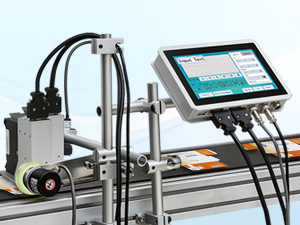
Image: The 7-inch touch screen LCD of the PEKOKO LBX1000, showing the text input interface.
6.3 Creating Print Jobs
The printer supports various data types and content customization.
6.3.1 Variable Data Printing
The system supports printing variable text, QR codes, barcodes, and serial numbers. Use the data base function to manage and integrate variable information into your print jobs.
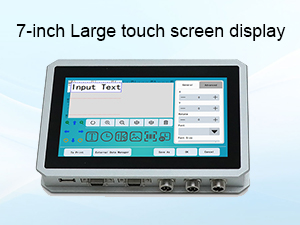
Image: The control panel displaying settings for printing variable data, including counters and system values.
6.3.2 Content Multiplexing
The printer allows for flexible content creation, supporting solid fonts, bitmap fonts, and importing Chinese and English characters, numbers, dates, QR codes, barcodes, and 1-8 variable serial numbers. You can adjust the size of the content as required.

Image: A close-up of the PEKOKO LBX1000 touch screen interface, showing text input and editing options for print content.
6.3.3 Font and Language Settings
The printer supports multiple languages including Arabic, English, French, German, Greek, Hungarian, Italian, Korean, Persian, Portuguese, Russian, Spanish, Thai, Turkish, Vietnamese, Chinese Simplified, and Chinese Traditional. Font sizes can be customized and added freely.
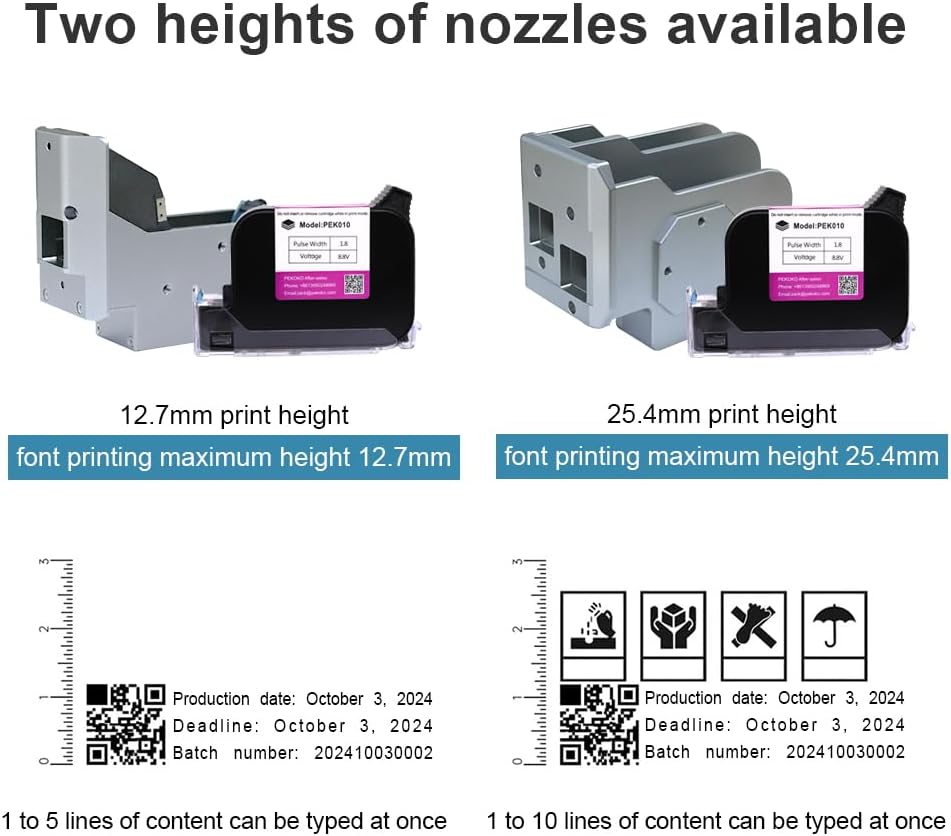
Image: The control panel displaying language and font settings, allowing for customization.
6.4 Memoria e archiviazione
The printer is equipped with 8GB RAM, allowing for local storage of multiple data files. You can edit files and data directly on the screen without needing to connect to a PC.
Image: An internal circuit board, representing the 8GB RAM and processing capabilities of the printer.
6.5 Ink Cartridge Installation and Nozzle Heights
The printer uses quick-dry ink cartridges. Ensure the correct cartridge is installed for your application. Two nozzle heights are available: 12.7mm and 25.4mm, allowing for different print heights.

Image: A comparison of two different printhead nozzles, illustrating 12.7mm and 25.4mm print height capabilities.
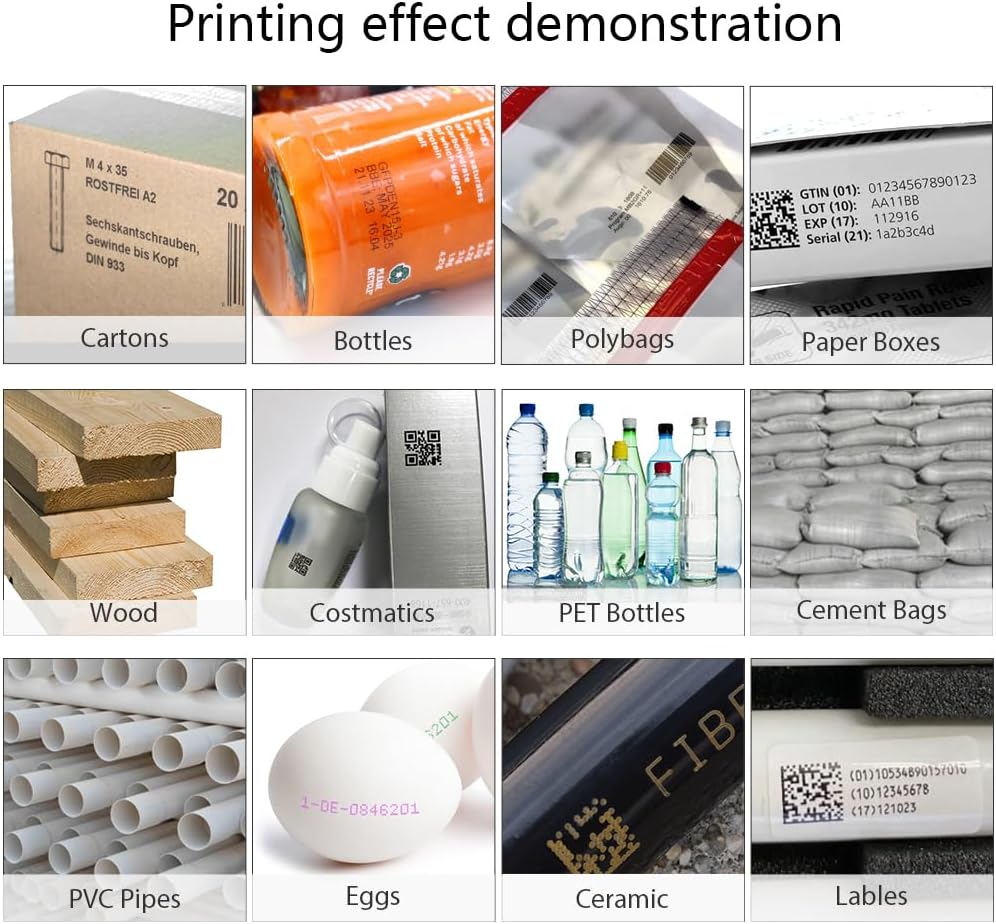
Image: A PEKOKO ink cartridge, labeled 'Model: PEK010', showing pulse width and voltage impostazioni.
6.6 Printing Process and Performance
The LBX1000 offers high-speed printing up to 70 meters per minute with adjustable resolution from 150-600 DPI. The system can estimate print yield based on message content, font type, DPI, height, and width settings.

Image: The control panel displaying print settings and examples of print yield for various content types like text, QR codes, and barcodes.
The following table outlines typical production line speed and resolution capabilities:
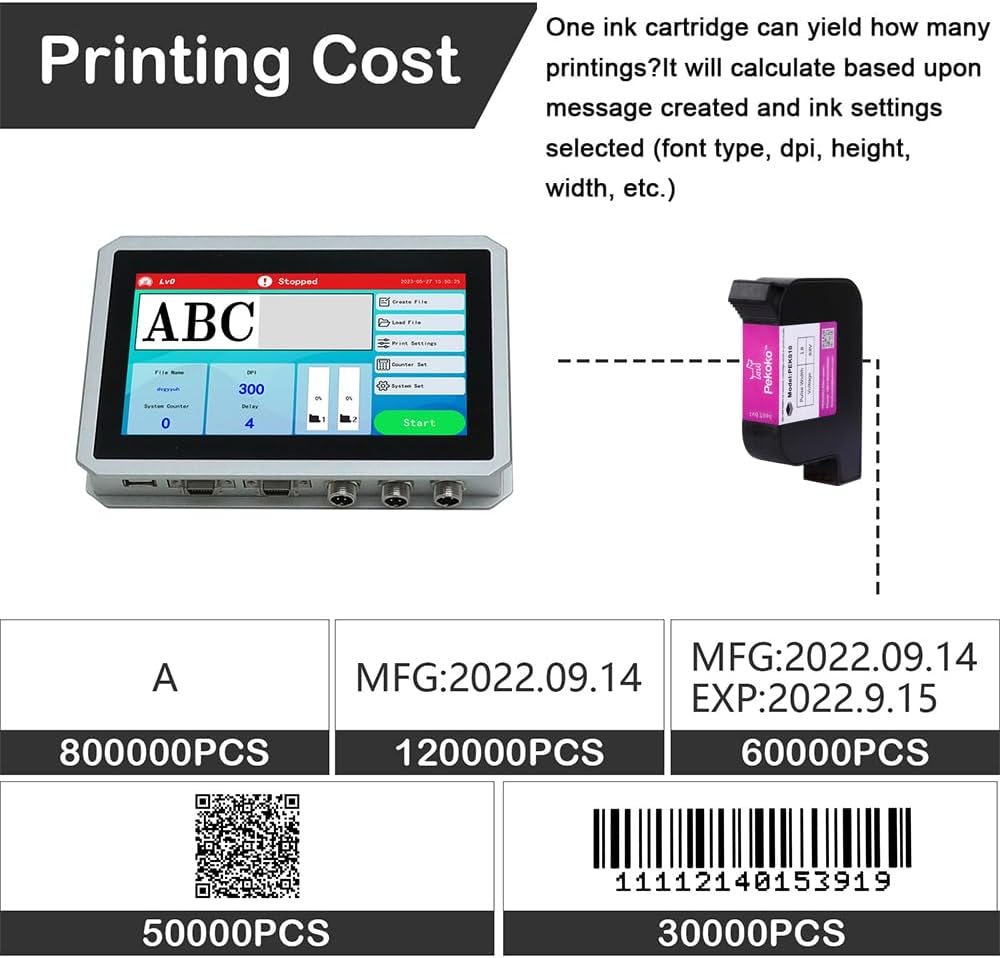
Image: A PEKOKO LBX1000 printer set up on a production line, with a table detailing achievable speeds and resolutions for different print types.
6.7 Compatible Materials and Applications
The PEKOKO LBX1000 is suitable for marking on porous, semi-porous, and non-porous substrates. This includes materials such as glass, plastics, metal, concrete, pipes, boxes, HDPE, LDPE, PETE, PET, PE, PP, PVS, PPC, OPP, and APET.
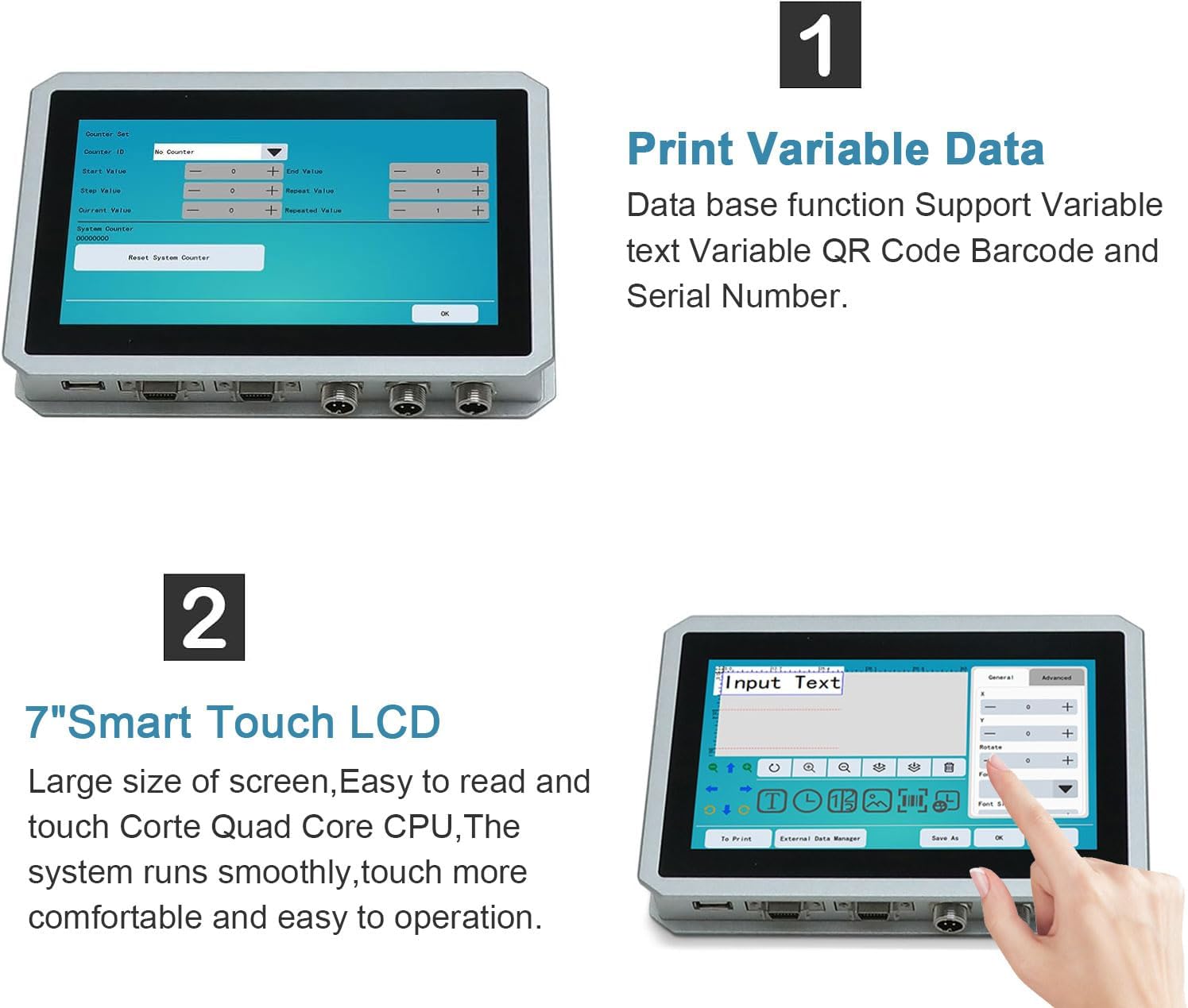
Image: A demonstration of printing effects on various materials, including cartons, bottles, polybags, paper boxes, wood, cosmetics, PET bottles, cement bags, PVC pipes, eggs, ceramic, and labels.
7. Manutenzione
7.1 Cura delle cartucce d'inchiostro
After using the machine, carefully remove the ink cartridge from the printer. Place it in the designated clip or protective casing to prevent damage and drying of the nozzle. This ensures the longevity and performance of the ink cartridge.
7.2 Pulizia generale
Regularly clean the exterior of the printer and the printhead area with a soft, lint-free cloth. Ensure no dust or debris accumulates around the printhead nozzles. Use a recommended cleaning solution if necessary, following manufacturer guidelines.
8. Risoluzione Dei Problemi
Questa sezione fornisce soluzioni ai problemi più comuni. Per problemi non elencati qui, contattare l'assistenza clienti.
8.1 Problemi comuni e soluzioni
- Nessun potere: Check power cable connections and ensure the power outlet is functional. Verify the power adapter is correctly connected.
- Scarsa qualità di stampa:
- Check ink cartridge level and replace if low.
- Ensure the printhead nozzles are clean and free from clogs.
- Verify print settings (DPI, font size) are appropriate for the material.
- Adjust the distance between the printhead and the printing surface.
- La stampante non risponde: Restart the printer. If the issue persists, check all cable connections.
- Messaggi di errore: Refer to the on-screen error message for specific guidance. If unable to resolve, note the error code and contact support.
9. Garanzia e supporto
PEKOKO offers flexible user administration with 3 levels of access. For technical support, warranty inquiries, or service, please use the contact information below:
- Telephone/WhatsApp/WeChat: +8613950248969
- E-mail: zack@pekoko.com
- Negozio online: Visit PEKOKO on Amazon
Ask a question about this manual
Ask about setup, troubleshooting, compatibility, parts, safety, or missing instructions. Manuals+ will review the question and use this page’s manual context to help answer it.