
1. Introduzione
This manual provides essential information for the safe and efficient operation of your ZDSSY E2 Mini Projector. Please read it thoroughly before use and retain it for future reference.
2. Impostazione
2.1 Unboxing e componenti
Disimballare con cura tutti gli articoli dalla scatola. Assicurarsi che siano presenti i seguenti componenti:
- Mini proiettore
- Telecomando
- Cavo di alimentazione
- Manuale dell'utente (questo documento)
2.2 Accensione
- Collegare il cavo di alimentazione alla porta di ingresso alimentazione del proiettore.
- Collegare l'altra estremità del cavo di alimentazione a una presa elettrica adatta.
- Premere il pulsante di accensione sul proiettore o sul telecomando per accendere il dispositivo.
2.3 Posizionamento iniziale
Posizionare il proiettore su una superficie stabile e piana. Per una visione ottimale viewing, ensure the projection surface (wall or screen) is clean and smooth. The projector supports various mounting options including table placement, tripod mount, and ceiling mount.
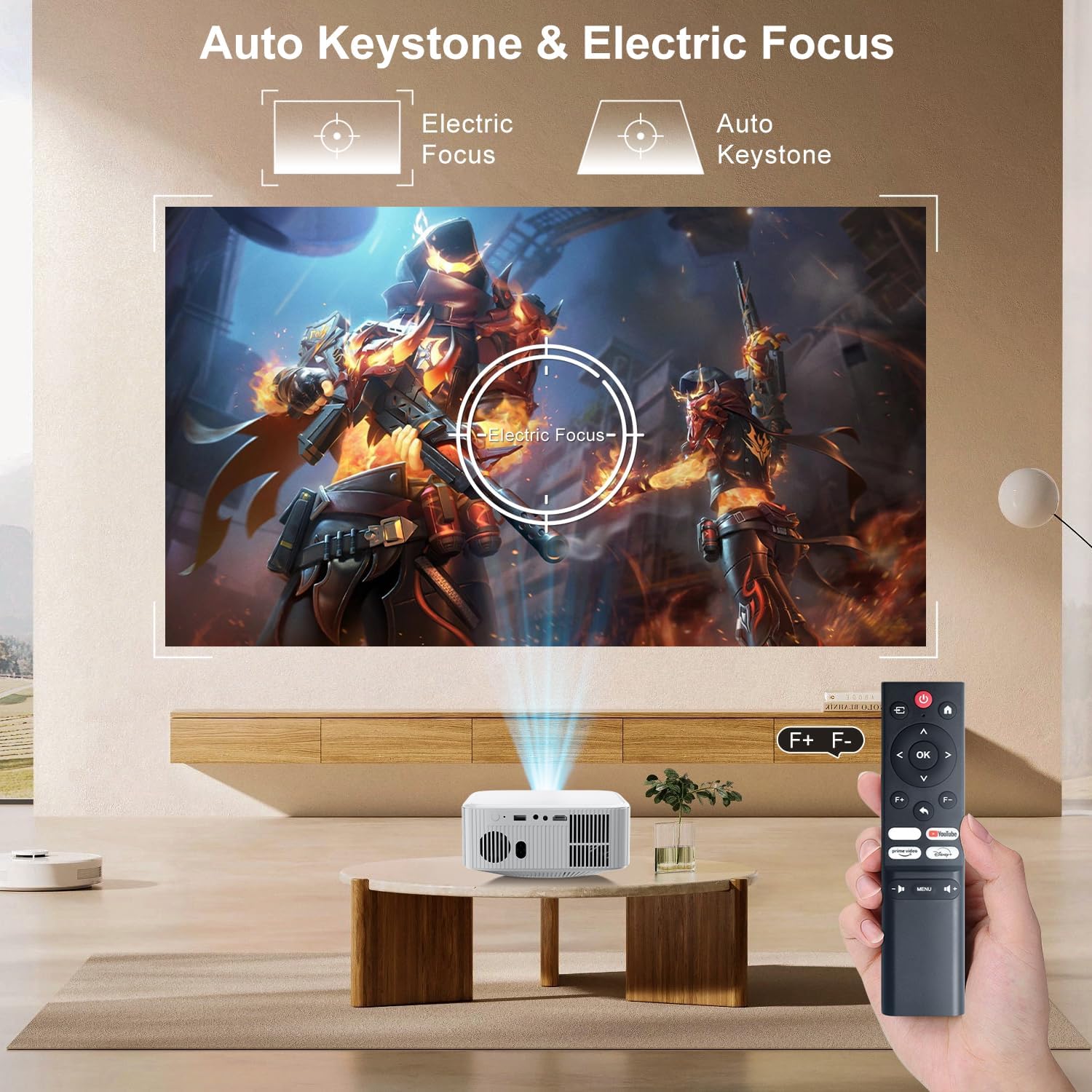
Image: The ZDSSY E2 Mini Projector demonstrating flexible placement options and screen sizes from 40 to 300 inches.
3. Funzionamento
3.1 Navigazione e controllo remoto
Use the provided remote control to navigate the projector's interface. The remote allows you to select apps, adjust settings, and control media playback.
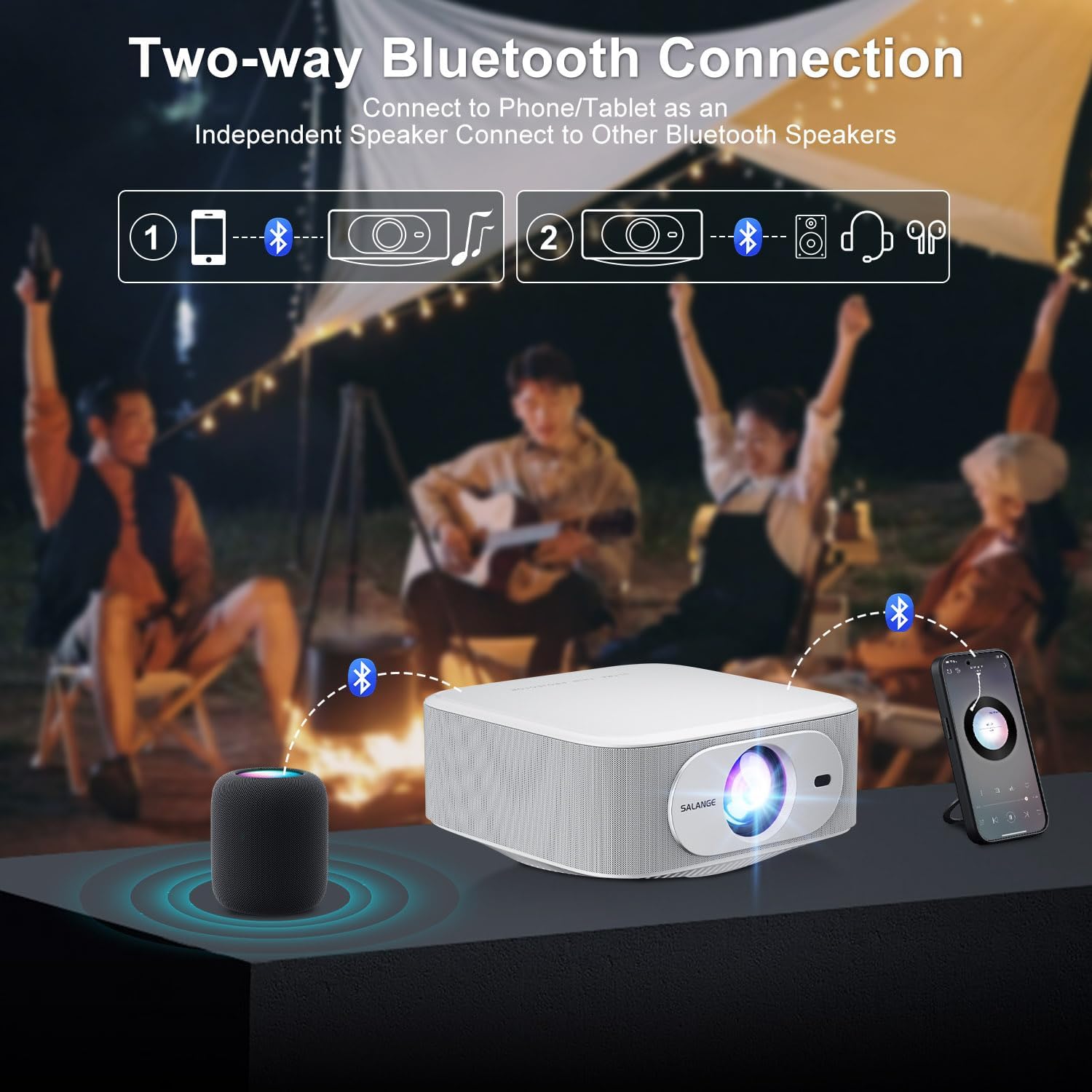
Image: The ZDSSY E2 Mini Projector and its remote control, highlighting the user interface.
3.2 Auto Keystone and Electric Focus
The projector features automatic keystone correction and electric focus for a clear and properly aligned image. These functions adjust the picture automatically upon startup or when the projector is moved.
- Messa a fuoco elettrica: Provides instant, crystal-clear images.
- Correzione trapezoidale a 4 punti: Smoothly adjusts the screen across a wide ±45° range from any direction.
- Funzione zoom: Regola le dimensioni dello schermo dal 100% al 50% senza spostare il proiettore.

Image: Visual representation of the auto keystone and electric focus features of the ZDSSY E2 Mini Projector.
3.3 Connessione al Wi-Fi
The ZDSSY E2 supports dual-band 5G/2.4G Wi-Fi for fast and stable internet connectivity.
- Accedere al menu "Impostazioni" del proiettore.
- Select 'Network' or 'Wi-Fi settings'.
- Scegli la rete Wi-Fi desiderata dall'elenco.
- Se richiesto, inserisci la password e connettiti.
3.4 Connessione Bluetooth
The projector features two-way Bluetooth 5.2, allowing it to function as a standalone speaker or connect to external Bluetooth audio devices.
- As a Bluetooth Speaker: Connect your mobile device to the projector via Bluetooth to use the projector's built-in speakers for audio playback.
- Collegamento di altoparlanti esterni: Pair the projector with external Bluetooth speakers, headphones, or soundbars for an enhanced audio experience. (Note: Bluetooth is for audio transmission only and does not support video.)

Image: Illustration of the two-way Bluetooth connectivity of the ZDSSY E2 Mini Projector.
3.5 Utilizzo delle app integrate
The ZDSSY E2 comes with officially licensed apps like Prime Video, YouTube, and more, pre-installed on its Android 13 Whale OS system. Access these apps directly from the home screen for instant entertainment.

Image: The ZDSSY E2 Mini Projector's home screen showing pre-installed streaming applications.
3.6 Connessione di dispositivi esterni
The projector is equipped with multiple ports for connecting external devices:
- Porta HDMI: Connect gaming consoles, laptops, Fire Sticks, or other HDMI-enabled devices.
- Porta USB: Riproduci contenuti multimediali direttamente dalle unità USB.
- Jack per cuffie da 3.5 mm: Collegare cuffie cablate o altoparlanti esterni.

Image: Close-up of the ZDSSY E2 Mini Projector's connectivity ports.
4. Manutenzione
4.1 Pulizia
- Lente: Utilizzare un panno morbido e privo di lanugine, specificamente progettato per lenti ottiche. Non utilizzare detergenti o panni abrasivi.
- Esterno: Pulire l'esterno del proiettore con un panno morbido e asciutto. Per macchie ostinate, utilizzare un panno leggermenteamp è possibile utilizzare un panno e poi asciugare con un panno asciutto.
- Ventilazione: Assicurarsi che le aperture di ventilazione siano libere da polvere e ostruzioni per evitare il surriscaldamento.
4.2 Conservazione
Quando non viene utilizzato per lunghi periodi, conservare il proiettore in un luogo fresco e asciutto, lontano dalla luce solare diretta e da temperature estreme. Utilizzare l'imballaggio originale o una custodia protettiva per evitare l'accumulo di polvere e danni.
5. Risoluzione Dei Problemi
| Problema | Possibile causa | Soluzione |
|---|---|---|
| Nessun potere | Cavo di alimentazione non collegato; presa di corrente difettosa | Assicurarsi che il cavo di alimentazione sia collegato saldamente; provare una presa diversa. |
| Immagine sfocata | Focus not adjusted; Projector too far/close to screen | Allow auto-focus to complete or manually adjust focus; Adjust projector distance. |
| Nessun suono | Volume too low; External audio device not connected/paired | Increase volume; Check Bluetooth connection or wired audio cable. |
| Problemi di connessione Wi-Fi | Password errata; Problemi con il router; Interferenza del segnale | Verificare la password Wi-Fi; riavviare il router; avvicinare il proiettore al router. |
| Apps Not Working | No internet connection; App requires update | Check Wi-Fi connection; Update the app from the app store. |
6. Specifiche
| Caratteristica | Dettaglio |
|---|---|
| Marca | ZDSSY |
| Numero di modello | E2 |
| Risoluzione dello schermo | 1920 x 1080 (1080P nativo, supporto 4K) |
| Luminosità | 400 ANSI Lumen |
| Sistema operativo | Smart Android 13.0 NTV (Whale OS) |
| Memoria | RAM 1 GB + ROM 8 GB |
| Connettività | Wi-Fi 5G/2.4G, Two-way Bluetooth 5.2 |
| Caratteristiche speciali | Electric Focus, Auto Keystone Correction (4D/4P), Zoom (100%-50%), Built-in Apps (Prime Video, YouTube, etc.) |
| Porti | 1 HDMI, 1 USB, 1 3.5mm Headphone Jack |
| Dimensioni del prodotto | 7.67 x 7.67 x 3.54 pollici |
| Peso dell'articolo | 3.3 libbre |
| Uso consigliato | Interno/Esterno |
7. Garanzia e supporto
The ZDSSY E2 Mini Projector comes with a standard manufacturer's warranty. For specific warranty details, including coverage and duration, please refer to the warranty card included in your product packaging or contact ZDSSY customer support.
Assistenza clienti
If you encounter any issues or have questions regarding your projector, please contact ZDSSY customer support through the retailer's platform or the official ZDSSY website. Our support team is available to assist you with troubleshooting, technical inquiries, and service requests.