
1. Introduzione
This manual provides essential information for the safe and efficient operation of your ZDSSY HY320MAX Mini Projector. Please read it thoroughly before using the device and retain it for future reference. The ZDSSY HY320MAX is a 1080P native mini projector featuring Android 13, built-in licensed applications, WiFi 6, Bluetooth 5.4, and automatic keystone correction, designed for versatile indoor and outdoor entertainment.
2. Informazioni sulla sicurezza
- Alimentazione elettrica: Utilizzare solo l'adattatore di alimentazione fornito. Assicurarsi che il volumetage corrisponde all'alimentazione elettrica locale.
- Ventilazione: Non ostruire le aperture di ventilazione. Garantire un flusso d'aria adeguato attorno al proiettore per evitare il surriscaldamento.
- Esposizione al liquido: Tenere il proiettore lontano dall'acqua o da altri liquidi. Non utilizzare in damp ambienti.
- Fonti di calore: Evitare di posizionare il proiettore vicino a fonti di calore quali termosifoni, bocchette di ventilazione, stufe o altri apparecchi che producono calore.
- Protezione degli occhi: Non guardare direttamente nell'obiettivo del proiettore quando lamp è acceso, poiché la luce intensa può causare affaticamento o danni agli occhi.
- Pulizia: Scollegare l'alimentazione prima della pulizia. Utilizzare un panno morbido e asciutto per la pulizia esterna. Per la lente, utilizzare un panno specifico per la pulizia delle lenti.
- Manutenzione: Non tentare di riparare questo prodotto da soli. Affidare tutte le operazioni di manutenzione a personale di assistenza qualificato.
3. Contenuto della confezione
Al momento del disimballaggio, verificare che tutti gli articoli siano presenti e in buone condizioni:
- ZDSSY HY320MAX Mini Projector
- Adattatore di alimentazione
- Controllo vocale Bluetooth
- Manuale d'uso
- Cavo HDMI (Dedotto)
4. Prodotto finitoview
4.1 Componenti del proiettore
The ZDSSY HY320MAX Mini Projector features a compact design with essential components for ease of use.
- Lente di proiezione: Emette l'immagine sullo schermo o sulla superficie.
- Griglie di ventilazione: Located on the sides or rear to dissipate heat.
- Potenza in ingresso: Per collegare l'adattatore di alimentazione.
- Porta HDMI: For connecting external devices like gaming consoles or laptops.
- Porta USB: Per collegare dispositivi di archiviazione USB.
- Ricevitore IR: Per ricevere segnali dal telecomando.
- Supporto regolabile: Allows for 180° flexible rotation for various projection angles.
4.2 telecomando
The included Bluetooth voice remote control allows for easy navigation and voice commands.
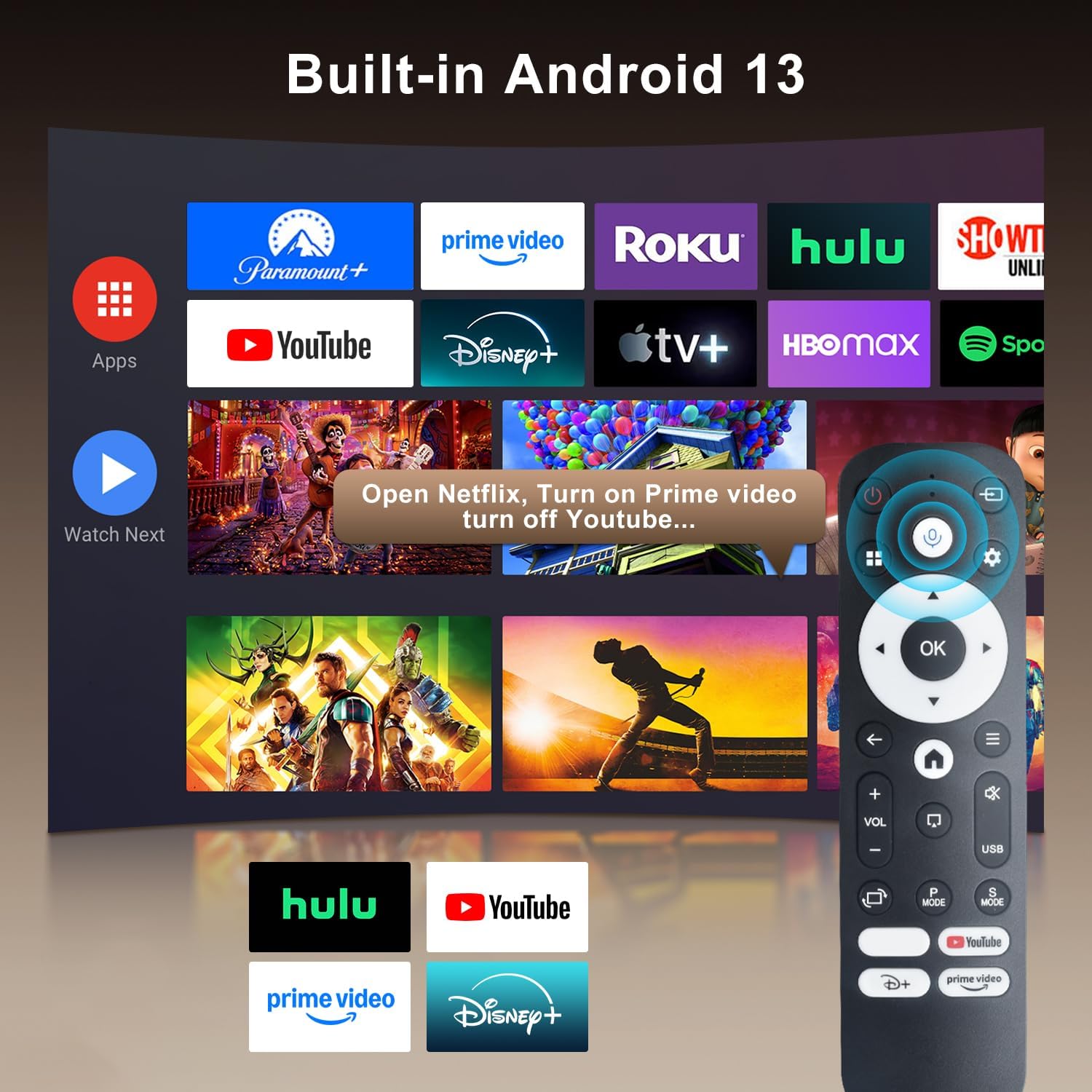
Image: The projector's interface showing built-in Android 13 apps and the Bluetooth voice remote control.
5. Impostazione
5.1 Posizionamento
Position the projector on a stable, flat surface. The 180° flexible rotation allows projection onto walls, ceilings, or floors. Ensure the projector is within the recommended throw distance of 1 to 6 meters for an optimal image size between 30 and 300 inches.

Image: The ZDSSY HY320MAX Mini Projector set up for an outdoor movie night, demonstrating its portability and flexible placement.
5.2 Collegamento di alimentazione
Collegare l'adattatore di alimentazione alla porta di ingresso dell'alimentazione del proiettore, quindi collegare l'adattatore a una presa di corrente.
5.3 Accensione iniziale
Premere il pulsante di accensione sul proiettore o sul telecomando per accendere il dispositivo. Il proiettore si avvierà, visualizzando l'interfaccia Android 13.
5.4 Correzione della messa a fuoco e della distorsione trapezoidale
The projector features AI Auto Keystone correction, which automatically adjusts the image to be rectangular even if the projector is placed at an angle. You can also use the 50%-100% zoom function to resize the screen without moving the projector.

Image: A visual representation of the projector's automatic keystone correction feature, ensuring a perfectly aligned picture.
5.5 Connessione di rete
Navigate to the settings menu to connect to a Wi-Fi network. The projector supports ultra-fast WiFi 6 for smooth streaming and lag-free gaming.

Image: The projector displaying content wirelessly, highlighting its WiFi 6 and Bluetooth 5.4 capabilities for smoother performance.
5.6 Associazione Bluetooth
For enhanced audio, pair Bluetooth 5.4 compatible speakers or headphones with the projector through the settings menu.
6. Istruzioni per l'uso
6.1 Navigazione nell'interfaccia
Use the directional buttons and 'OK' button on the remote control to navigate through the Android 13 interface. The 'Back' button returns to the previous screen, and the 'Home' button returns to the main menu.

Image: The ZDSSY HY320MAX projector's home screen, displaying various pre-installed streaming applications.
6.2 Utilizzo delle app integrate
The projector comes with officially licensed apps such as Netflix, Prime Video, and YouTube pre-installed. Access these directly from the home screen. The built-in APP STORE allows you to download additional applications.
6.3 External Input Sources
Connect external devices via the HDMI or USB ports. Select the appropriate input source from the projector's menu to display content from these devices.
6.4 Mirroring dello schermo
The projector supports screen mirroring from compatible smartphones (Android and iOS) over Wi-Fi. Refer to the on-screen instructions for connecting your device.

Image: A user mirroring their smartphone screen to the projector, demonstrating the wireless connectivity feature.
6.5 Controllo vocale
Utilize the Bluetooth voice remote for hands-free control. Press and hold the microphone button on the remote, then speak your command (e.g., "Open Netflix," "Cercare film").
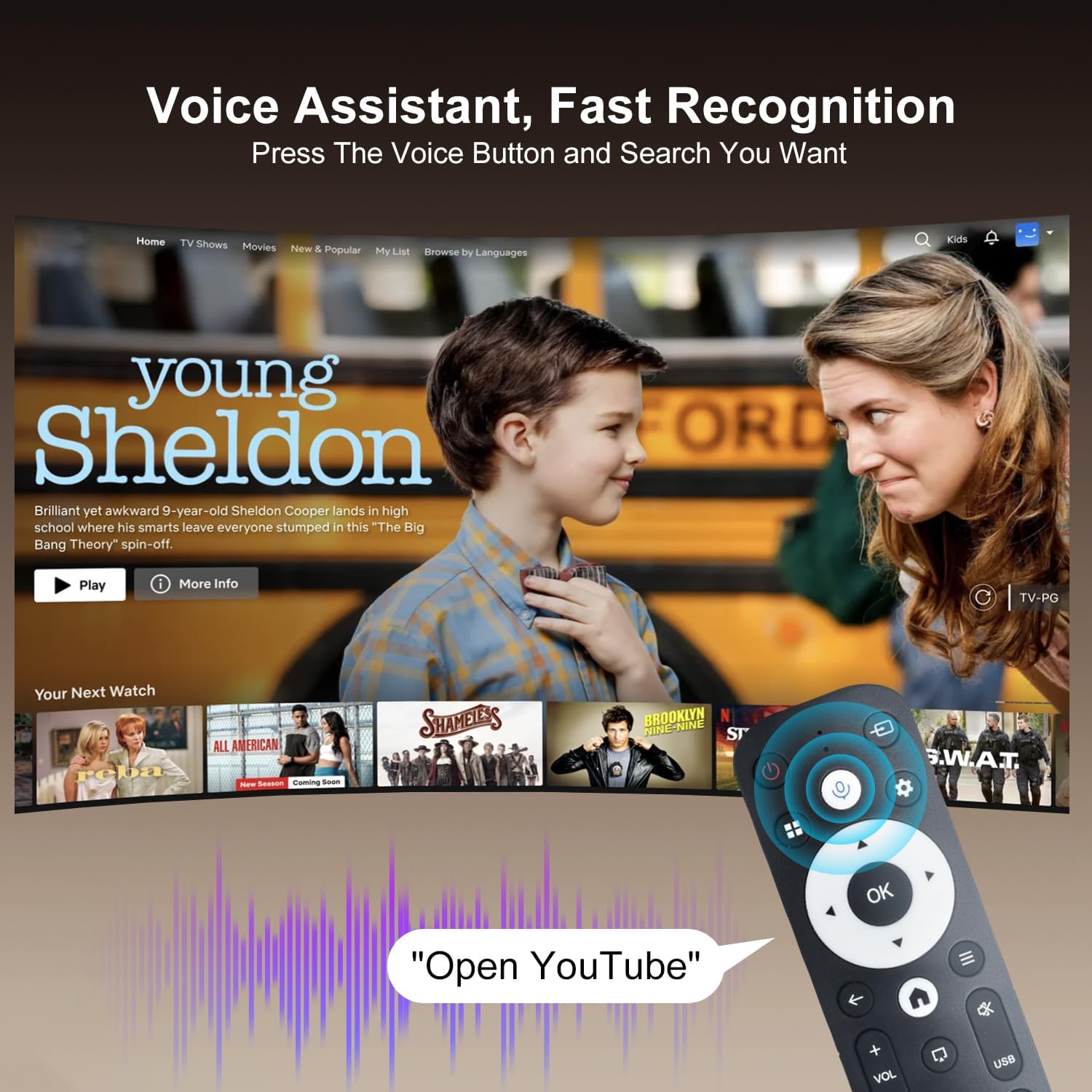
Image: The projector displaying a streaming service interface, with the remote control highlighting the voice assistant button and a voice command examplui.
7. Manutenzione
- Pulizia delle lenti: Gently wipe the projector lens with a soft, lint-free cloth specifically designed for optical lenses. Avoid using abrasive materials or harsh chemicals.
- Pulizia esterna: Use a soft, dry cloth to clean the projector's exterior. Do not use liquid or aerosol cleaners.
- Ventilazione: Regularly check that the ventilation grilles are free from dust and obstructions to ensure proper heat dissipation.
- Magazzinaggio: Quando non viene utilizzato per lunghi periodi, conservare il proiettore in un luogo fresco e asciutto, al riparo dalla polvere e dalla luce solare diretta.
8. Risoluzione Dei Problemi
Se riscontri problemi con il proiettore, fai riferimento ai seguenti problemi comuni e alle relative soluzioni:
| Problema | Possibile causa | Soluzione |
|---|---|---|
| Nessun potere | Cavo di alimentazione scollegato; guasto alla presa di corrente | Assicurarsi che il cavo di alimentazione sia collegato saldamente; provare una presa di corrente diversa. |
| Nessuna immagine | Sorgente di input non selezionata; Dispositivo non connesso | Select correct input source (HDMI/USB); Ensure external device is connected and powered on. |
| Immagine sfocata | Sfocato; Trapezio errato | Allow Auto Keystone to adjust; Manually adjust focus if available. |
| Nessun suono | Volume troppo basso; Dispositivo audio esterno non connesso | Increase volume; Check Bluetooth connection for external speakers. |
| Il telecomando non risponde | Low battery; Not paired | Replace batteries; Re-pair the Bluetooth remote control. |
| Problemi di connessione Wi-Fi | Password errata; problemi con il router | Verify Wi-Fi password; Restart your router and the projector. |
9. Specifiche
Detailed technical specifications for the ZDSSY HY320MAX Mini Projector:
- Marca: ZDSSY
- Nome modello: HY320MAX
- Numero modello: HY320MAX-US
- Risoluzione dello schermo: Native 1920 x 1080 Pixels
- Risoluzione massima dello schermo: 3840 x 2160 pixel (supporto 4K)
- Tipo di visualizzazione: LCD
- Luminosità: 20000 Lumen (400 ANSI Lumens)
- Rapporto di contrasto: 10000:1
- Durata operativa della sorgente luminosa: 60000 ore
- Tecnologia di connettività: USB, HDMI, Built-In Wi-Fi (WiFi 6), Bluetooth 5.4
- Metodo di controllo: Controllo remoto, voce
- Utilizzi consigliati: Interno/Esterno
- Tipo di montaggio: Ceiling Mount/Table Mount/Wall Mount
- Distanza di lancio minima: 1 metri
- Distanza massima di lancio: 6 metri
- Minimum Image Size: 30 pollici
- Dimensione massima dell'immagine: 300 pollici
- Voltage: 110 Volt
- Cosatage: 70 watt
- Dimensioni articolo (L x P x A): 4.09 cm L x 3.98 cm P x 8.66 cm A

Image: A comparison illustrating the native 1080P resolution and 4K support capabilities of the ZDSSY HY320MAX projector.
10. Garanzia e supporto
The ZDSSY HY320MAX Mini Projector comes with a Garanzia di 3 anno. This warranty includes free parts replacement and lifelong technical support. For any warranty claims, technical assistance, or support inquiries, please contact ZDSSY customer service through the retailer where the product was purchased or refer to the contact information provided on the official ZDSSY websito.