
1. Introduzione
This manual provides detailed instructions for the proper setup, operation, and maintenance of your MageGee K2 Wired RGB Backlit 104-Key Ergonomic Keyboard. Please read this manual thoroughly before using the product to ensure optimal performance and longevity.
2. Contenuto della confezione
The MageGee K2 Keyboard package includes the following items:
- MageGee K2 Wired RGB Backlit 104-Key Ergonomic Keyboard
- Manuale dell'utente (questo documento)
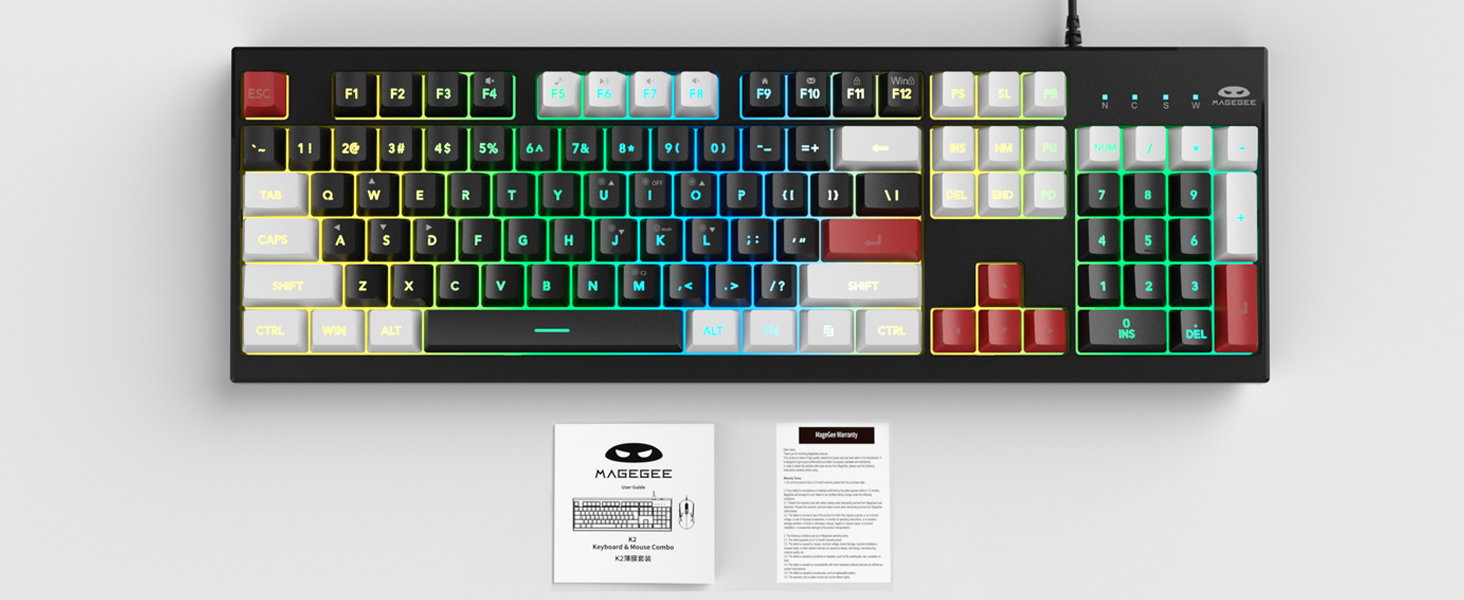
Image: MageGee K2 Keyboard shown with its accompanying user manual.
3. Istruzioni per l'installazione
3.1 Collegamento della tastiera
- Locate an available USB port on your computer (PC, laptop, or Mac).
- Plug the USB connector of the MageGee K2 keyboard into the USB port.
- The keyboard is plug-and-play and should be automatically recognized by your operating system (Windows 2000/XP/ME/Vista/7/8/10, Android, Linux, Mac). No additional drivers are typically required.
3.2 Regolazione dell'altezza della tastiera
The keyboard features a foldable bracket at the bottom, allowing you to adjust its height for a more comfortable typing angle.
- To raise the keyboard, gently pull out the foldable feet located on the underside of the keyboard.
- To lower the keyboard, fold the feet back into their recessed positions.

Image: The MageGee K2 Keyboard demonstrating its ergonomic design with adjustable feet.
4. Istruzioni per l'uso
4.1 Controllo della retroilluminazione RGB
The MageGee K2 keyboard features vibrant RGB backlighting with multiple modes and brightness levels. Use the following key combinations to control the lighting:
- FN+L: Aumenta la luminosità della retroilluminazione.
- FN+J: Riduce la luminosità della retroilluminazione.
- FN+K: Switch between different backlight modes.
- FN+M: Switch between constant color and multi-color backlight modes.
- FN+I: Attiva/disattiva la retroilluminazione.

Image: Visual guide to RGB backlight control keys on the MageGee K2 Keyboard.
4.2 scorciatoie multimediali
Access common multimedia functions quickly using the FN key in combination with the F1-F12 keys:
- FN + F1-F12: Quickly switch between multimedia playback, volume adjustment, and other functions. Refer to the keycap legends for specific functions.
4.3 Anti-Ghosting e N-Key Rollover
The MageGee K2 keyboard features advanced anti-ghosting technology, allowing up to 19 keys to be pressed simultaneously without conflicts. This ensures accurate and fast input, especially during gaming or rapid typing.
- Rollover a 19 tasti: Allows simultaneous pressing of multiple keys without issues.
- FN+W: Switch between the W, A, S, D keys and the arrow keys for enhanced gaming control.
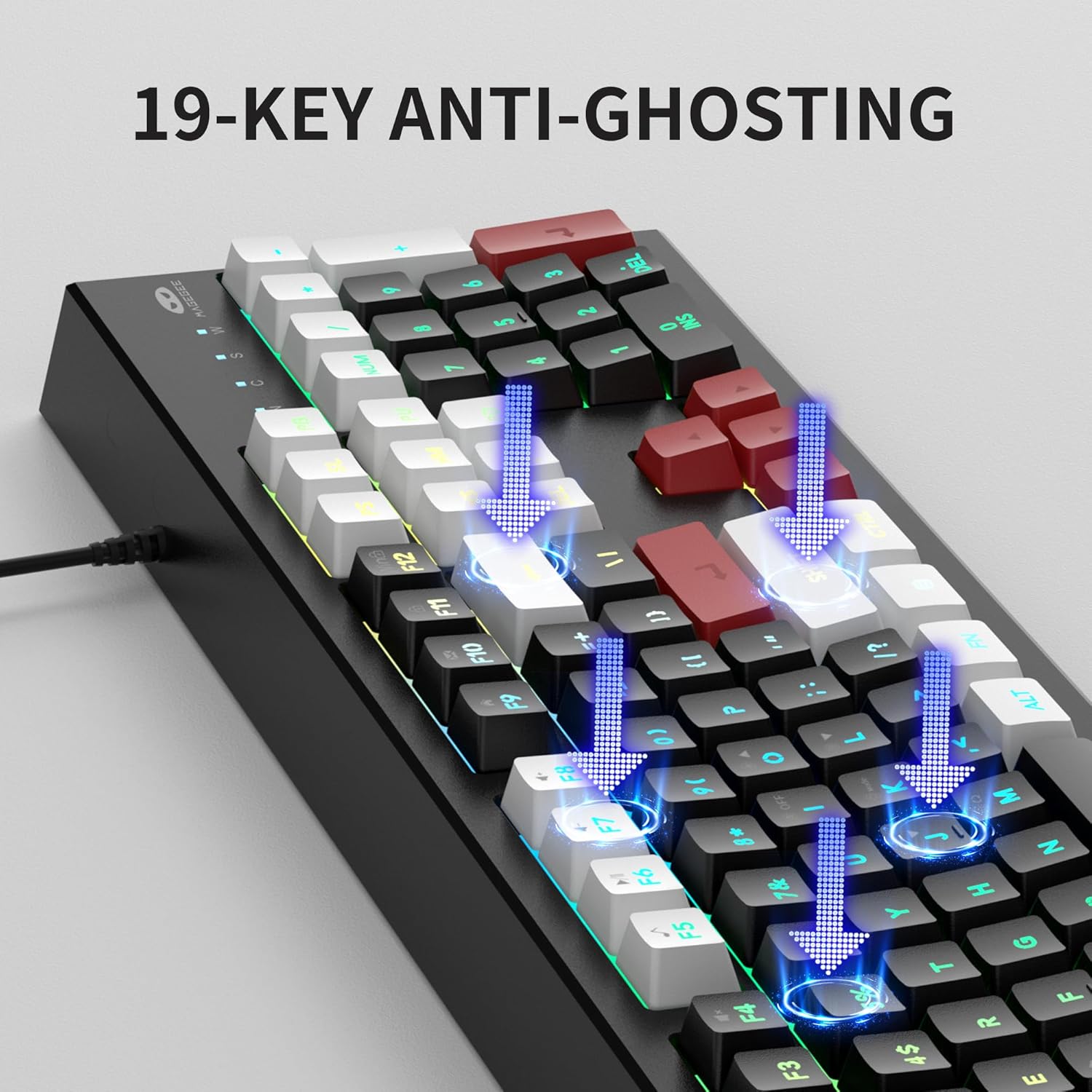
Image: Illustration of 19-key anti-ghosting functionality on the MageGee K2 Keyboard.
4.4 Design ergonomico
The keyboard is designed with carefully crafted high and low keys and a stepped layout to provide an ergonomic angle, reducing strain during long typing sessions and promoting comfortable finger movement.
5. Manutenzione
5.1 Pulizia della tastiera
- Scollegare la tastiera dal computer prima di pulirla.
- Utilizzare un morbido, damp cloth to wipe the surface of the keyboard. Avoid using harsh chemicals or abrasive materials.
- Per la pulizia tra i tasti, utilizzare aria compressa per rimuovere polvere e detriti.
5.2 Cura generale
- Evitare di esporre la tastiera a temperature estreme, alla luce solare diretta o a elevata umidità.
- While the keyboard is designed to be waterproof, avoid submerging it in liquids. In case of accidental spills, disconnect immediately and allow it to dry completely before reconnecting.
- Non tentare di smontare la tastiera, poiché ciò potrebbe invalidare la garanzia.
6. Risoluzione Dei Problemi
6.1 La tastiera non risponde
- Assicurarsi che il cavo USB sia collegato saldamente sia alla tastiera che al computer.
- Prova a collegare la tastiera a una porta USB diversa del computer.
- Riavvia il computer.
- Prova la tastiera su un altro computer per determinare se il problema riguarda la tastiera o il computer originale.
6.2 Backlighting Not Working or Incorrect
- Assicurarsi che la retroilluminazione sia accesa utilizzando FN+I.
- Regolare la luminosità utilizzando FN+L (aumento) e FN+J (diminuire).
- Cycle through different modes using FN+K E FN+M.
6.3 Tasti non registrati o digitati due volte
- Pulire la tastiera come descritto nella sezione Manutenzione per rimuovere eventuali detriti sotto i tasti.
- Ensure the keyboard is connected directly to the computer and not through a USB hub, which can sometimes cause power or signal issues.
7. Specifiche
| Caratteristica | Dettaglio |
|---|---|
| Marca | MageGee |
| Modello | K2 |
| Colore | Knight Red |
| Tecnologia di connettività | USB cablato |
| Descrizione della tastiera | Ergonomic, 104 Keys |
| Caratteristiche speciali | RGB Backlighting, Foldable Bracket, 19-Key Anti-Ghosting, Multimedia Shortcuts |
| Dispositivi compatibili | Gaming Console, Laptop, PC (Win2000, XP, ME, Vista, Win7, Win8, Win10, Android, Linux, Mac) |
| Materiale | Plastica |
| Peso dell'articolo | 2.07 libbre |
| Dimensioni del pacco | 17.68 x 7.09 x 1.93 pollici |
| Produttore | MAGGEE |

Image: Detailed dimensions of the MageGee K2 Keyboard.
8. Video ufficiale del prodotto
Video: Mostra il video ufficiale del prodottoasing the MageGee K2 PC Gaming Keyboard features and RGB lighting.
9. Garanzia e supporto
MageGee products are designed for reliability and performance. For any issues or inquiries, please refer to the following information:
- After-Sales System: The product is supported by MageGee's after-sales system. For specific warranty details or technical support, please contact the retailer or visit the official MageGee websito.
- Politica di ritorno: This product typically comes with a 30-day return policy. Please check with your point of purchase for exact return terms.