
1. Introduzione
This user manual provides comprehensive instructions for the Headwolf WPad7 Tablet. It covers setup, operation, maintenance, and troubleshooting to ensure optimal performance and user experience. Please read this manual thoroughly before using your device.
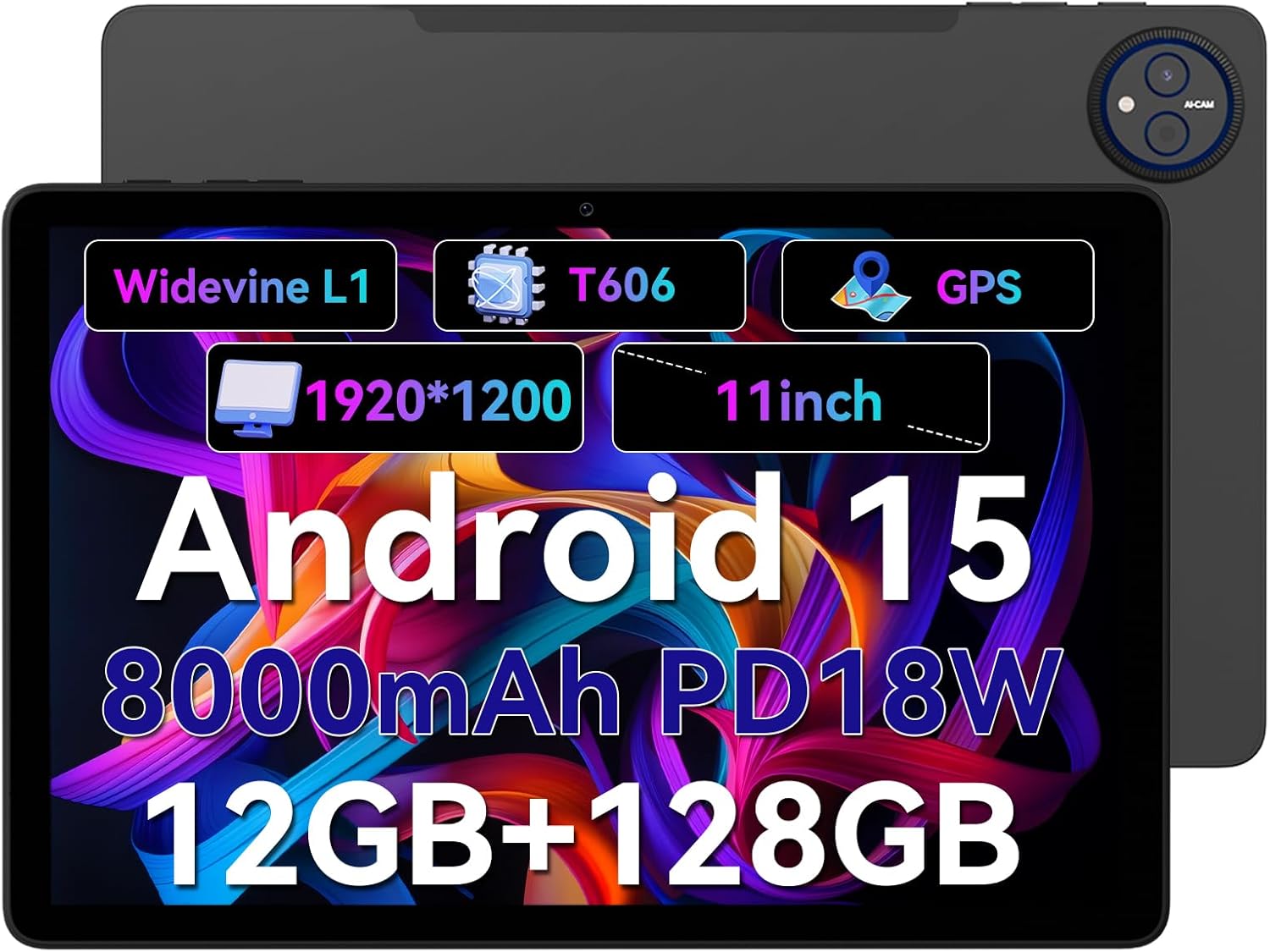
Figure 1.1: Headwolf WPad7 Tablet showcasing its 11-inch display, Android 15, 8000mAh battery, 12GB RAM, 128GB ROM, Widevine L1, T606 processor, and GPS capabilities.
2. Contenuto della confezione
Dopo aver aperto la confezione, verificare che tutti gli articoli elencati di seguito siano presenti e in buone condizioni:
- 1 x Headwolf WPad7 Tablet
- 1 x Caricabatterie
- 1 x cavo di tipo C
- 1 x Card Pin (for SIM/SD card tray)
- 1 x Manuale utente
3. Prodotto finitoview
3.1 Caratteristiche fisiche
Familiarize yourself with the physical components of your Headwolf WPad7 Tablet:
- Display: 11-inch IPS In-Cell screen with 1920x1200 resolution.
- Fotocamera frontale: 8MP, located on the top bezel when held horizontally.
- Telecamera posteriore: 13MP, posizionati sul pannello posteriore.
- Pulsante di accensione: Solitamente sul lato, utilizzato per accendere/spegnere o riattivare/sospendere il dispositivo.
- Tasti del volume: Situato vicino al pulsante di accensione, per regolare i livelli audio.
- Porta USB di tipo C: Per la ricarica e il trasferimento dei dati.
- Jack per cuffie da 3.5 mm: Per collegare dispositivi audio cablati.
- Slot per schede: For inserting a SIM card (if supported) and a microSD card for expandable storage.
- Ripristina foro: A small pinhole for force restarting the device if unresponsive.

Figure 3.1: Physical aspects of the Headwolf WPad7 Tablet, showing its 8mm thickness, 495g weight, 13MP rear camera, 8MP front camera, and 3.5mm earphone jack.

Figure 3.2: Key features of the Headwolf WPad7 Tablet, including Android 15 OS, 12GB+128GB memory, T606-8 core processor, 8000mAh battery, GPS navigation, 1920x1200 FHD display, face recognition, dual cameras, 2.4G/5Ghz Wi-Fi, Widevine L1, and 300nit brightness.
4. Impostazione
4.1 Carica iniziale
Before first use, fully charge the tablet. Connect the provided Type-C cable to the tablet's USB-C port and the charger to a power outlet. The battery indicator on the screen will show charging status. A full charge typically takes several hours.

Figure 4.1: The 8000mAh battery of the Headwolf WPad7 Tablet, highlighting its safety and stability features, and showing typical usage times for processing, video playback, reading, and music playback.
4.2 Accensione/spegnimento
- Per accendere: Press and hold the Power button until the Headwolf logo appears on the screen.
- Per spegnere: Press and hold the Power button until a power-off menu appears. Select "Power off".
- Per dormire/svegliarsi: Premere brevemente il pulsante di accensione per mettere il tablet in modalità sospensione o riattivarlo.
4.3 Installazione della scheda MicroSD
The Headwolf WPad7 supports microSD card expansion up to 2TB. To install:
- Individua lo slot per schede sul lato del tablet.
- Inserire il perno della scheda fornito nel piccolo foro accanto al vassoio per espellerla.
- Place the microSD card into the designated slot on the tray, ensuring correct orientation.
- Spingere delicatamente il vassoio nel tablet finché non scatta in posizione.

Figure 4.2: Details of the Unisoc T606 Octa-core Processor and memory configuration, showing 12GB RAM (6GB physical + 6GB virtual) and 128GB ROM, expandable up to 2TB via SD card.
5. Utilizzo del tablet
5.1 Funzionalità di Android 15
Your Headwolf WPad7 Tablet runs on Android 15, offering enhanced AI capabilities, improved privacy, optimized performance, and a refined user interface. Explore features like:
- AI Dynamic Adjustment: Adapts to your usage patterns for optimized performance.
- Multilingual Real-time Translation: Facilitates communication across languages.
- AI Automatic Scene Recognition: Enhances camera performance.
- Intelligent Audio Switching: Seamlessly manages audio output.
- AI Battery Saving Optimization: Extends battery life based on usage.
- Divisione dello schermo: Utilizza due app contemporaneamente, una accanto all'altra.
- Riconoscimento facciale: Securely unlock your device with your face.

Figura 5.1: Oltreview of Android 15's intelligent AI features, including dynamic adjustment, real-time translation, automatic scene recognition, portrait mode processing, intelligent audio switching, accurate speech recognition, battery saving, game mode, and document auto summary.
5.2 Connettività
- Wifi: Supports high-speed AC 2.4G/5G Wi-Fi for stable internet connection. Navigate to Settings > Network & internet > Wi-Fi to connect to available networks.
- Bluetooth: Connect to Bluetooth headphones, speakers, and other devices. Go to Settings > Connected devices > Bluetooth.
- Posizione GPS: The tablet supports GPS, GLONASS, BDS, and GALILEO satellite systems for precise location services and navigation.

Figure 5.2: The Headwolf WPad7 Tablet's 2.4G/5G Dual Band Wi-Fi and Bluetooth capabilities, demonstrating its versatility for work, presentations, and video calls.

Figure 5.3: The tablet's Four-In-One Satellite Positioning System, supporting GPS, Beidou, Galileo, and Glonass for accurate real-time location tracking and navigation.
5.3 Utilizzo della fotocamera
The tablet features an 8MP front camera and a 13MP rear camera. Open the Camera app to capture photos and videos. Utilize AI scene recognition for optimized shots.
5.4 Funzionalità di visualizzazione
The 11-inch IPS in-cell display provides vivid colors and deep contrasts. It features Widevine L1 certification, enabling secure streaming of high-definition content from platforms like Netflix, Prime Video, and Disney+.

Figure 5.4: The 11-inch Widevine L1-compatible FHD display, showcasing its 1920x1200 resolution, 224 PPI, IPS incell technology, 300 nit brightness, 1500:1 contrast, and 75% NTSC color gamut, ideal for streaming services.
6. Manutenzione
6.1 Pulizia
Per pulire il tablet, utilizzare un panno morbido e privo di lanugine. Per le macchie ostinate, leggermente dampImmergere il panno in acqua o in un detergente per schermi. Evitare l'uso di prodotti chimici aggressivi, materiali abrasivi o umidità eccessiva.
6.2 Cura della batteria
- Evitare di esporre la compressa a temperature estreme (calde o fredde).
- Non lasciare che la batteria si scarichi completamente frequentemente.
- Use the original charger and cable for optimal charging and battery longevity.
- Se si conserva il tablet per un periodo prolungato, caricarlo fino a circa il 50% prima di spegnerlo.
7. Risoluzione Dei Problemi
7.1 Il tablet non si accende
- Assicurarsi che la batteria sia carica. Collegare il caricabatterie e attendere qualche minuto prima di provare ad accendere il dispositivo.
- Per forzare il riavvio, tenere premuto il pulsante di accensione per almeno 10-15 secondi.
7.2 Problemi di connettività Wi-Fi
- Attiva e disattiva il Wi-Fi nelle Impostazioni.
- Riavvia il router Wi-Fi.
- Dimentica la rete e riconnettiti inserendo nuovamente la password.
7.3 App che si bloccano o si bloccano
- Chiudere l'app problematica e riaprirla.
- Cancella la cache dell'app (Impostazioni > App > [Nome app] > Archiviazione e cache > Cancella cache).
- Riavviare il tablet.
- Ensure the app and Android system are updated to the latest versions.
8. Specifiche
| Caratteristica | Specificazione |
|---|---|
| Marca | Testa di lupo |
| Nome del modello | W7 |
| Sistema operativo | Androide 15 |
| Dimensioni dello schermo | 11 pollici |
| Risoluzione dello schermo | 1920x1200 Pixels (FHD In-Cell) |
| Processore | Unisoc T606 Octa-core |
| Memoria RAM | 12 GB (6 GB fisici + 6 GB virtuali) |
| Memoria interna | 128 GB |
| Archiviazione espandibile | Fino a 2 TB tramite scheda MicroSD |
| Telecamera posteriore | 13MP |
| Fotocamera frontale | 8MP |
| Capacità della batteria | 8000mAh |
| Porta di ricarica | USB Type-C (supports 18W fast charge) |
| Connettività wireless | 802.11a/b/g/n/ac/ax (2.4G/5G Wi-Fi), Bluetooth |
| Navigazione | GPS, GLONASS, BDS, GALILEO (with A-GPS) |
| Presa audio | 3.5mm |
| Dimensioni (LxWxH) | 11 x 2 x 8 pollici |
| Peso dell'articolo | 1.98 libbre (circa 495 g) |
| Colore | Grigio |
| Widevine Certification | L1 |
9. Garanzia e supporto
Headwolf provides a standard warranty for the WPad7 Tablet. For detailed warranty terms and conditions, please refer to the warranty card included in your package or visit the official Headwolf websito.
For technical support, troubleshooting assistance, or service inquiries, please contact Headwolf customer support through their official channels. Keep your purchase receipt and product serial number handy when contacting support.
Risorse online: