
1. Introduzione
This manual provides essential information for the safe and efficient use of your Philips 12-Cup Water Filter Pitcher, Model ADD5902. This rechargeable water dispenser is designed to provide filtered water conveniently, reducing various impurities for improved taste and quality.
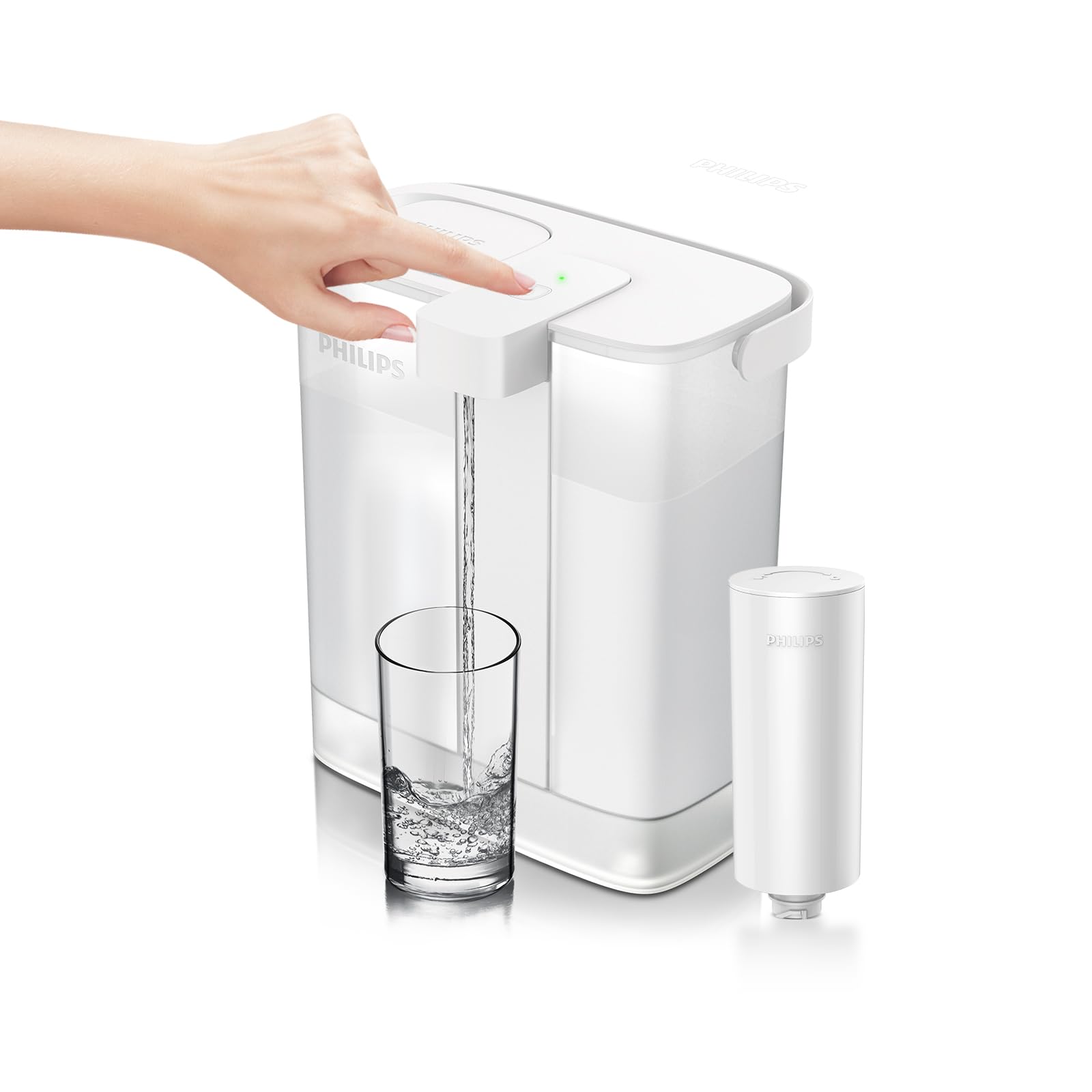
The pitcher features a slim design for easy fridge door placement, a mechanical button for dispensing, and a usage-based filter monitoring system. It utilizes a Plus filter (ADD566) to reduce lead and other contaminants.
2. Informazioni importanti sulla sicurezza
Please read all instructions carefully before using the appliance and save them for future reference.
- Do not immerse the electronic dispensing unit in water.
- Use only the original USB-C charging cable provided. Using other cables may prevent proper charging.
- Assicurarsi che la porta di ricarica sia asciutta prima di collegare il cavo di ricarica.
- Keep the appliance away from direct heat sources and open flames.
- Questo apparecchio non è destinato all'uso da parte di persone (bambini compresi) con ridotte capacità fisiche, sensoriali o mentali, o prive di esperienza e conoscenza, a meno che non siano supervisionate o abbiano ricevuto istruzioni riguardanti l'uso dell'apparecchio da una persona responsabile della loro sicurezza.
- Do not use the pitcher with hot water (above 40°C / 104°F).
3. Componenti del prodotto
Your Philips 12-Cup Water Filter Pitcher package includes the following items:
- 1 x Electric Pitcher (12-cup capacity)
- 1 x Plus Filter (Model: ADD566)
- 1 x Manuale utente
- Cavo di ricarica 1 x USB-C

4. Guida all'installazione
4.1. Disimballaggio
Rimuovere tutto il materiale di imballaggio e assicurarsi che tutti i componenti siano presenti e integri.
4.2. Installazione del filtro
- Rimuovere il coperchio dalla caraffa.
- Unpack the Plus filter (ADD566) from its protective packaging.
- Insert the filter into the designated slot in the pitcher's reservoir. Twist it clockwise to secure it in place.
- Replace the lid, ensuring it is properly aligned.
4.3. Utilizzo iniziale
- Fill the pitcher with tap water through the flip-top lid.
- Press the dispense button to filter and dispense the first full pitcher of water. Discard this water, as it may contain carbon dust from the new filter.
- The pitcher is now ready for regular use.
5. Charging the Pitcher
The Philips Water Filter Pitcher is equipped with a rechargeable battery to power its dispensing mechanism. A full charge can last up to 30 days with typical usage.
- Connect the provided USB-C charging cable to the charging port located on the side of the pitcher.
- Plug the other end of the USB-C cable into a DC5V, ≥1A USB charger (not included).
- The indicator light on the dispenser will flash yellow when the battery is low, signaling that a recharge is needed.
- During charging, the indicator light will flash yellow.
- Once fully charged, the indicator light will turn a constant yellow.
6. Istruzioni per l'uso
6.1. Riempire la brocca
- Lift the small flip-top lid located on the main lid of the pitcher.
- Pour cold tap water into the reservoir. The design allows for easy one-handed refilling.
- Close the flip-top lid securely after filling.

6.2. Erogazione acqua
- Posizionare un bicchiere o un contenitore sotto l'ugello dell'erogatore.
- Press the mechanical button on the front of the dispenser. Water will flow instantly.
- Rilasciare il pulsante per interrompere il flusso d'acqua.
6.3. Filter Life and Battery Indicator
The LED indicator light provides information about the pitcher's status:
- Luce verde: Water is being dispensed.
- Luce gialla lampeggiante: Battery is low; recharge soon.
- Luce gialla costante: La ricarica è completa.
- Luce rossa lampeggiante: Il filtro deve essere sostituito al più presto.
- Luce rossa costante: Filter has expired; replace immediately.

7. Cura e manutenzione
7.1. Cleaning the Pitcher
- Disconnect the charging cable before cleaning.
- Hand wash the pitcher, lid, and reservoir with mild soap and warm water.
- Do not place the electronic dispensing unit in a dishwasher or immerse it in water. Wipe it clean with a damp stoffa.
- Rinse all parts thoroughly and allow them to air dry completely before reassembling.
7.2. Sostituzione del filtro
The Philips Plus filter (ADD566) should be replaced every 3 months or after filtering 60 gallons of water, whichever comes first. The filter lifetime indicator will alert you when replacement is due.
- Remove the lid and the old filter by twisting it counter-clockwise.
- Smaltire il vecchio filtro in modo responsabile.
- Install a new Philips Plus filter (ADD566) as described in the Setup Guide (Section 4.2).
- Reset the filter lifetime indicator by pressing and holding the dispense button for 5 seconds until the light turns green.

8. Risoluzione Dei Problemi
| Problema | Possibile causa | Soluzione |
|---|---|---|
| No water dispensed when button is pressed. | La batteria è scarica. | Recharge the pitcher (refer to Section 5). |
| Filter is clogged or expired. | Sostituire il filtro (vedere Sezione 7.2). | |
| Il flusso dell'acqua è lento. | Filter is nearing end of life or partially clogged. | Sostituire il filtro (vedere Sezione 7.2). |
| La spia luminosa non funziona durante la ricarica. | Non-original or incompatible charging cable/adapter. | Use the original USB-C charging cable and a DC5V, ≥1A USB charger. |
9. Specifiche del prodotto
| Caratteristica | Dettaglio |
|---|---|
| Marca | Philips |
| Nome del modello | ADD5902 |
| Capacità | 12 Cups (6.3 Pounds / 3 Liters) |
| Dimensioni del prodotto (L x P x A) | 9.17" x 5.98" x 10.35" |
| Fonte di alimentazione | Alimentato a batteria (1 batteria agli ioni di litio inclusa) |
| Ciclo di vita del filtro | 3 Months / 60 Gallons (based on 10 cups/day) |
| Metodo di purificazione | Blocco di carbonio |
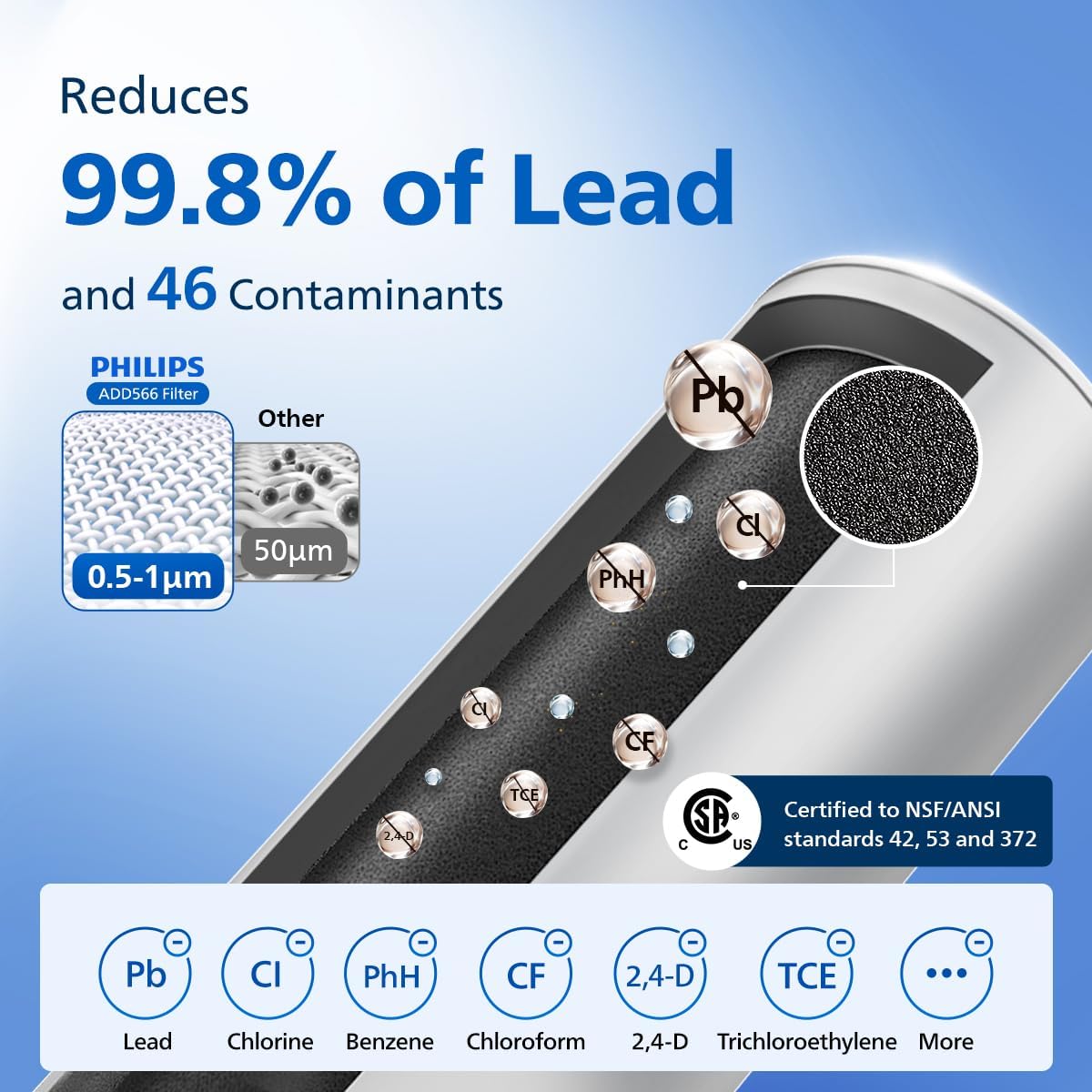
| Riduzione dei contaminanti | Reduces Lead & 46 impurities (e.g., chlorine, mercury, benzene, bisphenol A) |
| Certificazioni | Standard NSF/ANSI 42, 53 e 372 |
| Caratteristica speciale | Portable, Usage-Based Filter Monitoring |

10. Garanzia e supporto
Per informazioni sulla garanzia e sull'assistenza clienti, fare riferimento al sito ufficiale Philips webo contattare direttamente il servizio clienti. Conservare la prova d'acquisto per eventuali reclami in garanzia.
You can visit the Philips Store on Amazon for additional products and support: Philips Water Store