
LESOGE B0DRC6Q2RR
LESOGE USB Flash Drive User Manual
Model: B0DRC6Q2RR
Introduzione
This manual provides comprehensive instructions for the use and maintenance of your LESOGE USB Flash Drive. Please read this manual thoroughly before using the device to ensure optimal performance and longevity.
The LESOGE USB Flash Drive is a versatile and compact storage solution designed for seamless data transfer between various compatible devices. Its durable aluminum alloy body ensures data security and protection, while its high-speed performance facilitates efficient file gestione.
Caratteristiche del prodotto
- Design compatto: Sleek, lightweight aluminum body for portability and convenience.
- Archiviazione di grandi dimensioni: Capable of storing thousands of high-resolution photos, videos, documents, and large files.
- Prestazioni veloci: Utilizes USB 3.0 technology for fast read/write speeds up to 40MB/s.
- Compatibilità universale: Works with USB Type-C and USB Type-A ports across various devices including laptops, smartphones, and tablets.
- Costruzione durevole: Crafted from premium aluminum alloy for sturdiness, shock resistance, and daily wear and tear protection.
Impostare
The LESOGE USB Flash Drive is designed for plug-and-play functionality, requiring minimal setup.
- Identify the correct port: The flash drive features multiple connectors for compatibility with various devices. Identify the appropriate port on your device (e.g., USB-A, USB-C, or Lightning).
- Inserire l'unità: Gently insert the flash drive into the corresponding port on your computer, smartphone, or tablet. Ensure it is fully seated.
- Riconoscimento del dispositivo: Your device should automatically detect the flash drive. On most operating systems, a notification will appear, or the drive will be listed under "My Computer" (Windows), "Finder" (macOS), or file manager applications (Android/iOS).
- Accesso iniziale: If prompted, allow access to the drive. For some mobile devices, a dedicated app might be recommended for full functionality, especially for features like one-click backup or privacy protection.

This image illustrates the LESOGE USB Flash Drive's multi-port design, showcasing its compatibility with various devices through Lightning, USB-A, and USB-C connectors. This allows for flexible connectivity across phones, PCs, and Type-C devices.
Istruzioni per l'uso
Trasferimento Files
Once the flash drive is recognized by your device, you can begin transferring files.
- Copia Files al Drive:
- Individuare il files or folders you wish to transfer on your device.
- Select the desired items.
- Right-click (or long-press on touch devices) and choose "Copy" or "Send To" (for Windows).
- Navigate to the flash drive's directory.
- Right-click (or long-press) within the flash drive's directory and select "Paste."
- Copia Files dal Drive:
- Open the flash drive's directory.
- Individuare e selezionare il fileo cartelle che desideri trasferire.
- Right-click (or long-press) and choose "Copy."
- Navigate to the desired destination folder on your device.
- Right-click (or long-press) and select "Paste."

This image demonstrates the high-speed transmission capabilities of the LESOGE USB Flash Drive, showing it connected to both a smartphone and a laptop. It highlights the fast and convenient file transfer process, saving users time.
Direct Saving and Backup
Some devices and applications may allow direct saving of photos and videos to the flash drive, or offer one-click backup features.
- Consult your device's camera or gallery settings for options to save directly to external storage.
- If using a companion app (often for iOS/Android devices), follow the app's instructions for one-click backup or direct media saving.

This image depicts individuals capturing a moment with a tablet, with the LESOGE USB Flash Drive visibly connected. It illustrates the ability to store every moment of memory by automatically saving photos and videos directly onto the USB flash drive.
Privacy Protection (If Applicable)
The LESOGE USB Flash Drive may support password or fingerprint encryption for enhanced privacy. This feature typically requires a dedicated application on your mobile device.
- Install the recommended application from your device's app store.
- Follow the in-app instructions to set up password or fingerprint protection for specific files or the entire drive.
- Remember your password, as forgotten passwords may result in inaccessible data.
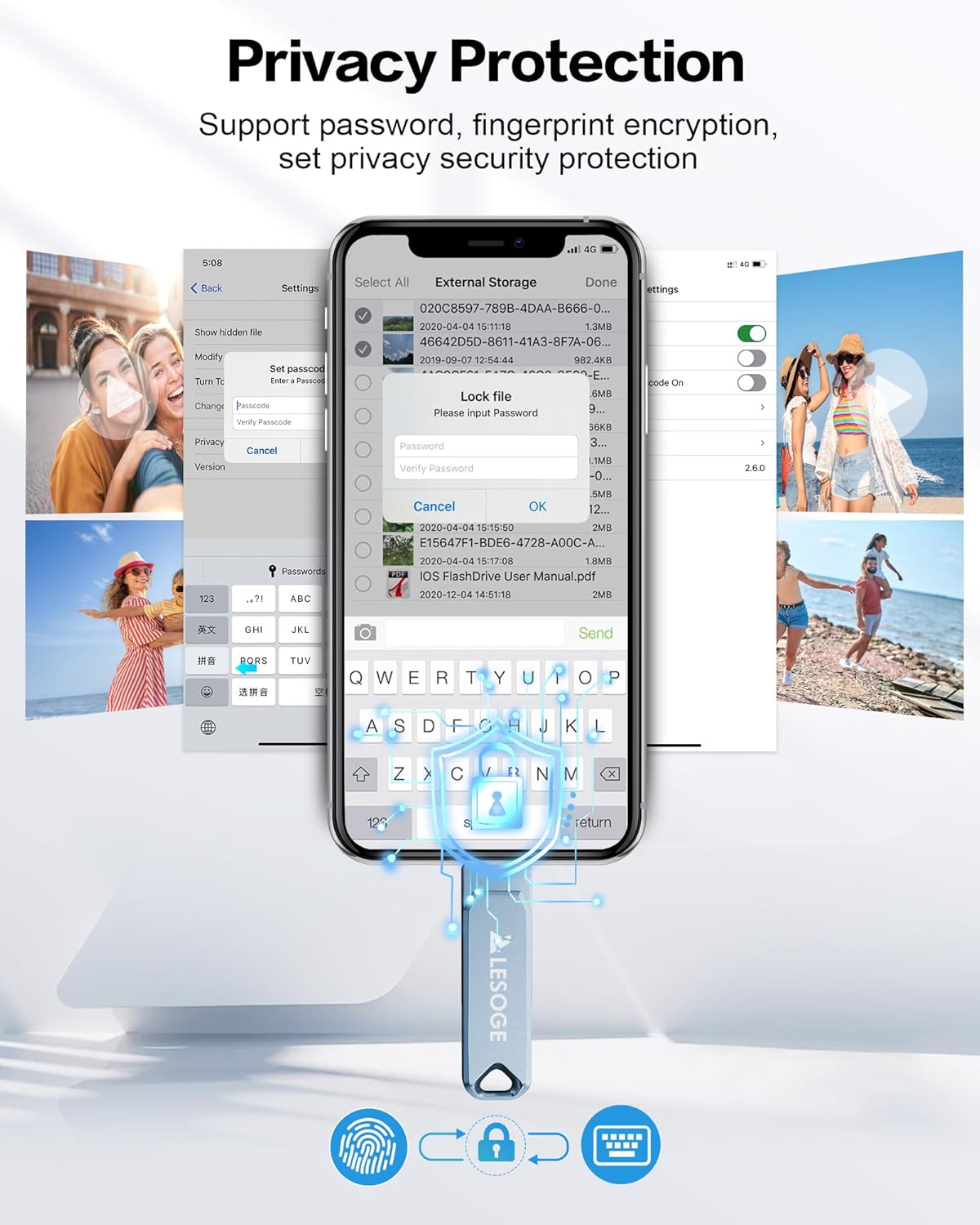
This image displays a smartphone interface demonstrating the privacy protection features of the LESOGE USB Flash Drive. It shows options for password and fingerprint encryption, allowing users to set privacy security for their data.
Condivisione Files
Files stored on the flash drive can be easily shared directly from your connected device.
- Accedi al files on the flash drive through your device's file manager or the companion app.
- Selezionare il file(s) you wish to share.
- Use the device's native sharing options (e.g., "Share" button) to send files via email, messaging apps, or social media platforms.
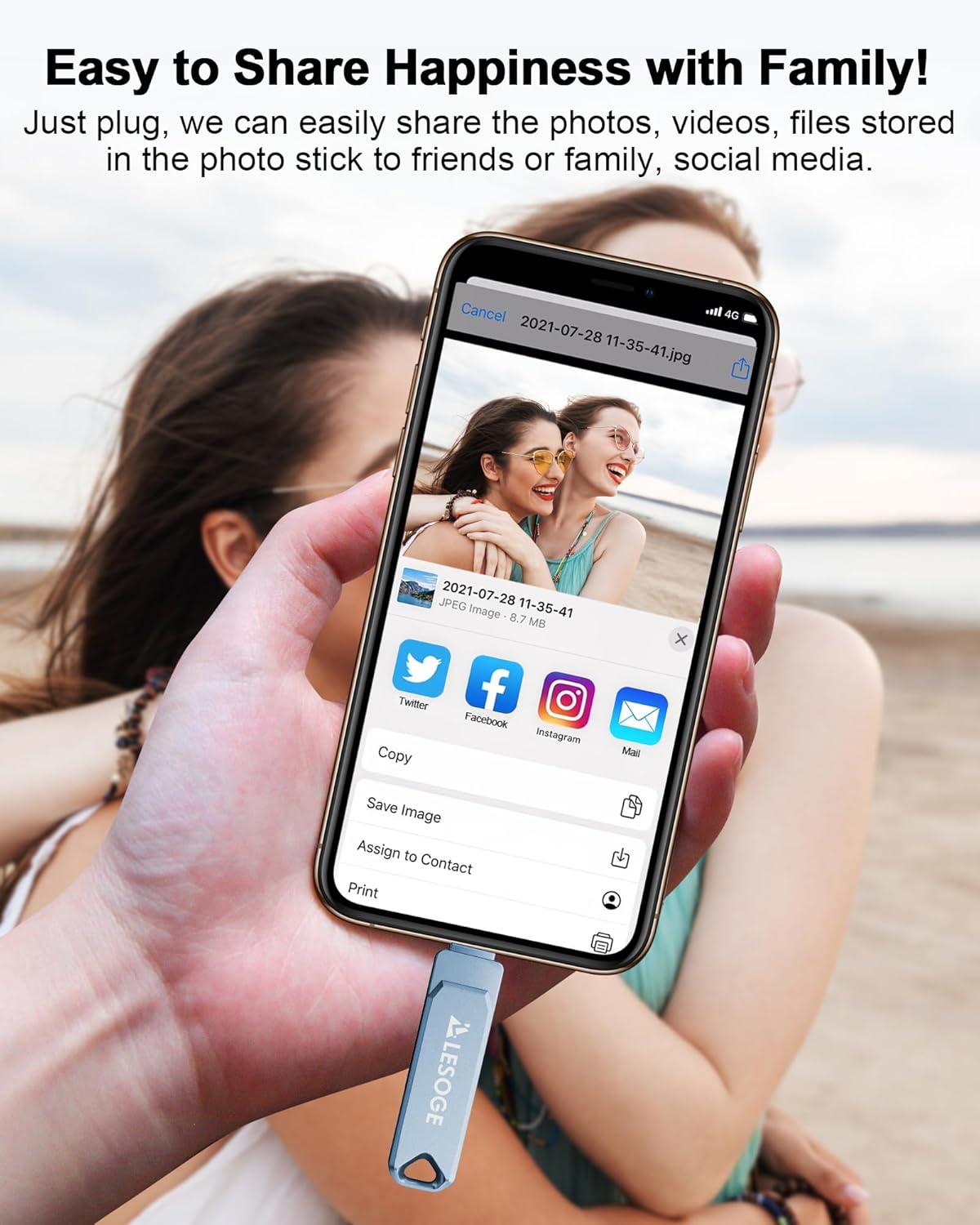
This image illustrates the ease of sharing content from the LESOGE USB Flash Drive. A hand holds a smartphone with the drive connected, displaying various sharing options for a photo, including Twitter, Facebook, Instagram, and Mail, enabling quick sharing with family and friends.
Supported Formats and Capacity
The LESOGE USB Flash Drive supports a wide range of file formats for various media and document types. The capacity allows for extensive storage.
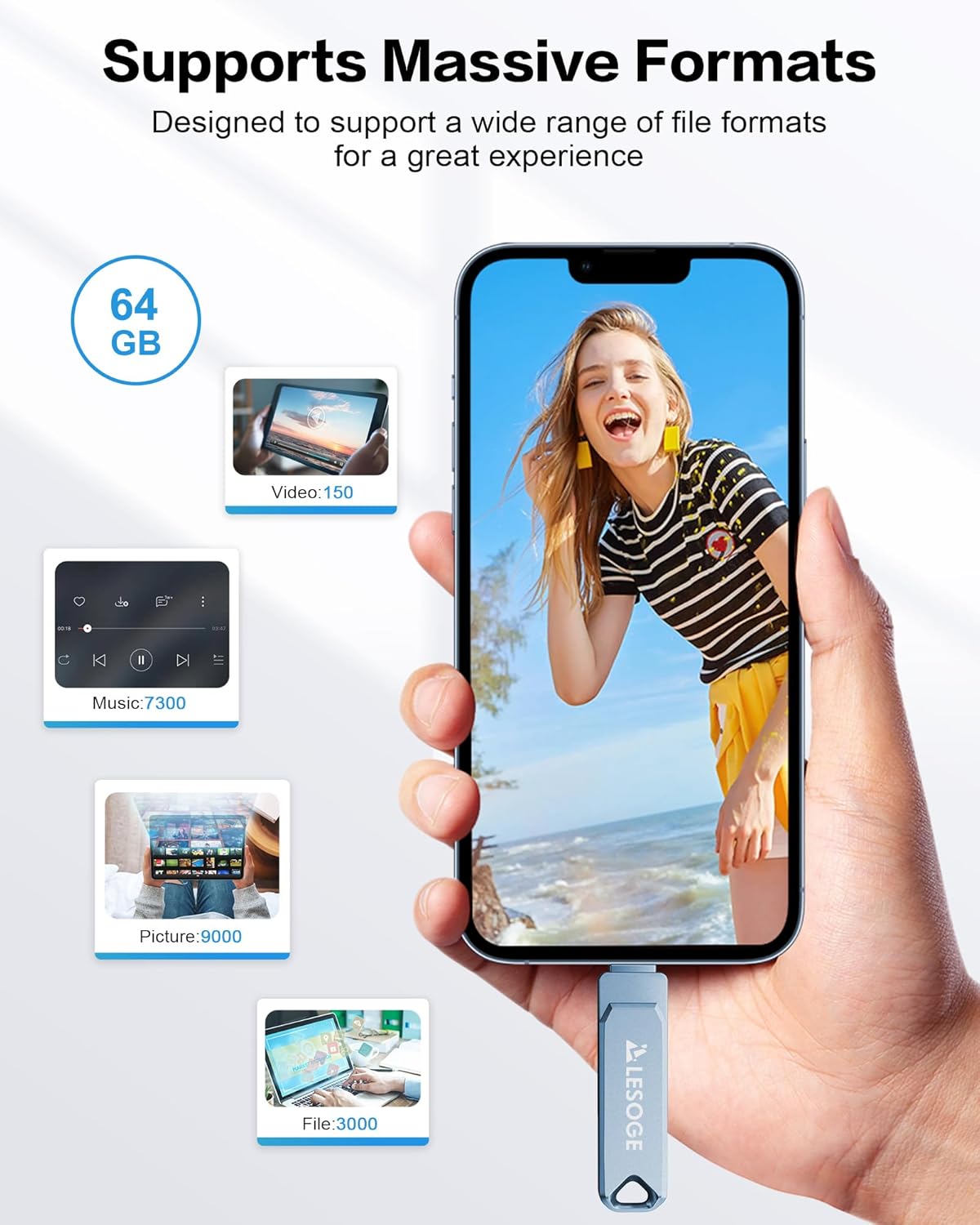
This image highlights the LESOGE USB Flash Drive's support for massive formats and its storage capacity. It shows examples of how many videos (150), music tracks (7300), pictures (9000), and files (3000) can be stored on a 64GB drive, designed for a great user experience.
Manutenzione
- Rimozione sicura: Always safely eject the flash drive from your device before physically removing it. This prevents data corruption. On Windows, right-click the drive icon in "This PC" and select "Eject." On macOS, drag the drive icon to the Trash or click the Eject button in Finder. For mobile devices, ensure the drive is unmounted or safely disconnected via the app or system settings.
- Pulizia: Use a soft, dry, lint-free cloth to clean the exterior of the flash drive. Do not use liquid cleaners or abrasive materials.
- Magazzinaggio: Store the flash drive in a cool, dry place away from direct sunlight, extreme temperatures, and strong magnetic fields.
- Protezione fisica: While durable, avoid dropping the drive or subjecting it to excessive force. Keep the connectors free from dust and debris.
Risoluzione dei problemi
| Problema | Possibile causa | Soluzione |
|---|---|---|
| Unità non riconosciuta dal dispositivo. |
|
|
| Velocità di trasferimento basse. |
|
|
| Files corrupted or inaccessible. |
|
|
Specifiche
| Caratteristica | Dettaglio |
|---|---|
| Marca | LESOGE |
| Numero di modello | B0DRC6Q2RR |
| Capacità di archiviazione della memoria | 128GB (as per product title, 64GB variant also noted in some specifications and imagery) |
| Interfaccia Hardware | USB 3.0 |
| Tecnologia di connettività | USB Type-A, USB Type-C, Lightning (multi-port design) |
| Velocità di lettura (massima) | Up to 80MB/s (as per product description) |
| Velocità di scrittura (massima) | Up to 40MB/s (as per product description) |
| Materiale | Lega di alluminio |
| Dimensioni del pacco | Dimensioni: 15 x 15 x 1.7 cm |
| Peso | 170 grammi |
| Tipo di memoria flash | Micro SD (Note: This specification from source data may refer to internal component or be an error, as product is a USB Flash Drive) |
Garanzia e supporto
For warranty information and technical support, please refer to the official LESOGE website or contact their customer service directly. Details are typically provided with your product packaging or on the manufacturer's official support pages.
Conservare la prova d'acquisto per eventuali richieste di garanzia.