
1. Prodotto finitoview
The Adin S8BT Bone Conduction Vibration Speaker is an innovative audio device that transmits sound through vibrations, allowing any flat surface to become a speaker. Its compact and portable design makes it ideal for various indoor and outdoor environments.
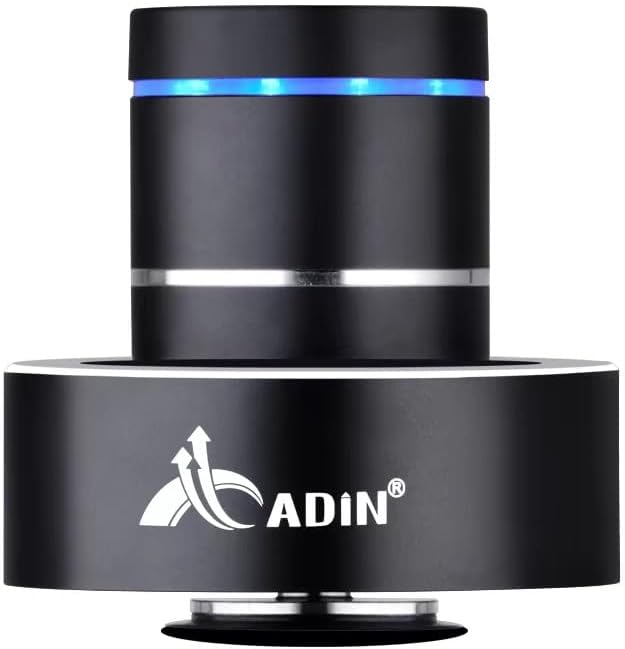
Figure 1: Adin S8BT Bone Conduction Vibration Speaker. This image displays the main unit of the speaker, showcasing its sleek black cylindrical design with a luminous blue accent ring and silver band. The speaker is designed to sit on a surface, utilizing bone conduction technology.

Figure 2: Adin S8BT Speaker and Included Accessories. This image shows the Adin S8BT speaker alongside its retail packaging, a USB charging cable, and an auxiliary audio cable, indicating the complete product package.
2. Caratteristiche principali
- Tecnologia a conduzione ossea: Transforms any flat surface into a speaker, delivering immersive audio.
- Connettività wireless: Seamlessly stream audio via Bluetooth from compatible devices.
- Compatto e portatile: Lightweight and small form factor for easy transport and placement.
- Comandi intuitivi: Simple touch controls for volume adjustment, track switching, and playback management.
- Design multiuso: Can function as a speaker, ambient lamp, or decorative item.
- Batteria a lunga durata: Built-in high-performance battery with Type-C socket charging.
3. Contenuto della confezione
Si prega di verificare che tutti gli articoli siano presenti nel pacco:
- Adin S8BT Bone Conduction Vibration Speaker
- Cavo di ricarica USB (1 m)
- Auxiliary Audio Cable (1m)
- Manuale di istruzioni (versione PDF disponibile online)
4. Specifiche tecniche
| Caratteristica | Specificazione |
|---|---|
| Nome del modello | Adin S8BT Bone Conduction Speaker |
| Tipo di altoparlante | Conduzione ossea |
| Tecnologia di connettività | Bluetooth |
| Portata Bluetooth | 10 metri |
| Metodo di controllo | Tocco |
| Fonte di alimentazione | Alimentato a batteria |
| Potenza massima in uscita dell'altoparlante | 26 Watt |
| Risposta in frequenza | 18KHz |
| Modalità di uscita audio | Stereo |
| Materiale | Alluminio |
| Colore | Nero |
| Dimensioni del prodotto | 3.35"P x 3.35"L x 3.35"A |
| Peso dell'articolo | 2.2 libbre |
| Uso interno/esterno | Interno, Esterno |
| È impermeabile | NO |
5. Guida all'installazione
5.1 Carica iniziale
Before first use, fully charge the speaker. Connect the provided USB charging cable to the speaker's DC 5V port and the other end to a USB power adapter (not included) or a computer's USB port.

Figure 3: Adin S8BT Speaker Ports. This image shows the side of the speaker with the DC 5V charging port, ON/OFF/BT switch, and AUX input, indicating connectivity options.
5.2 Accensione/Spegnimento
Locate the ON/OFF switch on the side of the speaker. Slide it to the "ON" position to power on the device. Slide it to the "OFF" position to power off.
5.3 Placement for Optimal Sound
For the best audio experience, place the speaker on a flat, solid surface. Different surfaces will produce varying sound qualities and volumes due to the bone conduction technology. Experiment with surfaces like wood, glass, metal, or cardboard to find your preferred sound.
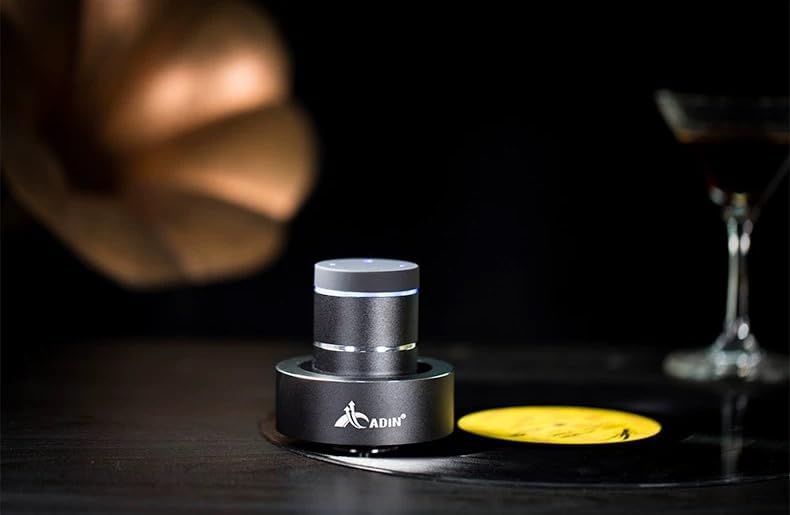
Figure 4: Adin S8BT Speaker in Use. This image depicts the Adin S8BT speaker placed on a flat surface, demonstrating its compact size and how it integrates into an environment for audio playback.
6. Istruzioni per l'uso
6.1 Associazione Bluetooth
- Ensure the speaker is powered on and in Bluetooth mode. The blue accent ring will likely flash, indicating it's ready for pairing.
- Sul tuo smartphone o altro dispositivo abilitato Bluetooth, vai alle impostazioni Bluetooth.
- Cercare available devices. The speaker should appear as "Adin S8BT" or similar.
- Select the speaker from the list to pair. Once paired, the blue light may become solid or change its flashing pattern.
6.2 Riproduzione audio
Once connected via Bluetooth, you can play audio from your device. Use the touch controls on the top of the speaker to manage playback:
- Rubinetto: Riproduci/Pausa.
- Scorri verso sinistra/destra: Previous/Next Track.
- Presa: Volume Up/Down (specific gesture may vary, refer to quick start guide for precise touch controls).
6.3 Ingresso AUX
For devices without Bluetooth, use the provided auxiliary cable. Connect one end to the speaker's "Link In" port and the other end to your audio source's headphone jack.
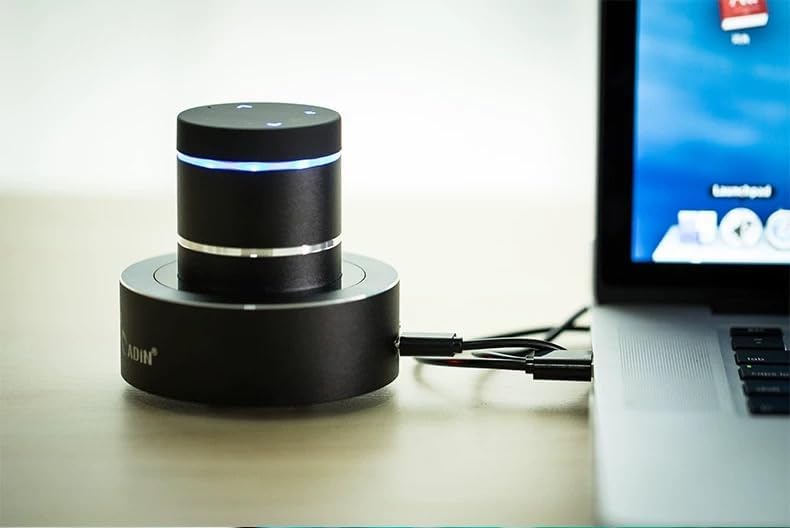
Figure 5: Adin S8BT Speaker with AUX Connection. This image illustrates the Adin S8BT speaker connected to a laptop via an auxiliary cable, demonstrating its wired connectivity option for audio input.
7. Manutenzione e cura
- Pulizia: Utilizzare un panno morbido e asciutto per pulire la superficie dell'altoparlante. Non utilizzare detergenti abrasivi o solventi.
- Magazzinaggio: Conservare l'altoparlante in un luogo fresco e asciutto, lontano dalla luce solare diretta e da temperature estreme.
- Esposizione all'acqua: L'oratore è non impermeabileEvitare l'esposizione all'acqua o all'umidità eccessiva.
- Cura della batteria: Per prolungare la durata della batteria, evitare di scaricarla completamente frequentemente. Caricarla regolarmente, anche se non viene utilizzata per periodi prolungati.
8. Risoluzione Dei Problemi
| Problema | Possibile causa | Soluzione |
|---|---|---|
| Nessun suono dall'altoparlante. | Speaker is off, not paired, or volume is too low. | Ensure speaker is ON. Re-pair Bluetooth. Increase speaker and device volume. Check surface contact. |
| Impossibile effettuare l'associazione tramite Bluetooth. | Altoparlante non in modalità di associazione, dispositivo Bluetooth disattivato o troppo lontano. | Ensure speaker is in pairing mode (flashing blue light). Turn device Bluetooth off/on. Move device closer to speaker (within 10m). |
| Qualità del suono scadente. | Unsuitable surface, low battery, or interference. | Try placing on a different, more solid surface. Charge the speaker. Move away from other electronic devices. |
| L'altoparlante non si carica. | Cable issue, power source issue, or dirty port. | Check USB cable connection. Try a different USB port or power adapter. Ensure charging port is clean. |
9. Garanzia e supporto
For information regarding warranty coverage, please refer to the warranty card included with your purchase or contact the manufacturer directly. Keep your proof of purchase for any warranty claims.
If you encounter issues not covered in this manual or require further assistance, please contact Adin customer support through their official websito o il rivenditore da cui hai acquistato il prodotto.