
SelfieShow C15
Manuale di istruzioni del treppiede per telefono SelfieShow C15 in alluminio
Model: C15 | Brand: SelfieShow
1. Introduzione
This manual provides detailed instructions for the proper setup, operation, and maintenance of your SelfieShow C15 Aluminum Selfie Stick Phone Tripod. Please read this manual thoroughly before using the product to ensure optimal performance and longevity.
Contenuto della confezione
- Treppiede per telefono con selfie stick
- Telecomando wireless (con 1 batteria CR2032 inclusa)
- Manuale di istruzioni

Figure 1: The SelfieShow C15 Aluminum Selfie Stick Phone Tripod shown collapsed, extended as a selfie stick, and set up as a tripod with the remote control.
2. Componenti finitiview
Familiarize yourself with the main parts of your SelfieShow C15 device:
- Extendable Aluminum Pole: The main shaft that extends for selfie stick use or tripod height adjustment.
- Base del treppiede: Foldable legs at the bottom for stable freestanding use. Features anti-slip silicone pads.
- Supporto per telefono: Regolabile clamp to secure your smartphone. Detachable.
- Testa a sfera girevole a 360°: Allows for flexible angle adjustments of the phone holder. Includes a 1/4" screw for other accessories and a cold shoe interface.
- Controllo remoto senza fili: Bluetooth-enabled remote for capturing photos or starting videos from a distance. Stores securely in the handle.
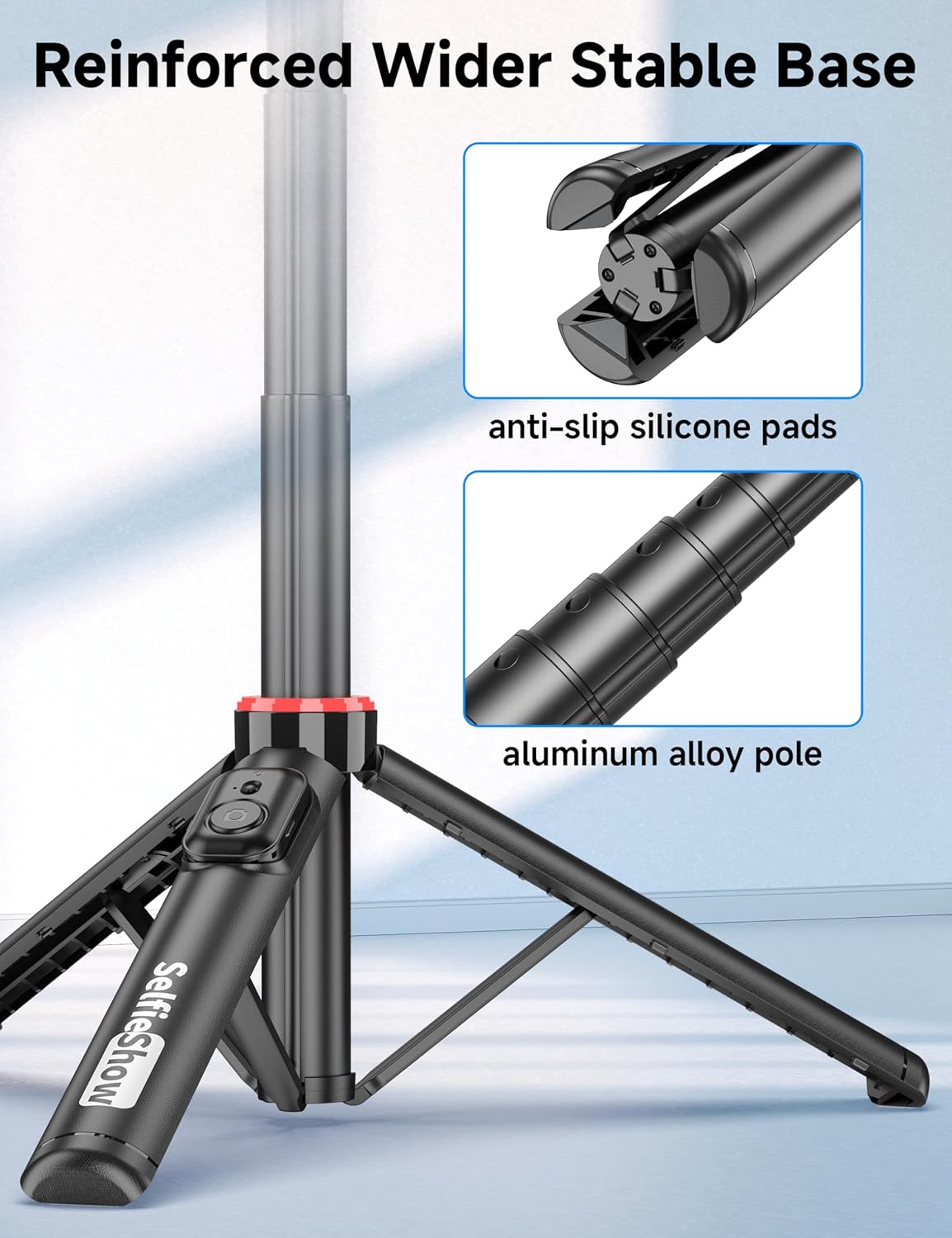
Figura 2: primo piano view of the reinforced tripod base, highlighting the anti-slip silicone pads and the durable aluminum alloy pole construction.
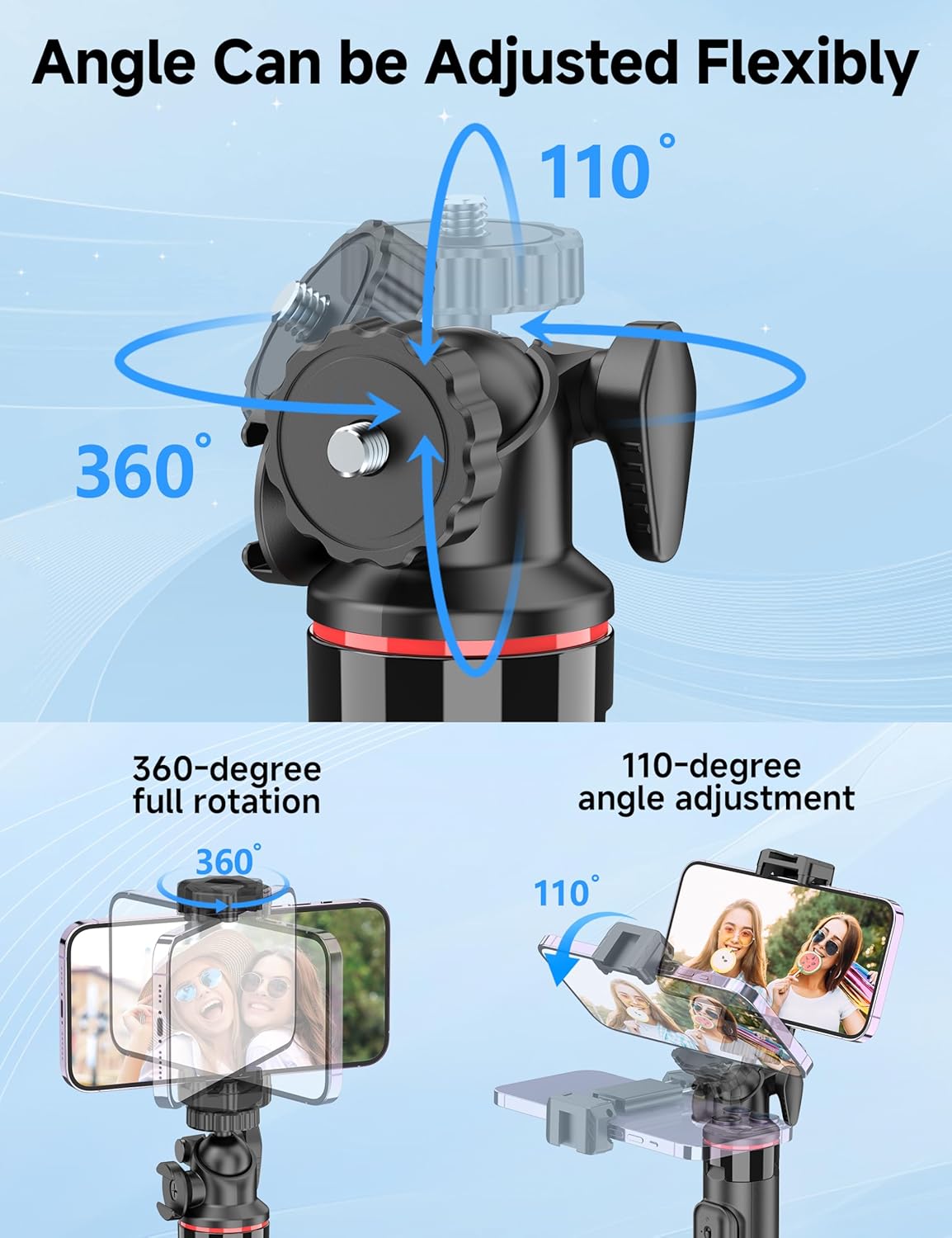
Figure 3: Illustration of the 360-degree full rotation and 110-degree angle adjustment capabilities of the ball head for flexible phone positioning.
3. Istruzioni per l'installazione
3.1 Accoppiamento telecomando
- Ensure the remote control has a working CR2032 battery.
- Press and hold the button on the remote control until the indicator light flashes, indicating it is in pairing mode.
- Sul tuo smartphone, vai alle impostazioni Bluetooth e cerca i dispositivi disponibili.
- Select "SelfieShow" from the list to pair. The indicator light on the remote will stop flashing once successfully paired.
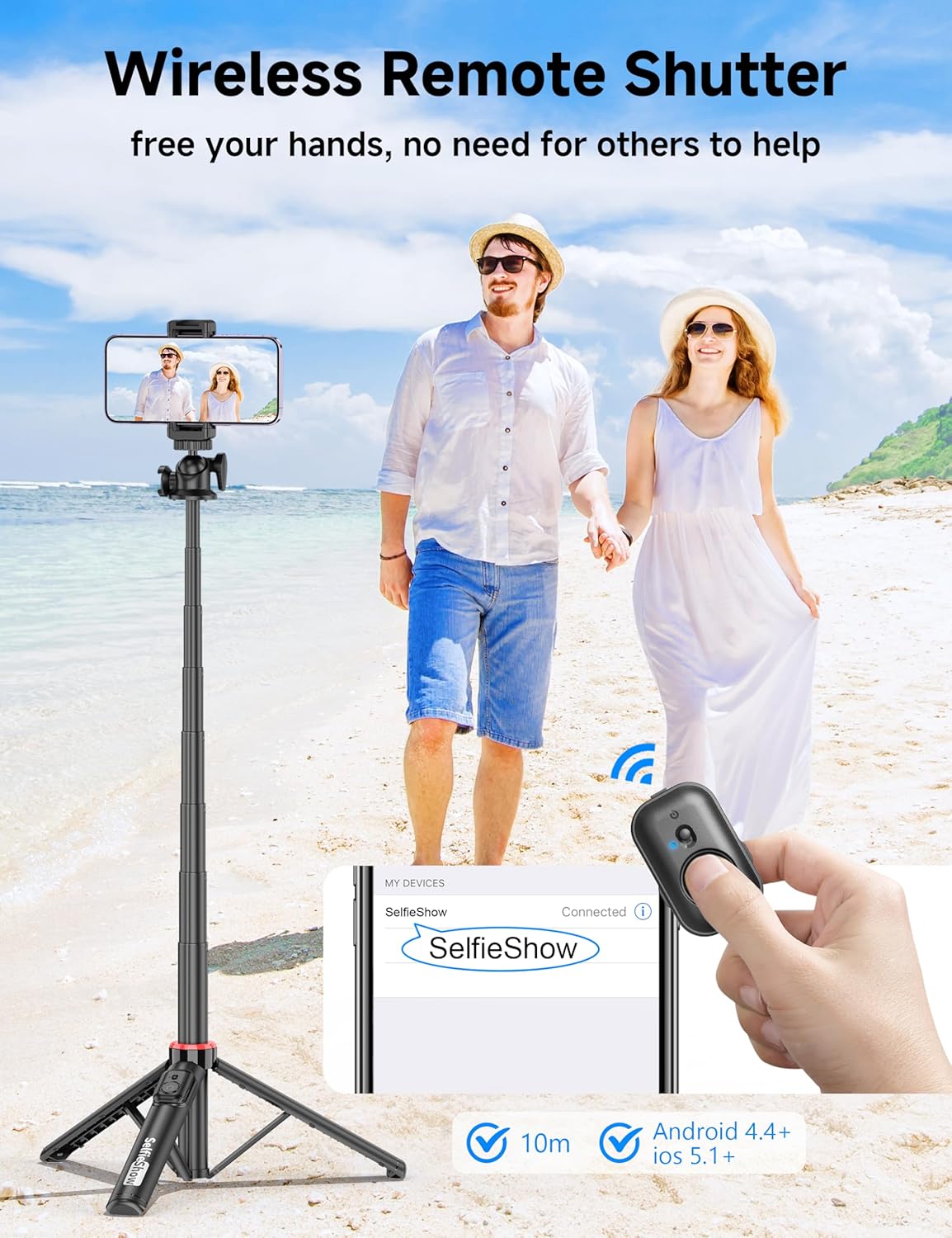
Figure 4: Visual guide for pairing the wireless remote shutter via Bluetooth, showing the remote and a phone screen with 'SelfieShow' connected.
3.2 Collegamento dello smartphone
- Gently pull apart the phone holder clamps to expand them.
- Insert your smartphone into the holder, ensuring it is securely gripped by both clamps. The holder accommodates phones between 2.5 to 3.7 inches (6.5 to 9.5 cm) in width.
- Assicurati che i pulsanti del tuo telefono non siano ostruiti o premuti dal clamps.
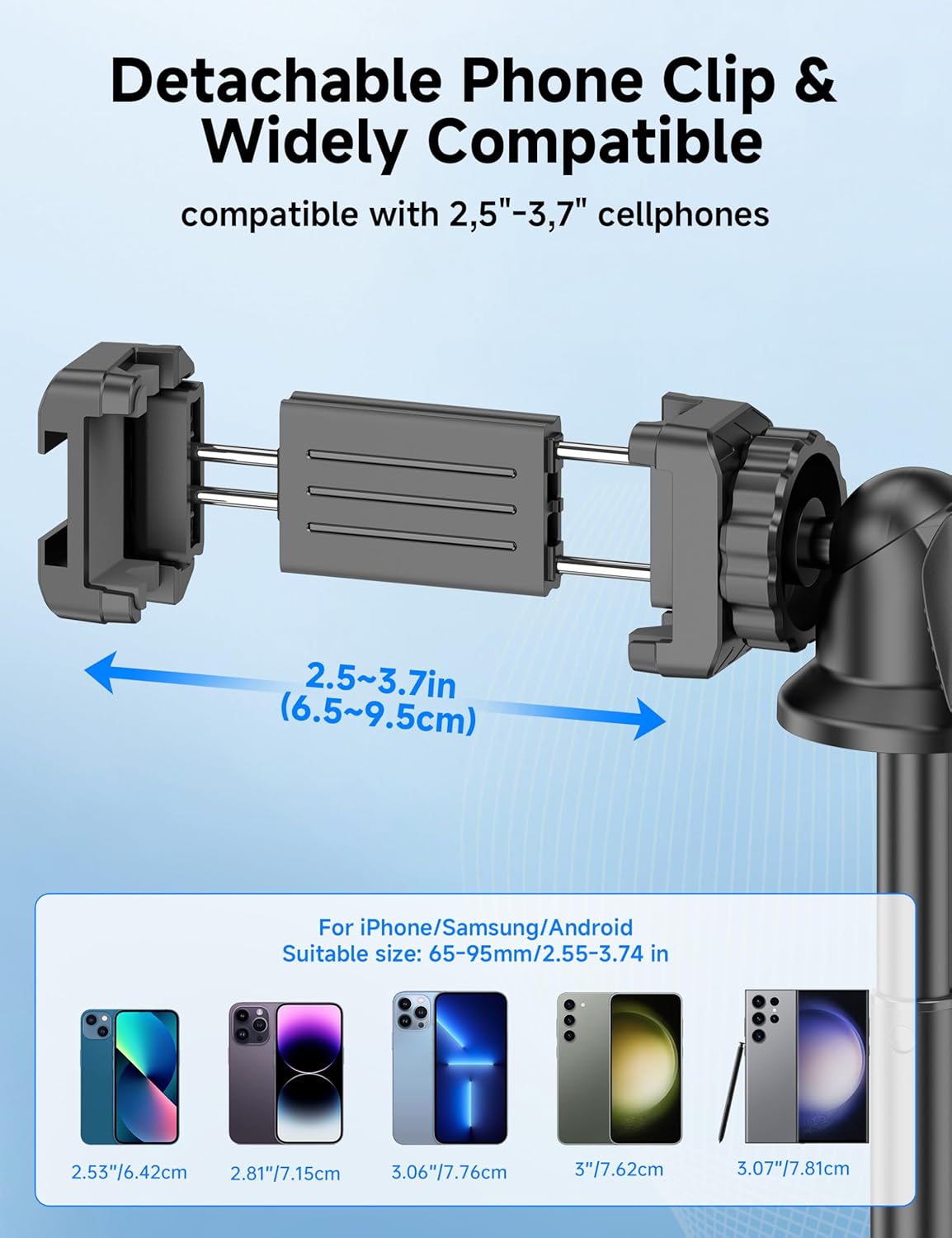
Figure 5: Diagram illustrating the adjustable width of the phone clip (2.5-3.7 inches) and its compatibility with various smartphone models.
4. Istruzioni per l'uso
4.1 Utilizzo come selfie stick
- Tenere saldamente la maniglia.
- Extend the aluminum pole to your desired length. The pole can extend from 9.8 inches (25 cm) to 49 inches (126 cm).
- Adjust the phone holder's angle using the ball head to achieve the desired shot.
- Utilizzare il telecomando wireless associato per scattare foto o avviare/interrompere la registrazione video.
4.2 Utilizzo come treppiede
- From the collapsed position, gently pull the bottom handle downwards to deploy the tripod legs. Ensure the legs are fully spread for maximum stability.
- Posizionare il treppiede su una superficie piana e stabile.
- Extend the aluminum pole to your desired height.
- Adjust the phone holder's angle using the ball head.
- Utilizzare il telecomando wireless associato per scattare foto o avviare/interrompere la registrazione video.
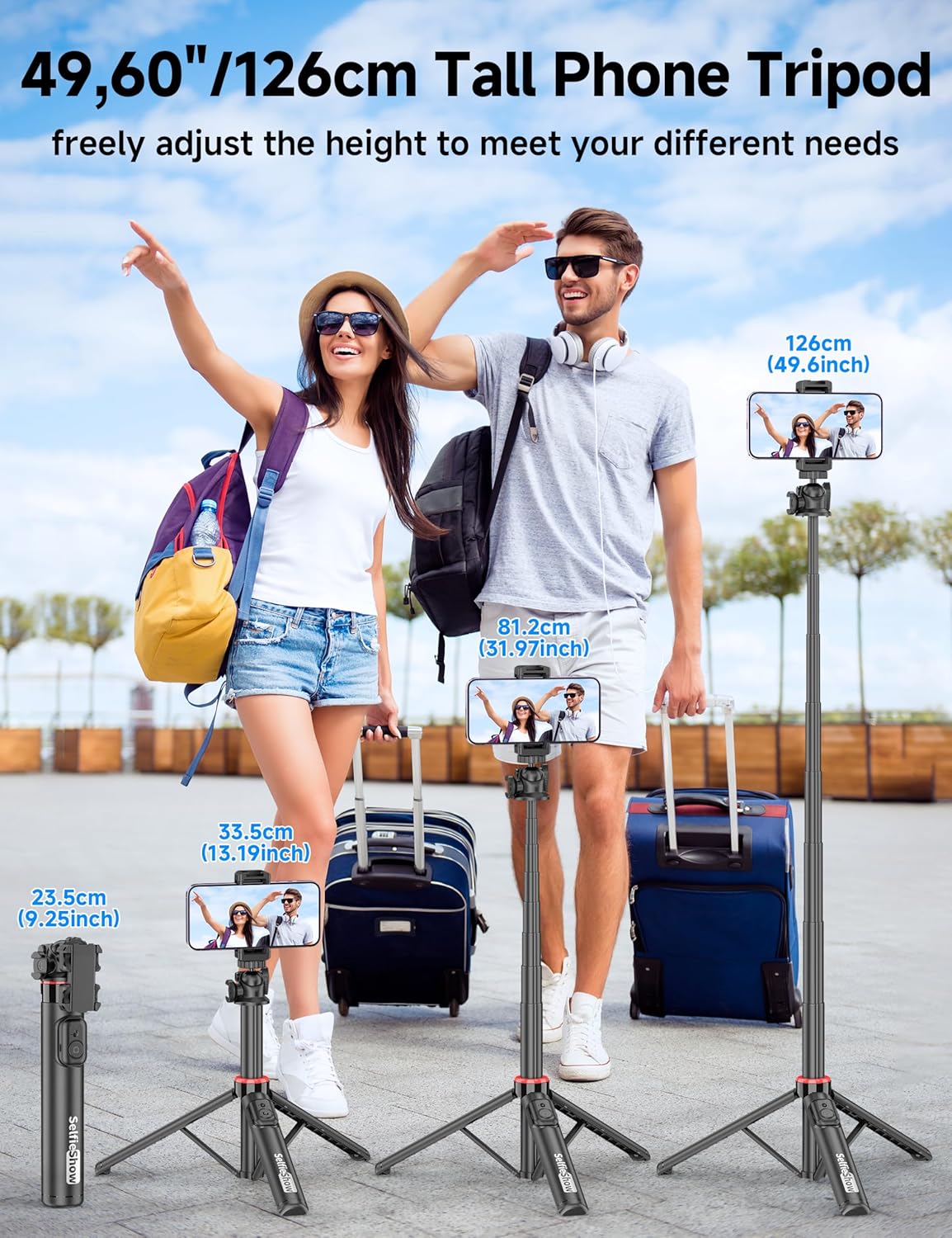
Figure 6: Visual guide demonstrating the adjustable height of the tripod from its folded state to various extended heights, up to 49 inches (126 cm).
4.3 Using the Cold Shoe and 1/4" Screw Mount
The SelfieShow C15 features a cold shoe interface and a standard 1/4" screw mount for expanded functionality:
- Scarpa fredda: Located on top of the phone holder, this allows you to attach accessories such as external microphones or LED fill lights.
- Attacco a vite da 1/4": The ball head features a universal 1/4" screw, allowing direct attachment of compact cameras, action cameras (like GoPro), or other compatible accessories when the phone holder is detached.
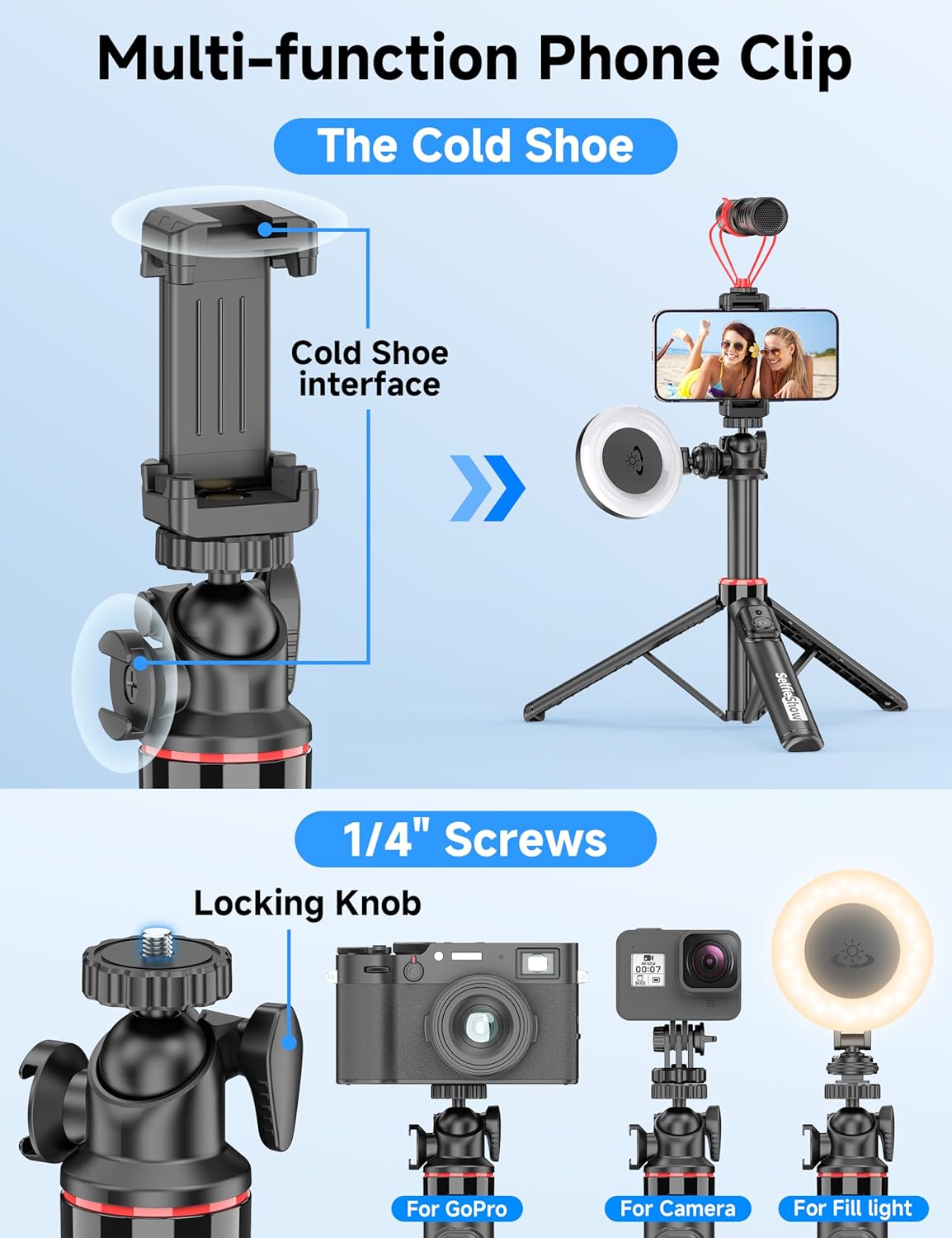
Figura 7: dettagliata view of the multi-function phone clip, highlighting the cold shoe interface for attaching external accessories.
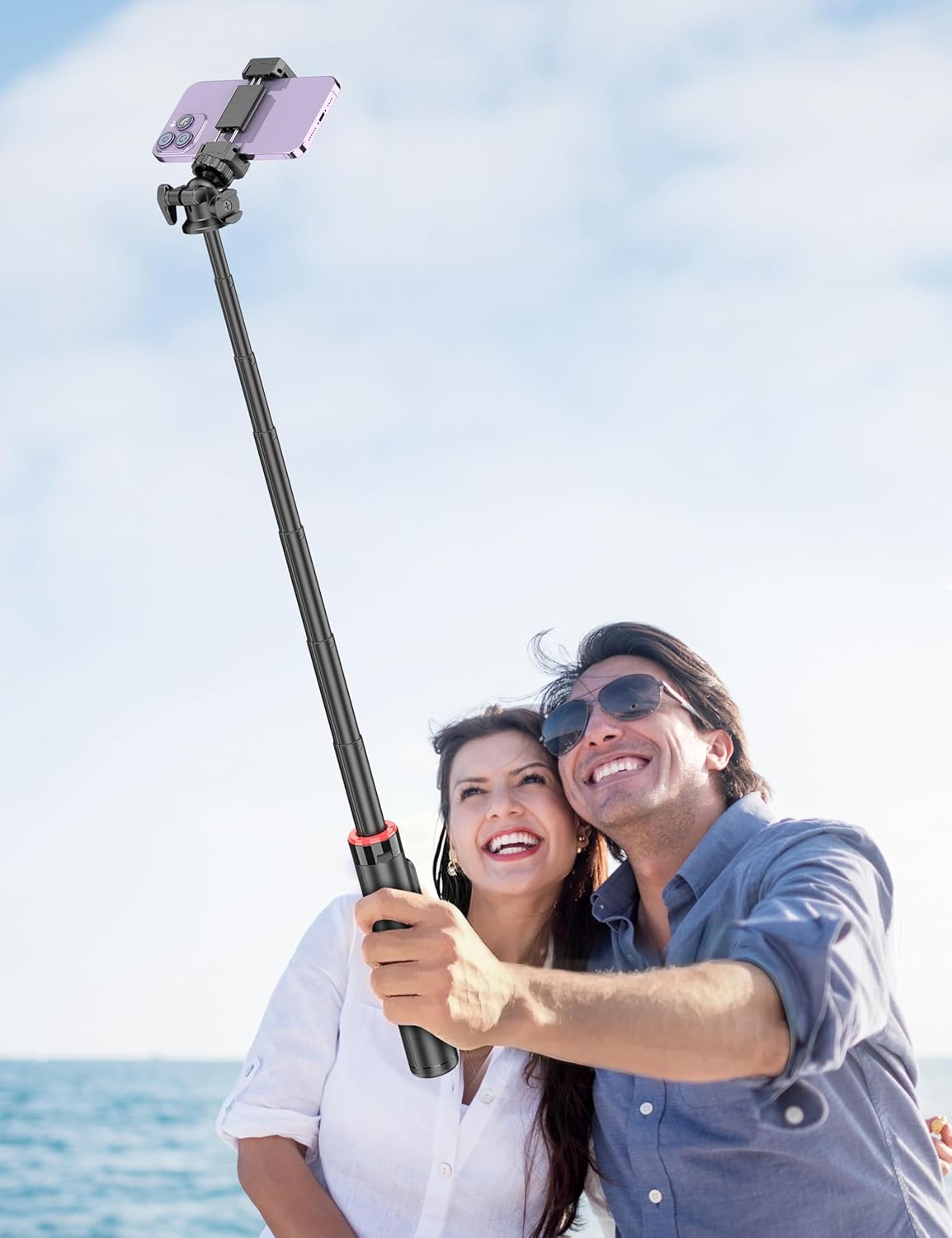
Figure 8: Image demonstrating the 1/4 inch screw mount for connecting cameras, GoPros, or fill lights, showcasing the versatility of the tripod head.
5. Manutenzione
5.1 Pulizia
- Pulisci il dispositivo con un panno morbido e asciutto.
- Non utilizzare prodotti chimici aggressivi o detergenti abrasivi.
- Evitare di esporre il dispositivo a umidità eccessiva.
5.2 Conservazione
- Quando non lo usi, conserva il selfie stick in un luogo fresco e asciutto.
- Ensure the remote control is securely placed in its designated slot to prevent loss.
5.3 Sostituzione della batteria del telecomando
The remote control uses a CR2032 coin cell battery. To replace:
- Individuare il vano batterie sul telecomando.
- Use a small coin or tool to open the compartment.
- Rimuovere la vecchia batteria e inserire una nuova batteria CR2032 con il lato positivo (+) rivolto verso l'alto.
- Chiudere bene il vano batterie.
6. Risoluzione Dei Problemi
6.1 Il telecomando non si connette
- Ensure the remote control battery is not depleted. Replace if necessary.
- Assicurati che il Bluetooth sia attivato sul tuo smartphone.
- Prova a disaccoppiare e riassociare il telecomando nelle impostazioni Bluetooth del telefono.
- Ensure the remote is within the 30 ft (10 m) operating range of your phone.
6.2 Instabilità del treppiede
- Assicurarsi che le gambe del treppiede siano completamente estese e bloccate in posizione su una superficie piana e stabile.
- Avoid extending the pole to its maximum height in windy conditions or on uneven terrain.
- Verify that your smartphone is securely seated in the phone holder and balanced.
6.3 Il telefono non entra nel supporto
- Check that your phone's width is within the compatible range of 2.5 to 3.7 inches (6.5 to 9.5 cm).
- Remove any bulky phone cases if they prevent a secure fit.
7. Specifiche
| Caratteristica | Dettaglio |
|---|---|
| Nome del modello | C15 |
| Marca | Spettacolo di selfie |
| Materiale | Alluminio |
| Peso dell'articolo | 10.5 once (297.67 grammi) |
| Dimensioni piegate | 9.8 pollici (25 cm) |
| Altezza minima | 9.8 pollici (25 cm) |
| Altezza massima | 49 pollici (124.5 cm) |
| Larghezza del supporto del telefono | 2.5 - 3.7 pollici (6.5 - 9.5 cm) |
| Tipo di testa del treppiede | Ball Head (360° rotation) |
| Gamma di controllo remoto | Fino a 30 piedi (10 m) |
| Batteria del telecomando | 1 x CR2032 (incluso) |
| Dispositivi compatibili | Smartphone (iPhone, Android) |
| Caratteristiche aggiuntive | Cold Shoe, 1/4" Screw Mount |
8. Informazioni sulla garanzia
SelfieShow products are manufactured to high-quality standards. For specific warranty details, please refer to the warranty card included with your purchase or contact customer support. Typically, products are covered against manufacturing defects for a period specified at the time of purchase.
9. Assistenza clienti
If you encounter any issues or have questions regarding your SelfieShow C15 Aluminum Selfie Stick Phone Tripod that are not addressed in this manual, please contact our customer support team. Refer to your product packaging or the SelfieShow official websito per le informazioni di contatto.
Ask a question about this manual
Ask about setup, troubleshooting, compatibility, parts, safety, or missing instructions. Manuals+ will review the question and use this page’s manual context to help answer it.