
1. Introduzione
This manual provides essential instructions for the setup, operation, and maintenance of your TMY Projector. Please read this manual thoroughly before using the product to ensure proper functionality and to maximize your viewesperienza. Conservare questo manuale per future consultazioni.
2. Prodotto finitoview
2.1 Contenuto della confezione
Verificare che tutti gli articoli siano presenti nel pacco:
- TMY Projector Unit
- Telecomando
- Cavo HDMI
- Cavo di alimentazione
- Scheda di garanzia
2.2 Caratteristiche principali
- Licenza ufficiale Netflix: Access streaming services directly without external devices.
- Risoluzione 1080P: Fornisce immagini chiare e dettagliate.
- Electric Focus & Auto Keystone: Automatic image adjustment for optimal clarity and shape.
- Supporto girevole a 270°: Flexible projection angles, including ceiling projection.
- Upgraded WiFi 6 Connectivity: Garantisce uno streaming wireless stabile e veloce.
- Dual-Mode Bluetooth 5.2: Connects to external speakers or functions as a standalone Bluetooth speaker.
- Molteplici opzioni di connettività: HDMI, USB, Phone/PC mirroring.
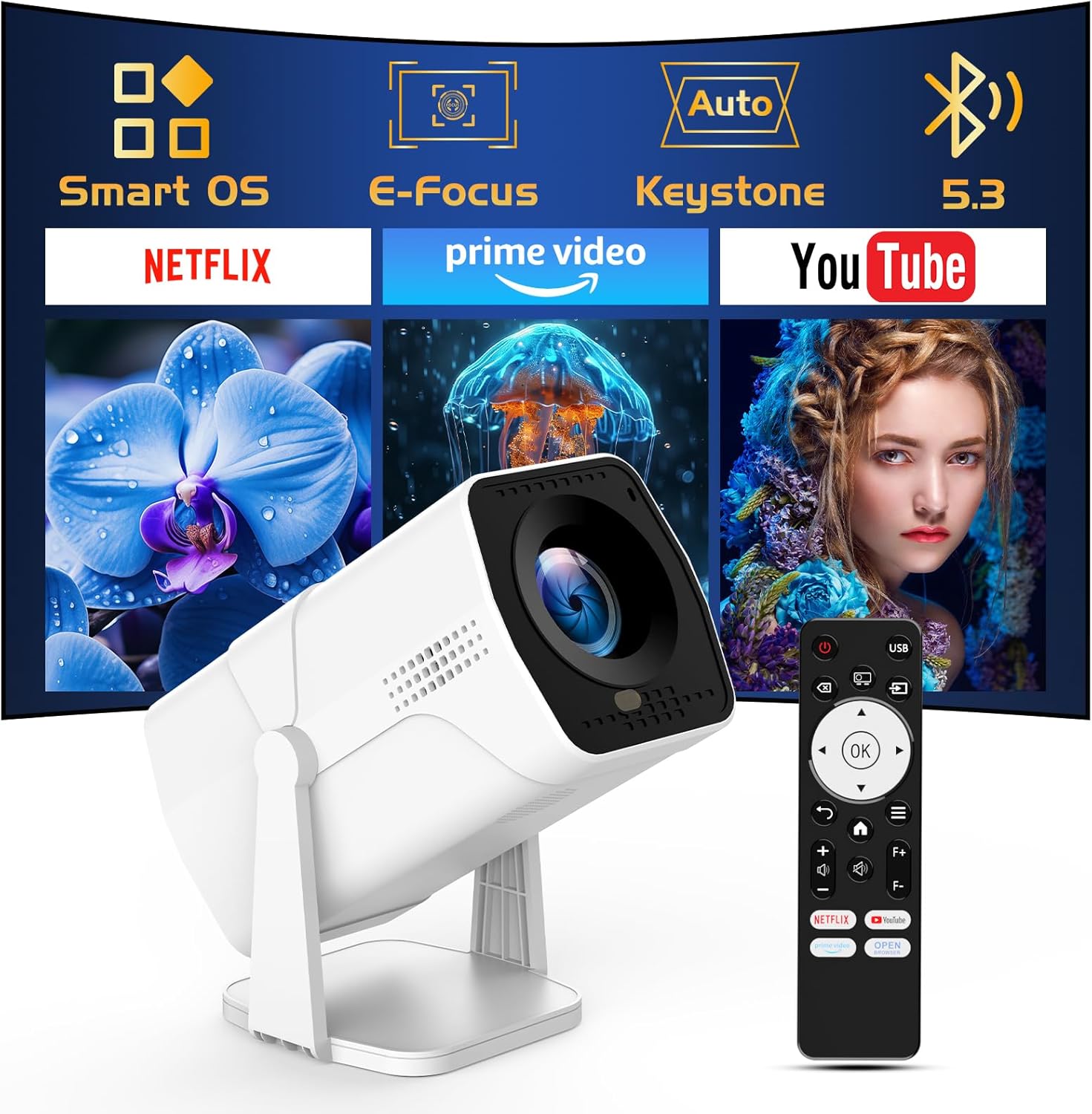
Image: The TMY Projector unit, its remote control, and a projected screen displaying logos for Smart OS, E-Focus, Auto Keystone, Bluetooth 5.3, Netflix, Prime Video, and YouTube.
3. Impostazione
3.1 Posizionamento
Position the projector on a stable, flat surface. The 270° rotatable stand allows for versatile placement, including projecting onto walls or ceilings. Ensure adequate ventilation around the projector.

Image: A TMY Projector positioned on a bedside table, projecting an image onto the ceiling, demonstrating its 270° rotatable stand for multi-angle viewing.
3.2 Collegamento di alimentazione
- Collegare il cavo di alimentazione alla porta di ingresso alimentazione del proiettore.
- Collegare l'altra estremità del cavo di alimentazione a una presa elettrica standard.
3.3 Accensione iniziale e regolazione della messa a fuoco
- Premere il pulsante di accensione sul proiettore o sul telecomando per accendere il dispositivo.
- Le caratteristiche del proiettore Messa a fuoco elettrica E Keystone automatico correction. The image will automatically adjust for clarity and a rectangular shape within approximately 2 seconds.
- If further adjustment is needed, use the remote control to fine-tune the focus.

Image: A TMY Projector projecting a vibrant image onto a screen, with an overlay illustrating the 'FOCUS' function and icons for Auto Keystone and 50%-100% Zoom.
3.4 Connessione di rete (WiFi)
The projector supports WiFi 6 for a fast and stable internet connection.
- Accedere al menu "Impostazioni" utilizzando il telecomando.
- Selezionare "Rete" o "Impostazioni Wi-Fi".
- Scegli la rete WiFi desiderata dall'elenco e inserisci la password.
- Conferma la connessione.

Image: A TMY Projector wirelessly connected to a tablet, smartphone, and laptop, illustrating its WiFi 6 connectivity for faster streaming with no lagging.
3.5 Connessione Bluetooth
The projector features Dual-Mode Bluetooth 5.2 for audio connectivity.
- Projector Mode (Output): To connect to external Bluetooth speakers or soundbars: Navigate to 'Bluetooth Settings', enable Bluetooth, and pair with your audio device.
- Speaker Mode (Input): To use the projector's built-in speakers as a standalone Bluetooth speaker: Select 'Speaker Mode' in the Bluetooth settings. Your phone or other device can then connect to the projector to play audio.

Image: A TMY Projector illustrating its two-way Bluetooth 5.2 functionality, showing connections to a soundbar (Projector Mode) and a smartphone (Speaker Mode).
4. Funzionamento
4.1 Navigazione nel sistema operativo Smart
The projector runs on a smart TV operating system. Use the provided remote control to navigate menus, select applications, and control playback.

Image: The TMY Projector unit with a projected screen showing a grid of built-in smart OS applications, including Netflix, YouTube, Prime Video, TikTok, and others.
4.2 Accesso alle app integrate
The projector comes with pre-installed and officially licensed applications such as Netflix, Prime Video, and YouTube. Access these directly from the home screen or through the 'App Store' for additional content.

Image: A TMY Projector projecting a screen filled with content from officially licensed apps like Netflix, Prime Video, and YouTube, with the remote control in the foreground.
4.3 Collegamento di dispositivi esterni
Il proiettore offre più porte per il collegamento di dispositivi esterni:
- HDMI: Connect TV sticks, TV boxes, PCs/Laptops, or gaming consoles (e.g., PS).
- USB: Riproduci contenuti multimediali files directly from USB drives or connect other USB accessories.
- Phone/PC Mirroring: Wirelessly mirror content from your smartphone or PC (refer to the on-screen instructions for specific mirroring protocols).
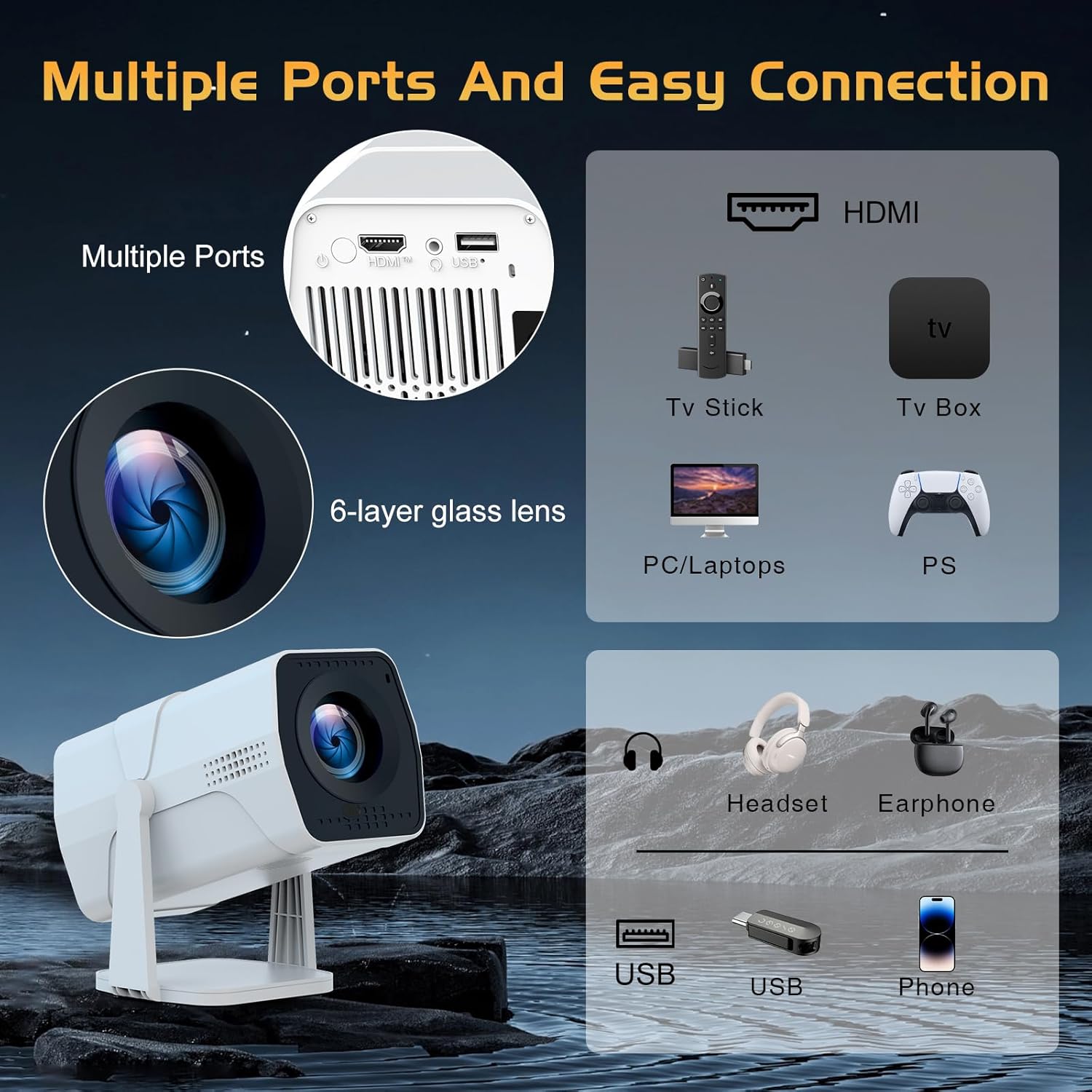
Image: A detailed diagram showing the multiple ports on the TMY Projector (HDMI, USB) and various connection possibilities, including TV sticks, PCs, gaming consoles, headsets, and phones.
4.4 Screen Zoom Function
The projector includes a 50%-100% zoom function, allowing you to adjust the screen size without moving the projector. This feature can be accessed via the remote control or settings menu.
5. Manutenzione
To ensure the longevity and optimal performance of your TMY Projector, follow these maintenance guidelines:
- Pulizia della lente: Utilizzare un panno morbido e privo di lanugine, specificamente progettato per lenti ottiche. Evitare materiali abrasivi o sostanze chimiche aggressive.
- Pulizia dell'esterno: Pulire l'esterno del proiettore con un panno morbido e asciutto. Non utilizzare detergenti liquidi direttamente sul dispositivo.
- Ventilazione: Assicurarsi che le aperture di ventilazione non siano bloccate per evitare il surriscaldamento.
- Magazzinaggio: Quando non viene utilizzato per lunghi periodi, conservare il proiettore in un luogo fresco e asciutto, lontano dalla luce solare diretta e dalla polvere.
6. Risoluzione Dei Problemi
If you encounter issues with your TMY Projector, refer to the following common problems and solutions:
- Nessun potere:
- Assicurarsi che il cavo di alimentazione sia collegato saldamente sia al proiettore sia a una presa elettrica funzionante.
- Controllare se la presa di corrente funziona.
- Nessuna immagine / Immagine sfocata:
- Verify the projector is powered on and the lens cap is removed.
- Allow the automatic focus and keystone correction to complete. If still blurry, manually adjust focus using the remote.
- Ensure the projection surface is suitable and the projector is within the recommended distance.
- If using an external source (HDMI), ensure the correct input source is selected.
- Nessun suono:
- Controllare il livello del volume del proiettore e di tutti i dispositivi audio esterni collegati.
- Se si utilizzano altoparlanti Bluetooth, assicurarsi che siano correttamente associati e connessi.
- If using internal speakers, ensure external Bluetooth output is not selected.
- Il telecomando non risponde:
- Assicurarsi che le batterie siano inserite correttamente e non siano scariche.
- Puntare il telecomando direttamente verso il ricevitore IR del proiettore.
- Problemi di connessione WiFi:
- Assicurati che la tua rete WiFi sia attiva e nel raggio d'azione.
- Controlla attentamente la password del Wi-Fi.
- Riavviare il proiettore e il router Wi-Fi.
- If the connection times out, try moving the projector closer to the router or reducing interference.
7. Specifiche
| Caratteristica | Specificazione |
|---|---|
| Marca | TMJ |
| Modello | B0DRFF5KMF |
| Peso dell'articolo | 2.79 libbre |
| Dimensioni del prodotto | 5.35 x 4.84 x 7.09 pollici |
| Colore | Bianco |
| Caratteristiche speciali | Speakers, Electric Focus, Auto Keystone, 270° Rotatable Stand |
| Tecnologia di connettività | HDMI, USB, Wi-Fi 6, Bluetooth 5.2 |
| Risoluzione dello schermo | 1920 x 1080 (1080P Full HD) |
| Usi consigliati | Al chiuso |

Image: A visual comparison showing the TMY Projector's 1080P Full HD image quality, emphasizing that it is recommended for use in dark environments for optimal viewing, contrasted with daytime or light-on conditions.
8. Garanzia e supporto
TMY is committed to providing excellent customer service and product support.
- Garanzia: Questo prodotto viene fornito con una garanzia di 3 anni.
- Politica di ritorno: Enjoy a 30-day return period.
- Supporto tecnico: Lifetime after-sale service and technical support are available.
- Tempo di risposta: Per le richieste di supporto, ti verrà data una risposta rapida entro 24 ore.
Per ulteriore assistenza, visitare il sito ufficiale TMY Store on Amazon or contact customer support through the provided channels in your warranty card.