
1. Introduzione
This manual provides detailed instructions for the installation, operation, and maintenance of your Montech AX 120 ARGB Fans. These 120mm fans are designed to provide efficient cooling and customizable lighting for your computer system. Please read this manual thoroughly before installation to ensure proper function and safety.
2. Informazioni sulla sicurezza
- Scollegare sempre l'alimentazione dal computer prima di installare o maneggiare i componenti interni.
- Handle fans by their frames, avoiding contact with the blades.
- Assicurare una corretta messa a terra per evitare danni causati da scariche elettrostatiche (ESD).
- Tenere le parti di piccole dimensioni e i materiali di imballaggio fuori dalla portata dei bambini.
- Non tentare di modificare la ventola o i suoi cavi. Modifiche non autorizzate potrebbero invalidare la garanzia e comportare rischi per la sicurezza.
3. Contenuto della confezione
Verifica che tutti gli articoli siano presenti nel tuo pacco:
- Montech AX 120 ARGB Fan (x4)
- Viti di montaggio (x16)
- Fan Hub (if included in your specific pack)

Figure 3.1: Montech AX 120 ARGB Fan (Pack of 4)
4. Configurazione e installazione
Follow these steps to install your Montech AX 120 ARGB Fans:
- Prepara il tuo sistema: Spegni il computer e scollegalo dalla presa di corrente. Apri il case del computer.
- Identify Fan Mounting Locations: Determine where you want to install the fans (e.g., front, top, rear, bottom of the case).
- Montare le ventole: Position each fan in the desired location. The AX series fans are designed to blow air from the RGB-lit side towards the non-RGB side. Consider this for optimal airflow (e.g., intake or exhaust). Secure each fan using four mounting screws. The integrated anti-vibration pads help reduce noise from resonance.

Figura 4.1: Fronte view of the Montech AX 120 ARGB Fan

Figura 4.2: Indietro view of the Montech AX 120 ARGB Fan, indicating airflow direction from front to back.
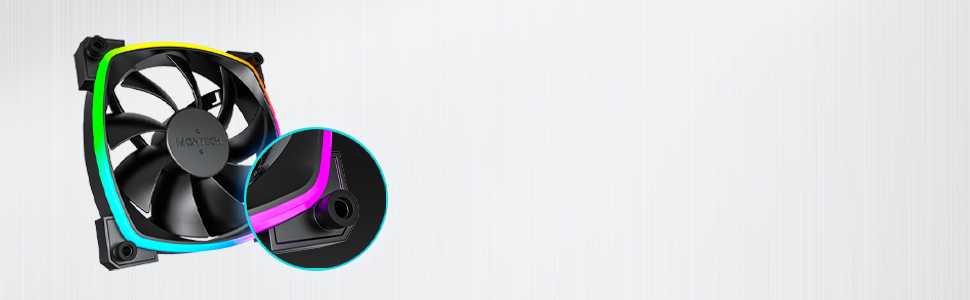
Figure 4.3: Integrated anti-vibration pads for reduced noise.
- Connect Power and ARGB Cables: Each fan has two cables: a 4-pin PWM cable for fan speed control and a 3-pin ARGB cable for lighting control.
- Connect the 4-pin PWM cable to an available 4-pin fan header on your motherboard or to a fan hub.
- Connect the 3-pin ARGB cable to an available 5V 3-pin ARGB header on your motherboard or to a compatible ARGB controller/hub. Nota: Non collegare a un connettore RGB da 12 V, poiché ciò danneggerebbe i LED.
- Gestione dei cavi: Disporre i cavi in modo ordinato per evitare interferenze con altri componenti e migliorare il flusso d'aria.
- Chiudere la custodia e accendere: Once all connections are secure, close your computer case, reconnect power, and power on your system.
5. Istruzioni per l'uso
The Montech AX 120 ARGB Fans offer both speed and lighting control:
5.1 Controllo della velocità della ventola (PWM)
The 4-pin PWM connection allows for precise fan speed control based on system temperature. The fan speed can be adjusted from 600 RPM to 1600 RPM.
- BIOS/UEFI: Access your motherboard's BIOS/UEFI settings to configure fan curves. This allows the fan speed to automatically adjust based on CPU or system temperatures.
- Software: Use your motherboard's fan control software (e.g., ASUS Fan Xpert, MSI Dragon Center, Gigabyte SIV) to create custom fan profiles within your operating system.

Figure 5.1: PWM fan speed adjustment from 600 RPM to 1600 RPM.
5.2 Controllo dell'illuminazione ARGB
The Addressable RGB (ARGB) lighting can be synchronized and customized through your motherboard's software or a dedicated ARGB controller.
- Software della scheda madre: If connected to a 5V 3-pin ARGB header, use your motherboard's RGB software (e.g., ASUS Aura Sync, MSI Mystic Light Sync, Gigabyte RGB Fusion, ASRock Polychrome Sync) to control lighting effects, colors, and synchronization with other ARGB components.
- Controller ARGB: If using a standalone ARGB controller, refer to the controller's manual for specific instructions on changing lighting modes.
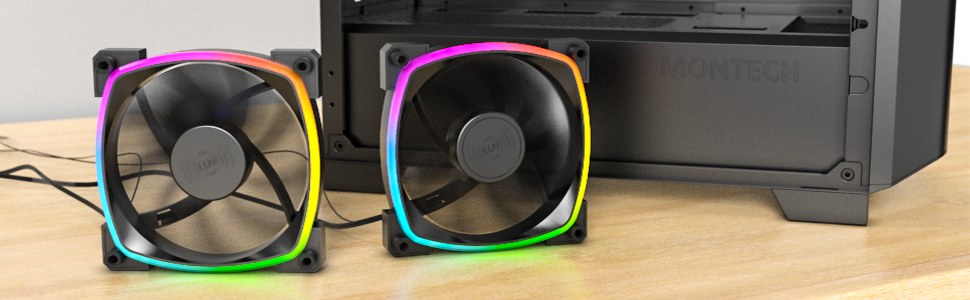
Figure 5.2: Customizable hexagonal ARGB lighting.
6. Manutenzione
Una manutenzione regolare garantisce prestazioni ottimali e longevità dei tuoi ventilatori:
- Pulizia: Periodically clean dust from the fan blades and frame using compressed air or a soft brush. Ensure the computer is powered off and unplugged before cleaning.
- Ispezione: Check cables for any signs of wear or damage. Ensure mounting screws are secure.
- Longevità del cuscinetto: The fans feature an HDB (Hydro Dynamic Bearing) designed for high-end durability and a lifespan of 40,000 hours. No user maintenance is required for the bearing.
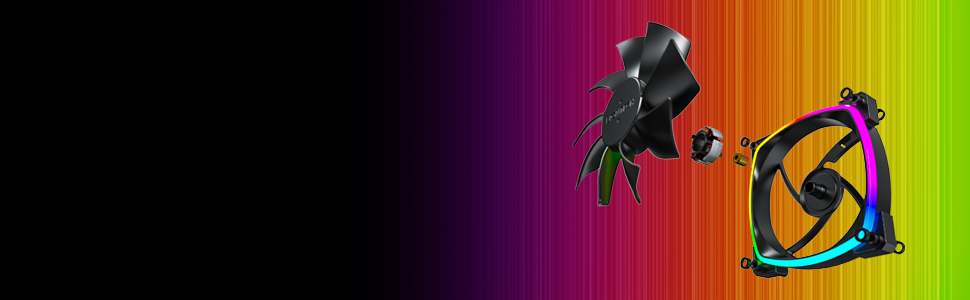
Figure 6.1: Hydro Dynamic Bearing (HDB) for extended lifespan.
7. Risoluzione Dei Problemi
In caso di problemi, fare riferimento alla seguente guida alla risoluzione dei problemi:
| Problema | Possibile causa | Soluzione |
|---|---|---|
| La ventola non gira | Loose 4-pin PWM cable connection Insufficient power from motherboard header Fan curve set too low in BIOS/software | Ensure 4-pin PWM cable is securely connected. Try connecting to a different fan header. Adjust fan curve settings in BIOS/software to ensure fans spin at low temperatures. |
| L'illuminazione ARGB non funziona | Loose 3-pin ARGB cable connection Connected to incorrect 12V RGB header ARGB software not configured or running | Ensure 3-pin ARGB cable is securely connected to a 5V ARGB header. Verify connection is to a 5V 3-pin ARGB header, not a 12V 4-pin RGB header. Install and configure your motherboard's ARGB software or check your ARGB controller settings. |
| Rumore eccessivo | Alta velocità della ventola Vibrazioni Ostruzione | Adjust fan speed in BIOS/software to a lower RPM. Ensure all mounting screws are tight. The fans have anti-vibration pads to minimize this. Check for any cables or objects interfering with fan blades. |
8. Specifiche
Key technical specifications for the Montech AX 120 ARGB Fan:
- Modello: AX120 PWM BLACK
- Dimensioni del ventilatore: 120 mm x 120 mm x 25 mm (4.72 x 4.72 x 0.98 pollici)
- Tipo di cuscinetto: Hydro Dynamic Bearing (HDB)
- Velocità di rotazione: 600 - 1600 giri/min (controllato da PWM)
- Livello di rumore: Under 27.9 dB(A)
- Connettore di alimentazione: 4-Pin PWM
- Connettore ARGB: 3 pin 5V ARGB
- Volume nominaletage: 12V DC (Fan), 5V DC (LED)
- Cosatage: 2 watt
- Materiale: Metallo, plastica, gomma
- Durata: 40,000 ore
9. Garanzia e supporto
Montech products are manufactured to the highest quality standards. For warranty information, technical support, or customer service inquiries, please visit the official Montech websito o contattare il rivenditore locale. Conservare la prova d'acquisto per eventuali reclami in garanzia.