
1. Introduzione
Thank you for choosing the Vacmaster V10i 3-in-1 Robot Vacuum and Mop Combo. This manual provides essential information for the safe operation, installation, maintenance, and troubleshooting of your new appliance. Please read this manual thoroughly before using the product and retain it for future reference.
2. Prodotto finitoview
The Vacmaster V10i is designed to provide comprehensive floor cleaning with its vacuuming and mopping capabilities. Key features include:
- Funzionalità 3 in 1: Combines vacuuming, sweeping, and mopping for versatile cleaning.
- Stazione di svuotamento automatico: Automatically empties the robot's dustbin into a larger bag, providing up to 45 days of hands-free cleaning.
- Navigazione LiDAR: Advanced technology for precise real-time mapping and efficient cleaning paths.
- Aspirazione potente 3000Pa: Powerful suction for effective debris pickup on various surfaces.
- Mappatura multipiano: Recognizes and adapts to different floor levels without needing additional docks.
- Customizable App Experience: Control cleaning modes, suction levels, virtual boundaries, and no-go zones via a dedicated mobile application.
- Anti-Collision and Anti-Cliff Technology: Detects objects and ledges to prevent damage and falls.
- 120 minuti di durata: Extended battery life for thorough cleaning sessions.
- Design sottile: Basso vantaggiofile allows cleaning under furniture and in hard-to-reach areas.

3. Impostazione
3.1 Disimballaggio e preparazione iniziale
Carefully remove all components from the packaging. Ensure all accessories are present: robot vacuum, charging base, mopping component, 2 high-efficiency filters, 2 dust bags, 2 side brushes, and a cleaning tool. Remove any protective films or shipping materials from the robot and charging base.
3.2 Installare le spazzole laterali
Attach the two side brushes to the designated slots on the underside of the robot. Press firmly until they click into place.

3.3 Posizionamento della base di ricarica
Place the charging base against a wall on a hard, non-slip surface. Ensure there is at least 0.5 meters (1.6 feet) of clear space on either side and 1.5 meters (4.9 feet) in front of the base for optimal navigation. Connect the power supply to the charging base and plug it into a wall outlet.
3.4 Carica iniziale
Place the robot onto the charging base. Ensure the charging contacts on the robot align with those on the base. The robot will begin charging automatically. Fully charge the robot before its first use.
3.5 Configurazione e mappatura dell'app
Download the Vacmaster app on your mobile device. Follow the in-app instructions to connect the robot to your Wi-Fi network and create a cleaning profile. The robot will perform an initial mapping run to learn your home's layout. During this process, it will move around to scan and create a map.

4. Istruzioni per l'uso
4.1 Avvio di un ciclo di pulizia
Press the power button on the robot or use the Vacmaster app to start a cleaning cycle. The robot will begin by cleaning the edges of the room, then proceed with a zigzag pattern to cover the entire area.
4.2 Modalità di pulizia e livelli di aspirazione
The app allows you to select from 6 cleaning modes and 4 suction levels to suit different cleaning needs and floor types.
4.3 Modalità di lavaggio
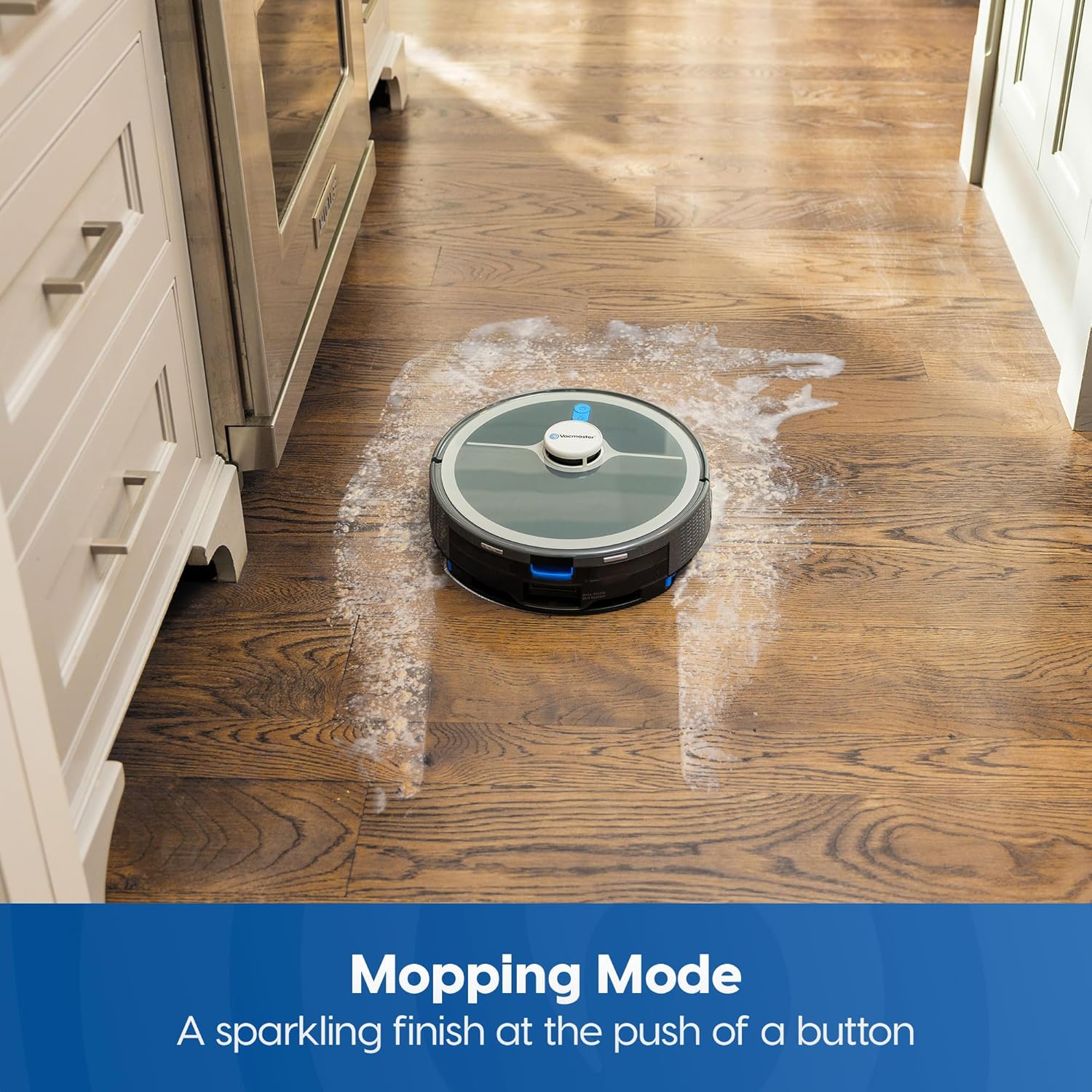
To activate mopping mode, fill the water tank with clean water and attach the mopping pad. The robot will then vacuum and mop simultaneously. Ensure the mopping component is correctly installed before use.
4.4 Customizable Cleaning Areas
Using the app, you can set virtual boundaries and no-go zones to restrict the robot from entering specific areas. You can also select specific rooms for cleaning or schedule cleaning times.
4.5 Mappatura multilivello
The V10i can store maps for multiple floor levels. Simply place the robot on a different floor, and it will automatically recognize the level and adapt its cleaning routine.
4.6 Anti-Collision and Anti-Cliff Sensors
The robot is equipped with sensors to detect objects as small as 10 cm, preventing collisions. Anti-cliff sensors ensure the robot avoids stairs and ledges.

4.7 Ritorno automatico alla base
When the battery is low or a cleaning cycle is complete, the robot will automatically return to its charging base. Upon docking, the self-empty station will activate to empty the dustbin.

4.8 Video ufficiale del prodotto
5. Manutenzione
5.1 Self-Empty Station Dust Bag Replacement
The self-empty station's dust bag should be replaced approximately every 45 days, depending on usage. Open the top cover of the station, remove the full dust bag, and insert a new one. Close the cover securely.
5.2 Pulizia e sostituzione del filtro
Regularly clean the high-efficiency filter in the robot's dustbin. Tap it gently to remove debris. Replace the filter every 3-6 months or as needed to maintain optimal suction performance.
5.3 Brushroll and Side Brush Cleaning
Remove the main brushroll and side brushes periodically to clear tangled hair and debris. Use the provided cleaning tool to cut and remove any wrapped hair. Reinstall brushes securely.
5.4 Manutenzione del panno per il lavaggio e del serbatoio dell'acqua
After each mopping session, remove and clean the mopping pad. Empty any remaining water from the tank and allow it to air dry. Do not use harsh detergents or hot water.
6. Risoluzione Dei Problemi
If you encounter issues with your Vacmaster V10i, refer to the following common solutions:
- Il robot non si carica: Ensure the charging base is plugged in and the robot's charging contacts are aligned with the base. Clean contacts if dirty.
- Robot bloccato: Clear obstacles from the cleaning path. Use virtual boundaries in the app for persistent problem areas.
- Scarsa aspirazione: Check and clean the dustbin, filter, and brushroll. Ensure the dust bag in the self-empty station is not full.
- Problemi di connettività dell'app: Ensure the robot is within Wi-Fi range and your router is functioning correctly. Restart the robot and the app.
- Il lavaggio non è efficace: Assicurarsi che il serbatoio dell'acqua sia pieno e che il panno per la pulizia sia pulito e correttamente fissato.
For more detailed troubleshooting or specific error codes, consult the comprehensive user guide available through the Vacmaster app or websito.
7. Specifiche
| Caratteristica | Specificazione |
|---|---|
| Marca | Vaccino |
| Nome del modello | V10i |
| Potenza di aspirazione | 3000Pa |
| Tipo di navigazione | LiDAR Mapping |
| Durata della batteria | 120 minuti |
| Tipo di batteria | Ioni di litio |
| Capacità del bidone della spazzatura | 2 Liters (Self-Empty Station) |
| Tipo di filtro | Filtro HEPA |
| Metodo di controllo | App, Touch, Button |
| Raccomandazione di superficie | Pavimenti duri, moquette |
| Dimensioni articolo (L x P x A) | 12.2 cm L x 12.2 cm P x 2.36 cm A |
| Peso dell'articolo | 19.98 libbre |
8. Garanzia e supporto
8.1 Garanzia del prodotto
The Vacmaster V10i comes with a standard manufacturer's warranty. Please refer to the warranty card included in your product packaging or visit the official Vacmaster websito per termini e condizioni dettagliati riguardanti copertura e durata.
8.2 Assistenza clienti
For technical assistance, product inquiries, or warranty claims, please contact Vacmaster Customer Support. Contact information can typically be found on the product packaging, the official Vacmaster website, or within the Vacmaster mobile application.
We recommend registering your product online to receive updates and support.