
Introduzione
Thank you for choosing the Grandder 47x24 Inch Electric Standing Desk with Keyboard Tray. This manual provides detailed instructions for assembly, operation, maintenance, and troubleshooting to ensure safe and efficient use of your new desk. This electric height-adjustable desk is designed to promote a healthier work environment by allowing seamless transitions between sitting and standing positions.
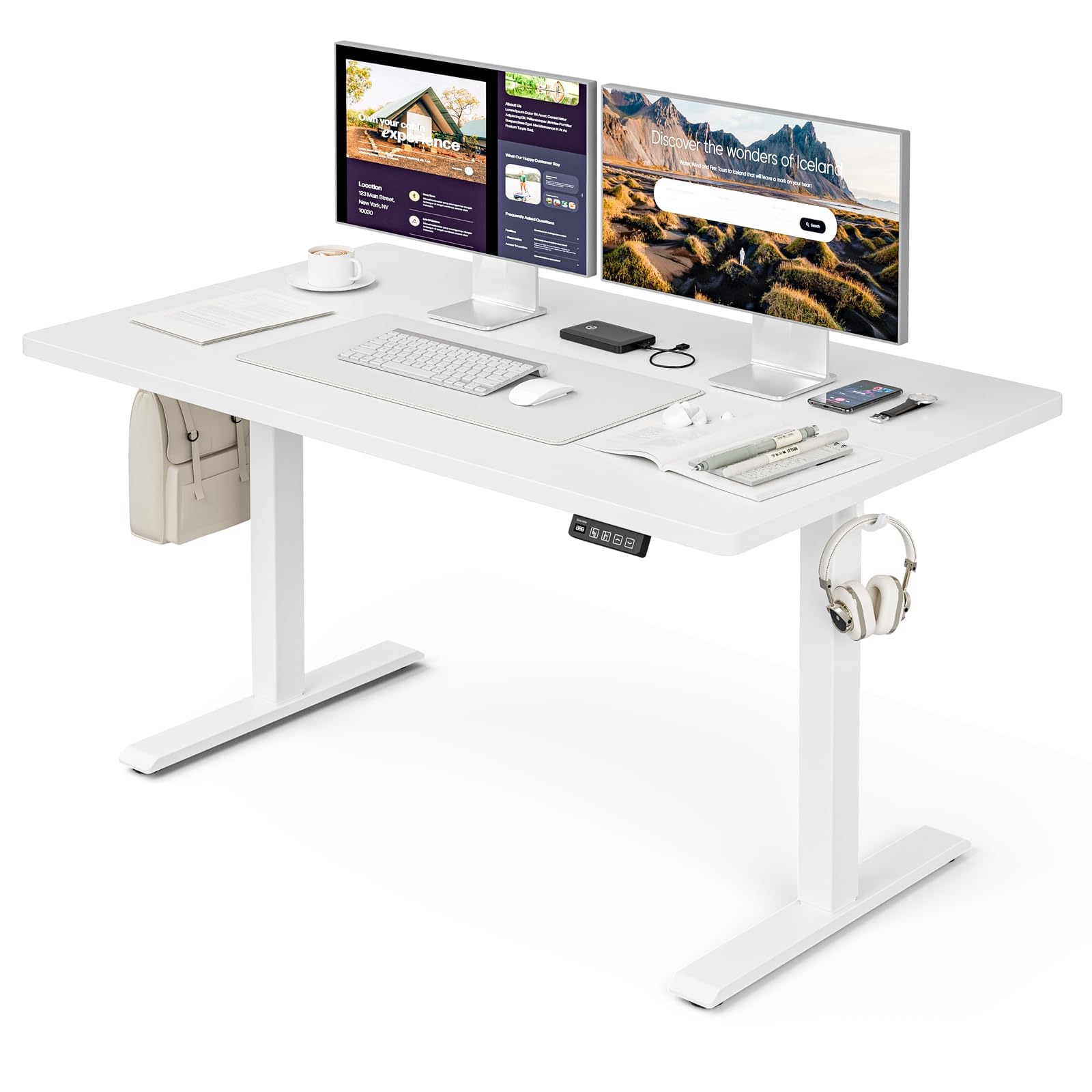
The Grandder 47x24 Inch Electric Standing Desk with Keyboard Tray, featuring a white desktop and frame, integrated keyboard tray, and a control panel for height adjustment.
Informazioni sulla sicurezza
Precauzioni generali di sicurezza
- Non superare il limite massimo di peso di 176 libbre (80 kg) on the desktop. Overloading can cause damage or injury.
- Always use the motorized lift with caution. Ensure no obstructions are present during height adjustments to prevent injury or damage to property.
- Tenere bambini e animali domestici lontani dalla scrivania durante il funzionamento.
- Ensure all cables are properly managed and secured to prevent tripping hazards or entanglement with moving parts.
- Non stare né seduto né in piedi sulla scrivania.
- Scollegare l'alimentazione prima di effettuare operazioni di pulizia o manutenzione.
Contenuto della confezione
Verificare che tutti i componenti siano presenti prima di iniziare il montaggio. Se qualche componente risulta mancante o danneggiato, contattare l'assistenza clienti.
- Desktop (scheda di giunzione)
- Gambe per scrivania (2)
- Cuscinetti per i piedi (4)
- Motore e scatola di controllo
- Pannello di controllo
- Vassoio e guide per tastiera
- Earphone Hooks (2)
- Fascette per cavi (3)
- Adattatore di alimentazione e cavo
- Ferramenta di montaggio (viti, bulloni, ecc.)
- L-shaped Allen Wrench
- Manuale di istruzioni
Installazione e assemblaggio
Assembly typically takes approximately 30 minutes. All parts are labeled, and an L-shaped Allen wrench is included for convenience. Follow the step-by-step instructions provided in the separate assembly guide for detailed visual instructions.
Pre-Assembly Considerations
- Scegliete un'area libera e spaziosa per l'assemblea.
- Lay out all components and hardware, matching them against the package contents list.
- Ensure the power outlet is easily accessible once the desk is in its final position.

Desk dimensions: 47 inches wide, 24 inches deep, with a height range of 28 to 45.6 inches.
Fasi chiave dell'assemblaggio
- Attach the desk legs to the desktop using the provided hardware.
- Install the motor and control box according to the assembly guide.
- Mount the control panel to the underside of the desktop in an accessible location.
- Assemble and attach the keyboard tray rails and the keyboard tray itself.
- Install the adjustable foot pads on the bottom of the desk legs to ensure stability on uneven floors.
- Attach the earphone hooks to the side of the desk for convenient storage.
- Use the included cable ties to manage and secure power and peripheral cables, maintaining a tidy workspace.

Included accessories: two earphone hooks for organization, four adjustable foot pads for stability, and three cable ties for cable management.
Istruzioni per l'uso
Powering On and Initial Use
- Connect the power adapter to the control box and plug it into a wall outlet.
- The LED display on the control panel will illuminate, indicating the current desk height.
Regolazione dell'altezza
The desk can be adjusted electrically from a minimum height of 28.3 inches to a maximum height of 47.2 inches. The motorized lift operates smoothly and quietly (less than 45dB).
- Premere il tasto Up arrow (↑) pulsante per sollevare la scrivania.
- Premere il tasto Down arrow (↓) pulsante per abbassare la scrivania.
- Release the button at your desired height. The LED display shows the real-time height.

The control panel features an LED display for real-time height tracking, memory buttons for preset heights, and up/down adjustment buttons.

The desk operates with a smooth and quiet motor, maintaining noise levels below 45dB during height adjustments.
Preset di memoria
The control panel includes memory buttons to save and quickly recall your preferred sitting and standing heights.
- Regola la scrivania all'altezza desiderata.
- Premere il tasto M button (or similar memory set button, indicated by a person sitting/standing icon) until the display flashes.
- Press one of the numbered preset buttons (e.g., 1 or 2) per salvare l'altezza corrente su quella preimpostazione.
- To recall a saved height, simply press the corresponding preset button. The desk will automatically move to the saved position.
Utilizzo del vassoio della tastiera
The integrated keyboard tray provides additional space and ergonomic benefits. It has a maximum load capacity of 10 kg (22 libbre).

The sturdy keyboard tray is designed to save working space and enhance typing comfort, supporting a maximum load of 10 kg.
Sistema anticollisione
The desk is equipped with an anti-collision system that automatically stops and slightly reverses the desk's movement if it encounters an obstruction during height adjustment. This feature protects against damage and injury.
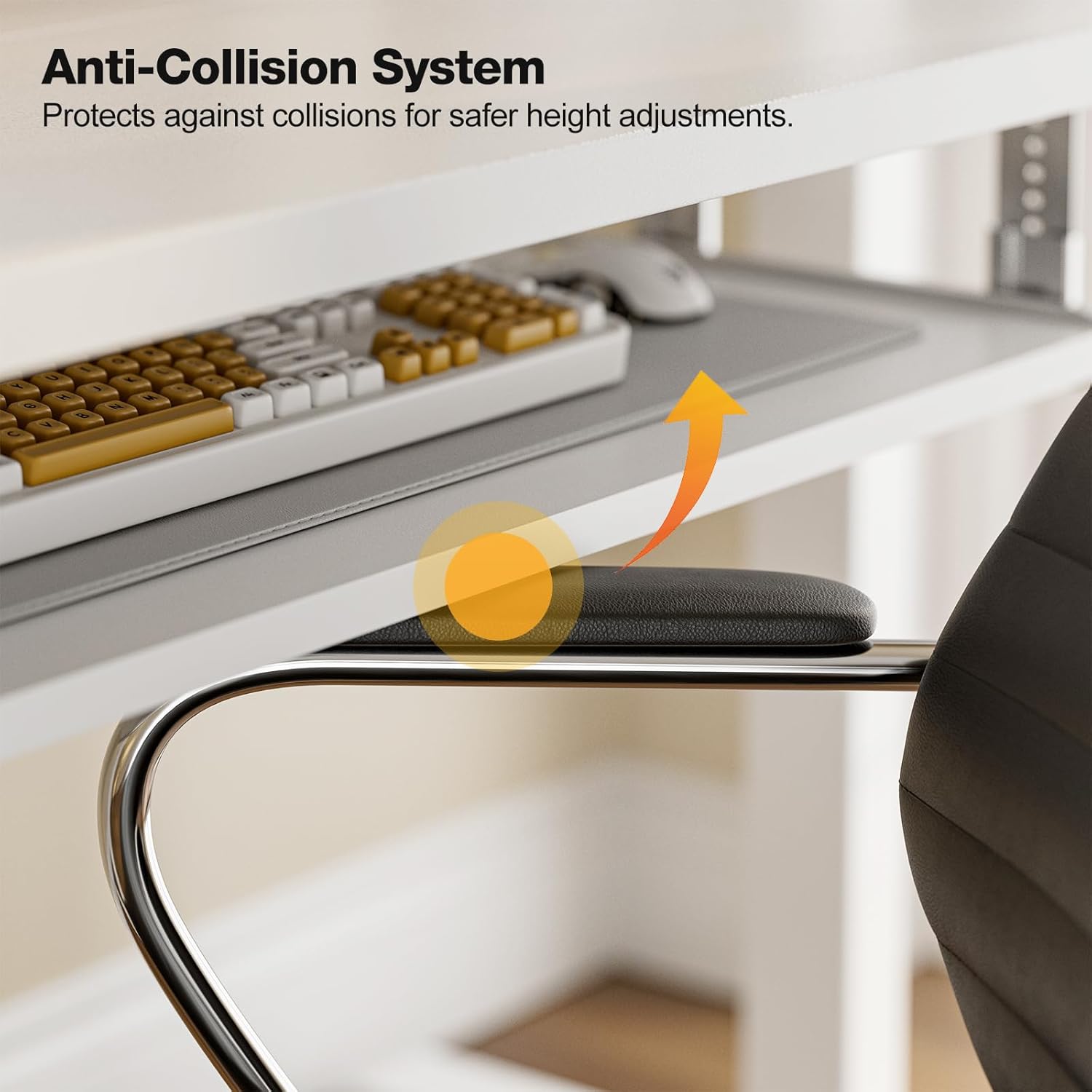
The anti-collision system protects against impacts by stopping and reversing desk movement when an obstruction is detected.
Manutenzione
Pulizia
- Pulisci il desktop e la cornice con un panno morbido eamp panno. Evitare detergenti abrasivi o prodotti chimici aggressivi.
- Ensure the desk is unplugged before cleaning.
Controlli regolari
- Controllare periodicamente tutte le viti e i bulloni per assicurarsi che siano ben serrati. Serrarli nuovamente se necessario.
- Inspect the power cable for any signs of damage. If damaged, discontinue use and contact support.
Risoluzione dei problemi
If you encounter any issues with your Grandder standing desk, please refer to the following common troubleshooting steps:
| Problema | Possibile causa | Soluzione |
|---|---|---|
| La scrivania non si muove / Nessuna alimentazione | Power cable disconnected; Power outlet malfunction; Control box issue. | Check if the power cable is securely plugged into both the desk and the wall outlet. Try a different outlet. Ensure all connections to the control box are secure. |
| La scrivania si muove in modo non uniforme o fa rumori insoliti | Carico non uniforme; Collegamenti allentati; Ostruzione. | Ensure weight is evenly distributed on the desktop. Check all assembly screws and bolts for tightness. Inspect for any obstructions in the lifting mechanism. |
| Il sistema anticollisione si attiva frequentemente | Obstruction in path; Sensitivity setting. | Clear any objects from the desk's path. Refer to the full assembly guide for instructions on adjusting anti-collision sensitivity, if available. |
| Le preimpostazioni di memoria non funzionano | I preset non sono stati salvati correttamente. | Re-save your desired heights by following the memory preset instructions in the Operating Instructions section. |
If the problem persists after attempting these solutions, please contact Grandder customer support for further assistance.
Specifiche
| Caratteristica | Dettaglio |
|---|---|
| Marca | Più grande |
| Modello | Scrivania elettrica da 47x24 pollici |
| Progettazione della scrivania | Scrivania in piedi |
| Forma | Rettangolare |
| Dimensioni del prodotto (P x L x A) | 60D x 120W x 74H Centimetres (approx. 23.6D x 47.2W x 29.1H Inches) |
| Altezza minima | 28.3 pollici |
| Altezza massima | 47.2 pollici |
| Colore | Bianco |
| Tipo di materiale superiore | Melamina |
| Materiale di base | Metallo |
| Peso massimo raccomandato | 176 libbre (80 kg) |
| Motorized Lift Speed | 25mm/secondo |
| Livello di rumore | Meno di 45 dB |
| Caratteristiche speciali | Ergonomic, Electric Height Adjustable, Keyboard Tray Included, Anti-Collision System |
| Assemblaggio richiesto | Sì (strumenti inclusi) |
Garanzia e supporto
Informazioni sulla garanzia
Grandder products are manufactured with quality and durability in mind. For specific warranty details regarding your electric standing desk, please refer to the warranty card included in your package or visit the official Grandder website. Typically, warranty covers manufacturing defects and motor malfunctions under normal use.
Assistenza clienti
Should you require assistance with assembly, operation, or troubleshooting that is not covered in this manual, please contact Grandder customer support. Have your product model number and purchase date ready when contacting support.
- Supporto online: Visit the Grandder official websito per FAQ e moduli di contatto.
- Supporto via e-mail: Per trovare l'indirizzo e-mail del servizio clienti, fare riferimento alla confezione del prodotto o alla scheda di garanzia.