
1. Introduzione
This manual provides detailed instructions for the installation, configuration, and operation of the UAZNJFZ F4V3S Flight Controller. This flight controller is designed for use in quadcopters and RC drones, supporting both INAV and Betaflight firmware for FPV racing and general flight applications. Please read this manual thoroughly before attempting any installation or operation.
2. Prodotto finitoview
The F4V3S Flight Controller is a high-performance board featuring an STM32 F405 MCU. It integrates essential components for advanced drone control and telemetry.
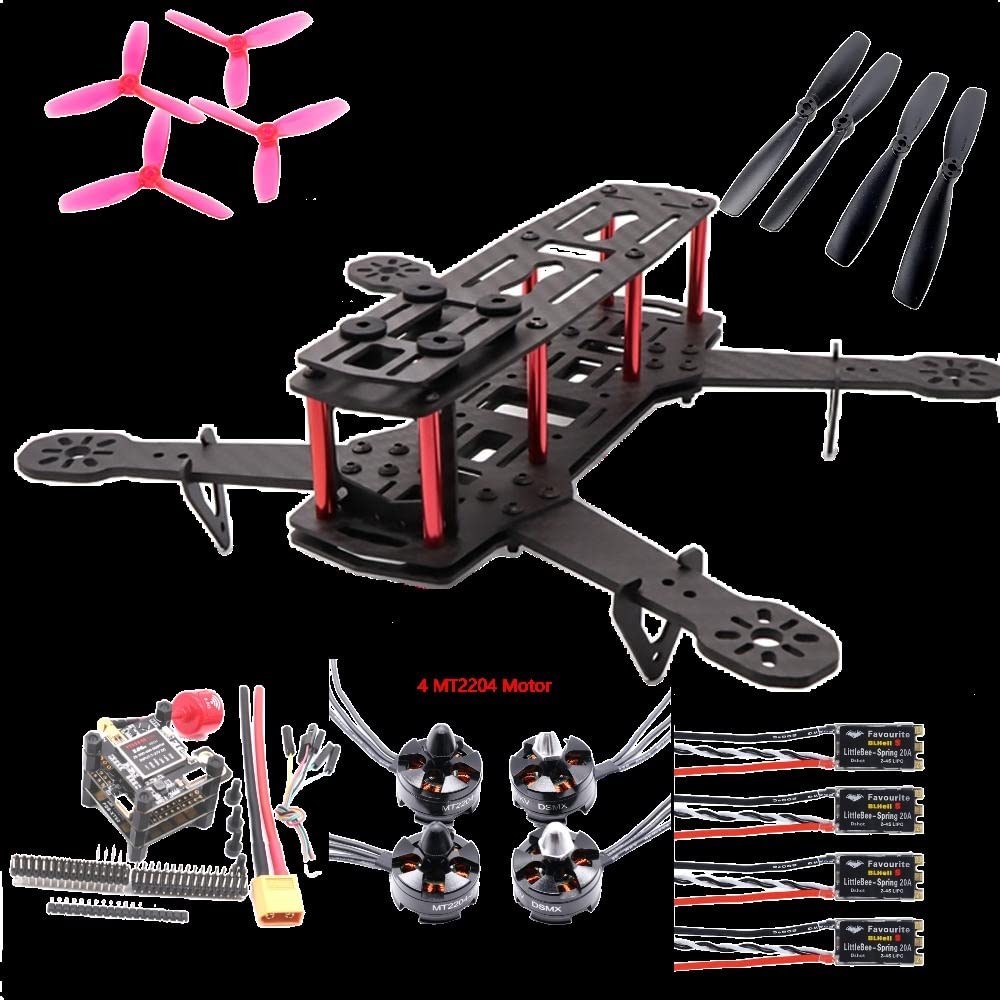
Immagine 2.1: In alto view of the UAZNJFZ F4V3S Flight Controller board.
Caratteristiche principali:
- MCU: STM32F405
- Supporto firmware: INAV, Betaflight
- OSD: On-Screen Display configurable via Betaflight Configurator
- Barometro: BMP280 for precise altitude holding
- Gyro & Accelerometer: IC268G 6 SPI, compatible with MPU6500 in INAV firmware
- Porte del ricevitore: SBUS/PPM and Spektrum DSMX
- Scatola nera: SD card slot for flight data logging
- BEC: SBEC 5V 3A
- Uscita video: On-board video, capable of supplying 5V to VTX and camera
- SmartAudio: V2 support via TX6 on J10
- ESC Layout: 4x3 pin ESC pin layout
- IR Pins: For lap timing transponder
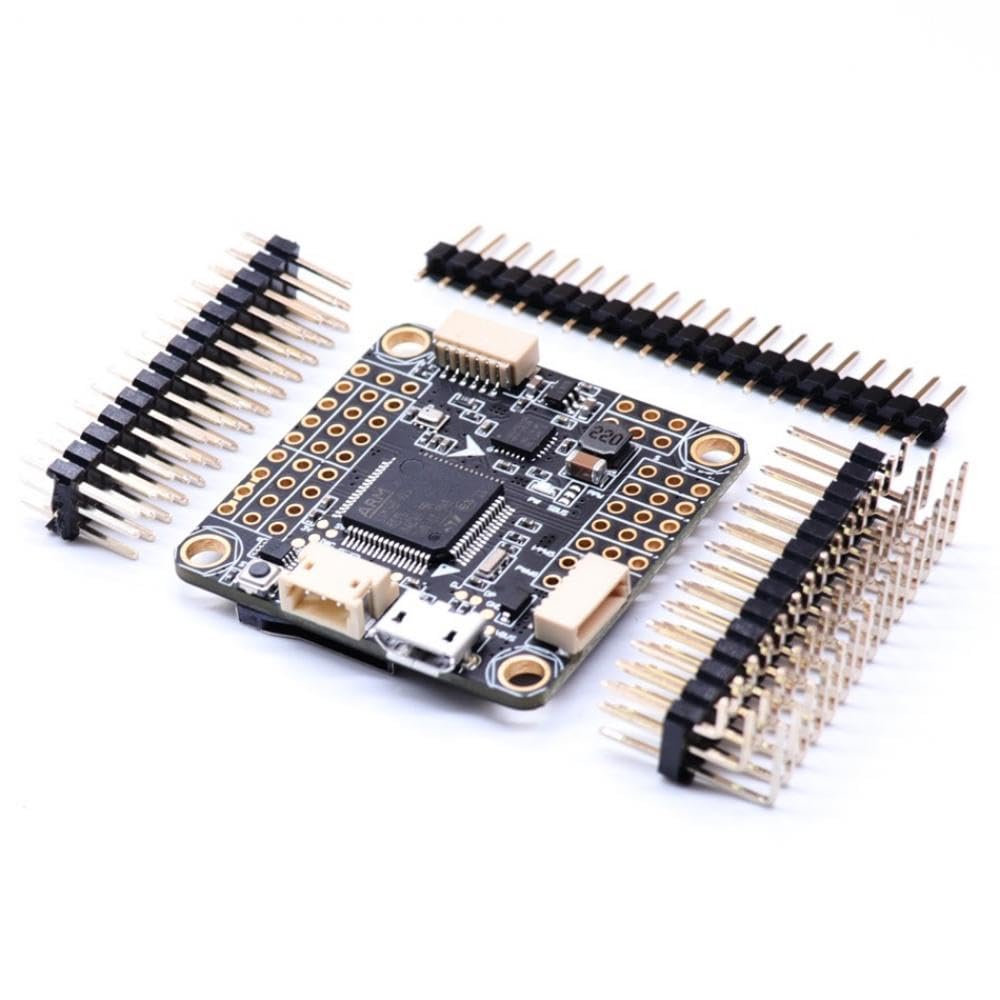
Image 2.2: UAZNJFZ F4V3S Flight Controller with included pin headers for connection.
3. Specifiche
3.1 Flight Controller Board
- Materiale: Componente elettronico
- Standard Board Size: Approximately 36x36mm
- Standard Mount Hole: 30.5x30.5mm
3.2 VTX5848 LITE FPV Video Transmitter (if included)
- Ingresso volumetage: DC 7-27V
- Corrente di ingresso: 3S or 4S, 600mW 360 mA ±10 mA
- Volume di uscitatage: Corrente continua 5V 1A
- Potenza di uscita: Switchable between 25/100/200/400/600mW
- Canale: 48 canale
- Interruttore di frequenza: Manual button/OSD (simultaneous support)
- Connettore: MMCX
- Misurare: Dimensioni: 36x36x9mm
- Foro di montaggio: 30.5x30.5 mm, M3
3.3 FPV Camera (if included)
- Sensore: CCD 1/2.7 800TVL
- Risoluzione: D1 1080P
- Lente: 5 MP 2.1 mm
- Formati video: PAL/NTSC (OSD adjustable)
- Rapporto rumore: > 60dB (AGC OFF)
- Otturatore elettronico: PAL: 1/50-100,000, NTSC: 1/60-100,000
- Controllo automatico del guadagno: SÌ
3.4 Informazioni generali sul prodotto
- Numero modello: UAZNJFZ888
- Dimensioni della confezione: 1.18 x 0.79 x 0.39 pollici
- Peso dell'articolo: 14.1 once (400 grammi)
4. Impostazione
Proper setup is crucial for the safe and effective operation of your drone. This section outlines the general steps for installing and configuring the F4V3S Flight Controller.
4.1 Installazione fisica
- Montaggio: Secure the flight controller to your drone frame using the 30.5x30.5mm mounting holes. Ensure proper vibration damping.
- Collegamento ESC: Connect your Electronic Speed Controllers (ESCs) to the 4x3 pin ESC layout on the flight controller. Refer to your ESC and motor documentation for correct wiring.
- Collegamento del ricevitore: Connect your SBUS/PPM or Spektrum DSMX receiver to the designated ports.
- VTX and Camera Connection: If using the VTX5848 LITE and FPV camera, connect them to the appropriate video input/output and 5V power pads on the flight controller.
- GPS Module (BN880) Connection: Connect the BN880 GPS module for accurate navigation and positioning. Ensure correct TX/RX connections.
- Collegamento elettrico: Connect the main power lead from your battery to the flight controller's power input. Double-check polarity before applying power.
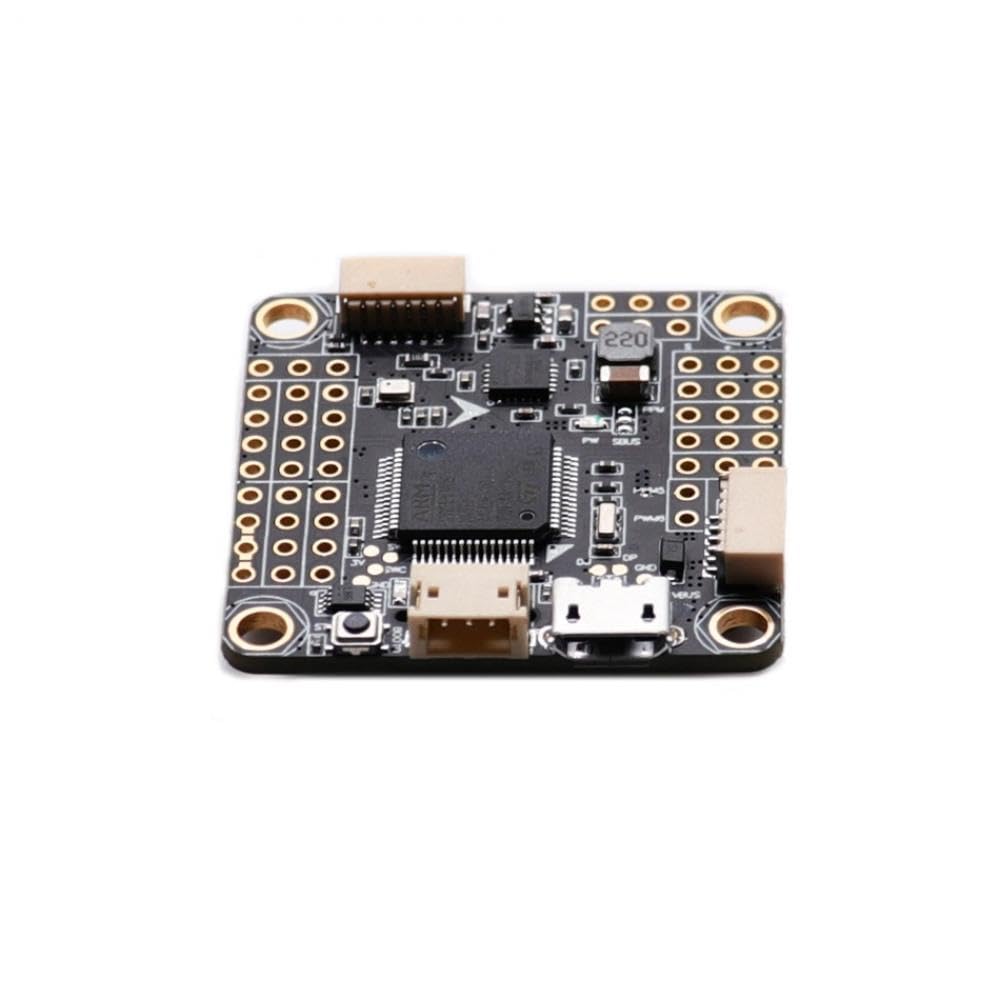
Image 4.1: Detailed top view of the F4V3S Flight Controller, illustrating component placement and connection points.
4.2 Aggiornamento e configurazione del firmware
- Connetti al PC: Connect the flight controller to your computer via a USB cable.
- Installa i driver: Ensure all necessary drivers are installed for your flight controller.
- Firmware flash: Open Betaflight Configurator or INAV Configurator. Select the appropriate firmware target for the F4V3S and flash the latest stable version.
- Configurazione iniziale: Follow the setup wizard within the configurator to perform initial sensor calibration, ESC protocol selection (e.g., Dshot), and receiver setup.
- OSD Configuration: Configure the On-Screen Display (OSD) settings to show desired flight data (voltage, current, flight mode, GPS coordinates, etc.).
- SmartAudio V2: If using SmartAudio, configure it via TX6 on J10 to control your VTX settings from your remote or OSD.
- Blackbox Setup: If using an SD card for blackbox logging, ensure it is properly formatted and configured in the software.
- Motori di prova: Carefully test motor direction and response in the configurator's motor tab (with propellers removed for safety).
5. Operativo
Once the flight controller is set up, you can proceed with operating your drone. Always ensure you are in a safe environment and follow local regulations for drone operation.
5.1 Controlli pre-volo
- Verifica che tutte le connessioni siano sicure.
- Check propeller direction and tightness.
- Assicurarsi che la batteria sia completamente carica.
- Confirm GPS lock (if applicable) and home point set.
- Check OSD for critical information like battery voltage.
5.2 Operazioni di volo
- Arm the drone using your configured arming switch.
- Monitor OSD for real-time flight data, including altitude from the barometer.
- Adjust VTX power and channel as needed using SmartAudio or manual buttons on the VTX5848 LITE. Note that PIT mode (0mW output) can be enabled via OSD.
- Disarm the drone after landing.
6. Manutenzione
Regular maintenance helps ensure the longevity and reliability of your F4V3S Flight Controller and drone system.
- Pulizia: Keep the flight controller free from dust, dirt, and moisture. Use compressed air or a soft brush for cleaning.
- Verifiche della connessione: Periodically inspect all solder joints and connectors for signs of wear, corrosion, or looseness.
- Aggiornamenti del firmware: Check for and install the latest stable firmware versions for Betaflight or INAV to benefit from bug fixes and new features.
- Gestione della scheda SD: Regularly back up and clear the SD card used for blackbox logging to prevent data loss and ensure continuous recording.
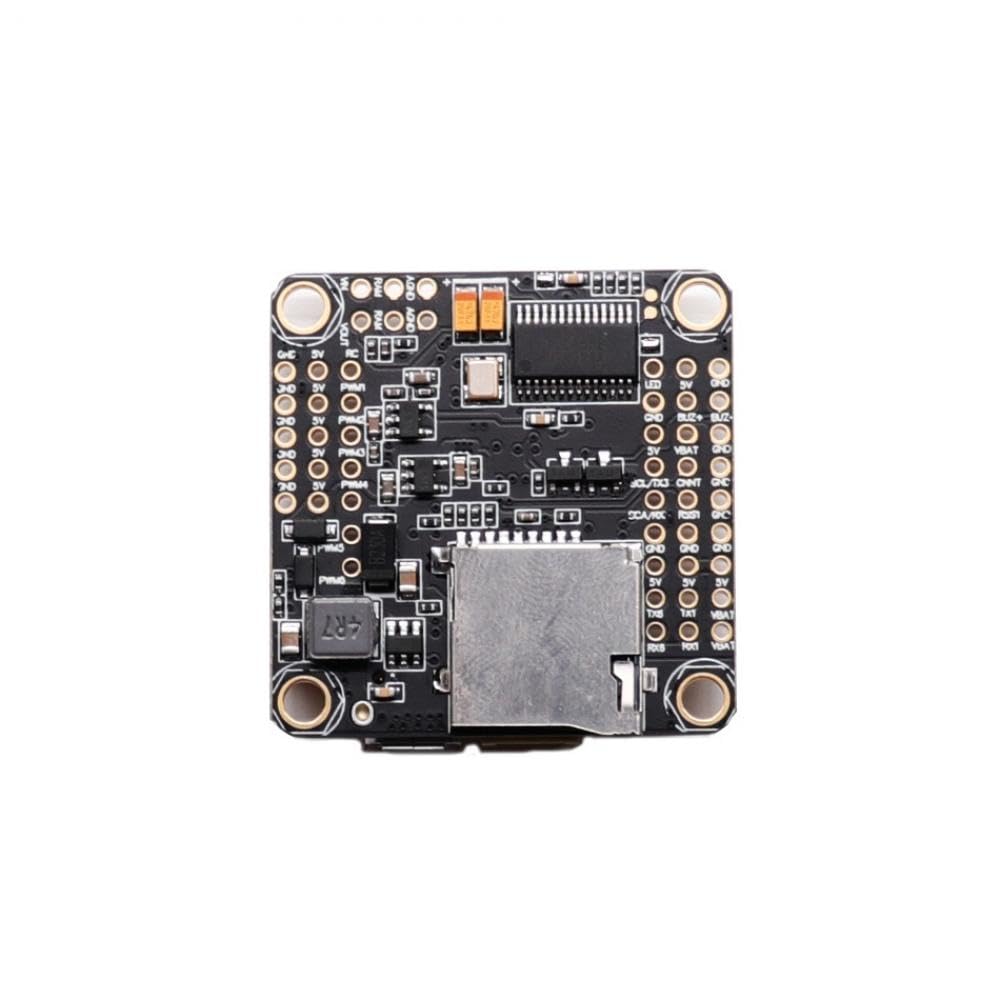
Immagine 6.1: In basso view of the F4V3S Flight Controller, highlighting the SD card slot for blackbox logging.
7. Risoluzione Dei Problemi
This section provides general guidance for common issues. For more specific problems, consult the Betaflight or INAV documentation and community forums.
7.1 Problemi comuni e soluzioni
- Nessun potere: Check battery connection, power lead polarity, and ensure no short circuits. Verify the 5V SBEC is functioning.
- No Connection to Configurator: Ensure correct USB drivers are installed. Try a different USB cable or port. Verify the flight controller is powered.
- I motori non girano: Check ESC connections, motor protocol settings in the configurator, and ensure the drone is armed. Calibrate ESCs if necessary.
- Volo instabile: Re-check sensor calibration. Ensure propellers are balanced and undamaged. Review PID tuning settings in the configurator.
- Nessuna visualizzazione OSD: Verify OSD is enabled in the configurator. Check video connections between camera, flight controller, and VTX.
- GPS non bloccato: Ensure the BN880 module has a clear view of the sky. Check GPS wiring and configuration in INAV.
8. Garanzia e supporto
For warranty information, please refer to the terms and conditions provided by your retailer or the manufacturer, UAZNJFZ, at the time of purchase. Specific warranty details are not included in this manual.
For technical support or assistance with product-related issues, please contact the seller or manufacturer directly through their official support channels. Provide your product model (F4V3S) and purchase details when seeking support.