
1. Introduzione
The LogiLink SH0134 Wi-Fi Smart Home Water Leak Sensor provides an early warning system against potential water damage. This device detects even small water accumulations and sends immediate notifications to your smartphone via the Smart Life or Megos Smart Home app. It features an integrated alarm and IP67 protection for reliable performance in various environments.
2. Informazioni sulla sicurezza
- Non esporre il dispositivo a temperature estreme o alla luce solare diretta.
- Tenere il dispositivo lontano dalla portata dei bambini e degli animali domestici.
- Use only the specified battery type (CR123A).
- Non tentare di smontare o riparare il dispositivo da soli.
- Ensure proper disposal of batteries according to local regulations.
3. Contenuto della confezione
Verificare che tutti gli articoli siano presenti nel pacco:
- 1 x LogiLink SH0134 Wi-Fi Smart Home Water Leak Sensor
- 1 x Manuale utente (inglese)
- 1 x CR123A Battery (pre-installed or separate)
4. Prodotto finitoview
The LogiLink SH0134 is a compact, white, disc-shaped sensor designed for discreet placement. It features a built-in speaker for audible alarms and contact sensors on its base to detect water.

Figura 4.1: Interno view of the LogiLink SH0134 sensor, showing the battery compartment.

Figure 4.2: The LogiLink SH0134 sensor highlighting its IP67 waterproof rating.
5. Specifiche
| Caratteristica | Descrizione |
|---|---|
| Modello | SH0134 |
| Marca | Collegamento ad accesso |
| Colore | Bianco |
| Fonte di alimentazione | Alimentato a batteria (1 x CR123A, inclusa) |
| Durata della batteria | Fino a 2 anni |
| Classe di protezione | Grado di protezione IP67 |
| Volume dell'allarme | >75 dB(A)/1 m |
| Metodo di controllo | App (Smart Life / Megos Smart Home) |
| Dispositivi compatibili | Smartphone, Tablet |
| Requisiti di sistema | Android 5 or above / iOS 11 or higher |
| Dimensioni del prodotto (L x P x A) | 6.9 x 6.9 x 2.8 cm |
| Peso dell'articolo | 54 grammi |

Figure 5.1: Dimensions of the LogiLink SH0134 Water Leak Sensor.
6. Impostazione
6.1. Installazione della batteria
- Gently twist the top cover of the sensor counter-clockwise to open the device.
- Insert the CR123A battery into the battery compartment, ensuring correct polarity (+/-).
- Close the sensor by aligning the top cover and twisting clockwise until it clicks securely.
6.2. Installazione dell'app
Download the free Smart Life or Megos Smart Home app from your smartphone's app store (Google Play Store for Android or Apple App Store for iOS).
6.3. Associazione del dispositivo
- Assicurati che il tuo smartphone sia connesso a una rete Wi-Fi a 2.4 GHz.
- Open the Smart Life or Megos Smart Home app and register a new account or log in to an existing one.
- Nell'app, tocca l'icona '+' (solitamente nell'angolo in alto a destra) per aggiungere un nuovo dispositivo.
- Select 'Security & Video Surveillance' or 'Sensors' and then choose 'Water Leak Sensor (Wi-Fi)'.
- Follow the on-screen instructions to put the sensor into pairing mode (this usually involves pressing a button on the sensor or ensuring it's powered on). The app will guide you through connecting the sensor to your Wi-Fi network.
- Once successfully paired, you can rename the sensor and assign it to a specific room within the app.

Figure 6.1: Pairing the sensor with the Smart Life app.
6.4. Posizionamento del sensore
Place the LogiLink SH0134 sensor directly on the floor in areas prone to water leaks. Common locations include:
- Sotto i lavandini (cucina, bagno)
- Vicino a lavatrici o lavastoviglie
- In scantinati o locali di servizio
- Next to water heaters or sumps

Figure 6.2: Sensor placement under a sink.
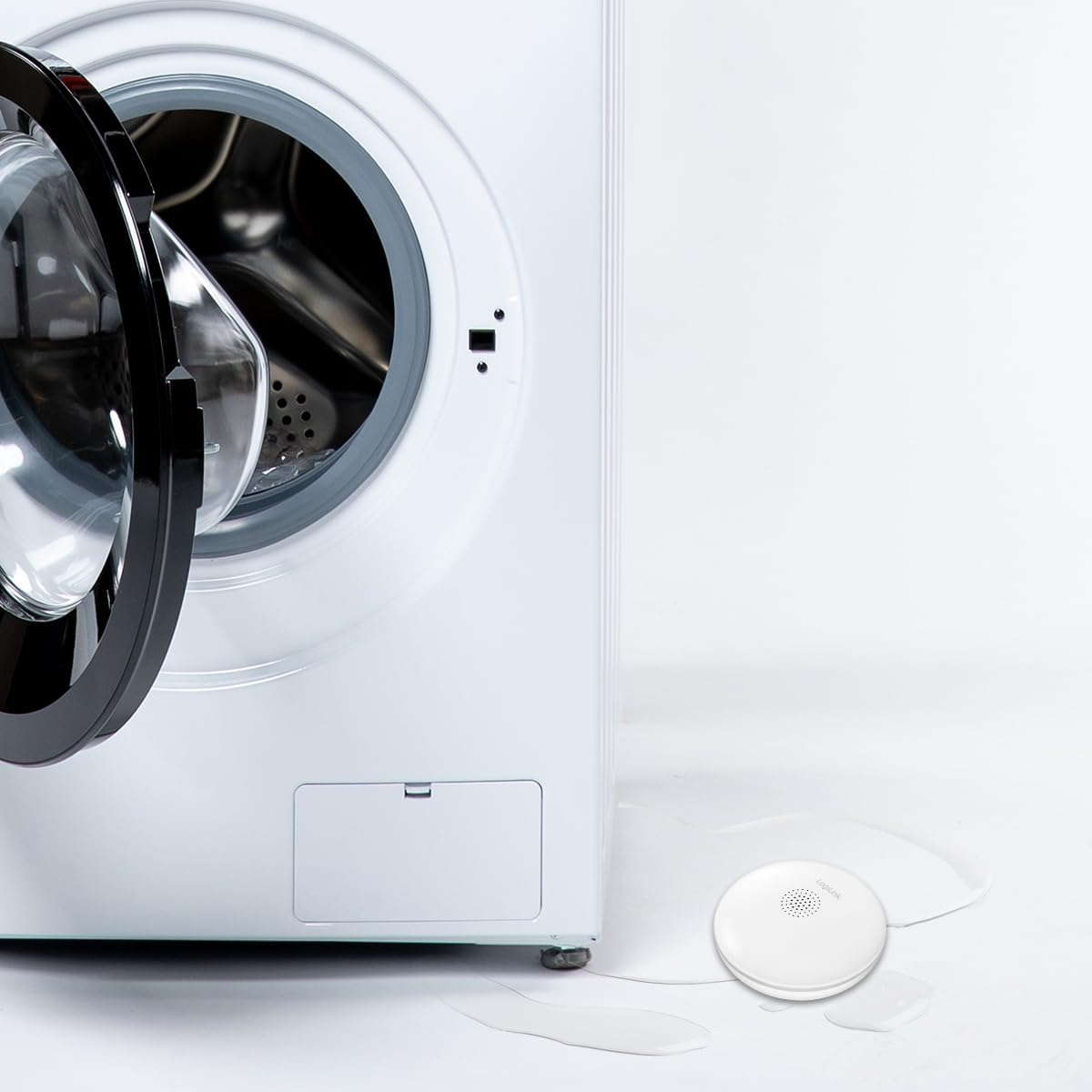
Figure 6.3: Sensor placement near a washing machine.
7. Istruzioni per l'uso
7.1. Leak Detection and Notification
When the sensor detects water, it will trigger an audible alarm of over 75 dB(A) at 1 meter. Simultaneously, you will receive an immediate notification on your smartphone via the Smart Life or Megos Smart Home app, allowing you to respond quickly to prevent extensive damage.

Figure 7.1: The sensor's loud audible alarm feature.
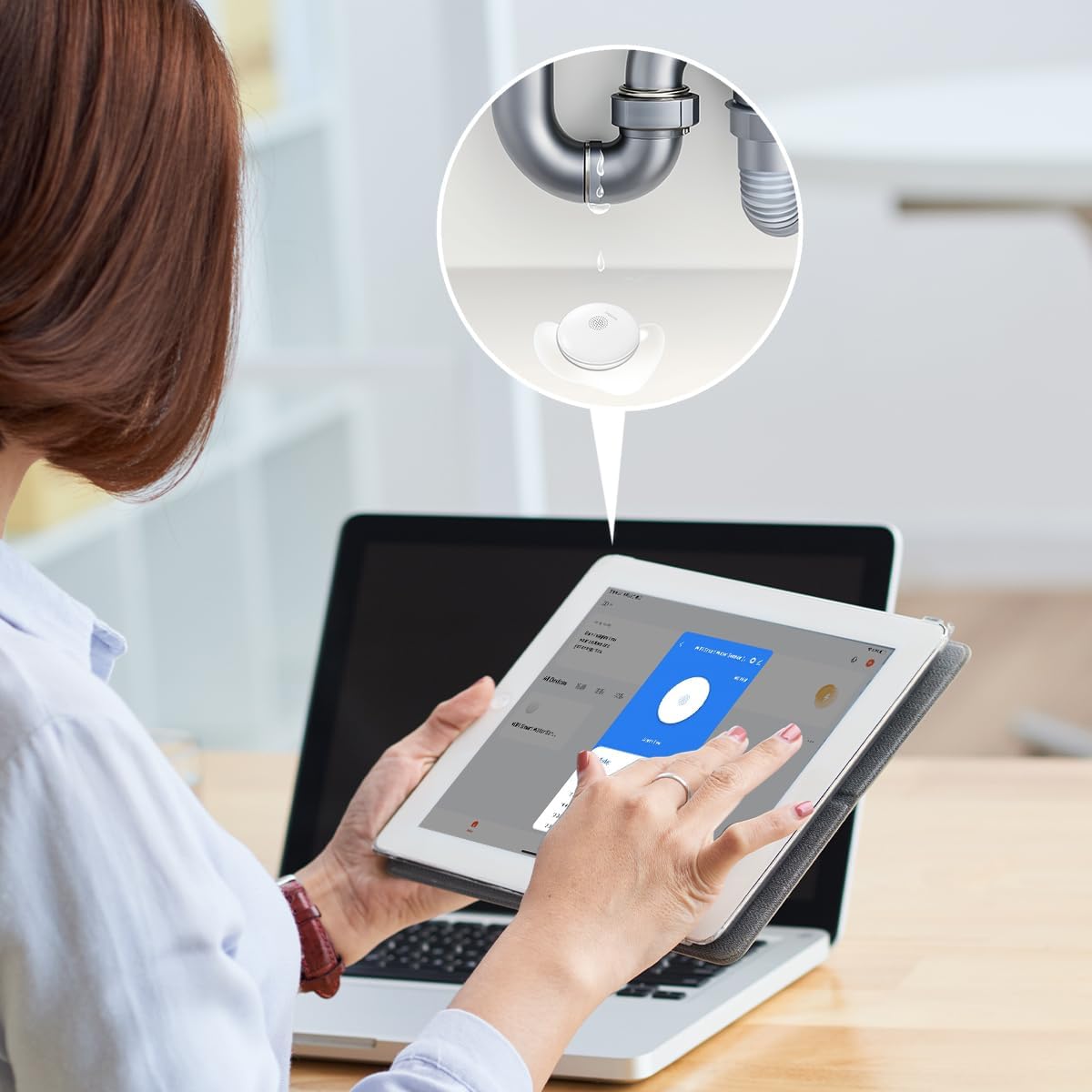
Figure 7.2: Smartphone notification upon water detection.
7.2. App Interface and History
The app provides a clear interface to monitor the sensor's status and review its alarm history. You can see timestamps of when the sensor detected water or when it was in an 'alarm free' state.

Figure 7.3: App interface showing sensor status and history.
7.3. Integration with Other Smart Products
The LogiLink SH0134 can be integrated with other LogiLink Smart products, such as the Siren Alarm (SH0110), to create a more comprehensive security system. Refer to the respective product manuals for integration instructions within the Smart Life or Megos Smart Home app.
8. Manutenzione
8.1. Sostituzione della batteria
The sensor is powered by a CR123A battery with a life of up to 2 years. When the battery is low, the app will notify you. To replace the battery, follow the steps in Section 6.1.
8.2. Pulizia
Wipe the sensor's exterior with a soft, dry cloth. Do not use abrasive cleaners or immerse the device in water, despite its IP67 rating, to avoid damaging internal components.
9. Risoluzione Dei Problemi
- Nessuna notifica dell'app:
- Ensure the sensor is properly paired with the app and connected to your Wi-Fi network.
- Check your phone's notification settings for the Smart Life/Megos Smart Home app.
- Verify your Wi-Fi network is active and has internet access.
- Sensor Not Detecting Water:
- Ensure the sensor's contact points on the bottom are clean and making proper contact with the surface.
- Test the sensor by placing it on a damp cloth to confirm functionality.
- Durata breve della batteria:
- Ensure you are using a fresh, high-quality CR123A battery.
- Le temperature estreme possono influire sulle prestazioni della batteria.
- Problemi di connettività:
- Ensure the sensor is within range of your 2.4 GHz Wi-Fi router.
- Restart your Wi-Fi router and the sensor.
- Confirm your Wi-Fi network is not using a 5 GHz band exclusively, as the sensor only supports 2.4 GHz.
10. Garanzia e supporto
LogiLink products are designed for reliability and performance. For warranty information, please refer to the warranty card included with your purchase or visit the official LogiLink website. For technical support or further assistance, please contact LogiLink customer service through their official channels.