
Introduzione
This manual provides detailed instructions for the installation, operation, and maintenance of your ANNKE 2K 3MP Wi-Fi Outdoor Security Camera. Please read this manual thoroughly before using the product to ensure proper setup and functionality. Keep this manual for future reference.
Contenuto della confezione
Verifica che tutti gli articoli elencati di seguito siano inclusi nel pacco. Se alcuni articoli risultano mancanti o danneggiati, contatta l'assistenza clienti.
- 2 x 3MP Wireless Camera (Metal Housing)
- 2 x Antenna
- 1 x antenna di estensione
- 2 x Sacchetto di viti di montaggio
- 2 x Sticker (Warning Stickers)
- 1 x Quick Start Guide (Instruction Manual)
- 2 x adattatore di alimentazione

Figura 1: Contenuto della confezione
Prodotto finitoview
Caratteristiche principali
- Risoluzione Super HD da 3 MP: Fornisce un monitoraggio video chiaro e dettagliato.
- Visione notturna a 100 piedi: Equipped with IR lights for clear visibility up to 100 feet in low-light conditions.
- Audio bidirezionale: Il microfono e l'altoparlante integrati consentono la comunicazione in tempo reale.
- Rilevamento umano AI: Advanced detection minimizes false alarms by accurately identifying human shapes.
- Avvisi immediati: Receive notifications via the ANNKE Sight App upon detection of activity.
- Accesso remoto: View live feeds and playback from your smart device (iOS, Android) via Wi-Fi.
- All-Day Monitoring: Continuous recording when connected to a power source.
- Customizable Monitor Area: Define specific zones for motion detection to reduce unnecessary alerts.
- Alloggiamento in metallo resistente: IP66-rated for weather resistance, suitable for outdoor use in various conditions.
- Integrazione Alexa: Compatible with Alexa for voice control and viewutilizzando display intelligenti.
Componenti della fotocamera
Familiarizzare con i componenti fisici della fotocamera.

Figure 2: Camera Components (Front and Side View)
- Lente: Cattura video footage.
- LED IR: Fornire illuminazione per la visione notturna.
- Microfono: Cattura l'audio per la comunicazione bidirezionale.
- Oratore: Emette audio per la comunicazione bidirezionale.
- Antenna: Per la connettività Wi-Fi.
- Porta di alimentazione: Si collega all'adattatore di alimentazione DC12V/1A.
- Base di montaggio: Per un'installazione sicura.
Istruzioni di installazione
These cameras are add-on units and require connection to a compatible ANNKE NVR (Network Video Recorder) to function. NVR is not included in this package.
Prima dell'installazione
- Ensure you have a compatible ANNKE NVR (Models: N48WHR, N98WHR, N44WET, N48WEE, N54WHF).
- Test the camera's functionality and Wi-Fi signal strength in the desired installation location before permanent mounting.
- Ensure the power outlet is within reach of the power adapter cable.
Passaggio 1: accensione della fotocamera
- Collegare l'adattatore di alimentazione in dotazione alla porta di alimentazione della fotocamera.
- Collegare l'adattatore di alimentazione a una presa elettrica standard. La fotocamera si accenderà e inizierà la sequenza di avvio.
Step 2: Connecting to ANNKE NVR
The cameras are designed to automatically connect to a compatible ANNKE NVR. If they do not connect automatically, follow the NVR's instructions for adding new wireless cameras.
- Ensure your ANNKE NVR is powered on and configured.
- Place the camera within range of the NVR's Wi-Fi signal.
- Refer to your NVR's user manual for specific steps on pairing or adding new wireless IP cameras.
Passaggio 3: montaggio della videocamera
Scegliere una posizione adatta per il montaggio, assicurando un campo libero di view and adequate Wi-Fi signal.
- Position the camera in the desired location. Use the included mounting screws and anchors to secure the camera base to a wall or ceiling.
- Regolare l'angolazione della telecamera per coprire l'area di sorveglianza desiderata.
- Ensure the antenna is securely attached and oriented for optimal signal reception. An extension antenna is provided for improved range if needed.

Figura 3: Esample Camera Mounting
Istruzioni per l'uso
Accesso in diretta View e riproduzione
Access your camera feed through the ANNKE Sight App on your smartphone or tablet, or via your connected NVR system.
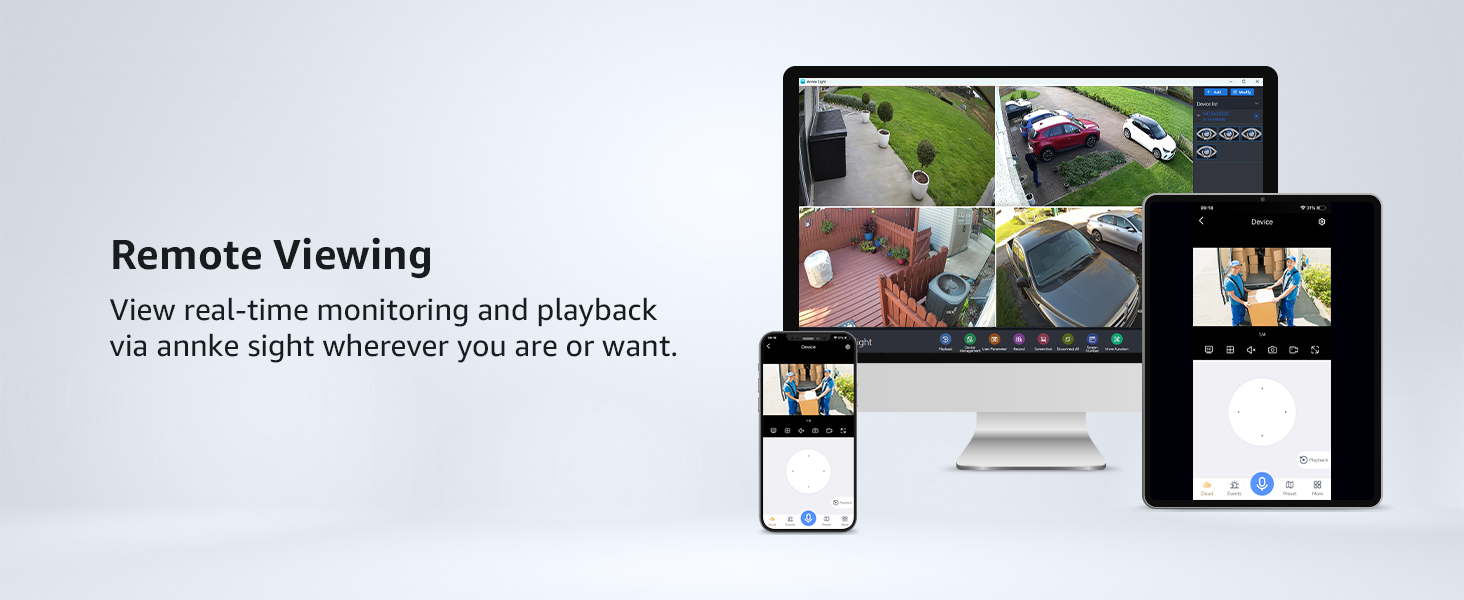
Figura 4: Remoto Viewutilizzo su più dispositivi
Audio bidirezionale
La telecamera supporta la comunicazione audio bidirezionale.
- Open the ANNKE Sight App or access the camera feed on your NVR.
- Locate the microphone icon in the live view interface. Tap and hold the icon to speak.
- Rilascia l'icona per ascoltare.

Figura 5: Audio bidirezionale in uso
Rilevamento del movimento e avvisi
The camera features AI human detection to minimize false alarms.
- In the ANNKE Sight App or NVR settings, navigate to the motion detection settings.
- Enable AI Human Detection.
- Configure alert preferences (e.g., push notifications, email alerts).
- To define a specific monitoring area, use the 'Monitor Area Setting' feature within the app or NVR interface.
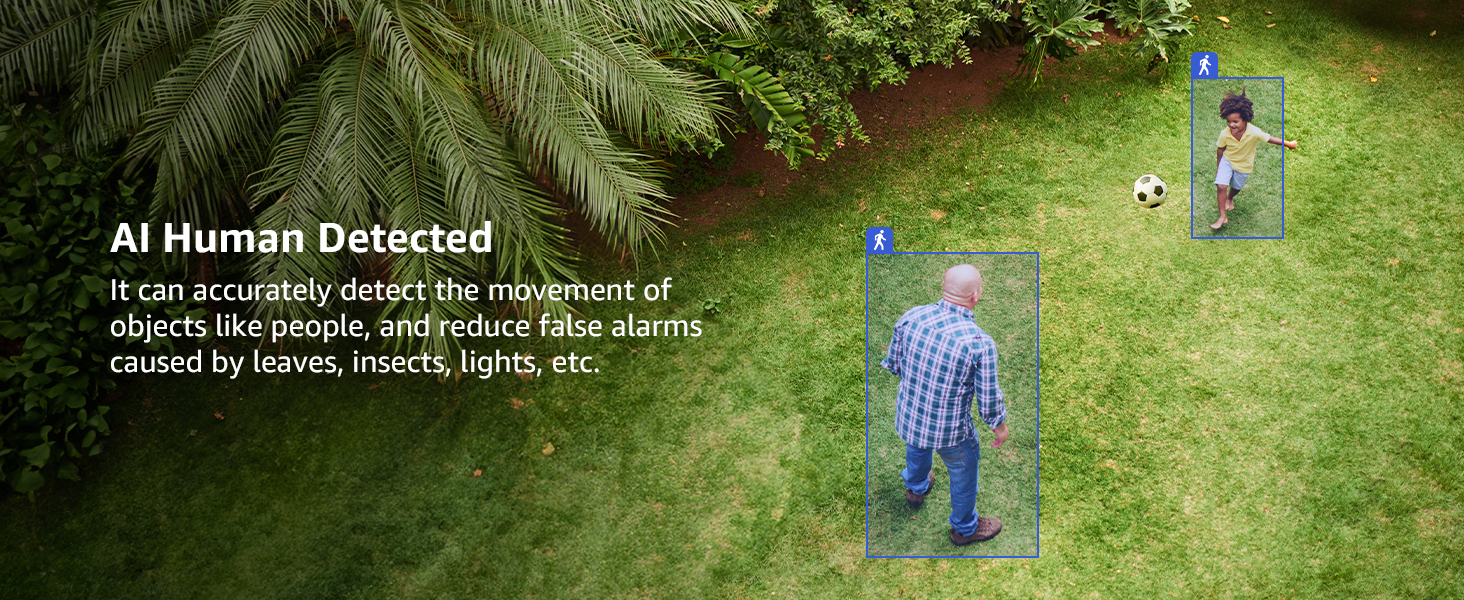
Figura 6: Rilevamento umano tramite IA
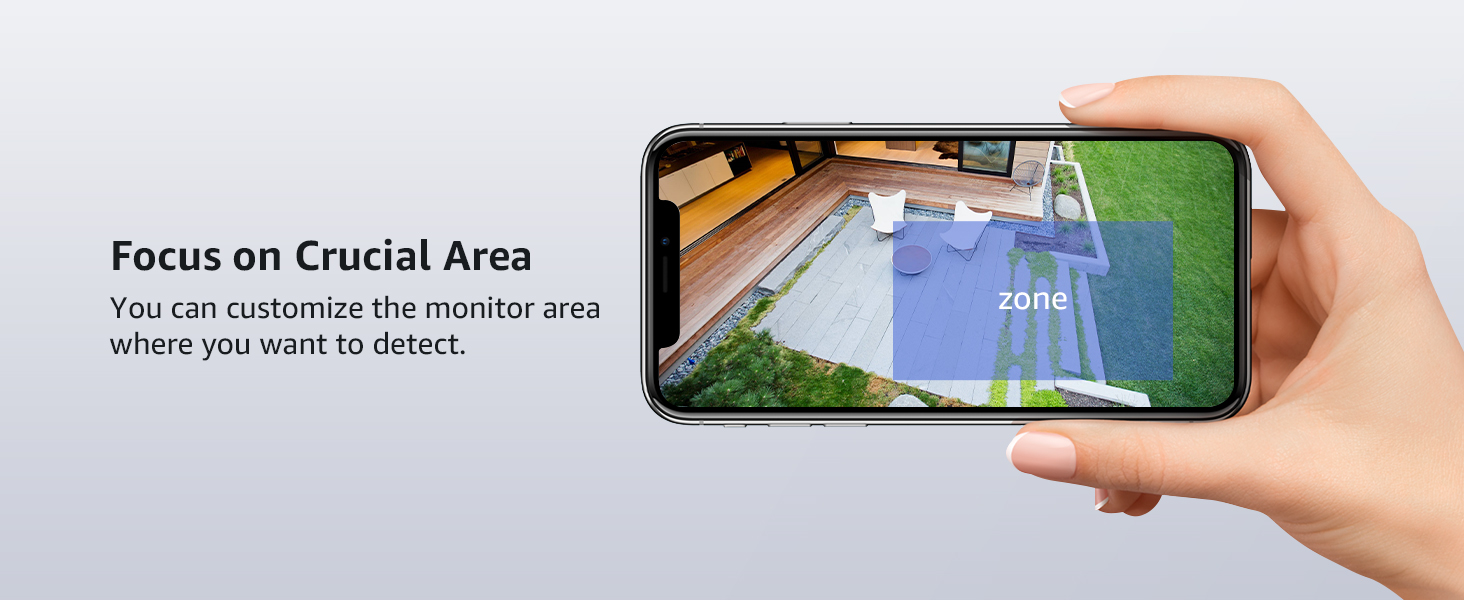
Figure 7: Customizable Monitor Area
Visione notturna
In condizioni di scarsa illuminazione, la telecamera passa automaticamente alla modalità visione notturna.
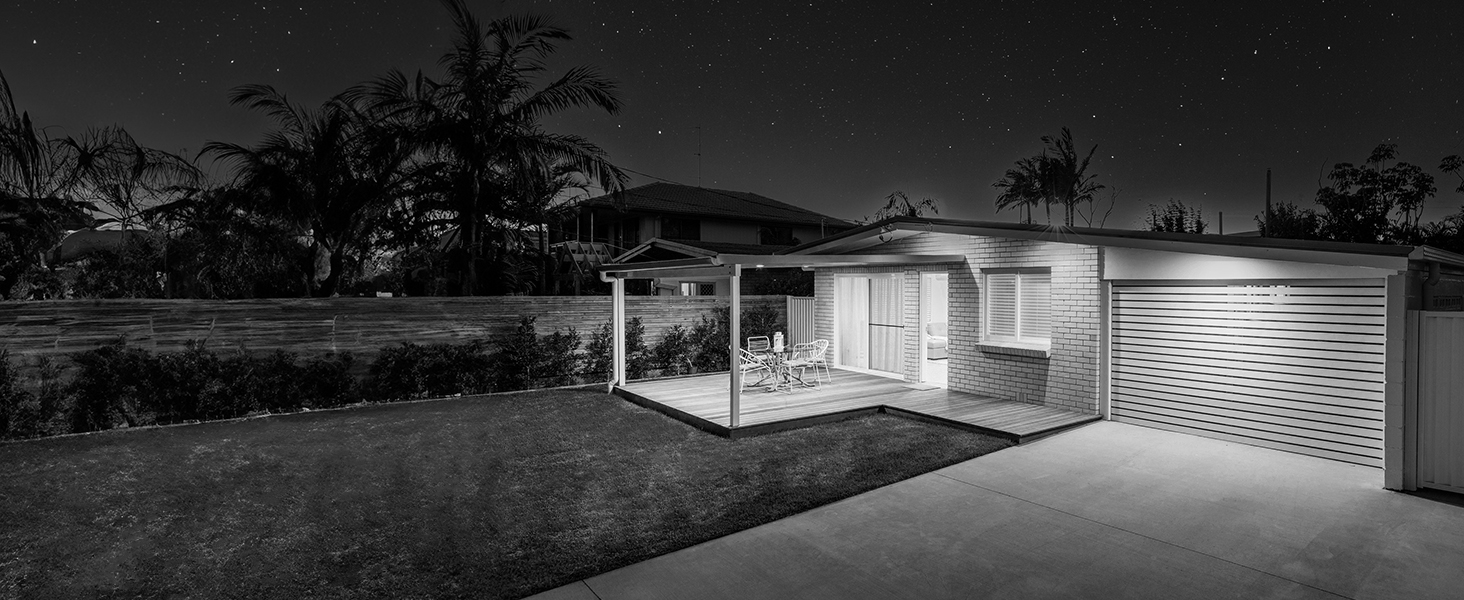
Figura 8: Confronto tra visione diurna e notturna
Integrazione Alexa
Integrate your camera with Alexa-enabled devices for convenient voice control.
- Ensure your Alexa device is set up and connected to the internet.
- Open the Alexa App and enable the ANNKE skill.
- Follow the on-screen instructions to link your ANNKE account and discover your camera.
- You can then use voice commands like, "Alexa, show me the backyard."
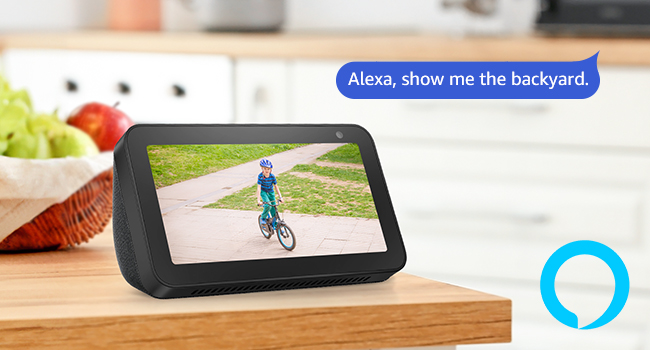
Figura 9: Integrazione Alexa
Manutenzione
Pulizia della fotocamera
- Pulire periodicamente l'obiettivo della fotocamera con un panno morbido eamp panno per garantire una qualità dell'immagine nitida.
- Non utilizzare prodotti chimici aggressivi o detergenti abrasivi.
Aggiornamenti del firmware
- Check the ANNKE Sight App or ANNKE official websito regolarmente per gli aggiornamenti del firmware.
- Keeping your camera's firmware updated ensures optimal performance and security.
Considerazioni ambientali
The camera is IP66-rated for outdoor use, providing protection against dust and water jets.

Figura 10: Resistenza alle intemperie
Risoluzione dei problemi
In caso di problemi, fare riferimento ai seguenti problemi comuni e alle relative soluzioni.
| Problema | Possibile causa | Soluzione |
|---|---|---|
| La fotocamera non si accende | Adattatore di alimentazione non collegato o difettoso; problema con la presa di corrente. | Ensure power adapter is securely connected. Test the power outlet with another device. Try a different power adapter if available. |
| Nessun feed video | Camera not connected to NVR; weak Wi-Fi signal; NVR issue. | Verify camera is powered on. Check NVR settings to ensure camera is added and online. Move camera closer to NVR or use the extension antenna. Restart NVR. |
| Scarsa qualità dell'immagine | Lente sporca; condizioni di scarsa illuminazione; larghezza di banda della rete. | Clean the camera lens. Ensure adequate lighting or verify night vision is active. Check network connection speed. |
| Avvisi di movimento falsi | Sensitivity too high; environmental factors (e.g., moving branches, insects). | Adjust motion detection sensitivity in the app/NVR. Utilize AI Human Detection. Configure a specific monitoring area to exclude irrelevant zones. |
| L'audio bidirezionale non funziona | Microphone/speaker blocked; app settings; network issue. | Ensure nothing is obstructing the microphone or speaker. Check audio settings in the ANNKE Sight App. Verify stable network connection. |
Specifiche
| Caratteristica | Dettaglio |
|---|---|
| Nome del modello | AU-KI71FR0203 |
| Risoluzione fissa efficace | 3 MP |
| Risoluzione di acquisizione video | 3 MP |
| Tecnologia di connettività | Senza fili (Wi-Fi) |
| Gamma di visione notturna | 100 piedi |
| Caratteristiche speciali | 2-Way Audio, Night Vision, Weather Proof (IP66), AI Human Detection |
| Uso interno/esterno | Interno, Esterno |
| Compatible NVR Devices | N48WHR, N98WHR, N44WET, N48WEE, N54WHF |
| Metodo di controllo | App (ANNKE Sight) |
| Fonte di alimentazione | Corded Electric (DC12V/1A) |
| Viewangolo di ing | 70 gradi |
| Dimensioni dell'articolo | 7.64 x 6.5 x 5.31 pollici |
| Peso dell'articolo | 0.92 kg |
Garanzia e supporto
Garanzia del produttore
Questo prodotto viene fornito con un Garanzia del produttore di 1 annoSi prega di conservare la prova d'acquisto per eventuali reclami in garanzia.
Assistenza clienti
For technical assistance, troubleshooting, or warranty inquiries, please visit the official ANNKE support website or contact their customer service team. Refer to the Quick Start Guide included in your package for specific contact details.
ANNKE is dedicated to providing top-notch surveillance solutions and offers lifetime technical support.


