
1. Introduzione
The Cooler Master MasterFrame 600 is a versatile PC case designed for optimal performance and extensive customization. Constructed from high-quality aluminum, it offers a flexible space configuration to accommodate various hardware setups. This case supports the latest generation GPUs and features an optimized cooling layout to ensure efficient airflow and stable thermal performance. It is an ideal choice for users seeking both high functionality and personalized aesthetics for their computing needs.
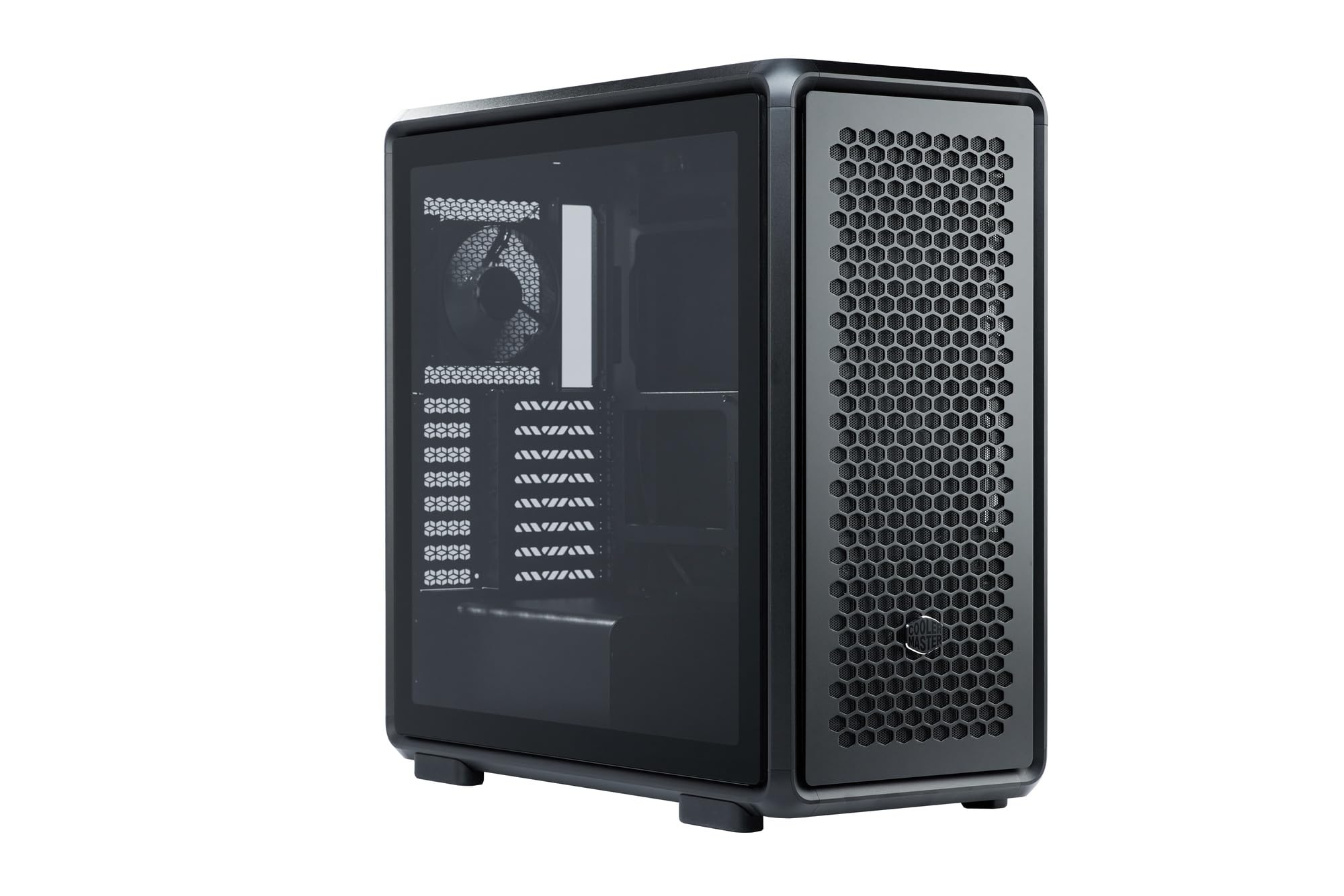
Figure 1: Cooler Master MasterFrame 600 PC Case, showcasing its sleek design and mesh panels.
Video 1: Un overview of the MasterFrame 600's design, highlighting its EXO-STRUCTURE, adaptable frame, and versatile, maker-driven customization options. (Note: Video source is a placeholder as a specific m3u8 URL was not provided in the product data.)
2. Configurazione e installazione
This section provides general guidelines for assembling your PC components within the MasterFrame 600. Always refer to the specific manuals for your individual components (motherboard, GPU, PSU, etc.) for detailed instructions.
2.1 Unboxing e identificazione dei componenti
Carefully remove all components from the packaging. Verify that all parts listed in the packing list are present. Familiarize yourself with the case's internal layout and mounting points.

Figura 2: Esploso view of the MasterFrame 600, illustrating its modular components and assembly parts.
2.2 Installazione della scheda madre
- Identify the correct standoff positions for your motherboard form factor (ITX, Micro-ATX, ATX, E-ATX).
- Install the necessary standoffs onto the motherboard tray.
- Posizionare la schermatura I/O nell'apertura posteriore del case.
- Allineare con attenzione la scheda madre con i distanziatori e la schermatura I/O, quindi fissarla con le viti.
2.3 Installazione dell'unità
The MasterFrame 600 supports 2x 3.5-inch drives and 5x 2.5-inch drives.
- Locate the designated drive bays or mounting points.
- Secure your 3.5-inch or 2.5-inch drives using the provided screws or tool-less mechanisms.
2.4 Installazione dell'unità di alimentazione (PSU).
- Position your PSU in the bottom-mount location.
- Secure the PSU to the case using the appropriate screws.
- Far passare i cavi di alimentazione necessari attraverso gli appositi fori per la gestione dei cavi.
2.5 Installazione della scheda grafica (GPU)
The case supports GPUs up to 485mm in length (without front fan/radiator).
- Rimuovere le coperture degli slot PCIe necessari dalla parte posteriore del case.
- Insert your GPU into the appropriate PCIe slot on the motherboard.
- Secure the GPU with the retention clip and screws.
2.6 Installazione del sistema di raffreddamento
Install fans and/or radiators according to your cooling configuration. The case is designed for efficient airflow.
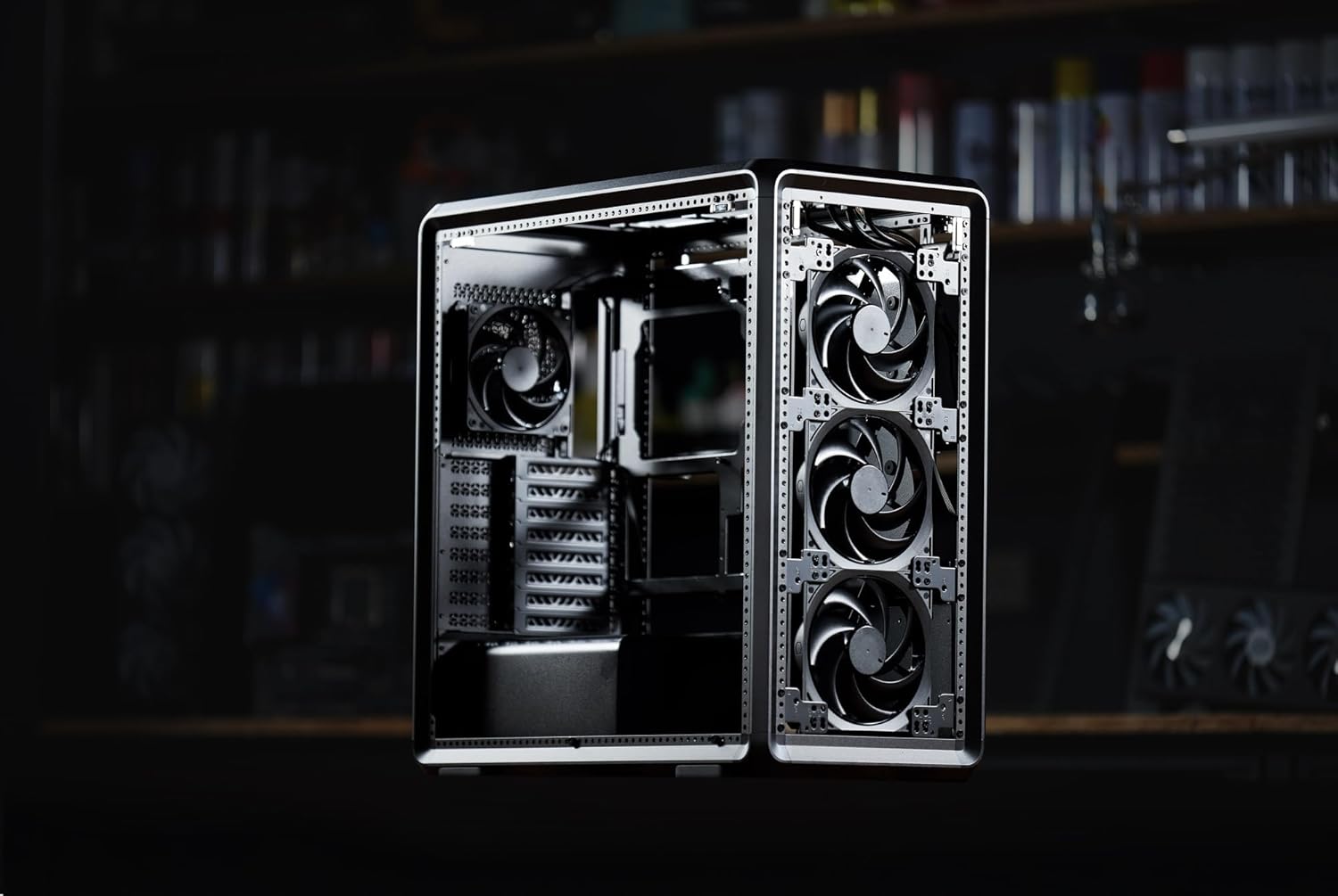
Figura 3: Interno view of the MasterFrame 600, showing potential fan mounting locations for optimized airflow.
2.7 Gestione dei cavi
Utilize the various cutouts and tie-down points behind the motherboard tray to route and secure cables. This improves airflow and aesthetics.
3. Istruzioni per l'uso
3.1 Accensione
After all components are securely installed and connected, plug the power cable into your PSU and a wall outlet. Press the power button on the front panel to start your system.
3.2 Collegamenti del pannello frontale
The front panel provides convenient access to USB 3.0 ports and audio jacks. Connect your peripherals as needed.
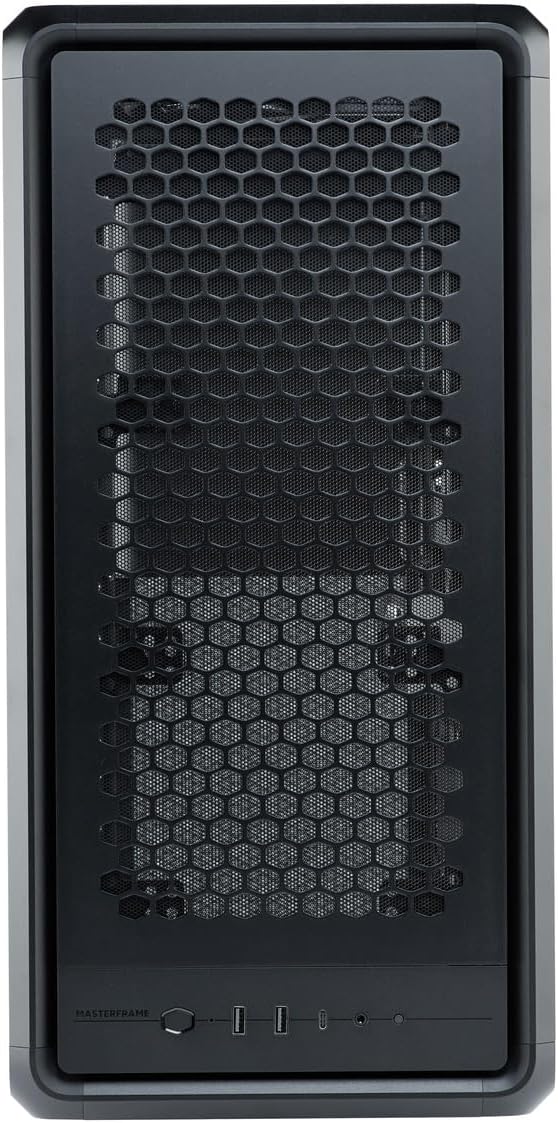
Figure 4: Close-up of the MasterFrame 600's front panel, detailing the power button and I/O ports.
3.3 Ottimizzazione del flusso d'aria
The MasterFrame 600's design promotes excellent airflow. Ensure that fans are oriented correctly for intake and exhaust to maintain optimal component temperatures.
4. Manutenzione
Una manutenzione regolare contribuisce a garantire la longevità e le prestazioni dei componenti del PC.
4.1 Pulizia del filtro antipolvere
The MasterFrame 600 features removable dust filters. Periodically remove and clean these filters to prevent dust buildup and maintain optimal airflow. Use compressed air or a soft brush.
4.2 General Case Cleaning
Pulisci l'esterno della custodia con un panno morbido eamp panno. Evitare detergenti abrasivi o solventi che potrebbero danneggiare la finitura.
4.3 Pulizia della ventola
If accessible, gently clean fan blades with compressed air or a soft brush to remove accumulated dust.
5. Risoluzione Dei Problemi
Se riscontri problemi con la configurazione del tuo PC, prendi in considerazione i seguenti passaggi comuni per la risoluzione dei problemi:
- Nessun potere: Assicurarsi che tutti i cavi di alimentazione (dall'alimentatore alla presa a muro, dall'alimentatore alla scheda madre, dalla CPU alla GPU) siano collegati saldamente. Controllare l'interruttore di alimentazione sull'alimentatore.
- Nessuna visualizzazione: Verify that your monitor is connected to the graphics card (not the motherboard's integrated graphics, unless intended) and that the GPU is properly seated and powered.
- Rumore del ventilatore: Excessive fan noise can indicate dust buildup or loose fan mounts. Clean fans and ensure they are securely fastened.
- Componente non rilevato: Re-seat the component (e.g., RAM, GPU, storage drive) and check all associated power and data cables.
For specific component-related issues, consult the respective component manuals or Cooler Master's support resources.
6. Specifiche
| Caratteristica | Dettaglio |
|---|---|
| Marca | Maestro del freddo |
| Nome del modello | MasterFrame 600 |
| Numero di modello | MF600-KGNN-S00 |
| Tipo di caso | Mid Tower |
| Colore | Nero |
| Schede madri supportate | ITX / Micro-ATX / ATX / E-ATX |
| Product Dimensions (including protrusions) | Dimensioni: 531 x 261 x 544 mm |
| Product Dimensions (excluding protrusions) | Dimensioni: 514 x 244 x 514 mm |
| Peso dell'articolo | 12000 grammi |
| Drive Bays (3.5-inch) | 2 |
| Drive Bays (2.5-inch) | 5 |
| Supported Video Card Length | Max 485 mm (without front fan, radiator) |
| Power Supply Unit Length | 235mm |
| Altezza del dispositivo di raffreddamento della CPU | 190mm |
| Tipo di montaggio dell'alimentatore | Montaggio inferiore |
| Porte USB 3.0 | 3 |
| Caratteristiche | Modular structure 'Freeform 2.0' |

Figure 5: Dimensional diagram of the MasterFrame 600, showing height, width, and depth measurements.
7. Informazioni sulla garanzia
The Cooler Master MasterFrame 600 PC Case comes with a Garanzia di 2 anno from the date of purchase. This warranty covers defects in materials and workmanship under normal use. Please retain your proof of purchase for warranty claims. For full warranty terms and conditions, please refer to the official Cooler Master websito o contattare l'assistenza clienti.
8. Supporto
For technical assistance, troubleshooting, or general inquiries regarding your Cooler Master MasterFrame 600 PC Case, please visit the official Cooler Master support websito. In genere, qui puoi trovare FAQ, download di driver e informazioni di contatto per l'assistenza clienti.
Cooler Master Ufficiale Websito: www.coolermaster.com