
VTech VTVM3258
Manuale utente del baby monitor video digitale VTech VM3258
Model: VTVM3258
Sopraview
The VTech VM3258 Digital Video Baby Monitor allows you to keep a close eye on your baby with its high-resolution 2.8-inch color LCD screen. This monitor features a multi-color night-light, soothing lullabies and sounds, two-way audio communication, and a temperature sensor to ensure your baby's comfort. Designed for ease of use, it offers long battery life for extended monitoring.

Image: The VTech VM3258 monitor system, featuring the parent unit with a 2.8-inch LCD screen displaying a baby, and the baby unit with a night-light feature. Both units are white with VTech branding.
Contenuto della confezione
Assicurarsi che tutti gli articoli siano presenti nel pacco:
- Unità Genitore
- Unità bambino
- 2 adattatori CA
- 4 Screws (for wall mounting, if applicable)
- Manuale dell'utente (questo documento)
- Guida Rapida
Caratteristiche del prodotto
- High-resolution 2.8-inch Color LCD Screen: Provides clear video of your baby.
- Night-light on Baby Unit: Soothing multi-color light with an auto-on feature based on noise detection.
- Suoni rilassanti e ninne nanne: Includes 2 melodies and 2 ambient sounds (trickling stream, white noise) to help baby sleep.
- Two-way, Talk-back Intercom: Allows you to speak to your baby from the parent unit.
- Batteria a lunga durata: Up to 19 hours of video streaming or 29 hours of audio-only monitoring on a single charge.
- Sensore di temperatura: Monitors the nursery temperature, displayed on the parent unit.
- Visione notturna automatica a infrarossi: Provides clear video in low-light conditions.
- Sound Activation Screen Mode: Screen turns on when noise is detected.
- Zoom digitale 2x: Allows for closer viewdel tuo bambino.
- Up to 1,000 feet of Range: Ensures monitoring across larger homes.
Impostare
1. Ricarica dell'unità genitore
Before first use, charge the parent unit for at least 12 hours. Connect one of the AC adapters to the parent unit and a power outlet. The battery indicator will show charging status.
2. Alimentazione dell'unità bambino
Connect the second AC adapter to the baby unit and a power outlet. The baby unit will power on automatically.
3. Posizionamento delle unità
Place the baby unit in your baby's room, at least 3 feet (1 meter) away from the baby. Position it on a flat surface or mount it to a wall using the provided screws. Ensure the camera has a clear view of the baby's crib. Keep the parent unit within range of the baby unit for optimal signal.

Image: An overhead diagram of a multi-story house illustrating the VTech baby monitor's long range capability, showing the baby unit in a nursery and the parent unit being used in various rooms up to 1000 feet away.
4. Secure Connection
The VTech VM3258 uses a secure, non-Wi-Fi connection, ensuring your privacy. No internet connection or app is required for operation.
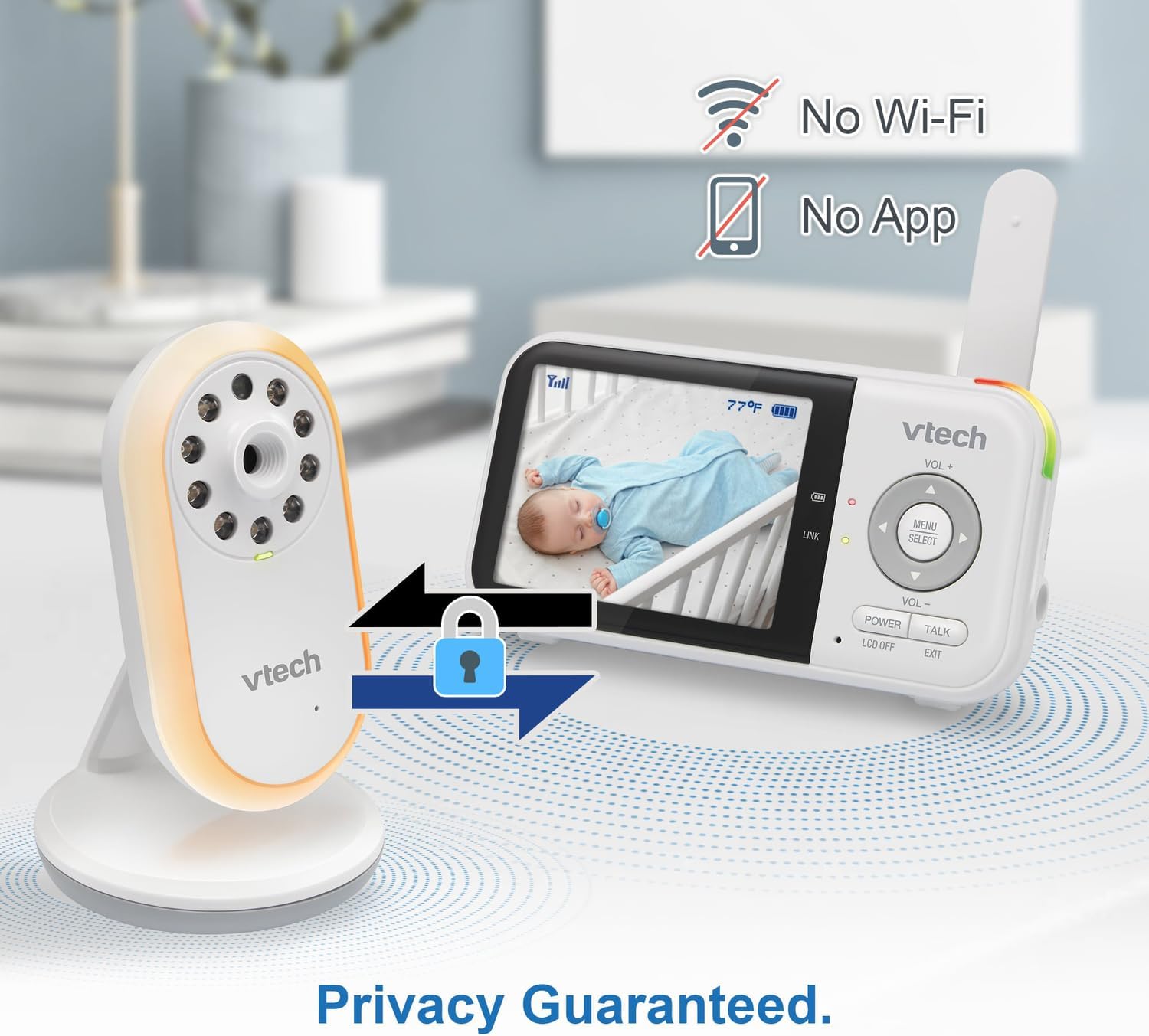
Image: The VTech baby monitor setup, showing the parent unit and baby unit with icons indicating "No Wi-Fi" and "No App," highlighting the secure, private connection.
Istruzioni per l'uso
1. Accensione/spegnimento
- Unità genitore: Premere e tenere premuto il tasto ENERGIA button until the screen turns on/off.
- Unità bambino: L'unità bambino si accende automaticamente quando è collegata all'alimentazione.
2. Regolazione del volume
Utilizzare il Volume+ E vol- pulsanti sull'unità genitore per regolare il volume di ascolto.
3. Interfono bidirezionale
Premere e tenere premuto il tasto PARLARE sull'unità genitore per parlare al tuo bambino tramite l'altoparlante dell'unità bambino. Rilascia il pulsante per ascoltare il tuo bambino.

Image: A split image depicting a parent holding the VTech parent unit and a baby playing, illustrating the two-way talk-back intercom functionality.
4. Night-Light and Lullabies
Access the menu on the parent unit to control the baby unit's night-light (choose from 3 colors) and to play soothing lullabies or ambient sounds. You can also enable the auto-on night-light feature, which activates when noise is detected.

Image: The VTech baby unit with its night light softly glowing, surrounded by musical notes, symbolizing its ability to play lullabies and soothing sounds.
5. Monitoraggio della temperatura
The current nursery temperature is displayed on the parent unit's LCD screen, allowing you to ensure a comfortable environment for your baby.
6. Visione notturna
L'unità bambino attiva automaticamente la visione notturna a infrarossi in condizioni di scarsa illuminazione, fornendo un'immagine nitida in bianco e nero sull'unità genitore.

Image: A side-by-side comparison showing a baby in a crib, with one side labeled "Standard night vision" (darker, less clear) and the other "Our night vision" (brighter, clearer, without glare).
7. Gestione della durata della batteria
The parent unit offers extended battery life. To conserve battery, you can use the audio-only mode or enable the sound activation screen mode, which turns the screen off until sound is detected.

Image: A circular diagram showing a battery icon in the center, with two halves representing "19 hours in screen-on mode" (depicting a person exercising) and "29 hours in audio-only mode" (depicting a person watching TV at night), illustrating the monitor's long battery life.
Manutenzione
Pulizia delle unità
Pulire le superfici dell'unità genitore e dell'unità bambino con un panno morbido e asciutto.amp cloth. Do not use cleaning sprays or liquid cleaners. Ensure the units are dry before reconnecting to power.
Cura della batteria
To prolong battery life, avoid fully discharging the parent unit battery frequently. If storing the unit for an extended period, charge it fully before storage and recharge every few months.
Risoluzione dei problemi
| Problema | Possibile soluzione |
|---|---|
| Nessuna immagine/audio sull'unità genitore. |
|
| L'immagine è in bianco e nero. | This is normal when the baby unit's infrared night vision is active due to low light conditions. |
| Statica o interferenza. |
|
| La batteria dell'unità genitore si scarica rapidamente. |
|
Specifiche
- Numero modello: VTVM3258
- Dimensioni del prodotto: 4.72 x 2.5 x 1.32 inches (Parent Unit)
- Peso dell'articolo: 1.25 libbre (totale)
- Batterie: 1 A battery required (included) for Parent Unit
- Gamma di frequenza: Frequenza 400-470 MHz
- Intervallo di conversazione massimo: Fino a 1,000 piedi (linea di vista)
- Numero di canali: 32
- Colore: Bianco
- Produttore: VTech Communications
- Data prima disponibilità: 9 gennaio 2025
Ask a question about this manual
Ask about setup, troubleshooting, compatibility, parts, safety, or missing instructions. Manuals+ will review the question and use this page’s manual context to help answer it.