
1. Introduzione
Thank you for choosing the Valerion VisionMaster Pro 4K Triple Laser Projector. This advanced projector delivers a cinematic viewing experience with its 4K UHD resolution, triple laser technology, and smart features. This manual provides essential information for setting up, operating, maintaining, and troubleshooting your device to ensure optimal performance.
2. Cosa c'è nella scatola
Verificare che tutti gli articoli siano presenti nel pacco:
- Valerion VisionMaster Pro Projector
- Telecomando (con 2 batterie AAA)
- Cavo di alimentazione CA.
- Adattatore di alimentazione
- Guida rapida
- Manuale d'uso
3. Prodotto finitoview
The Valerion VisionMaster Pro is designed for superior home cinema and gaming. It features a compact, portable form factor with robust connectivity options.
3.1. Caratteristiche principali
- Risoluzione UHD 4K: Delivers crisp, detailed images.
- Tecnologia laser tripla: Provides vibrant and accurate colors (110% Rec.2020 coverage).
- Contrasto elevato: 15,000:1 contrast ratio with EBL technology for deep blacks.
- Zoom ottico: 0.9-1.5X OpticFlex system for flexible placement.
- Intelligenti Caratteristiche: Integrated streaming, Google TV, AI Super Resolution, auto-focus, keystone correction.
- Gioco a bassa latenza: 4ms response time and 240Hz refresh rate for smooth gameplay.
- HDR10+ and IMAX Enhanced: Optimized for dynamic range and immersive viewing.
3.2. Porte e connessioni
Il proiettore offre diverse porte per il collegamento di dispositivi esterni:

Image: Rear panel with connectivity ports.
- HDMI: Multiple HDMI ports (including HDMI 2.1) for connecting game consoles, Blu-ray players, and other video sources.
- USB: USB 3.0 ports for media playback and external storage.
- S/PDIF: Uscita audio digitale.
- LAN: Porta Ethernet per la connessione di rete cablata.
- DC IN: Ingresso alimentazione.
4. Impostazione
4.1. Posizionamento
Position the projector on a stable, flat surface or mount it according to your preference. Ensure adequate ventilation around the device. The VisionMaster Pro supports flexible placement thanks to its optical zoom.

Image: Projector placement and screen size guide.
Distanza di proiezione e dimensioni dello schermo:
The optical zoom (0.9-1.5X) allows for a wide range of projection sizes from various distances. Refer to the table below for typical projection distances:

Image: Projection distance table.
4.2. Collegamento elettrico
- Connect the AC power cable to the power adapter.
- Plug the power adapter into the DC IN port on the projector.
- Plug the AC power cable into a wall outlet.
4.3. Initial Power-On and Image Adjustment
- Premere il pulsante di accensione sul proiettore o sul telecomando per accendere il dispositivo.
- The projector will automatically perform auto-focus and keystone correction for a clear, rectangular image.
- Use the remote control to fine-tune focus or keystone if needed. The optical zoom can be adjusted manually for precise image sizing without moving the projector.

Image: Automatic calibration and focus features.
5. Istruzioni per l'uso
5.1. Smart Features and Streaming
The VisionMaster Pro comes with integrated Google TV, offering access to a wide range of streaming applications. Connect to your Wi-Fi network to access these features.

Image: Google TV interface.
- Navigazione: Utilizza il telecomando per navigare nell'interfaccia di Google TV.
- Installazione dell'app: Scarica e installa app aggiuntive dal Google Play Store.
- Streaming 4K: The MT9618 AI chipset with 4GB RAM and 128GB storage ensures smooth 4K UHD streaming.
5.2. Image and Color Settings
Experience superior image quality with advanced color and contrast technologies.

Image: Color mastery and depth comparison.
- Colore cinematografico: 110% Rec.2020 coverage and ISF certified calibration ensure accurate, vibrant colors.
- Deep Blacks: 15,000:1 ultra-high contrast with EBL technology provides deep blacks and clear details in dark scenes.
- HDR10+ with Dynamic Tone Mapping: Optimizes brightness and contrast in real-time for enhanced visual fidelity.
- Anti-RBE Technology: Reduces rainbow effect by 99.99% for a comfortable viewesperienza di acquisizione.

Image: Black level comparison.
5.3. Caratteristiche di gioco
The VisionMaster Pro is optimized for professional-level gaming with ultra-low latency and high refresh rates.
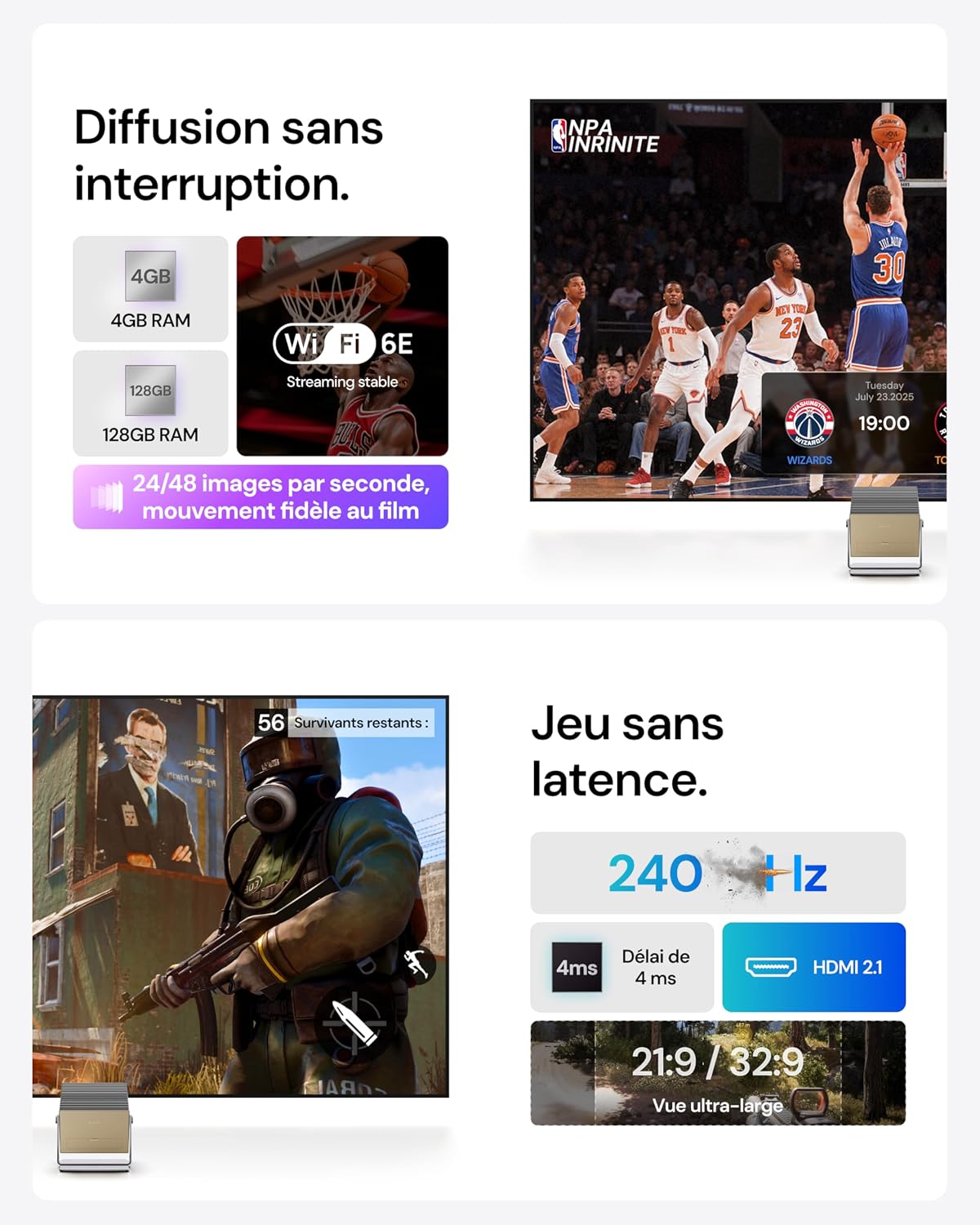
Image: Gaming and streaming features.
- Latenza ultra bassa: Enjoy a 4ms response time for responsive gameplay.
- Alta frequenza di aggiornamento: Supports up to 240Hz refresh rate for smooth motion.
- Ultra-Wide Screens: Compatible with 21:9 or 32:9 aspect ratios for an immersive gaming field.
- Modalità di gioco: Customize your experience with modes like RPG, FPS, and RCG, along with enhanced FPS reticles and night vision.
5.4. Smart Home Integration and Voice Control
Integrate your projector into your smart home ecosystem for convenient control.
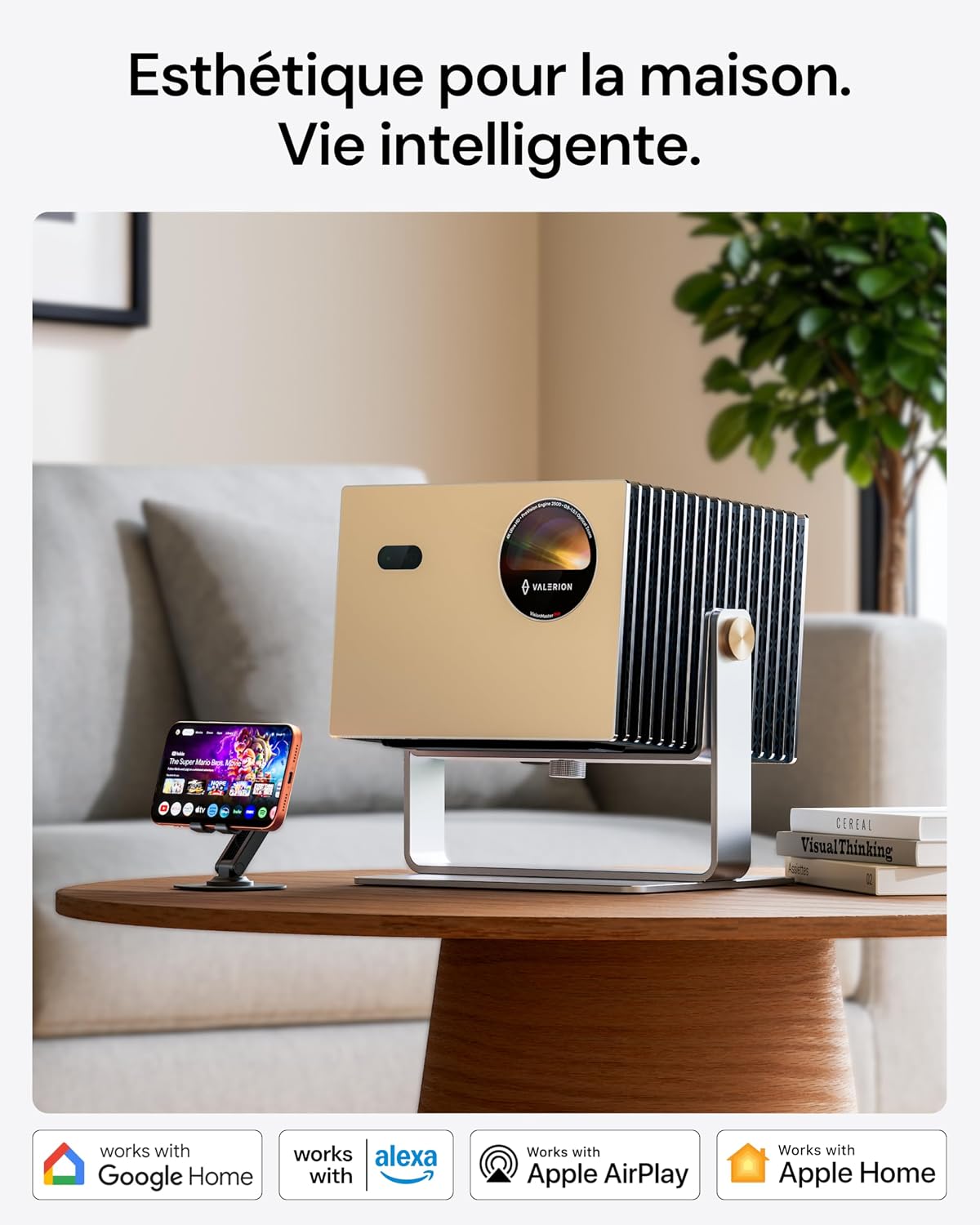
Image: Smart home compatibility.
- Controllo vocale: Use voice commands via Google Assistant or Alexa to control the projector.
- Compatibilità con la casa intelligente: Works with Google Home, Alexa, Apple AirPlay, and Apple Home for seamless integration.
6. Manutenzione
6.1. Pulizia
- Esterno: Utilizzare un panno morbido e asciutto per pulire l'esterno del proiettore. Non utilizzare detergenti abrasivi o solventi.
- Lente: Gently clean the lens with a lens cleaning cloth or specialized lens cleaning solution. Avoid touching the lens directly with your fingers.
- Ventilazione: Assicurarsi che le aperture di ventilazione siano libere da polvere e ostruzioni per evitare il surriscaldamento.
6.2. Conservazione
When not in use for extended periods, store the projector in a cool, dry place, away from direct sunlight and extreme temperatures. Use the original packaging or a protective case to prevent damage.
7. Risoluzione Dei Problemi
If you encounter issues with your VisionMaster Pro, refer to the following common problems and solutions:
| Problema | Possibile causa | Soluzione |
|---|---|---|
| Nessuna immagine visualizzata | Cavo di alimentazione scollegato; sorgente di ingresso non selezionata; dispositivo non acceso. | Check power connections; select correct HDMI/USB input; press power button. |
| L'immagine è sfocata | Focus not adjusted; lens dirty. | Allow auto-focus to complete or adjust manually; clean the lens. |
| L'immagine è distorta (trapezio) | Keystone non regolato. | Allow auto-keystone to complete or adjust manually. |
| Nessun suono | Volume troppo basso; dispositivo audio esterno non collegato; uscita audio selezionata non corretta. | Increase volume; connect external speakers if desired; check audio output settings. |
| Il telecomando non funziona | Batterie scariche; ostruzione tra telecomando e proiettore. | Sostituire le batterie; assicurarsi che ci sia una visuale libera verso il ricevitore IR del proiettore. |
8. Specifiche
Detailed technical specifications for the Valerion VisionMaster Pro Projector:
| Caratteristica | Dettaglio |
|---|---|
| Marca | Valerion |
| Nome del modello | VisionMaster Pro |
| Risoluzione dello schermo | Risoluzione 3840 x 2160 (4K UHD) |
| Tipo di visualizzazione | Laser |
| Luminosità | 2500 ISO Lumens (2500 ANSI Lumens) |
| Rapporto di contrasto | 15,000:1 |
| Tecnologia di connettività | HDMI, USB, S/PDIF |
| Caratteristiche speciali | Integrated Streaming, Low Latency Gaming, Advanced Image Processing, HDR10+, Enhanced Multitasking Power |
| Dimensioni del prodotto (L x P x A) | 26L x 24W x 19H centimetri |
| Peso dell'articolo | 7 chilogrammi |
| Fattore di forma | Portatile |
| Tipo di montaggio | Montaggio da tavolo |
| Tipo di controllo | Controllo vocale, telecomando |
| Distanza massima di proiezione | 7.97 metri |
| Dimensione massima dell'immagine | 300 pollici |
| Min Projection Distance | 1.06 metri |
| Min Image Size | 40 pollici |
| Tecnologia di miglioramento delle immagini | HDR10+ |
| Codifica video | H.264 |
| Produttore | Valerion Technology USA Co., Ltd |
| Paese di origine | Cina |
9. Garanzia e supporto
9.1. Informazioni sulla garanzia
The Valerion VisionMaster Pro comes with a Garanzia di 2 annoSi prega di conservare la prova d'acquisto per eventuali reclami in garanzia.
Additionally, Valerion offers a Garanzia di adeguamento del prezzo entro 30 giorni. If the price drops within 30 days of your purchase, you will be refunded the difference.
9.2. Assistenza clienti
For technical assistance, warranty claims, or any product-related inquiries, please contact Valerion customer support:
- Telefono/WhatsApp: +1 (888) 891-6866
- E-mail: support@awolvision.com
- Disponibilità del servizio: Servizio post-vendita 24 ore su 24, 7 giorni su 7
Our support team is available to assist you throughout the process.