
1. Introduzione
Grazie per l'acquistoasing the AGPTEK A02XT MP3 Player. This device is designed to provide a high-quality audio experience with its HIFI lossless sound and Bluetooth 5.3 connectivity. It features a compact design, button operation, and various functions including FM radio, voice recording, and a pedometer. This manual will guide you through the setup, operation, and maintenance of your new MP3 player.

Figure 1.1: AGPTEK A02XT MP3 Player with accessories.
2. Prodotto finitoview
2.1 Contenuto della confezione
- AGPTEK A02XT MP3 Player (1)
- Cavo di ricarica USB-C (1)
- Manuale d'uso (1)
- Earphones (1 pair) - May vary by region/package

Figure 2.1: Contents of the AGPTEK A02XT package.
2.2 Layout e controlli del dispositivo
Familiarize yourself with the buttons and ports on your A02XT MP3 player.

Figura 2.2: Fronte view of the A02XT MP3 Player.
- Schermo: Displays menus, music information, and settings.
- Pulsante M: Menu/Back button. Long press to lock/unlock the screen.
- Pulsante Play/Pausa: Avvia o mette in pausa la riproduzione.
- Pulsanti Precedente/Successivo: Navigates through tracks or menu options.
- Tasto VOL: Controllo del volume.
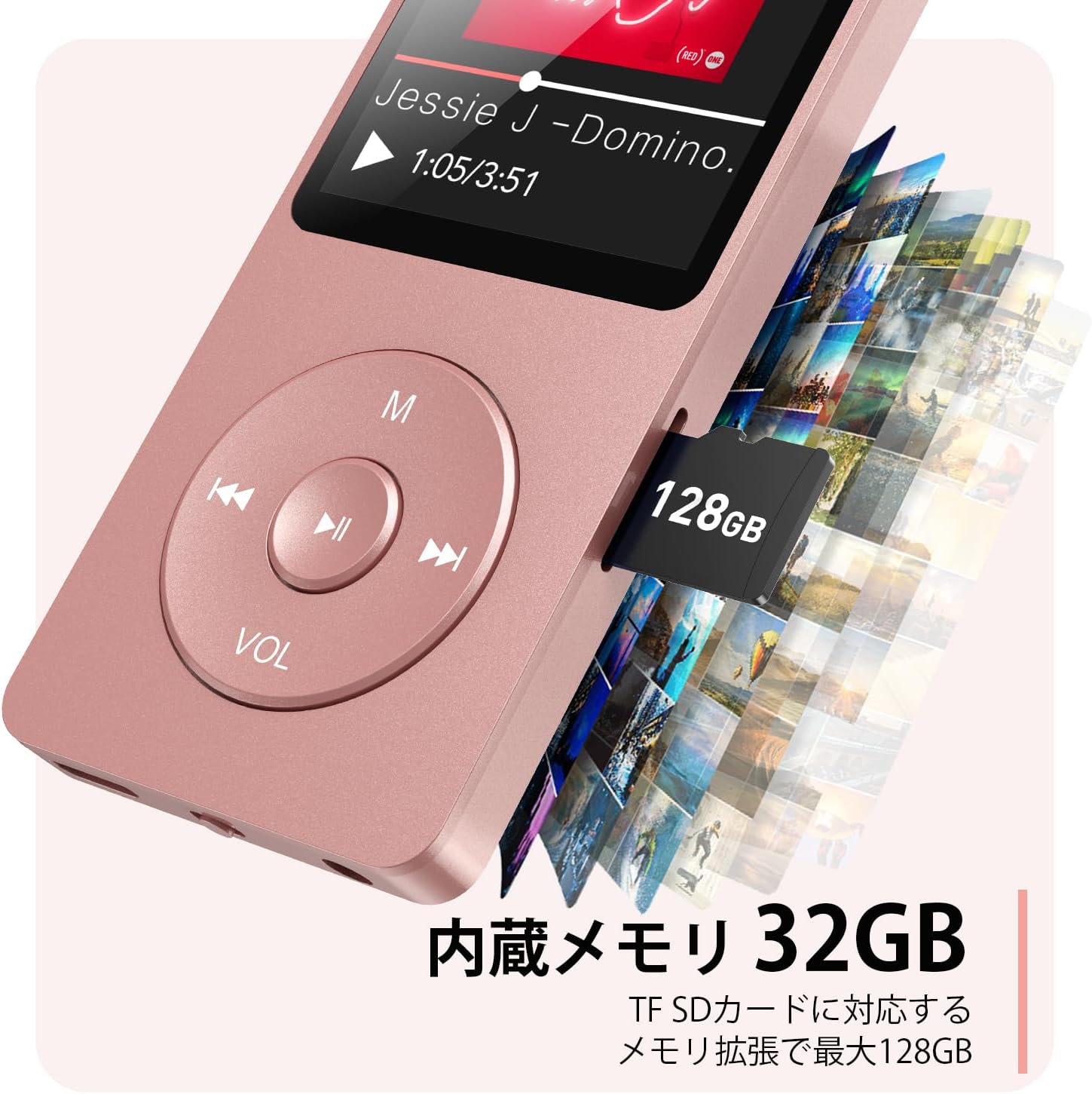
Figura 2.3: lato view with microSD card slot.
- Porta USB-C: Per la ricarica e il trasferimento dei dati.
- Jack per cuffie da 3.5 mm: Per uscita audio cablata.
- Slot per scheda MicroSD: Per una memoria espandibile fino a 64 GB.
3. Impostazione
3.1 Ricarica del dispositivo
Before first use, fully charge the MP3 player. Connect the provided USB-C cable to the player's USB-C port and the other end to a USB power adapter (not included) or a computer's USB port. The screen will indicate charging status. A full charge takes approximately 2 hours and provides up to 40 hours of music playback.

Figure 3.1: MP3 Player charging indication.
3.2 Inserimento di una scheda MicroSD
The player has 32GB of internal storage. To expand storage, insert a microSD card (up to 64GB, not included) into the microSD card slot until it clicks into place. Ensure the card is inserted correctly to avoid damage.
3.3 Trasferimento di musica Files
- Collega il lettore MP3 al computer tramite il cavo USB-C.
- The player will appear as a removable disk on your computer.
- Trascina e rilascia la tua musica files (MP3, WMA, OGG, WAV, APE, FLAC, AAC, ACELP) into the 'Music' folder on the player or microSD card.
- Prima di scollegare il cavo, espellere in modo sicuro il dispositivo dal computer.
4. Istruzioni per l'uso
4.1 Accensione/spegnimento
- Accensione: Long press the Power button (usually on the side or top edge) until the screen lights up.
- Spegni: Long press the Power button until the 'Power Off' option appears, then select it.
4.2 Navigazione di base
Use the navigation buttons (Previous, Next, Play/Pause, M) to move through menus and select options. The Play/Pause button often acts as a 'Confirm' button in menus.

Figure 4.1: Main menu interface with various functions.
4.3 Riproduzione di musica
- Dal menu principale, seleziona "Musica".
- Browse by Artist, Album, Songs, Playlists, etc.
- Seleziona un brano per iniziare la riproduzione.
- Use the Previous/Next buttons to skip tracks, and Play/Pause to control playback.
- Regolare il volume utilizzando il pulsante VOL.
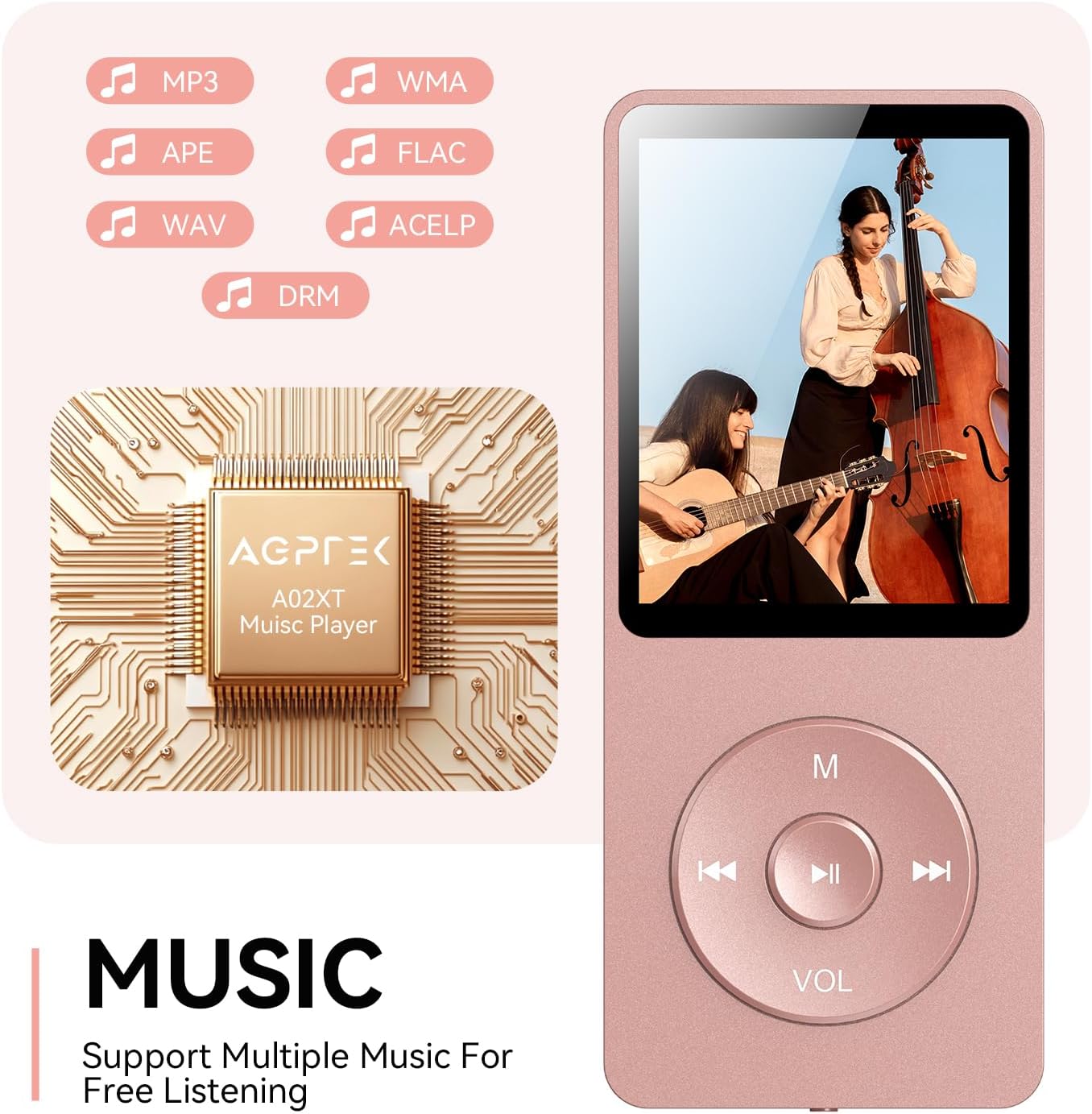
Figure 4.2: Music playback screen and supported formats.
4.4 Connessione Bluetooth
The A02XT supports Bluetooth 5.3 for wireless audio output to headphones or speakers.
- Dal menu principale, seleziona "Bluetooth".
- Turn on Bluetooth on the player.
- Assicurati che le tue cuffie/altoparlanti Bluetooth siano in modalità di associazione.
- The player will search for nearby devices. Select your device from the list to pair.
4.5 Radio FM
- Collegare gli auricolari cablati al jack da 3.5 mm: fungeranno da antenna.
- Dal menu principale, seleziona "Radio FM".
- Utilizzare i pulsanti di navigazione per cercare le stazioni o sintonizzarle manualmente.
4.6 Registrazione vocale
- Dal menu principale, seleziona "Registra".
- Per iniziare, seleziona "Avvia registrazione vocale".
- Press Play/Pause to stop and save the recording.
4.7 Blocco schermo
To prevent accidental button presses, long press the 'M' button to lock the screen. Repeat the action to unlock.
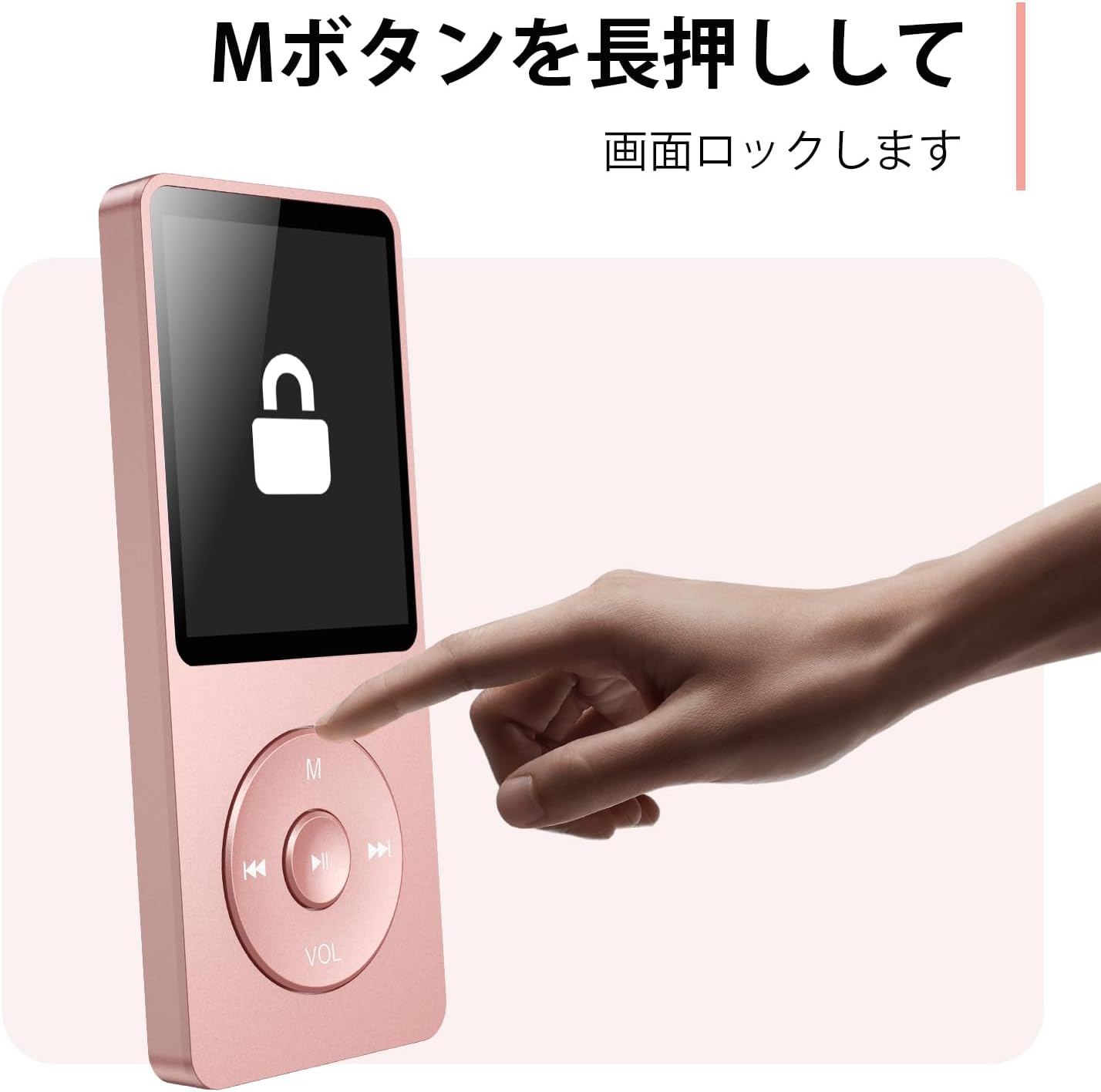
Figure 4.3: Screen lock function using the M button.
5. Manutenzione
5.1 Pulizia
- Pulisci il dispositivo con un panno morbido e asciutto.
- Non utilizzare detergenti liquidi o solventi.
5.2 Conservazione
- Conservare il lettore in un luogo fresco e asciutto, lontano dalla luce solare diretta e da temperature estreme.
- Evitare di far cadere o sottoporre il dispositivo a forti impatti.
5.3 Cura della batteria
- Per preservare la salute della batteria, caricarla regolarmente, anche quando non è in uso.
- Evitare di scaricare completamente la batteria frequentemente.
6. Risoluzione Dei Problemi
6.1 Il dispositivo non si accende
- Assicurarsi che la batteria sia carica. Collegare a una fonte di alimentazione e riprovare.
- Eseguire un hard reset tenendo premuto il pulsante di accensione per 10-15 secondi.
6.2 Impossibile trasferire Files
- Check the USB-C cable connection. Try a different cable or USB port.
- Ensure the device is properly recognized by your computer.
- Verificare che il file formato supportato dal lettore.
6.3 Problemi di associazione Bluetooth
- Ensure both the player and the Bluetooth device are in pairing mode and within range.
- Disattivare e riattivare il Bluetooth su entrambi i dispositivi.
- Eliminare gli abbinamenti precedenti e riprovare ad associarli.
6.4 Nessun suono
- Controllare il livello del volume.
- Ensure headphones are properly connected or Bluetooth device is paired.
- Test with different headphones or Bluetooth device.
7. Specifiche
| Marca | AGPTEK |
| Nome del modello | A02XT |
| Capacità di archiviazione della memoria | 32 GB (expandable up to 64 GB via microSD card) |
| Colore | Rosa |
| Dimensioni dello schermo | 8.9 centimetri (circa 3.5 pollici) |
| Tipo di supporto | scheda microSD |
| Tecnologia di visualizzazione | LCD |
| Formati audio supportati | MP3, WMA, OGG, WAV, APE, FLAC, AAC, ACELP |
| Durata della batteria | Fino a 40 ore |
| Peso dell'articolo | 130 grammi |
8. Garanzia e supporto
8.1 Informazioni sulla garanzia
This AGPTEK A02XT MP3 Player comes with a Garanzia di 1 anno dalla data di acquisto. La presente garanzia copre difetti di fabbricazione e malfunzionamenti dovuti a normale utilizzo. Non copre danni causati da uso improprio, incidenti, modifiche non autorizzate o normale usura.
8.2 Assistenza clienti
If you encounter any issues or have questions regarding your AGPTEK A02XT MP3 Player, please refer to the troubleshooting section of this manual first. If the problem persists, contact AGPTEK customer support through the official website or your retailer's support channels. Please have your purchase receipt and product model number (A02XT) ready when contacting support.