
Introduzione
The PlayStation Pulse Elite Wireless Headset offers an immersive audio experience for gaming. Featuring planar magnetic drivers, it delivers lifelike sound with a lossless and lightning-fast PlayStation Link wireless connection. The headset includes a fully retractable microphone with AI-enhanced noise rejection for clear communication. With up to 30 hours of battery life and quick charging capabilities, it is designed for extended gaming sessions.
Caratteristiche principali:
- Next Generation Gaming Audio with Planar Magnetic Drivers
- Multi-Device Connectivity (PlayStation Link and Bluetooth)
- Command and Control with Retractable Microphone and AI-enhanced Noise Rejection
- Long Battery Life (Up to 30 hours) and Quick Charging
Cosa c'è nella scatola
Verificare che tutti gli articoli siano presenti nel pacco:
- Cuffie wireless PlayStation Pulse Elite
- Adattatore USB PlayStation Link
- Stazione di ricarica
- Cavo di ricarica USB
- Manuale d'uso

Image: PlayStation Pulse Elite Wireless Headset shown with its retail packaging.
Impostare
Carica iniziale:
Before first use, fully charge the headset using the included USB charging cable and charging station. Connect the USB cable to the charging station and a compatible USB power source (e.g., PS5 console, USB wall adapter).

Image: The dedicated charging station for the headset.
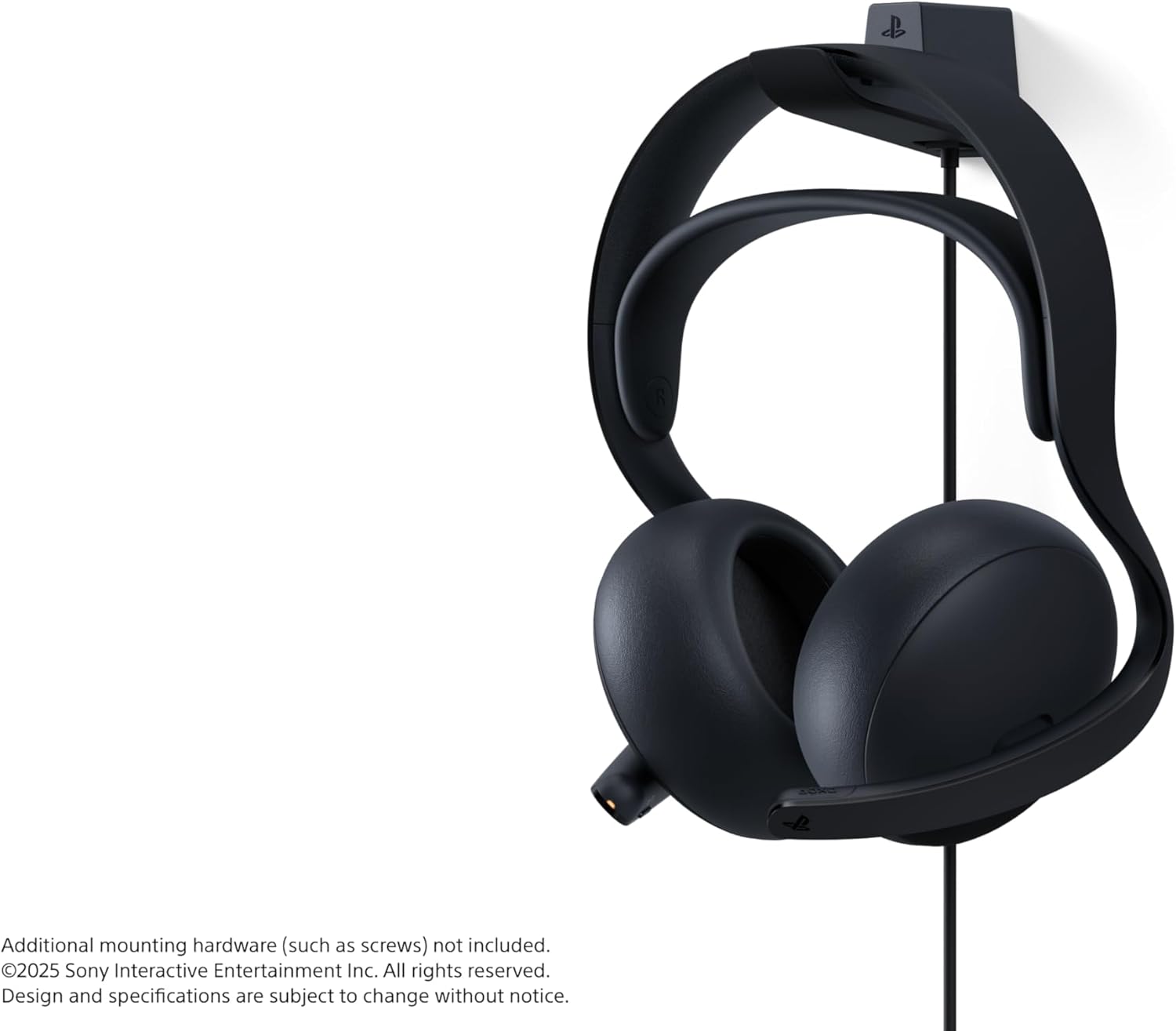
Image: The headset securely placed on its charging station.
Connecting to PlayStation 5 (PS Link):
- Insert the PlayStation Link USB adapter into a USB-A port on your PlayStation 5 console.
- Turn on the Pulse Elite headset. It should automatically pair with the USB adapter.
- Confirm connection on your PS5 screen.
Connessione tramite Bluetooth:
- Assicurati che le cuffie siano accese.
- Activate Bluetooth pairing mode on the headset (refer to the headset's specific button combination in the included user manual).
- On your device (e.g., smartphone, PC), go to Bluetooth settings and select "PULSE Elite" from the list of available devices.
- The headset supports simultaneous connection to a PS Link device and a Bluetooth device.
Istruzioni per l'uso
Indossare l'auricolare:
Place the headset over your ears, ensuring the earcups fully cover your ears for optimal sound isolation and comfort. Adjust the headband for a secure yet comfortable fit.

Immagine: Frontale view of the headset, showing the earcups and headband.

Immagine: Lato view of the headset, highlighting its profile.
Utilizzo del microfono:
The microphone is fully retractable. Extend the microphone boom when you need to communicate. The AI-enhanced noise rejection technology will help filter out background sounds for clear voice capture.

Image: The headset with its retractable microphone extended for use.
Controlli:
The headset features intuitive controls for volume adjustment and microphone muting. Refer to the detailed diagram in the included user manual for exact button locations and functions.
Manutenzione
Pulizia:
Wipe the headset and charging station with a soft, dry cloth. Do not use abrasive cleaners or solvents. Keep the charging contacts clean and free of debris.
Magazzinaggio:
When not in use, store the headset on its charging station or in a protective case to prevent damage. Avoid exposing the headset to extreme temperatures or direct sunlight.
Cura della batteria:
Per prolungare la durata della batteria, evitare di scaricare completamente le cuffie frequentemente. Caricare le cuffie regolarmente, anche se non vengono utilizzate costantemente.
Risoluzione dei problemi
Nessun audio:
- Assicurarsi che l'auricolare sia acceso e completamente carico.
- Verify the PlayStation Link USB adapter is securely connected to the PS5.
- Check the volume levels on both the headset and the connected device (PS5/PC/mobile).
- If using Bluetooth, ensure the headset is paired and connected to the correct device.
Microfono non funzionante:
- Ensure the microphone is extended and not muted.
- Check microphone settings on your connected device (PS5/PC/mobile) to ensure the Pulse Elite is selected as the input device.
Problemi di connessione:
- Ensure the headset and USB adapter are within range.
- Try re-pairing the headset with the PS Link adapter or re-connecting via Bluetooth.
- Evitare interferenze da altri dispositivi wireless.
Specifiche
| Caratteristica | Dettaglio |
|---|---|
| Nome del modello | Pulsare Elite |
| Numero di modello | CFI-ZWH2 |
| Tecnologia di connettività | Senza fili (PlayStation Link, Bluetooth) |
| Versione Bluetooth | 4.0 |
| Tipo di driver audio | Driver magnetico planare |
| Durata della batteria | Fino a 30 ore |
| Dispositivi compatibili | Cellphones, Desktops, Gaming Consoles (PS5, PS Portal), Laptops |
| Peso dell'articolo | 2.28 libbre |
| Dimensioni del prodotto | 8.5 x 5.75 x 10 pollici |
| Produttore | Intrattenimento interattivo Sony |
Garanzia e supporto
For warranty information and technical support, please refer to the official PlayStation support website or contact PlayStation customer service. Keep your proof of purchase for warranty claims.
Supporto online: www.playstation.com/support