
Introduzione
Thank you for choosing the LIORQUE SM-01 White Noise Machine with Alarm Clock. This device is designed to enhance your sleep, relaxation, and wake-up experience with a variety of soothing sounds, an adjustable night light, and a customizable alarm clock. Please read this manual carefully to ensure proper use and to fully enjoy all its features.
Informazioni sulla sicurezza
- Attenzione: Use only with the provided power cable.
- Non utilizzare in ambienti umidi.
- Non esporre a calore eccessivo.
- Questo dispositivo non è un giocattolo.
- Risk of sunburn or electric shock if mishandled.
- Avoid prolonged exposure to high sound levels.
- Tenere fuori dalla portata dei bambini.
Contenuto della confezione

The image displays the LIORQUE SM-01 White Noise Machine, a charging cable, a power adapter, and the user manual, all neatly arranged with the product packaging.
Dopo aver disimballato, assicurarsi che siano presenti tutti i seguenti elementi:
- LIORQUE SM-01 White Noise Machine with Alarm Clock (x1)
- Cavo di ricarica (x1)
- Adattatore di alimentazione (x1)
- Manuale utente (x1)
Prodotto finitoview e controlli

This image illustrates the top panel of the device, highlighting the various buttons and their corresponding functions for easy identification and operation.
Familiarize yourself with the control buttons located on the top of the device:
- Interruttore di allarme: Attiva o disattiva l'allarme.
- Time Set / Dimmer: Long press to set the time; short press to adjust display brightness.
- Volume -: Diminuisce il volume.
- Snooze / Light Button: Activates snooze during an alarm; short press to turn on/off or adjust the night light.
- Volume+: Aumenta il volume.
- Pulsante audio: Selects soothing sounds.
- Pulsante Timer: Sets the sleep timer duration.
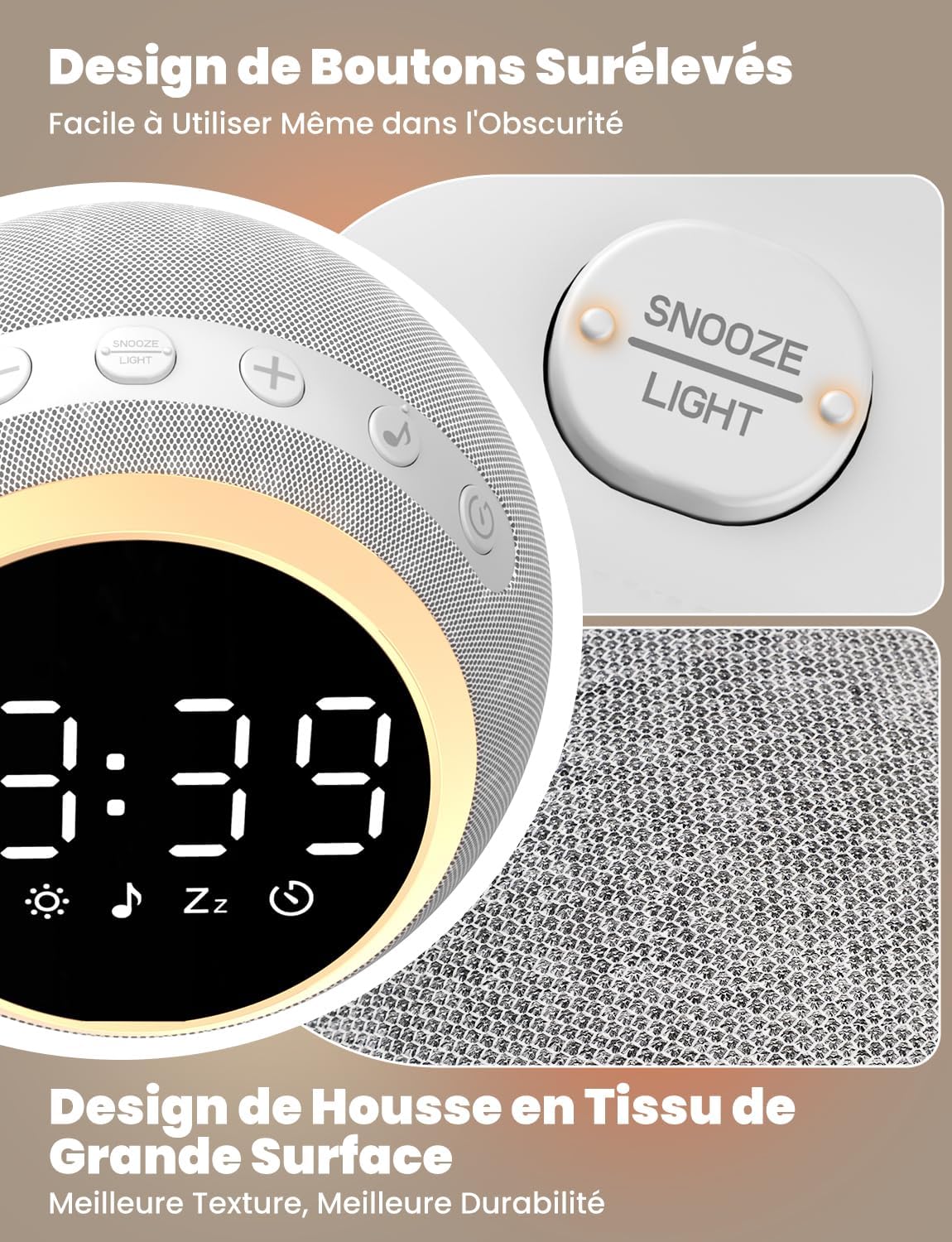
The device features raised buttons for intuitive operation, even in low light conditions, and a durable fabric-wrapped casing.
Impostare
- Collegamento elettrico: Connect the provided power cable to the device and plug the adapter into a standard electrical outlet. The device will power on automatically.
- Impostazione dell'ora iniziale: Premere a lungo il tasto Ora impostata button. Use the Volume +/- buttons to adjust the hour and minute. Press the Time Set button again to confirm each setting.
Istruzioni per l'uso
1. White Noise and Soothing Sounds

The device offers 25 natural sounds, including various nature sounds and lullabies, to promote relaxation and sleep.
- Selezione dei suoni: Premere il tasto Pulsante audio to cycle through the 25 available natural sounds (e.g., thunderstorms, rain, lullabies).
- Regolazione del volume: Utilizzare il Volume + E Volume - buttons to set your desired sound level. The device offers 16 levels of volume adjustment.
2. Funzione sveglia
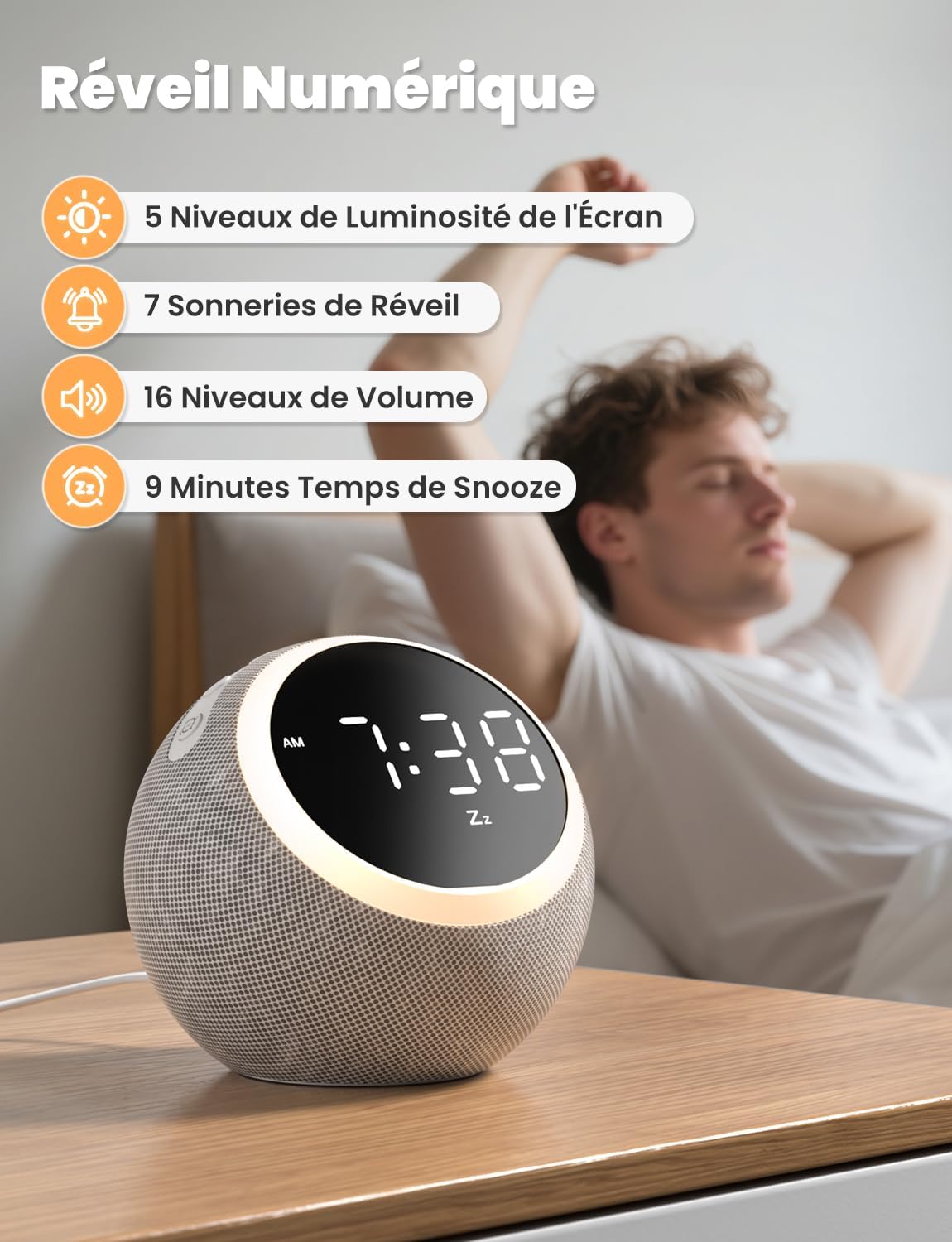
The digital alarm clock features 5 display brightness levels, 7 alarm tones, 16 volume levels, and a 9-minute snooze function.
- Impostazione allarme: Premere a lungo il tasto Interruttore di allarme button. Use the Volume +/- buttons to set the alarm time. Press the Alarm Switch again to confirm.
- Choosing Alarm Tone: While setting the alarm, you can select from 7 pleasant alarm tones.
- Funzione snooze: Quando suona la sveglia, premere il tasto Snooze / Light Button to get an additional 9 minutes of sleep.
- Disattivazione dell'allarme: Premere il tasto Interruttore di allarme button to turn off the alarm for the day.
3. Luce notturna

The night light offers 10 adjustable levels of brightness and color temperature from 1500K to 6500K, allowing for personalized ambiance.
- Activating/Adjusting Light: Premere brevemente il tasto Snooze / Light Button to turn on the night light. Continue pressing to cycle through 10 levels of brightness and color temperature (1500K to 6500K).
- Turning Off Light: Premere il tasto Snooze / Light Button finché la luce non si spegne.
4. Luminosità del display

The display brightness can be adjusted across 5 levels, including a completely dark mode, suitable for light-sensitive sleepers.
- Regolazione del display: Premere brevemente il tasto Time Set / Dimmer button to cycle through 5 levels of display brightness, including a complete blackout mode.
5. Timer di spegnimento

The sleep timer allows you to set the device to automatically turn off sounds and lights after a duration between 5 and 480 minutes.
- Impostazione del timer: Premere il tasto Pulsante timer to select a desired sleep timer duration (e.g., 5, 15, 30, 60, 90, 120, 180, 240, 300, 360, 420, 480 minutes). The sound and light will automatically turn off after the set time.
- Disabling Timer: Continue pressing the Timer Button until the timer indicator disappears from the display.
Manutenzione
- Pulizia: Disconnect the power before cleaning. Wipe the device with a soft, dry cloth. Do not use liquid cleaners or abrasive materials.
- Magazzinaggio: Conservare il dispositivo in un luogo fresco e asciutto quando non viene utilizzato per lunghi periodi.
Risoluzione dei problemi
- Il dispositivo non si accende: Assicurarsi che il cavo di alimentazione sia collegato saldamente sia al dispositivo che alla presa di corrente. Verificare che la presa sia funzionante.
- Nessun suono: Check the volume level using the Volume +/- buttons. Ensure a sound is selected.
- L'allarme non suona: Verify the alarm is set and activated (check the alarm icon on the display). Ensure the alarm volume is not set to zero.
- Display too bright/dark: Adjust the display brightness using the Time Set / Dimmer button.
Specifiche
| Caratteristica | Specificazione |
|---|---|
| Numero di modello | Modello SM-01 |
| Marca | LIORCO |
| Dimensioni | Dimensioni: 14.7 x 13.6 x 13.5 cm |
| Peso | 480 grammi |
| Fonte di alimentazione | Cavo elettrico |
| Number of Soothing Sounds | 25 |
| Livelli di luminosità del display | 5 (including off) |
| Livelli di luce notturna | 10 |
| Temperatura del colore della luce notturna | 1500K - 6500K |
| Toni di allarme | 7 |
| Durata del posticipo | 9 minuti |
| Sleep Timer Duration | Da 5 a 480 minuti |
Garanzia e supporto
LIORQUE products are designed and manufactured to the highest quality standards. For any questions, technical support, or warranty claims, please refer to the contact information provided on the product packaging or visit the official LIORQUE websito.
Si prega di conservare la prova d'acquisto ai fini della garanzia.