
Introduzione
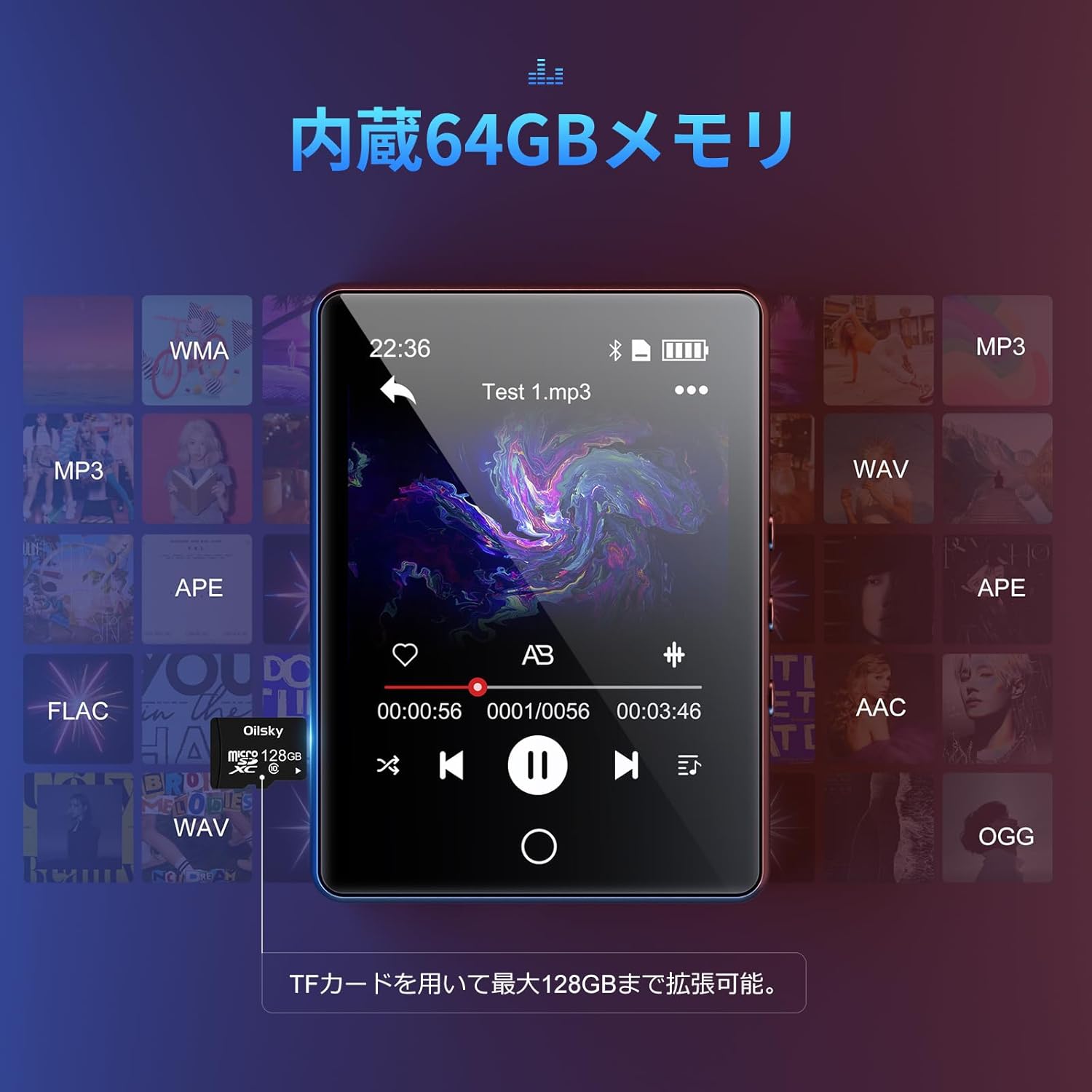
Grazie per l'acquistoasing the Oilsky D26 MP3 Player. This device combines a 2.8-inch full touchscreen with Bluetooth 5.0 connectivity, a built-in speaker, and a robust alloy design. It offers 64GB of internal storage, expandable up to 128GB with a microSD card, and supports various audio formats. This manual provides essential information for setup, operation, and maintenance to ensure optimal performance.
Contenuto della confezione
Si prega di controllare la confezione per verificare la presenza dei seguenti elementi:
- Oilsky D26 MP3 Player Unit
- Auricolari
- Cavo USB Type-C
- Manuale di istruzioni
- Custodia protettiva

Se qualche articolo risulta mancante o danneggiato, contattare l'assistenza clienti.
Prodotto finitoview
The Oilsky D26 MP3 Player features a sleek alloy design with a 2.8-inch full touchscreen for intuitive navigation. It includes a home button for easy return to the main menu.

Impostare
1. Carica del dispositivo
Before first use, fully charge the MP3 player. Connect the provided Type-C USB cable to the player's charging port and the other end to a USB power adapter (not included) or a computer's USB port. The battery indicator on the screen will show charging status.
2. Inserimento di una scheda microSD (facoltativo)
The device has 64GB of internal storage. To expand storage up to 128GB, insert a microSD card into the designated slot. Ensure the card is inserted correctly until it clicks into place.

3. Trasferimento Files
Connect the MP3 player to your computer using the Type-C USB cable. The device will appear as a removable disk. You can then drag and drop audio files (MP3, WMA, APE, FLAC, AAC, WAV, OGG) into the player's internal storage or the inserted microSD card.
Istruzioni per l'uso
1. Navigazione di base
The D26 features a 2.8-inch full touchscreen. Tap icons to select functions and swipe to navigate menus. The physical home button at the bottom allows you to return to the main menu from any application.

2. Riproduzione di musica
Tap the 'Music' icon on the main screen to access your audio library. The player supports various formats including MP3, WMA, APE, FLAC, AAC, WAV, and OGG, ensuring high-quality audio playback with minimal loss.
3. Connettività Bluetooth
The D26 features Bluetooth 5.0 for stable wireless connections. To pair with Bluetooth headphones or speakers:
- Vai su "Impostazioni" e seleziona "Bluetooth".
- Attiva il Bluetooth e cerca i dispositivi disponibili.
- Seleziona le cuffie o gli altoparlanti Bluetooth dall'elenco per associarli.
Nota: This device can only pair with Bluetooth headsets or speakers. It cannot pair with mobile phones, cars, or computers. Ensure you are in an area free from strong electromagnetic interference to maintain a stable Bluetooth connection.

4. Radio FM
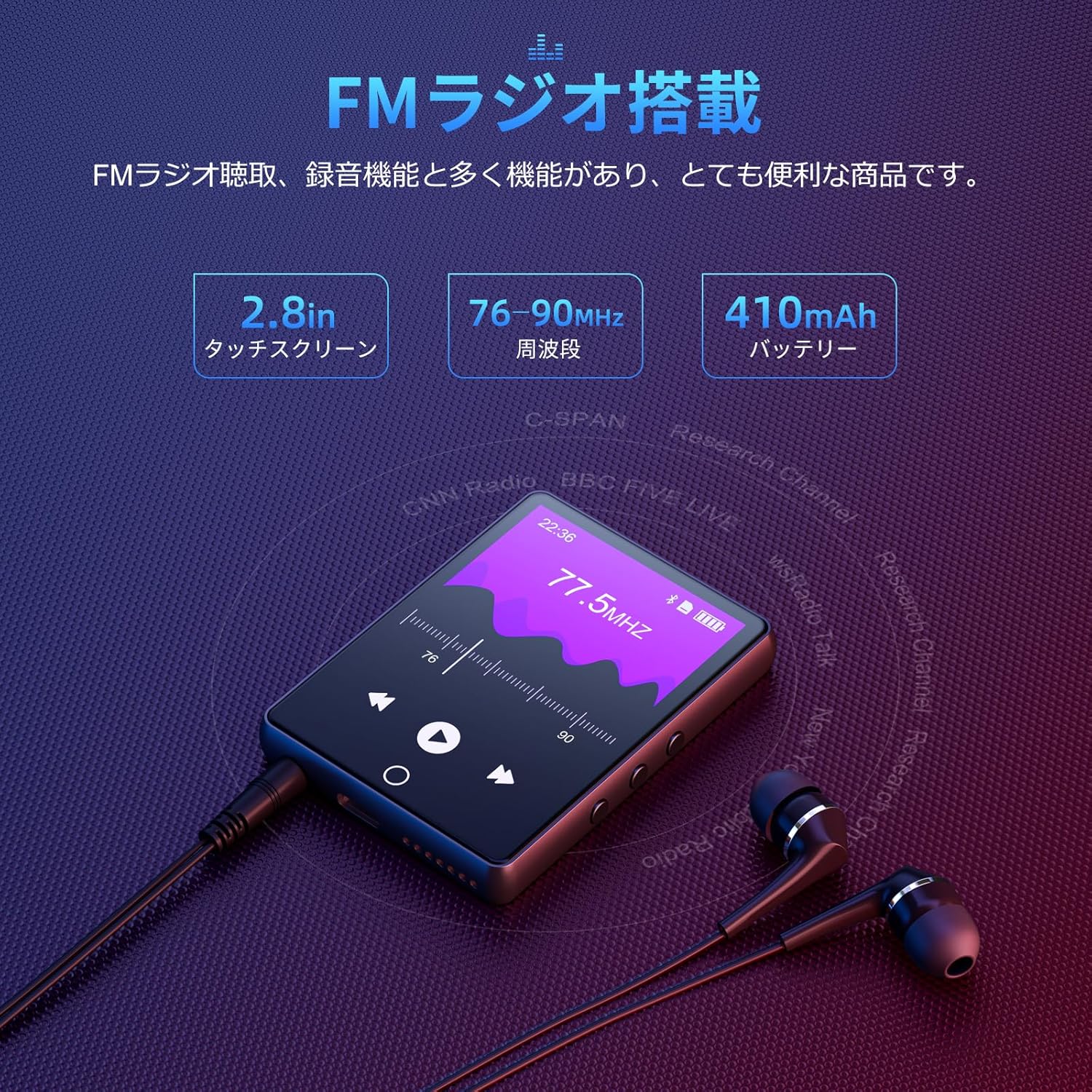
To use the FM radio function, connect the wired earphones (included) as they act as the antenna. Tap the 'FM Radio' icon on the main screen. You can then scan for stations and listen to broadcasts.
5. Funzione di registrazione
The D26 includes a recording function, useful for lectures, meetings, or personal notes. Tap the 'Record' icon to start and stop recordings. Recorded files are saved on the device.

6. Altre funzioni
The device also includes additional utilities such as a timer, calendar, and calculator. Access these features from the main menu.

Manutenzione
- Mantenere il dispositivo asciutto. Evitare l'esposizione a umidità o liquidi.
- Pulire lo schermo e il corpo con un panno morbido e asciutto. Non utilizzare detergenti abrasivi.
- Evitare temperature estreme.
- Non tentare di smontare o riparare il dispositivo da soli.
Risoluzione dei problemi
Il dispositivo non si accende:
- Assicurarsi che il dispositivo sia completamente carico.
- Tenere premuto il pulsante di accensione per alcuni secondi.
Impossibile connettersi tramite Bluetooth:
- Assicurarsi che il Bluetooth sia abilitato sia sul lettore che sul dispositivo ricevente (cuffie/altoparlante).
- Make sure the receiving device is in pairing mode.
- Confirm that you are attempting to pair with a compatible device (Bluetooth headphones or speakers only).
- Allontanarsi da potenziali fonti di interferenza elettromagnetica.
Nessun suono:
- Controllare il livello del volume.
- Ensure earphones are properly connected or Bluetooth device is paired and connected.
- Test with different earphones or Bluetooth device.
Filenon sta giocando:
- Verificare che l'audio file format is supported (MP3, WMA, APE, FLAC, AAC, WAV, OGG).
- Assicurare il files non sono danneggiati.
Specifiche
| Caratteristica | Specificazione |
|---|---|
| Numero di modello | D26 |
| Marca | Oilsky |
| Dimensioni dello schermo | 2.8 pollici |
| Tecnologia di visualizzazione | LCD |
| Memoria interna | 64 GB |
| Archiviazione espandibile | Fino a 128 GB tramite scheda microSD |
| Connettività | Bluetooth 5.0 |
| Formati audio supportati | MP3, WMA, APE, FLAC, AAC, WAV, OGG |
| Altre funzioni | FM Radio, Built-in Speaker, Recording, Calculator, Timer, Calendar |
| Dimensioni | Dimensioni: 14.7 x 14.6 x 1.9 cm |
| Peso | 200 grammi |
Garanzia e supporto
This product comes with a standard manufacturer's warranty. For specific warranty details, please refer to the warranty card included in your package or contact the seller directly. If you encounter any issues or have questions regarding your Oilsky D26 MP3 Player, please reach out to our customer support team for assistance.
Informazioni sui contatti: Please refer to the contact details provided on the product packaging or the seller's information page.